

Advanced Octave A61 — Multi-file projects and helper functions
Advanced GNU Octave with GX-TXT · Module 11
When a program grows, separating the input point from the support functions makes the responsibility of each file more clear. We use a registered project, keeping together all the necessary sources.
Objectives and prerequisites
They serve the basis of the functions Octave and the Registry GX-TXT. The test uses GX-TXT dev112-P011-bis and GNU Octave 9.4.0. The project contains main.m and centrato_corso.m.
Creating the project
In the Workspace Octave open Project → New Project; assign unique name and ID, choose the uncover Session and leave main.m as entrypoint. Create the project, insert the main.m content into the main file and use Project → New file to create centrato_corso.m with the content of the attached function. Save both with File → Save All.
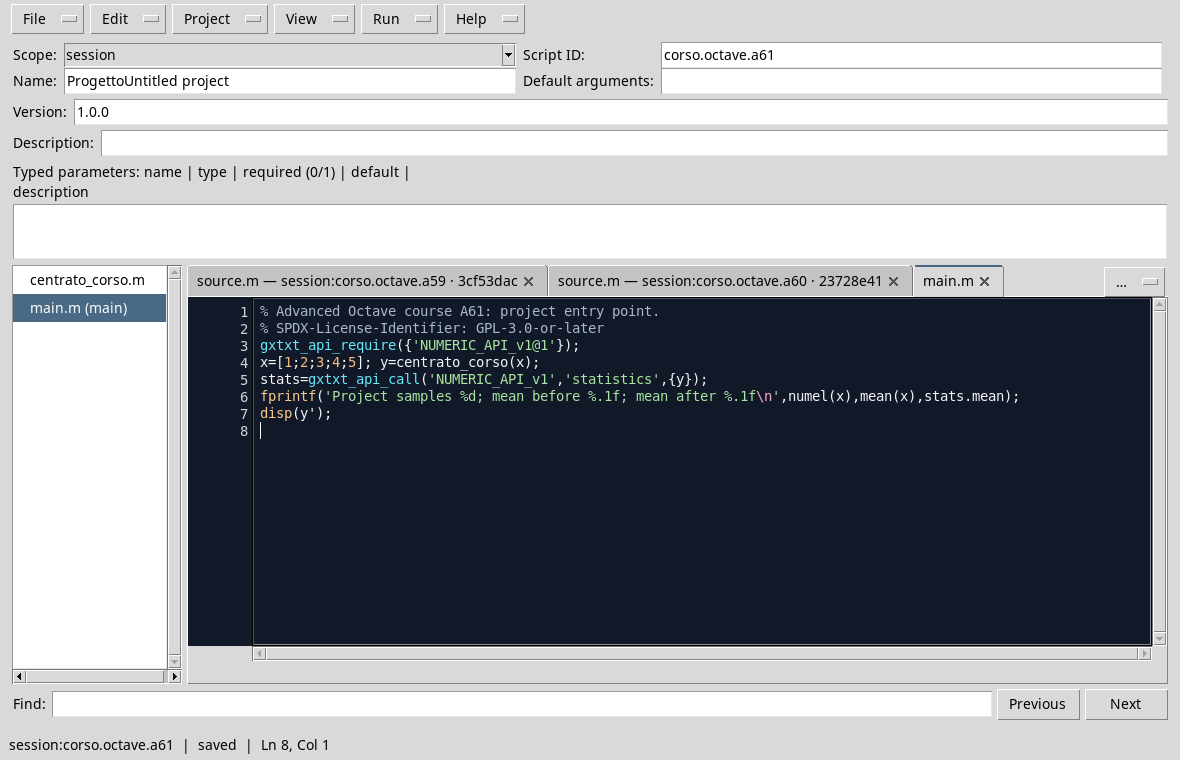
The name of the function file corresponds to the declared name. The project admits the sources in its poster; the entry point recalls the function without adding external paths. The Registry saves a revision of the file set and the Job performs a verified copy of the project.
Run and control
Start the project from Runner. main.m defines five values, calls centrato_corso to subtract the media and uses NUMERIC_API_v1/statistics to control the result.
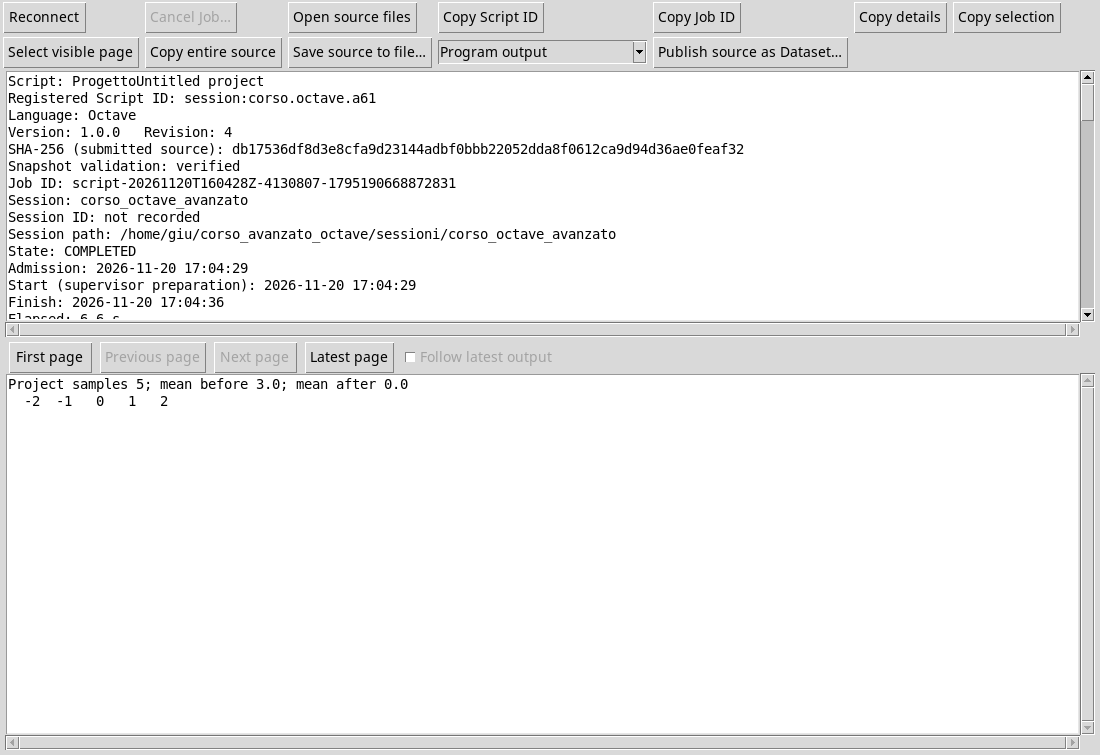
In the test the average passes from 3 to 0 and the resulting vector is [-2 -1 0 1 2]. The function checks that the input is a non-empty carrier. If you change a file, save the entire project again and re-execute it: change a source after a Job does not retroactively change the code already executed.
Exercise
- What is the point of entry of the project?
- Why do the name of the function and that of the file coincide?
- Does a subsequent change change change the result of a Job already completed?
Worked solution
main.m.- Octave must be able to correct the function between the eligible sources of the project.
- No: to evaluate the change you need to save and start a new Job.
Other steps of this project
- Advanced Octave A75 — Dynamical systems in phase space
- Advanced Octave A81 — Geography of the waves and a 3D surface
- Advanced Octave A82 — Age, sex and demographic inequalities
- Advanced Octave A83 — All-cause mortality, certified COVID deaths and surveillance
- Advanced Octave A84 — A reproducible public account
- Advanced Octave A73 — Optimization landscapes and 3D trajectories