

One polynomial in two forms
Products, multiplicity and inequalities with a contact the graph can confuse.
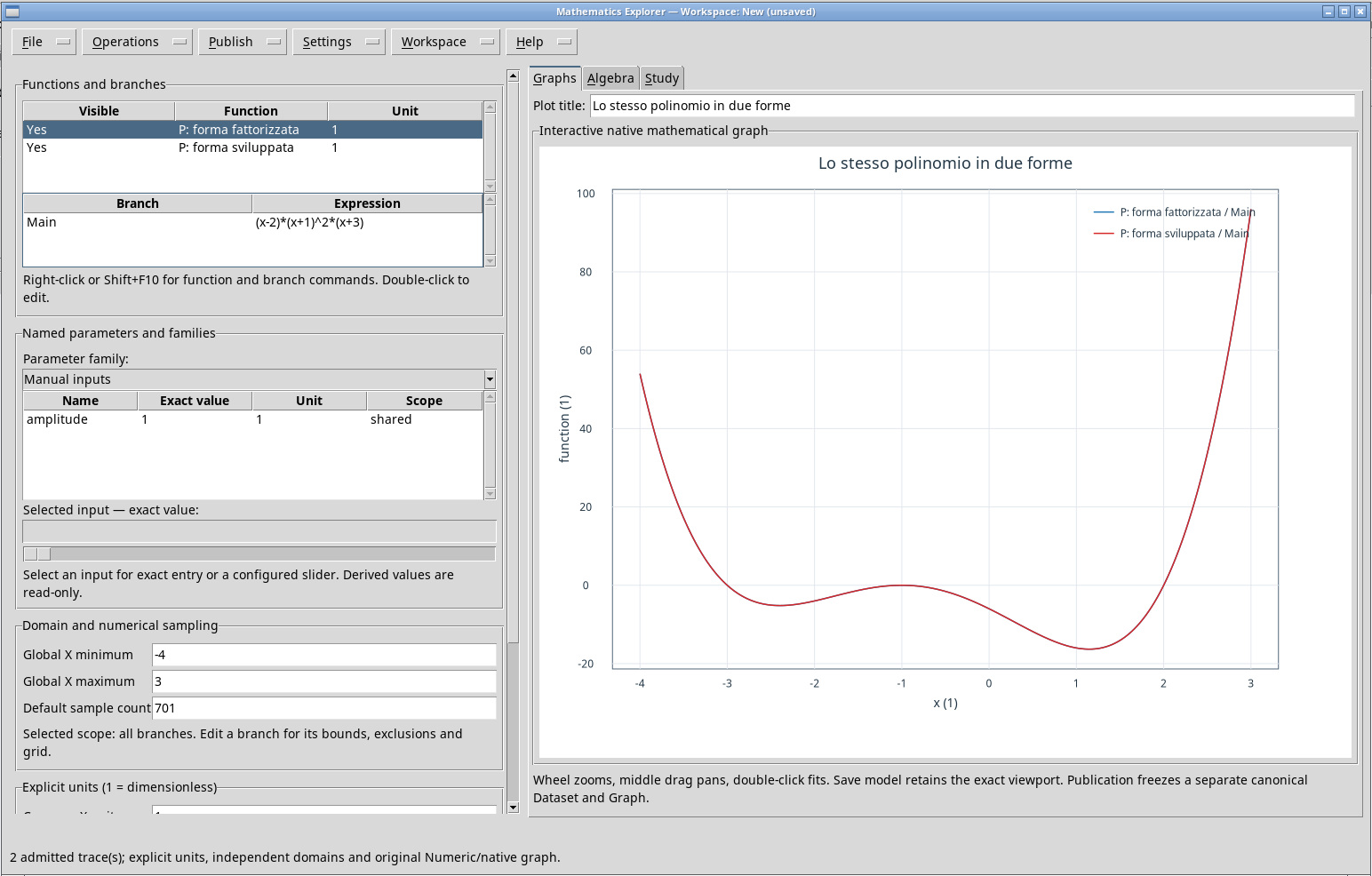
In the graph I expected to see two curves. I entered the product and the expanded polynomial and the traces overlap. Near −1 the curve reaches the axis and goes back on the same side. Why does that point count as much as a zero for the equation, yet behave differently when I study the sign?
P(x) = (x − 2)(x + 1)²(x + 3)
Expanding and going back to the factors
I first multiply (x − 2)(x + 3) = x² + x − 6. Then I multiply by (x + 1)² = x² + 2x + 1. The products of the three terms of the second factor give:
| Term of the second factor | Product with x² + x − 6 |
|---|---|
| x² | x⁴ + x³ − 6x² |
| 2x | 2x³ + 2x² − 12x |
| 1 | x² + x − 6 |
Adding by degree I get x⁴ + 3x³ − 3x² − 11x − 6. The difference between the two expressions is the zero polynomial for every real number. The expanded form shows degree 4 and leading coefficient 1. From that term it follows that P(x) → +∞ both on the left and on the right. The factored form shows the zeros at once.
At −3 and at 2 a first-degree factor vanishes and the others are non-zero: they are simple zeros. At −1 the factor (x + 1)² appears and the remaining product is −6. It is a double zero. Very close to −1 the square is positive on both sides and the rest is negative. The curve touches the axis from below. The derivative at −1 is also zero, because dividing P(x) − P(−1) by x + 1 leaves a factor x + 1 that tends to zero.
From multiplicity to the inequality
Away from the zeros the square factor is positive. The sign therefore depends on (x − 2)(x + 3): the two factors have the same sign left of −3 and right of 2, opposite signs between −3 and 2. At −1 I still have to include the zero when the symbol is ≥ or ≤.
| Interval | (x − 2)(x + 3) | (x + 1)² | P(x) |
|---|---|---|---|
| (−∞, −3) | + | + | + |
| (−3, −1) | − | + | − |
| x = −1 | − | 0 | 0 |
| (−1, 2) | − | + | − |
| (2, +∞) | + | + | + |
For P(x) ≥ 0 I join the two positive intervals, the endpoints −3 and 2 and the isolated zero −1. The result is (−∞, −3] ∪ {−1} ∪ [2, +∞). With the strict symbol > all three zeros disappear.
How to read a partial search
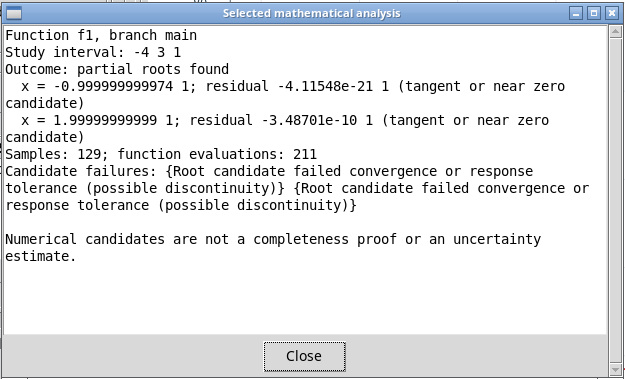
In a Session I opened Viewers → Mathematics → Graphs. I edited the branch of the initial function and added a second row from the context menu of the Functions → Add declaration… list. In Unit 1 I used in the two Main branches (x-2)*(x+1)^2*(x+3) and x^4+3*x^3-3*x^2-11*x-6. I chose [−4, 3], 701 samples and Operations → Plot / Refresh. With the first function selected I chose roots in the Graphs selector, then opened Operations → Analyze and left the limits empty in the dialog. The summary reported two candidates near −1 and 2 and the status partial roots found. The search reports attempts that failed on convergence or tolerance. In that test −3 is missing, although the factorisation proves it is a zero.
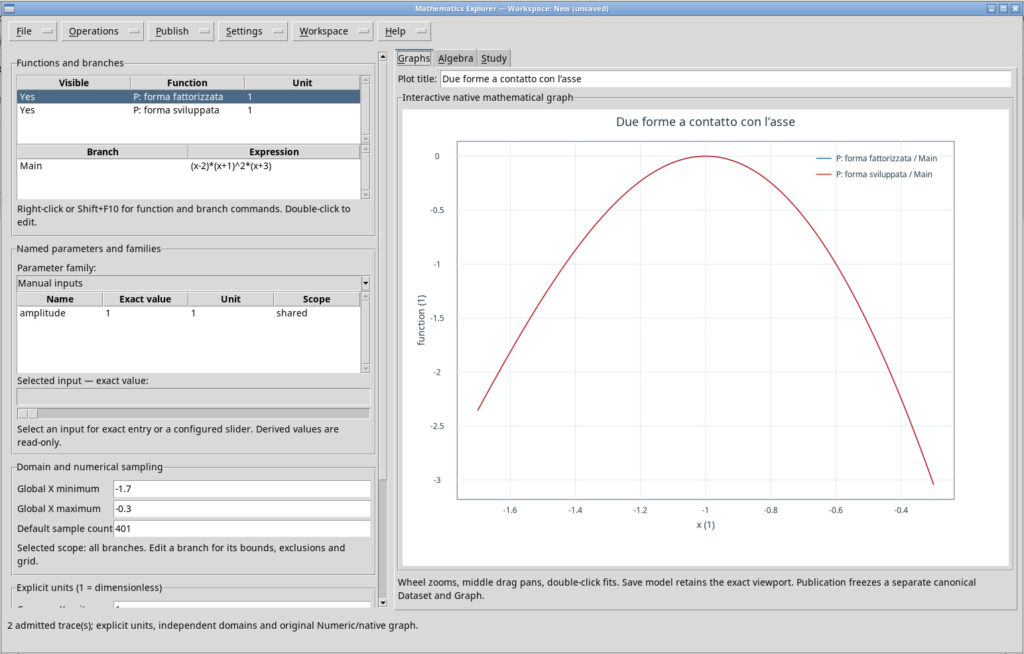
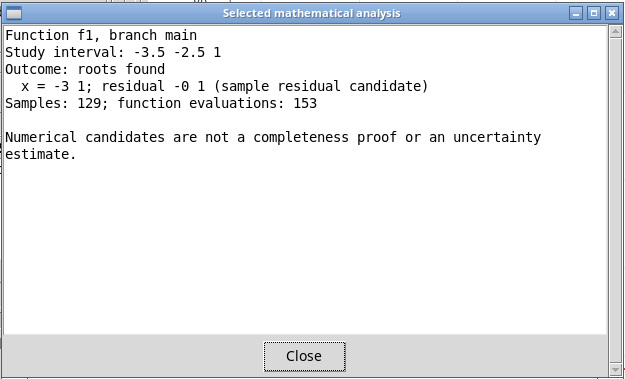
I keep the global domain [−4, 3] and in the Analyze dialog set [−3.5, −2.5] as the interval of the roots study. On this grid the summary finds −3 with zero residual at a sample. The factor table remains the way to count all the zeros.
Redoing the product in Algebra
In the graph I had overlaid two expressions already written. Now I start from the factors and leave it to Algebra to build the product. I use GX-TXT v0.9.8.10-dev-112-p012 with micropatch, Mathematics Explorer 0.2.0, on a copy for Debian 13 amd64. Instructions to prepare and start the copy · Micropatch (ZIP).
- In Graphs create the two functions
(x-2)*(x+3)and(x+1)^2. For both use the main branch, unit1for x and response and the closed global domain [−4, 3]. In File → Save model save the model and wait for the confirmation. - Select the first function. Open Publish → Publish selected Function Dataset…, enter
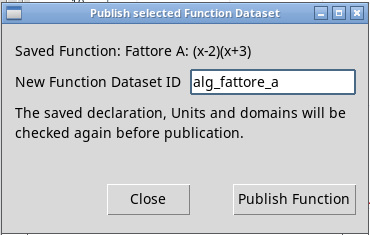
alg_fattore_aas new ID and press Publish Function. After the confirmation repeat with the second row and a distinct ID,alg_fattore_b. Use other IDs if these are already taken. - In the Dataset tab of the main window look for the two IDs. You can activate a row with the indicator next to the ID. To read the formula of a factor go back to Mathematics Explorer and select the Dataset as an operand in Algebra.
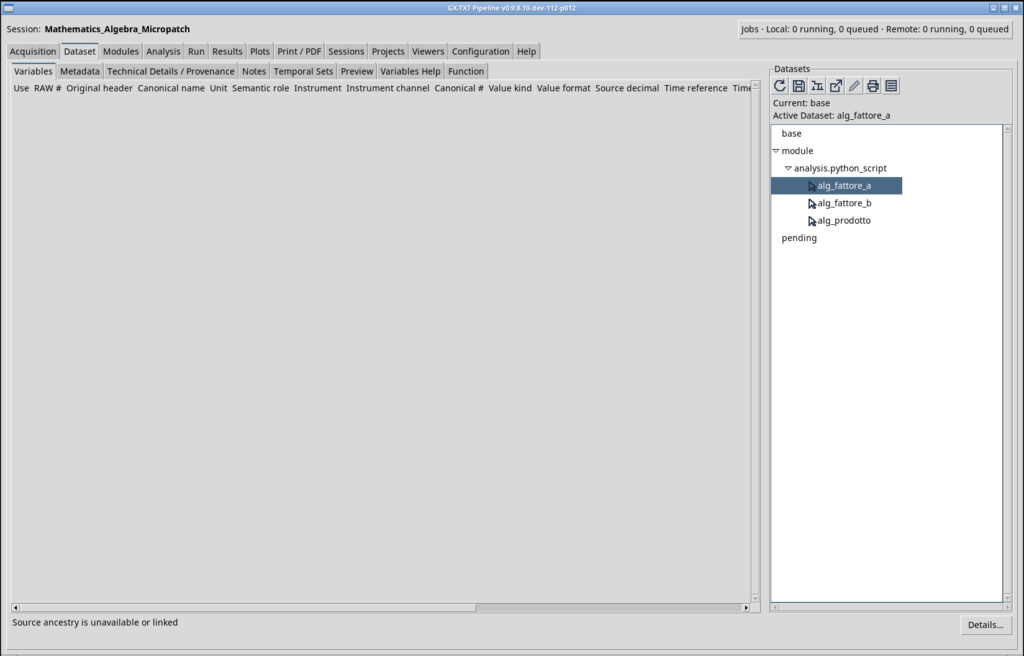
In the copy tested, the catalogue Open command and the Function tab stop with Source ancestry is unavailable or linked. The Algebra selector instead reads the factor Functions and shows their formulas.
Open Algebra. In Operand A choose alg_fattore_a and wait for the reading to finish. Then do the same in Operand B with alg_fattore_b. Look for Multiply Functions in Operation. Press Apply when it is available. After the Job choose Result 1 in View formula, or the result just added if you have a history.
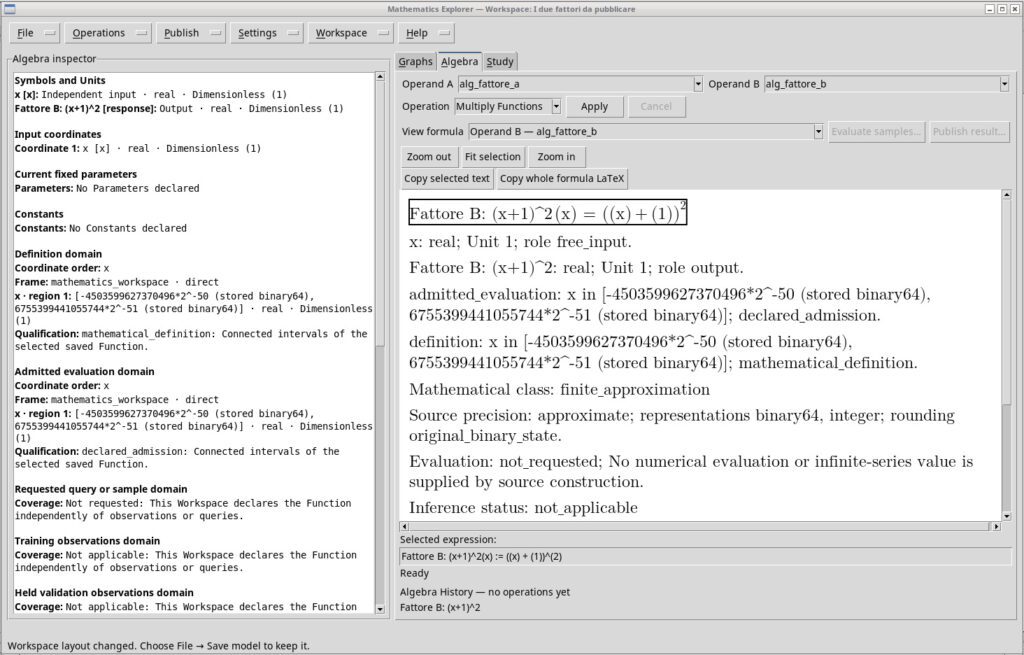
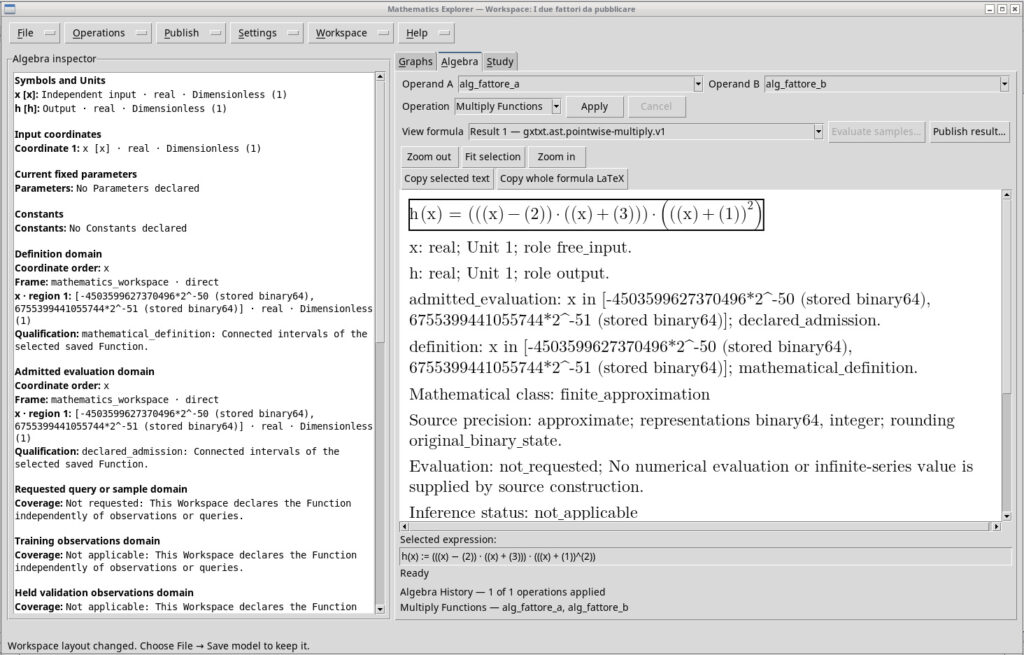
In the result the inspector shows x as the independent variable and h as the response, both in Unit 1. The published domain is [−4, 3]. In View formula the formula stays (x − 2)(x + 3)(x + 1)², with the factors grouped as in the operands.
To check the points, I used Publish result… with the ID alg_prodotto and read the Function back in Operand A. Evaluate samples… stayed disabled for this Function. In a separate check on the published Dataset I evaluated the expression at −3, −2, −1, 0, 2 and 3. I got 0, −4, 0, −6, 0 and 96, the same values as the product computed by hand. You can repeat the comparison with the CSV and find the three zeros again in the first figure.
The operand catalogue shows the Function Datasets of the Session. The editable declarations in Graphs enter this path through publishing. When the official fix is included and verified, you will use the standard P013 for the exercises.
Independent samples of the two forms (ZIP).
Final exercise
Solve P(x)/[(x + 1)(x − 2)] ≥ 0. For a graphical check use the reduced quotient and declare two point exclusions in Graphs.
Worked solution
Before cancelling, I exclude −1 and 2 because they make the original denominator zero. At the other points the quotient is (x + 1)(x + 3). It is non-negative for x ≤ −3 or x ≥ −1. I remove the two forbidden points and get (−∞, −3] ∪ (−1, 2) ∪ (2, +∞). At −3 the numerator is zero and the original denominator is non-zero.
Screenshots of the Giux-Lab test on GX-TXT DEV112 P012, Mathematics Explorer 0.2.0.