Five Verified Examples
PNNL references, single-block import, versioning and RefIMP retrieval.
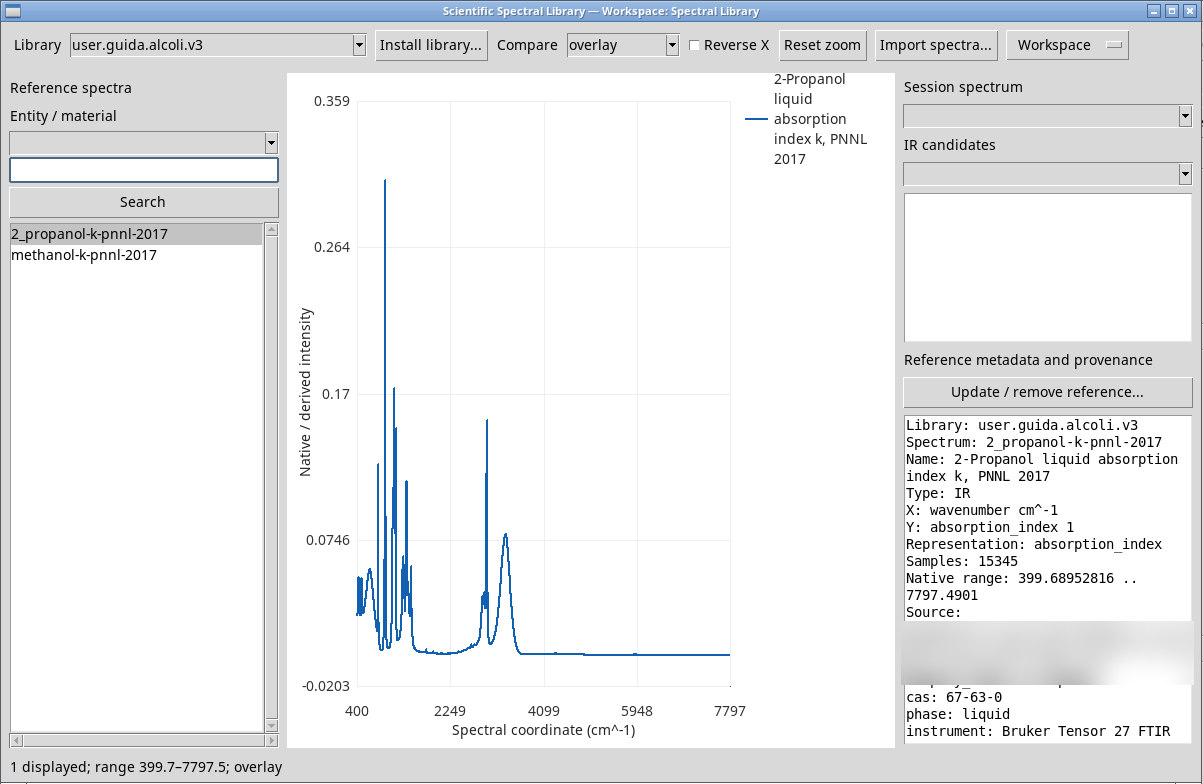
1. Install the PNNL library and find methanol
- Download the NIST/PNNL example package containing three public-domain records from the NIST/PNNL Generator.
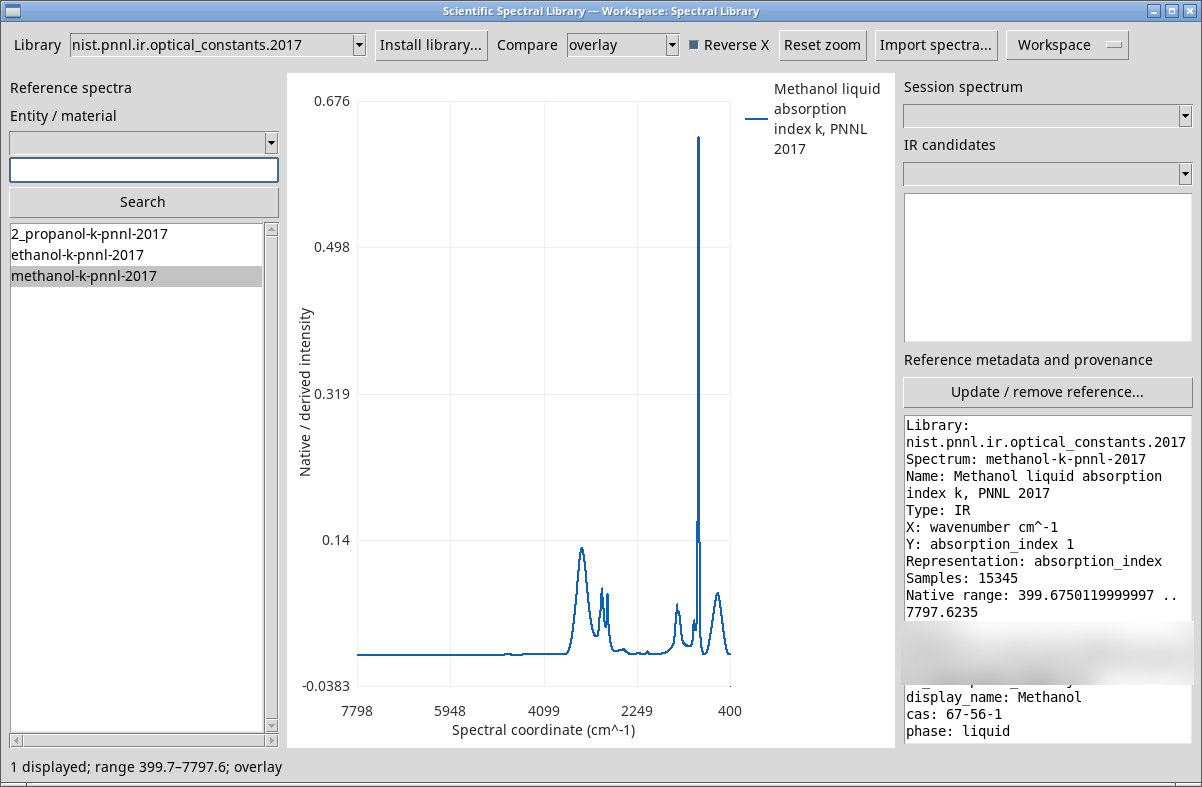
- Press Install library… and open the package. In Entity / material, choose
methanol. Search for CAS67-56-1and select the matching spectrum. - Check for 15,345 numeric points, wavenumber in cm⁻¹, spectrum type IR and k on the Y axis. Move the pointer over the plot to read the coordinate.
2. Compare ethanol and 2-propanol with separate Y scales
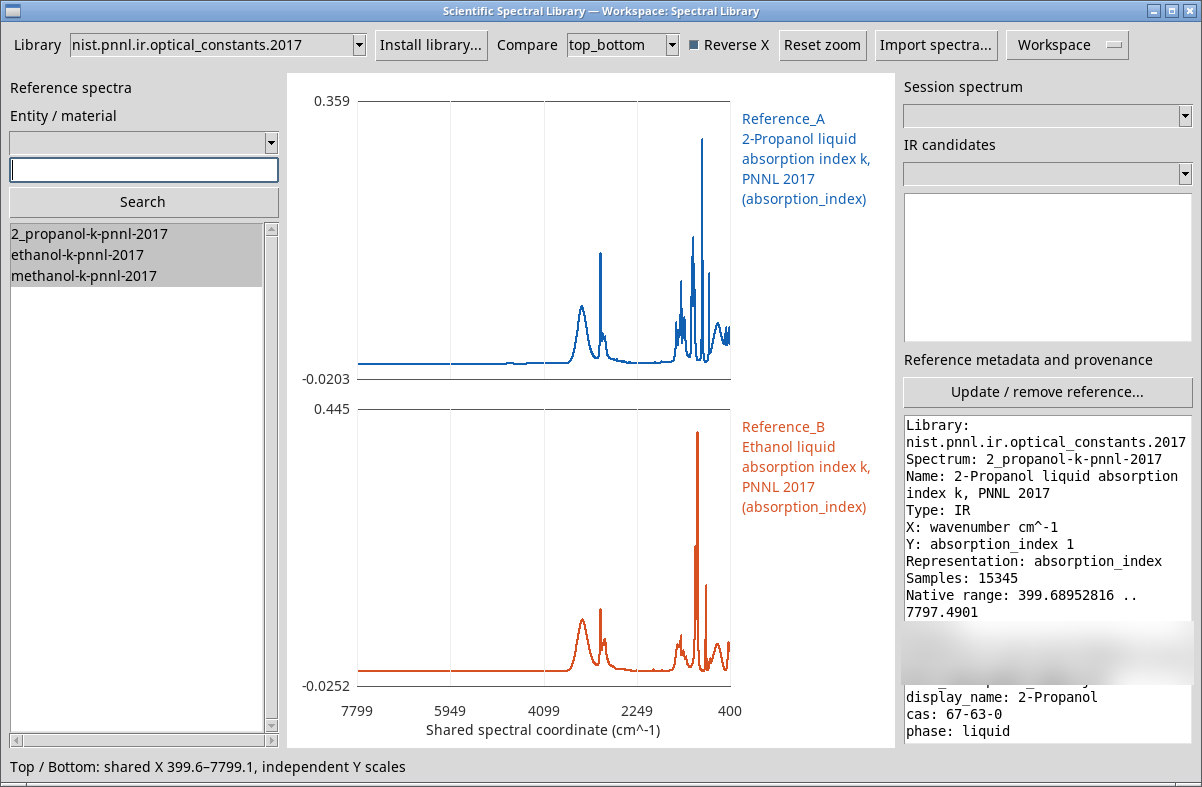
- Stay in the PNNL library, clear Entity / material and the search field, then select
2_propanol-k-pnnl-2017andethanol-k-pnnl-2017. - Switch from
overlaytotop_bottom. Read Reference_A and Reference_B using each panel’s own Y scale. - Try
differenceand read the difference over the common range. Restore the X view with Reset zoom.
3. Import the JCAMP k block into a personal library
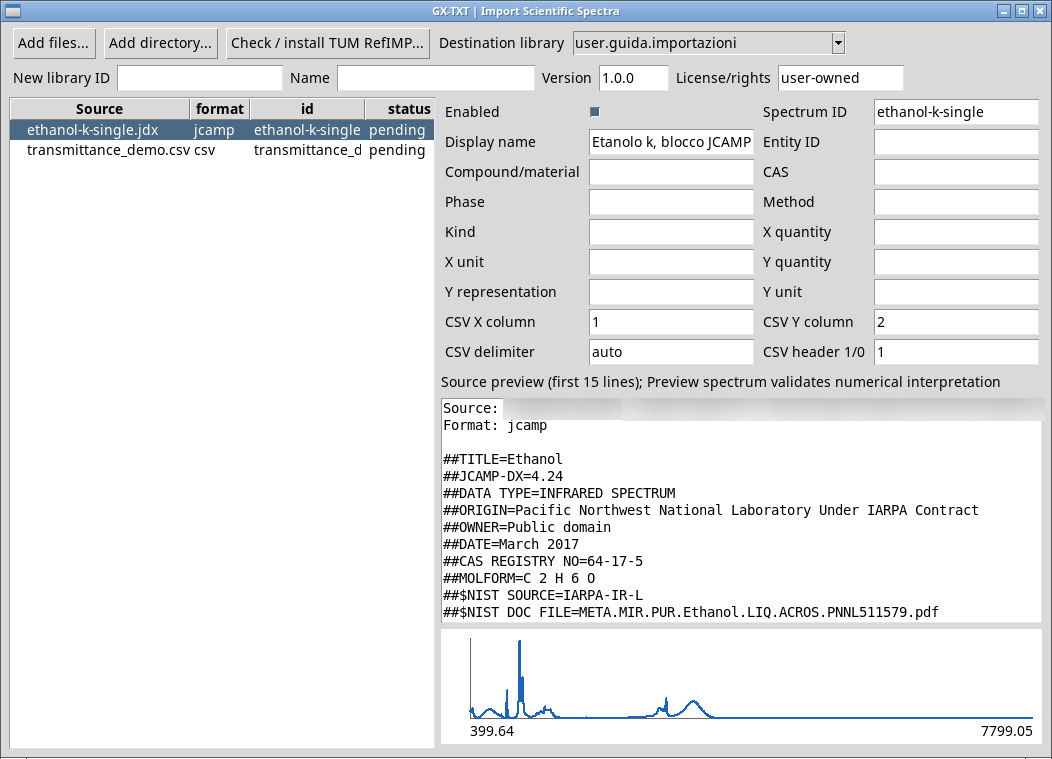
- Extract ethanol-k-single.jdx from the ZIP into a folder. It is the second block of the 2017 PNNL JCAMP for ethanol, with the original samples intact. NIST source record.
- Select that folder in Import spectra… → Add directory…. Leave the JCAMP parsing fields blank and press Preview spectrum.
- Check for 15,347 samples and
absorption_index. Select or create a user-owned destination. Import and open the record from that library.
4. Create library versions with an update and a removal
- Select the PNNL ethanol reference and open Update / remove reference…. Set a new ID and use Fork library.
- In the copy, select ethanol. Set a new ID and name, document the source and choose the CSV of PNNL data pairs extracted from the ZIP. Use CSV format, columns 1 and 2, header 1 and a comma delimiter. Run Update reference.
- In a third version, use Remove reference on the same reference. Check that the third library contains two spectra and the original PNNL library still contains three.
5. Find a RefIMP candidate and compare it with Session data
- Open the
refimp_full_training_irdemonstration Session supplied with Generator 1.1.0. In the application, Import Session… accepts its Session ZIP. For the training corpus, use packagetum.refimp.ftir.training.2022.gxsrl.zip. The example package is prepared with the supplied adapter forFTIR_MP_train_test_spectra.csvfrom TUM, which checks the source fingerprint. Open the Session and install the package through the GUI. The RefIMP Generator 1.1.0 (ZIP) and the 23 parts of the managed package with IDtum.refimp.ftir.training.2022, with the command to reassemble them, can be downloaded from the IR Spectroscopy manual. - In IR candidates, choose
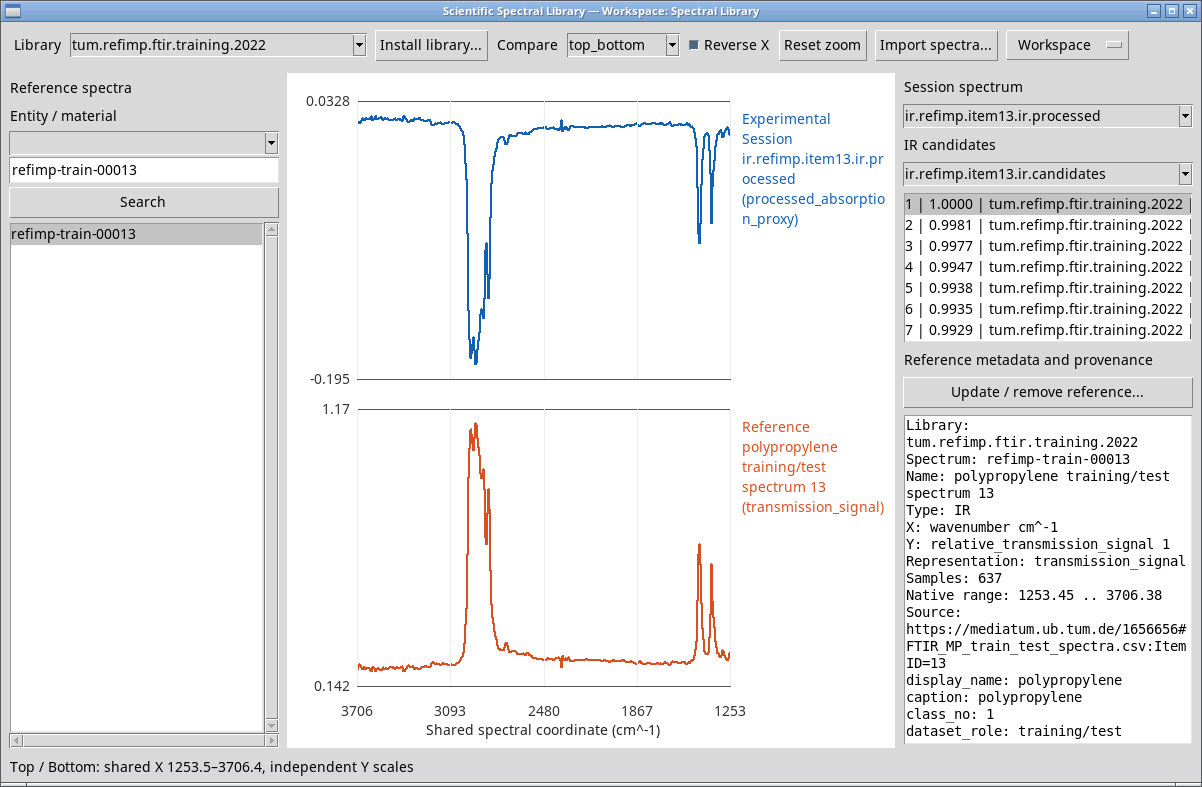
ir.refimp.item13.ir.candidates, then select the first row. Verifyrefimp-train-00013intum.refimp.ftir.training.2022. - Select
ir.refimp.item13in Session spectrum to compare the transmission measurement. Switch to the processed Datasetir.refimp.item13.ir.processedand usetop_bottomto read the two Y scales.
The measurements and corpus are from Weisser and Pohl (2022). The curves shown come from the RefIMP example and are licensed under CC BY-SA 4.0. The complete corpus is available from the source. RefIMP source · License.