

Advanced Octave A07 — Extended schema and variable roles
Advanced GNU Octave with GX-TXT · Module 02
Two numerical columns are easier to interpret when we know which one represents time, which one represents voltage, and what units they use. In this lesson we inspect the public schema of a synthetic Dataset through the Script Bridge.
Objectives and prerequisites
The introductory Octave course introduced Datasets and variable IDs. Here we look at v3 schema descriptors and distinguish stable identifiers, semantic roles, and units. The example was tested with GX-TXT dev112-P011-bis and Octave 9.4.0.
The example Dataset contains 11 values sampled at 0.5 s intervals. The synthetic voltage follows 1.2 + 0.25 t V. In a new Session, the script publishes the Dataset through the public API. If the ID already exists, the script reuses it. Use a dedicated Session or verify the existing Dataset’s identity before running the example.
Inspect the schema
Import schema_variabili.m into the Octave Script Workspace, register it and run it from the Runner.
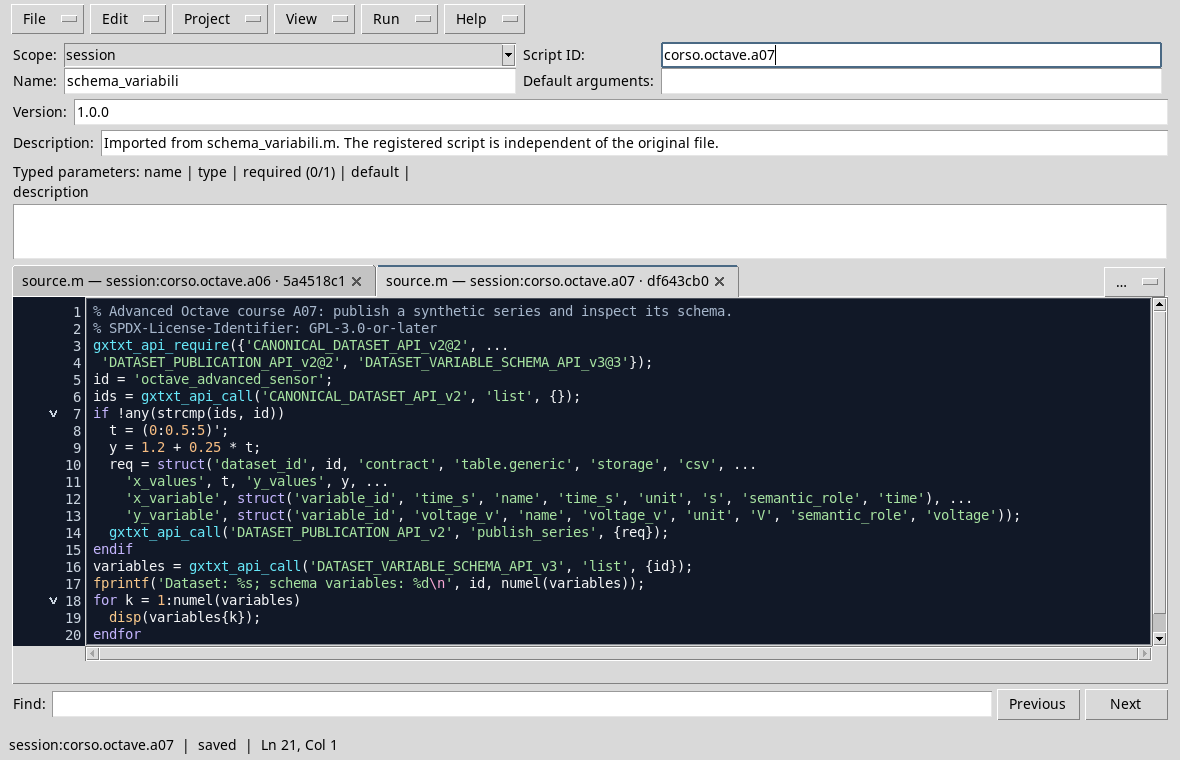
The complete script is available in the archive above. Its main section creates descriptors for both variables and publishes the series if its ID is new:
req = struct('dataset_id', id, 'contract', 'table.generic', 'storage', 'csv', ...
  'x_values', t, 'y_values', y, ...
  'x_variable', struct('variable_id', 'time_s', 'name', 'time_s', ...
                       'unit', 's', 'semantic_role', 'time'), ...
  'y_variable', struct('variable_id', 'voltage_v', 'name', 'voltage_v', ...
                       'unit', 'V', 'semantic_role', 'voltage'));
gxtxt_api_call('DATASET_PUBLICATION_API_v2', 'publish_series', {req});
The script then queries the schema and displays the descriptors:
variables = gxtxt_api_call('DATASET_VARIABLE_SCHEMA_API_v3', 'list', {id});
fprintf('Dataset: %s; schema variables: %d\n', id, numel(variables));
for k = 1:numel(variables)
  disp(variables{k});
endfor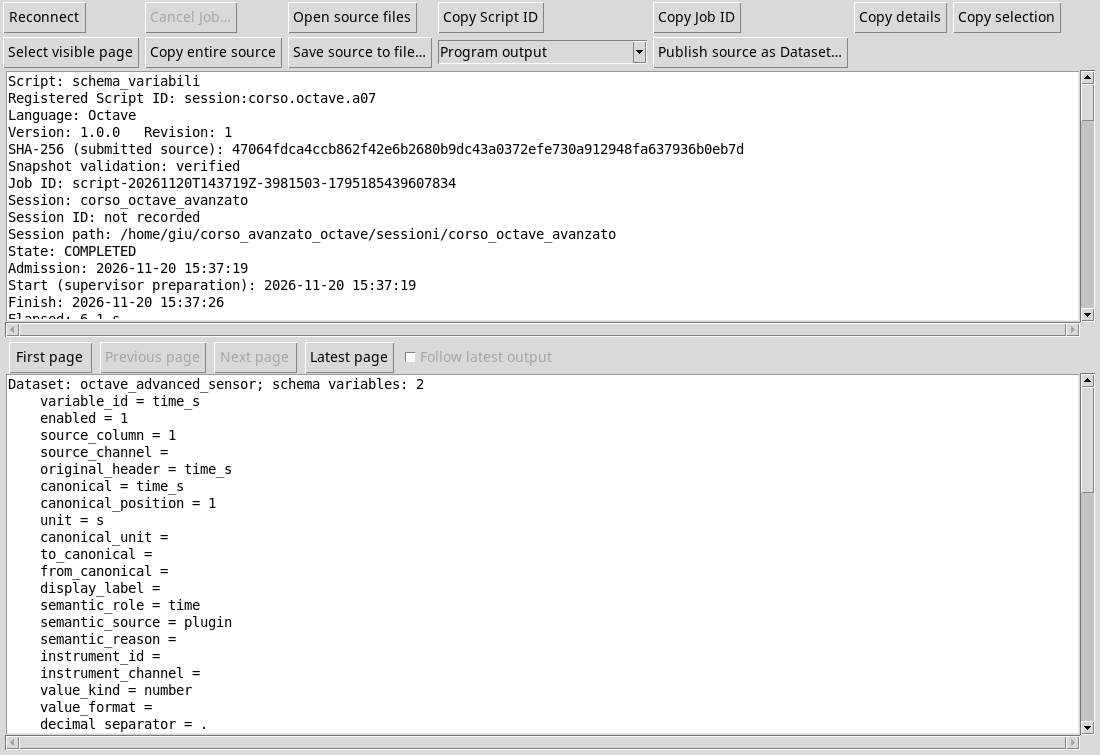
The service returns two descriptors. The first has variable_id = time_s, unit s, and role time. The ID identifies the variable within the Dataset, and the role records its declared meaning. A clear role or name helps you interpret the data. Check separately that the values are correct and that any unit conversion was performed.
From metadata to analysis choices
The v3 schema can include numeric type, rank, shape, and coordinate relationships. The fields available depend on how the Dataset was created. Before using a relationship between variables, check that it exists and applies to your analysis.
To select a known variable, keep the Dataset ID and variable ID together. If you search by role, check that there is only one compatible candidate or ask for an explicit choice. Two sensors can serve the same role while representing different channels.
Exercise
- Why is
time_snot enough alone to identify a variable in all Sessions? - Does a
voltagerole guarantee that two series use the same unit? - Why does the script state that the series is synthetic?
Worked solution
- Because the variable’s identity depends on its Dataset and Session.
- No. Check the role and unit separately.
- To avoid presenting program-generated values as experimental measurements.
In the next lesson we will read a series of blocks and we will calculate incremental statistics.
Other steps of this project
- Advanced Octave A75 — Dynamical systems in phase space
- Advanced Octave A81 — Geography of the waves and a 3D surface
- Advanced Octave A82 — Age, sex and demographic inequalities
- Advanced Octave A83 — All-cause mortality, certified COVID deaths and surveillance
- Advanced Octave A84 — A reproducible public account
- Advanced Octave A73 — Optimization landscapes and 3D trajectories