

Advanced Octave A18 — Output files and managed publishing
Advanced GNU Octave with GX-TXT · Module 03
In addition to numerical series, an analysis can produce a short textual report. A temporary file created by the script becomes a persistent resource of the Session only through the appropriate publication service.
Objectives and prerequisites
After the introductory course and previous lectures on publishing, we use gxtxt_context().output_dir and DATASET_FILE_PUBLICATION_API_v1 to publish a full file. The test uses GX-TXT dev112-P011-bis and GNU Octave 9.4.0.
The report describes a synthetic model and does not contain measures. The octave_advanced_report ID is created-only: it uses a teaching session where it is free or changes the ID for a repetition.
Create and close the file
Import pubblica_rapporto.m, register it and run it in the Runner.
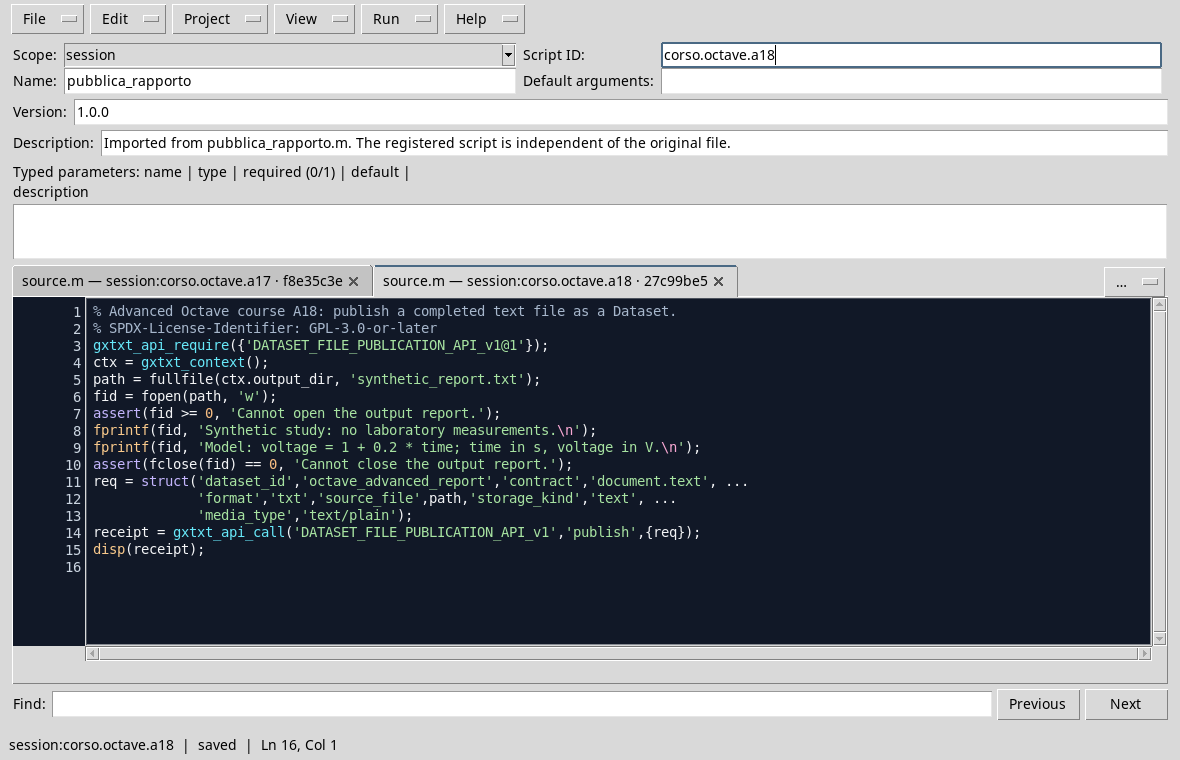
The program gets the Job output directory from context and creates the file using Octave functions:
ctx = gxtxt_context();
path = fullfile(ctx.output_dir, 'synthetic_report.txt');
fid = fopen(path, 'w');
assert(fid >= 0, 'Cannot open the output report.');
fprintf(fid, 'Synthetic study: no laboratory measurements.\n');
fprintf(fid, 'Model: voltage = 1 + 0.2 * time; time in s, voltage in V.\n');
assert(fclose(fid) == 0, 'Cannot close the output report.');
The closing completes the file before the publication. The output directory belongs to the execution: a temporary path, alone, is not the persistent identity of the result.
Publish the document
The request declares a Dataset ID, the document.text contract, txt format, type of storage and media type. The source file is the one just completed in the Job output:
req = struct('dataset_id','octave_advanced_report','contract','document.text', ...
             'format','txt','source_file',path,'storage_kind','text', ...
             'media_type','text/plain');
receipt = gxtxt_api_call('DATASET_FILE_PUBLICATION_API_v1','publish',{req});
disp(receipt);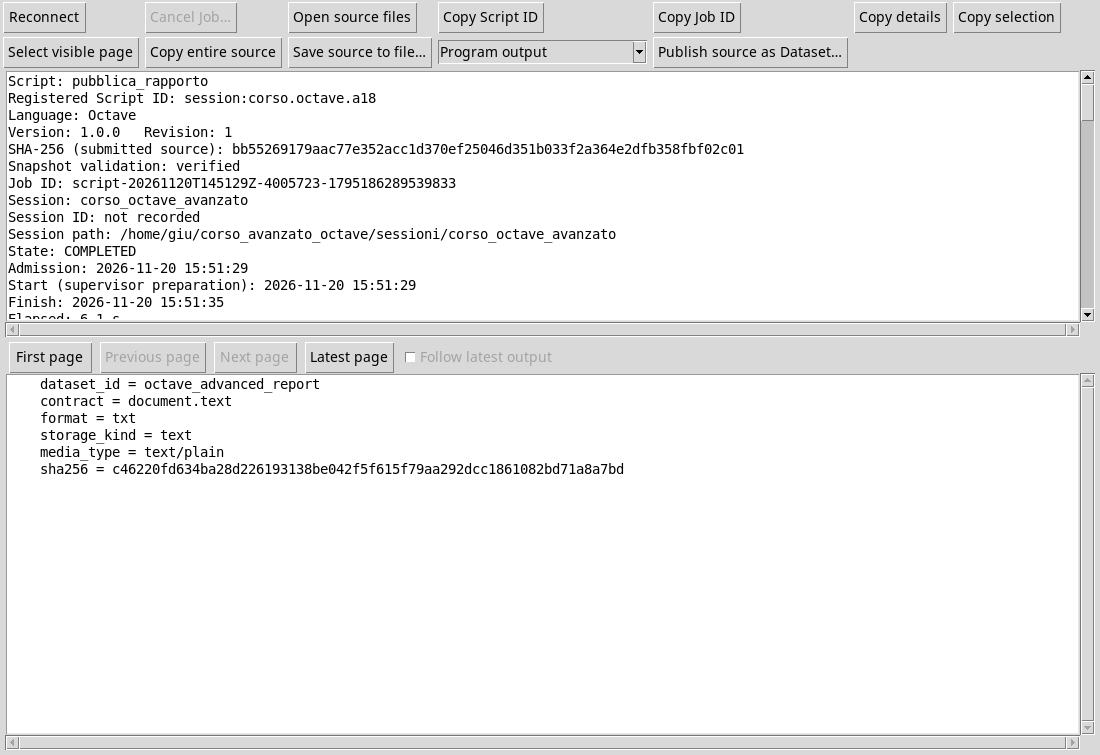
The actual receipt contains ID, contract, format, type of support and SHA-256 footprint calculated by the service. The footprint identifies the published content: it does not guarantee that the statements of the report are scientifically correct.
The publication through the Bridge requires a complete file in the output directory managed by the framework; no arbitrary paths are passed to directly modify the session storage. The service manages the registration of the result according to the contract and ownership policies.
Exercise
- Why does the script close the file before you publish it?
- What is the difference between
pathanddataset_id? - Does a receipt with SHA-256 verify that the scientific model is valid?
Worked solution
- To deliver a full file to the service.
- The first identifies the temporary file produced by the Job; the second identifies the resource published in the Session.
- No. The footprint concerns the content; validity and interpretation require separate controls.
Other steps of this project
- Advanced Octave A75 — Dynamical systems in phase space
- Advanced Octave A81 — Geography of the waves and a 3D surface
- Advanced Octave A82 — Age, sex and demographic inequalities
- Advanced Octave A83 — All-cause mortality, certified COVID deaths and surveillance
- Advanced Octave A84 — A reproducible public account
- Advanced Octave A73 — Optimization landscapes and 3D trajectories