

Advanced Octave A65 — Debugging and diagnosing a pipeline
Advanced GNU Octave with GX-TXT · Module 11
A debugger allows you to stop before an operation and observe the status of the program. We use it to locate two carriers with incompatible lengths, then we carry out the calculation with correct data.
Objectives and prerequisites
The test uses GX-TXT dev112-P011-bis and GNU Octave 9.4.0. Import diagnosi.m, assign him an ID in the Session and save him in the Workspace Octave.
Stop and inspect
In the source select row 4, after the assignment of the carriers. Open Run → Debug Session script, use Breakpoint and start with Start Debug. In the test the debugger stops at the selected line:
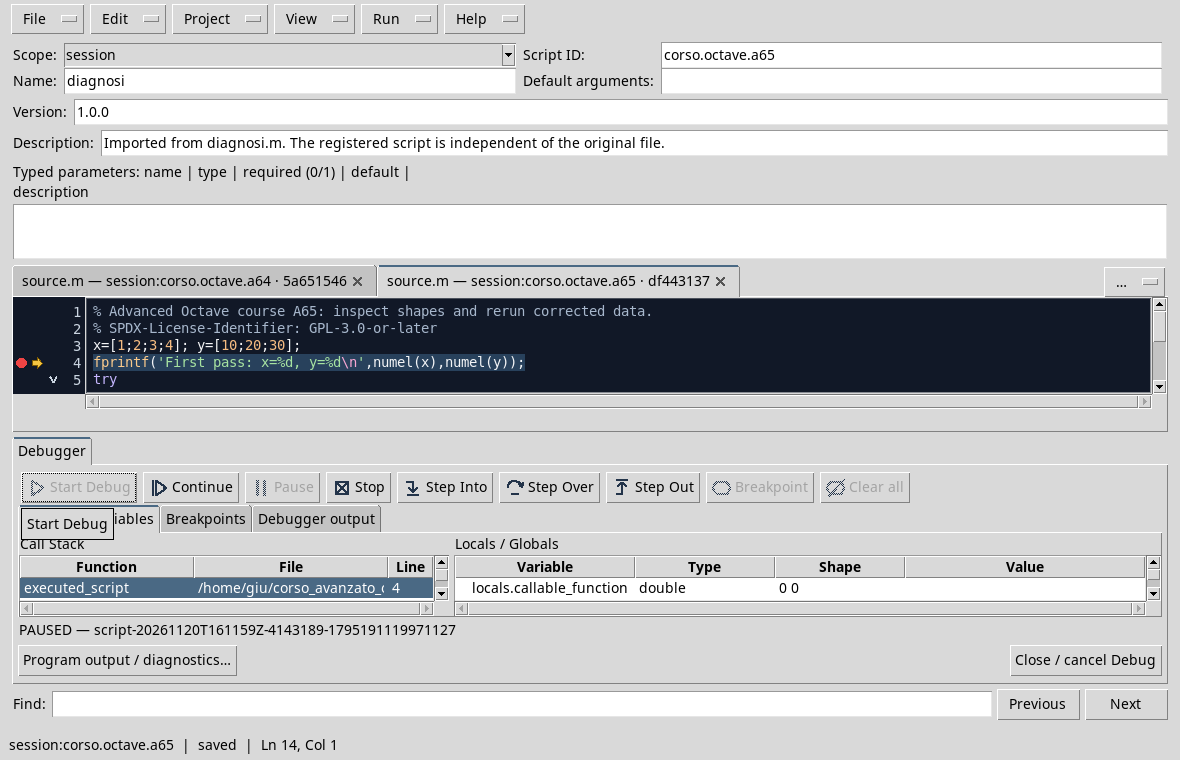
The current line and stack indicate where the execution is suspended. The Locals / Globals section allows you to consult the available variables; at this point x contains four elements and y three. Use Continue to continue and open Program output / diagnostics to read output.
Diagnosing and recalculating
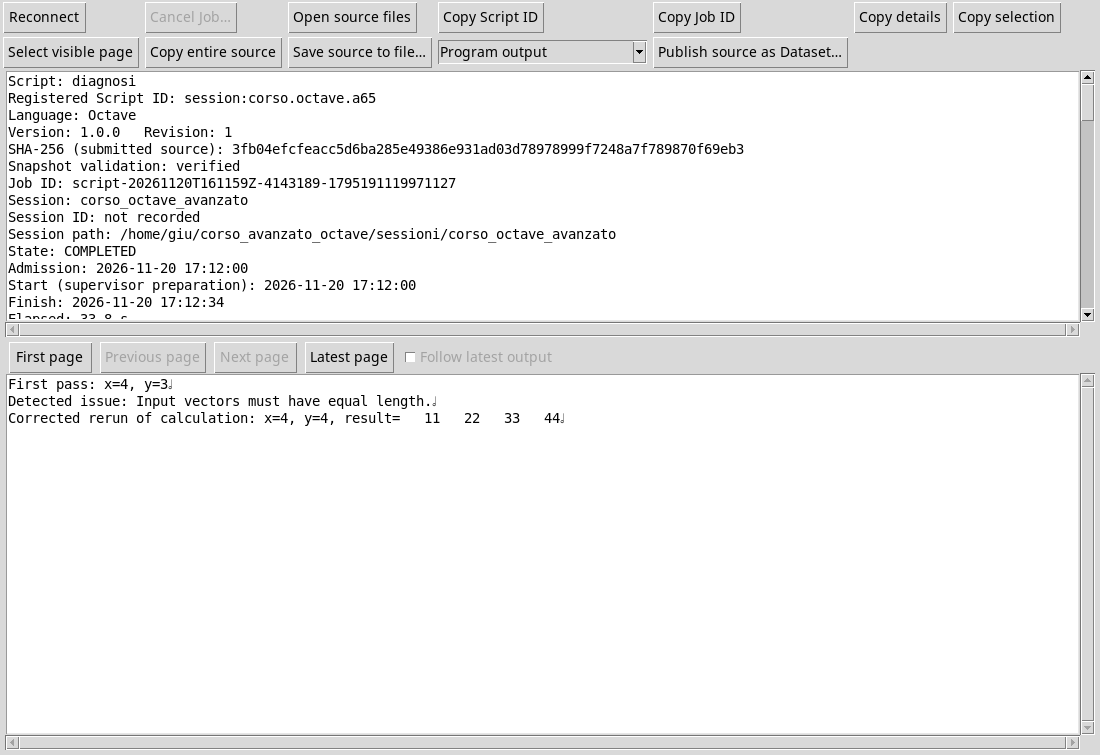
The adjustment detects the length difference and the catch signals it. For this demonstration the same script then assigns a four-element y vector, rechecks the size and calculates x+y, obtaining [11 22 33 44]. The initial error is intentional and does not produce a result of the sum.
In a real pipeline it identifies the origin of discordance before correcting it: cutting or adding values arbitrarily could associate different observations. If you change source or data after a Job, save the new version and start a new execution; do not change back the previous result as if it was recalculated.
Exercise
- Where does the debugger stop in the test?
- What are the initial lengths of the carriers?
- Why is the sum done only after the second check?
Worked solution
- In line 4, after the initial assignment.
- Four and three.
- First the size is incompatible; after correction the program again checks and calculates the sum.
Other steps of this project
- Advanced Octave A75 — Dynamical systems in phase space
- Advanced Octave A81 — Geography of the waves and a 3D surface
- Advanced Octave A82 — Age, sex and demographic inequalities
- Advanced Octave A83 — All-cause mortality, certified COVID deaths and surveillance
- Advanced Octave A84 — A reproducible public account
- Advanced Octave A73 — Optimization landscapes and 3D trajectories