

Advanced Octave A66 — Project versions and provenance
Advanced GNU Octave with GX-TXT · Module 11
To reproduce a result it is not enough to store a figure: the version of the program, the configuration and the identity of the data used. We collect some of this information through public APIs.
Objectives and prerequisites
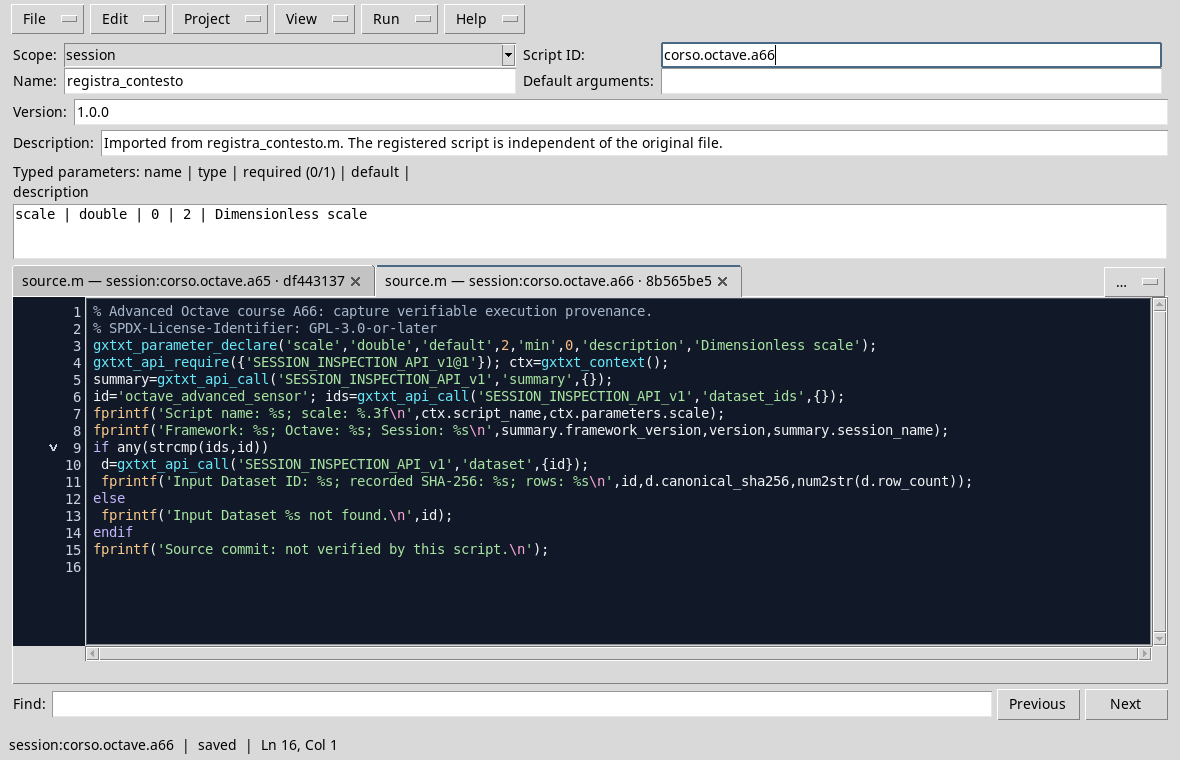
We use the octave_advanced_sensor dataset created in A07 and the A55 inspection API. The test uses GX-TXT dev112-P011-bis and GNU Octave 9.4.0. Import registra_contesto.m, register it and run it in the Runner.
Collect the available data
The script declares an example parameter scale, reads its actual value from gxtxt_context() and consults the summary of the Session. Record script name, framework version, Octave version and Session name; then search for the Dataset ID and show registered canon hash and row number.
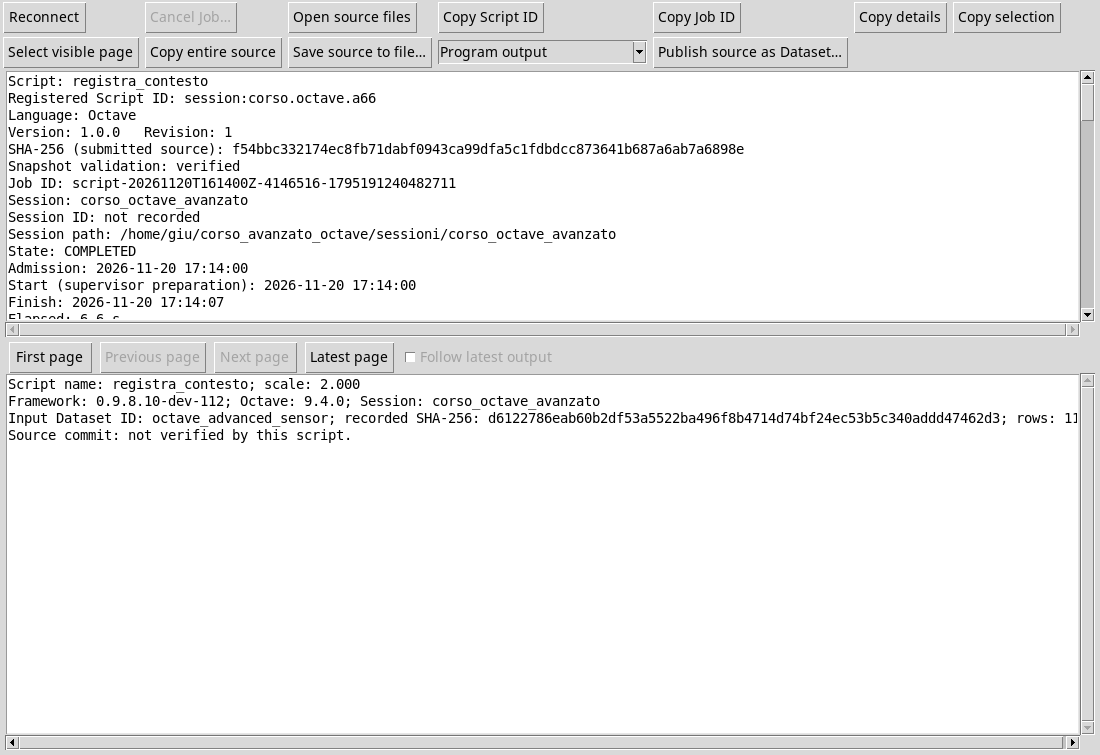
In the test, the 0.9.8.10-dev-112, Octave 9.4.0, the parameter is 2, and the Dataset has 11 lines. The displayed hash is recorded for the Dataset; this reading of metadata does not recalculate the content digest. The parameter is demonstrative and here it is not applied to a calculation.
Verifying provenance
The program explicitly states that the source commit has not been verified: a version string does not automatically identify a Git commit or all patches applied. For a complete analysis, it also retains sources and revision of the script or project, actual parameters, ID and version of data, methods, units and results. Check a commit separately only when there is a reliable reference to the copy actually executed.
Exercise
- Where is the actual value of
scaleread? - Is the hash shown recalculated during this call?
- Why doesn’t the script print a commit?
Worked solution
- From the context returned by
gxtxt_context(). - No: it is the registered hash in the metadata consulted.
- Because it does not have a verified identification of the commit of the copy running.
Other steps of this project
- Advanced Octave A75 — Dynamical systems in phase space
- Advanced Octave A81 — Geography of the waves and a 3D surface
- Advanced Octave A82 — Age, sex and demographic inequalities
- Advanced Octave A83 — All-cause mortality, certified COVID deaths and surveillance
- Advanced Octave A84 — A reproducible public account
- Advanced Octave A73 — Optimization landscapes and 3D trajectories