All gallery images with Media Library metadata and download links.
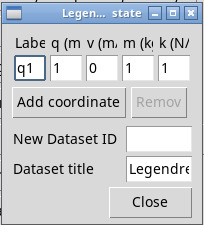
Initial Legendre dialog at 200 by 200 pixels, with truncated fields and the Evaluate state button out of view
ALT: Initial Legendre dialog at 200 by 200 pixels, with truncated fields and the Evaluate state button out of view.
Caption: Step 2, opening. Drag the window corner to see the controls left out of view.
Description:
Step 2, opening. Drag the window corner to see the controls left out of view. Project “Eight studies with Mathematics Explorer”, article “From velocity to momentum”.
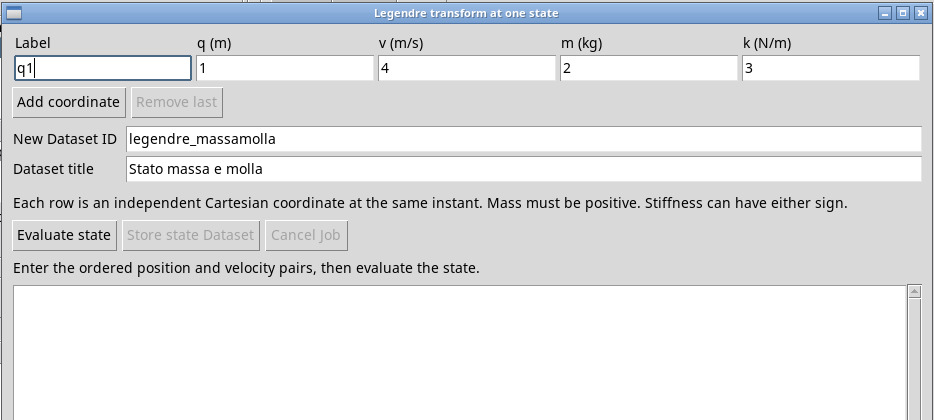
Enlarged dialog before Evaluate state, with Label q1, position 1, velocity 4, mass 2, stiffness 3 and the Dataset ID
ALT: Enlarged dialog before Evaluate state, with Label q1, position 1, velocity 4, mass 2, stiffness 3 and the Dataset ID.
Caption: Step 2, row ready. From the left read Label, q, v, m and k. The result box is still empty and Store state Dataset is inactive.
Description:
Step 2, row ready. From the left read Label, q, v, m and k. The result box is still empty and Store state Dataset is inactive. Project “Eight studies with Mathematics Explorer”, article “From velocity to momentum”.