

Scientific history, Undo, and state restoration
Consult the sequence of operations, return to the current result and deliberately branch off from an earlier state.
GX-TXT DEV112 P011-bis
Show the history
Load a source, request Preview fit, then store the result with Accept. Open History → Show History timeline. The bottom bar switches from Description to History and shows the sequence of operations. You can switch modes from the same selector. Details opens the details of the current element. View → Show Description / History strip lets you show or hide the bar.
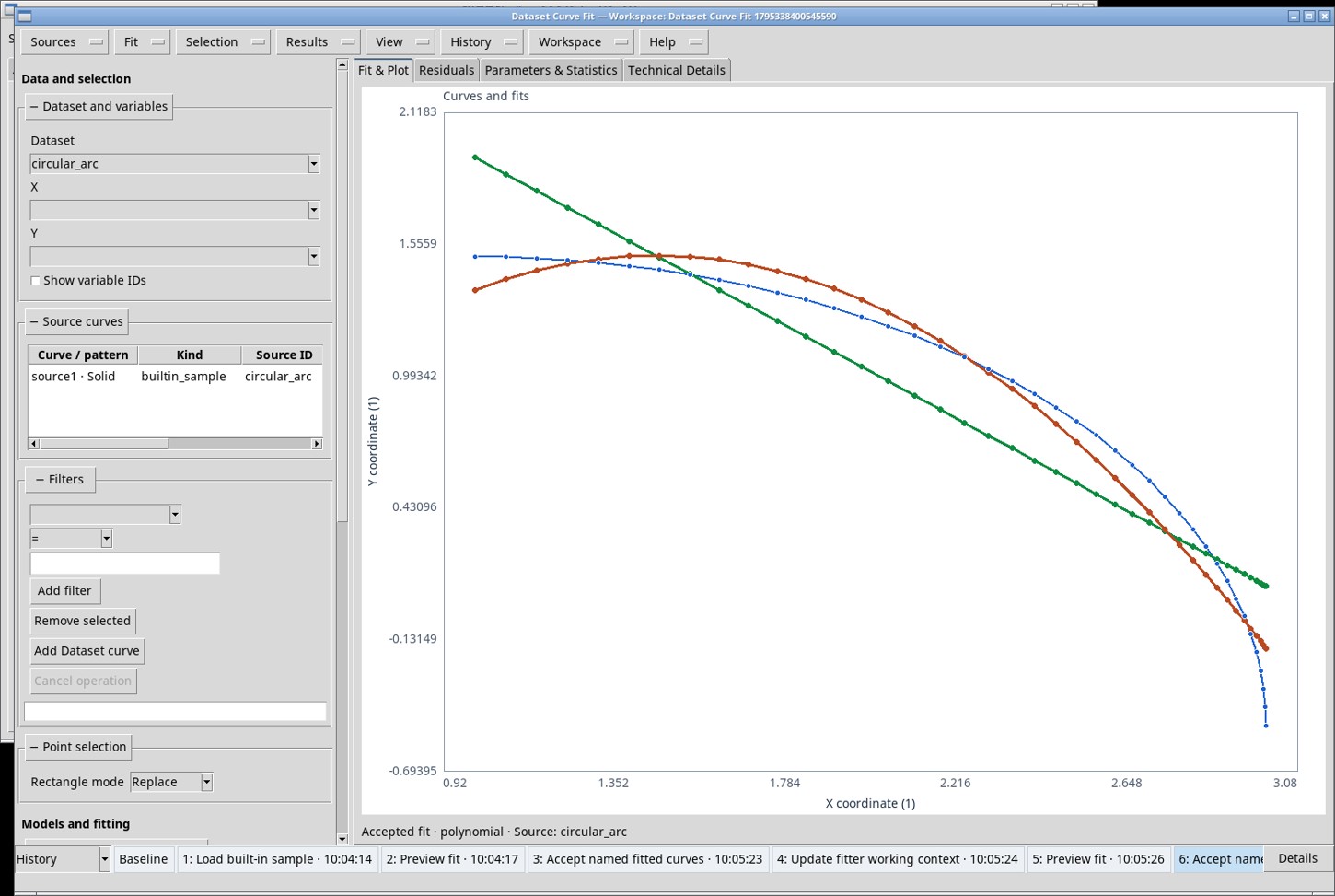
Inspect an earlier state and return to the latest one
- Undo / Redo
- Undoes the last reversible scientific change, or reapplies it. In the test with six events, Undo moved the cursor from 6 to 5 and Redo brought it back to 6.
- Previous History step / Next History step
- Enters the consultation view, or moves forward in the already recorded sequence. In this view, actions that change data or fits may be disabled. Check the selector at the bottom and the status title.
- Return to latest
- Returns to the current revision so you can continue working, and re-enables the editing commands.
- Restart here…
- Uses the selected historical state as the basis of a new sequence. The Discard later local History and restart at step…? dialog indicates the starting state. Datasets and files already published or exported remain available. To compare the two paths, keep a copy of the Workspace first.
- Clear History…
- Asks for confirmation before clearing the available history of this Workspace, and keeps the current state. Use it after saving what you need and checking the new state in the bar. The dialog or menu may indicate that the timeline is already empty.
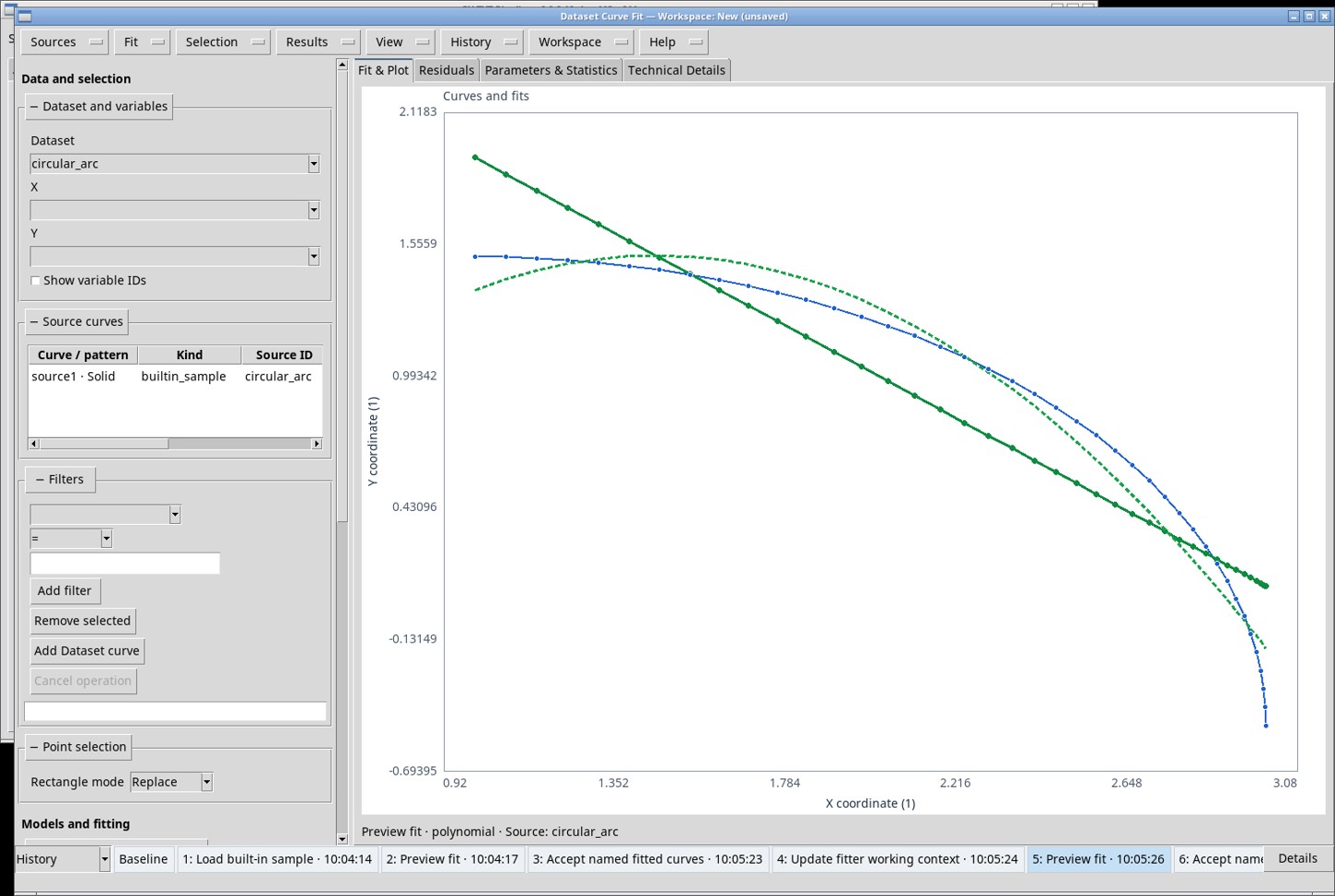
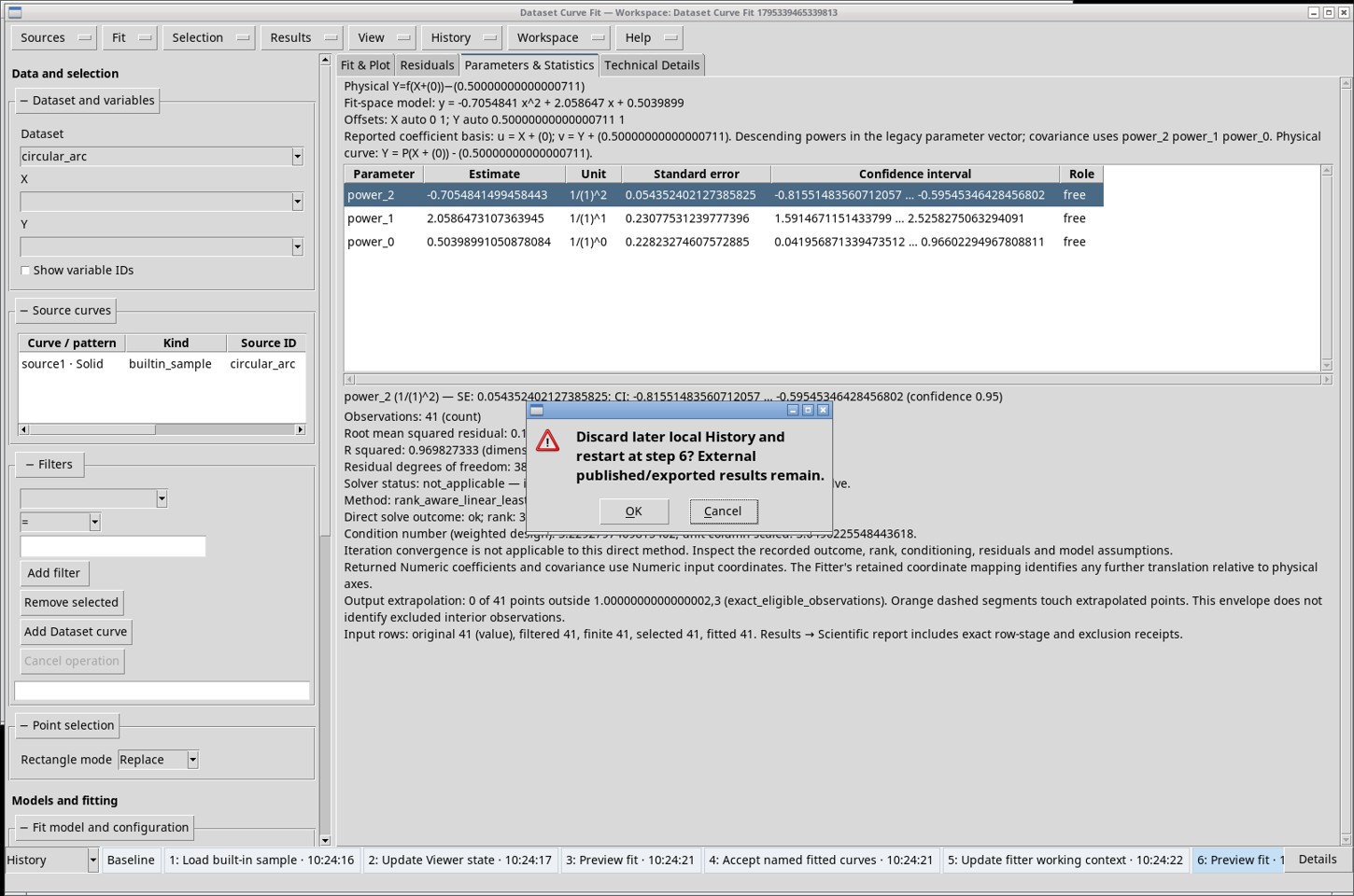
The check with Undo, Redo and consultation kept six events. Compare the available curve and controls, as well as the number of entries. If Finish or cancel the active operation before navigating History appears, wait or cancel the current operation. If the message appears during a diagnostic on P011-bis, see the reproduced stop points.