Publish a scientific Dataset with accepted results
Give the numerical product an identifier and check the curve and the parameters table in the Dataset browser.
GX-TXT DEV112 P011-bis
Distinguish four actions
- Preview fit
- Computes the temporary curve and diagnostics. When it is ready, Results → Publish Preview Dataset… lets you publish it as an explicit preview. Check that the preview reflects the current settings.
- Accept
- Adds a named curve to Accepted fits. For the test select Line on the arc from the comparison exercise.
- Workspace → Save
- Keeps the Viewer’s work in the Session according to the save procedure.
- Publish
- Records a new reusable Dataset in the Session browser. The identifier distinguishes numerical products from working curves and must not already be in use.
Publish the accepted curve
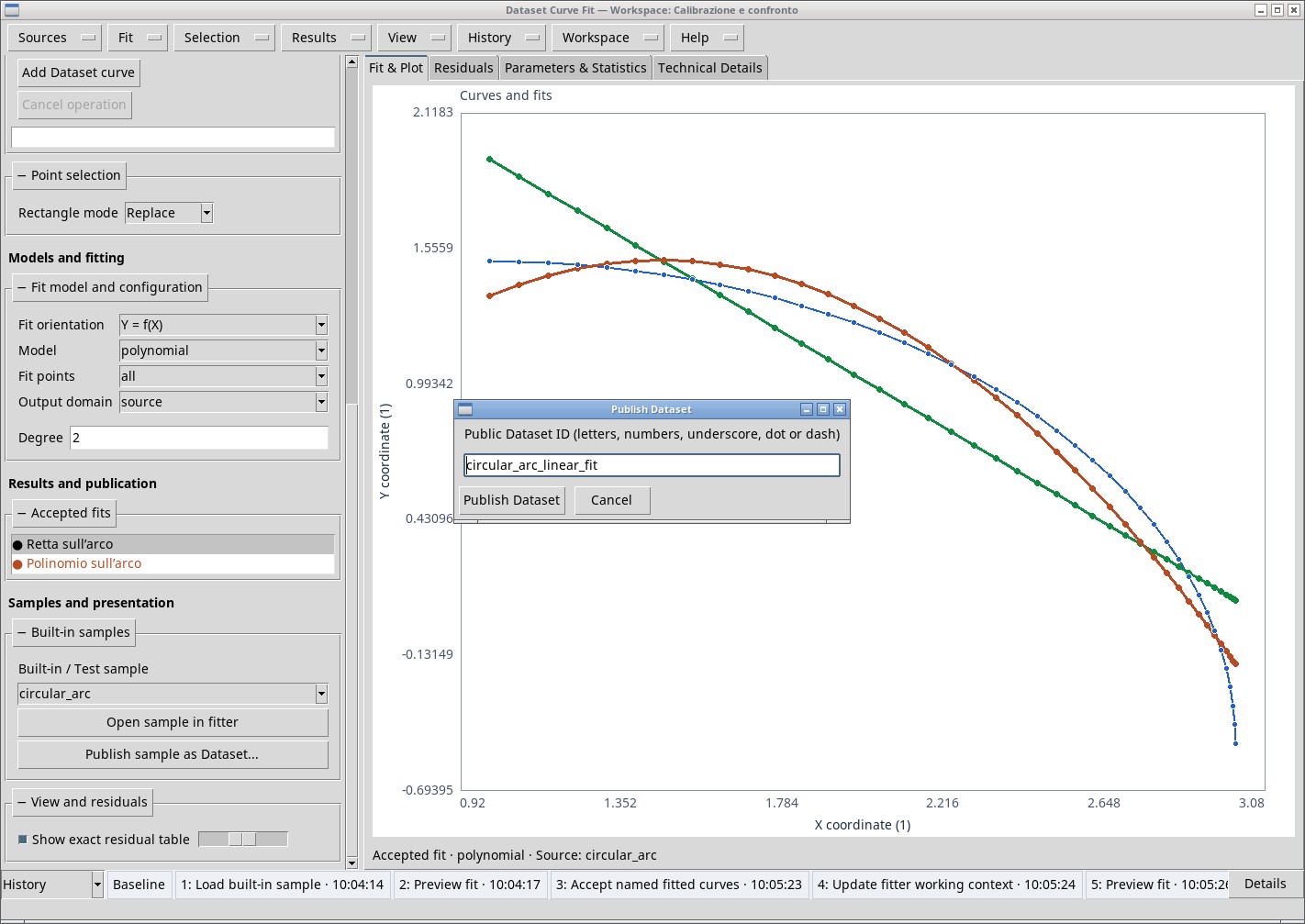
From Results → Publish accepted Dataset… open Publish Dataset, fill in Public Dataset ID and confirm with the button of the same name. Cancel closes the request. In the example use c25_arc_curve.
Publish parameters and estimates
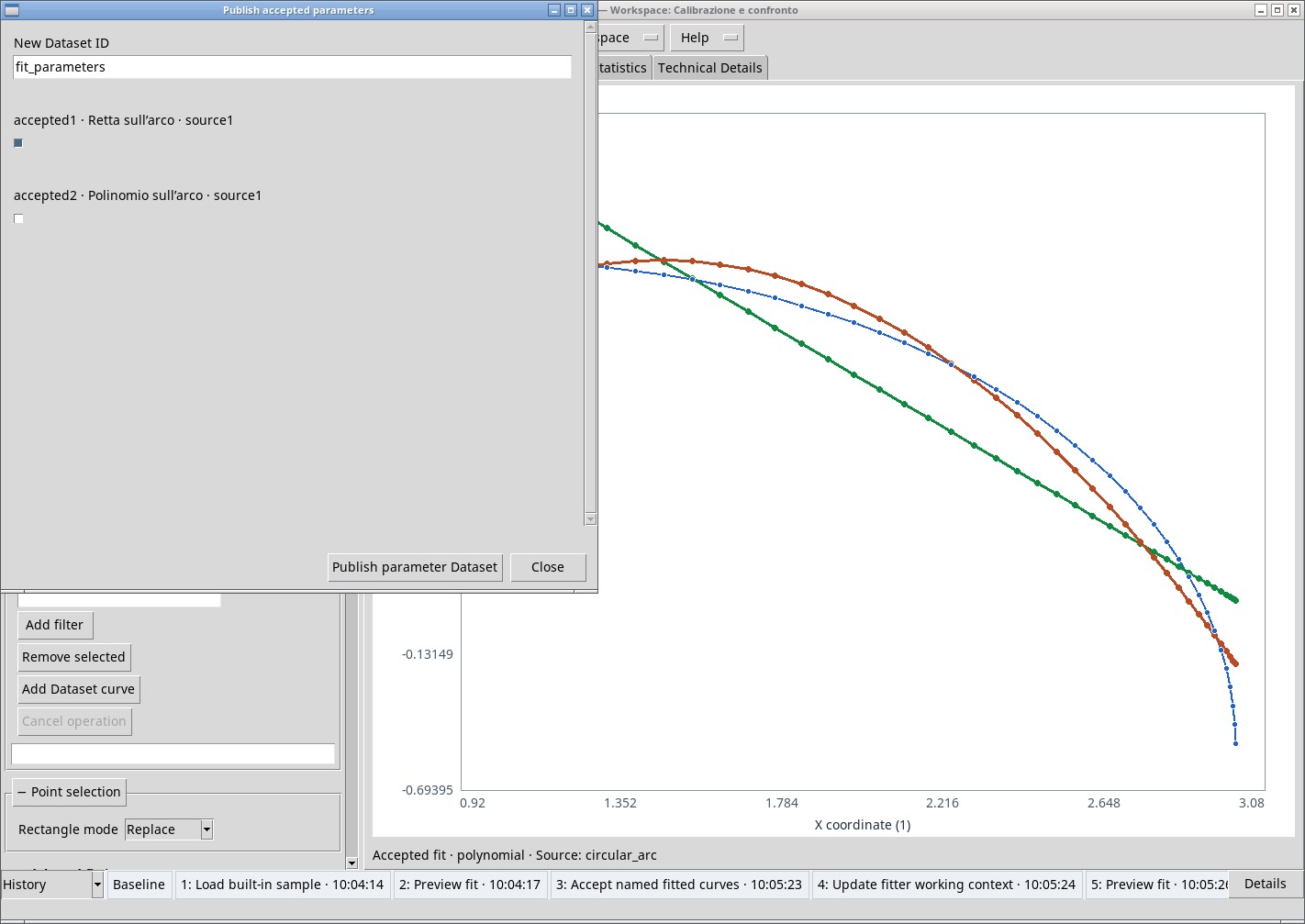
From Results → Results and publication → Publish accepted parameter Dataset…, in Publish accepted parameters fill in New Dataset ID, for example c25_arc_parameters. The checkboxes identify the fits to include. In the example, keep the straight line checked and leave the quadratic out. Press Publish parameter Dataset. Close returns to the work.
Verify both Datasets
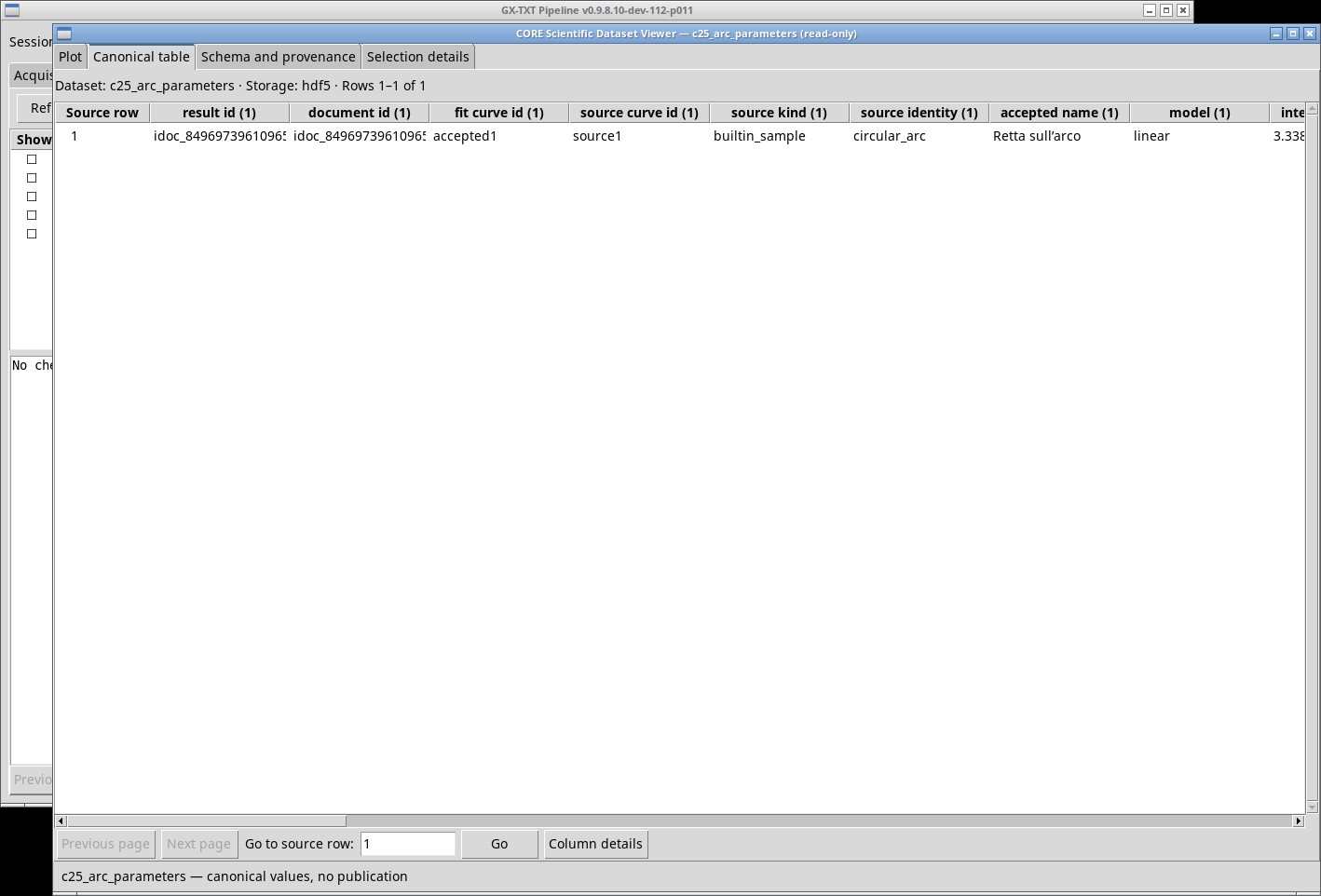
In the browser Dataset refreshes the list and searches for IDs. Activate each entry and consult Preview, Metadata and Canonical table. The curve contains evaluated points. The parameters table keeps the identity of the coefficients, the estimates and the units, and reports the uncertainty fields when available. In the test both IDs appeared in the Session and the tables were opened. A separate request from the Preview command published c25_preview_calibration.