

Read sites and measurements
Coordinates, symmetry, distances, angles and metadata.
Read the site table
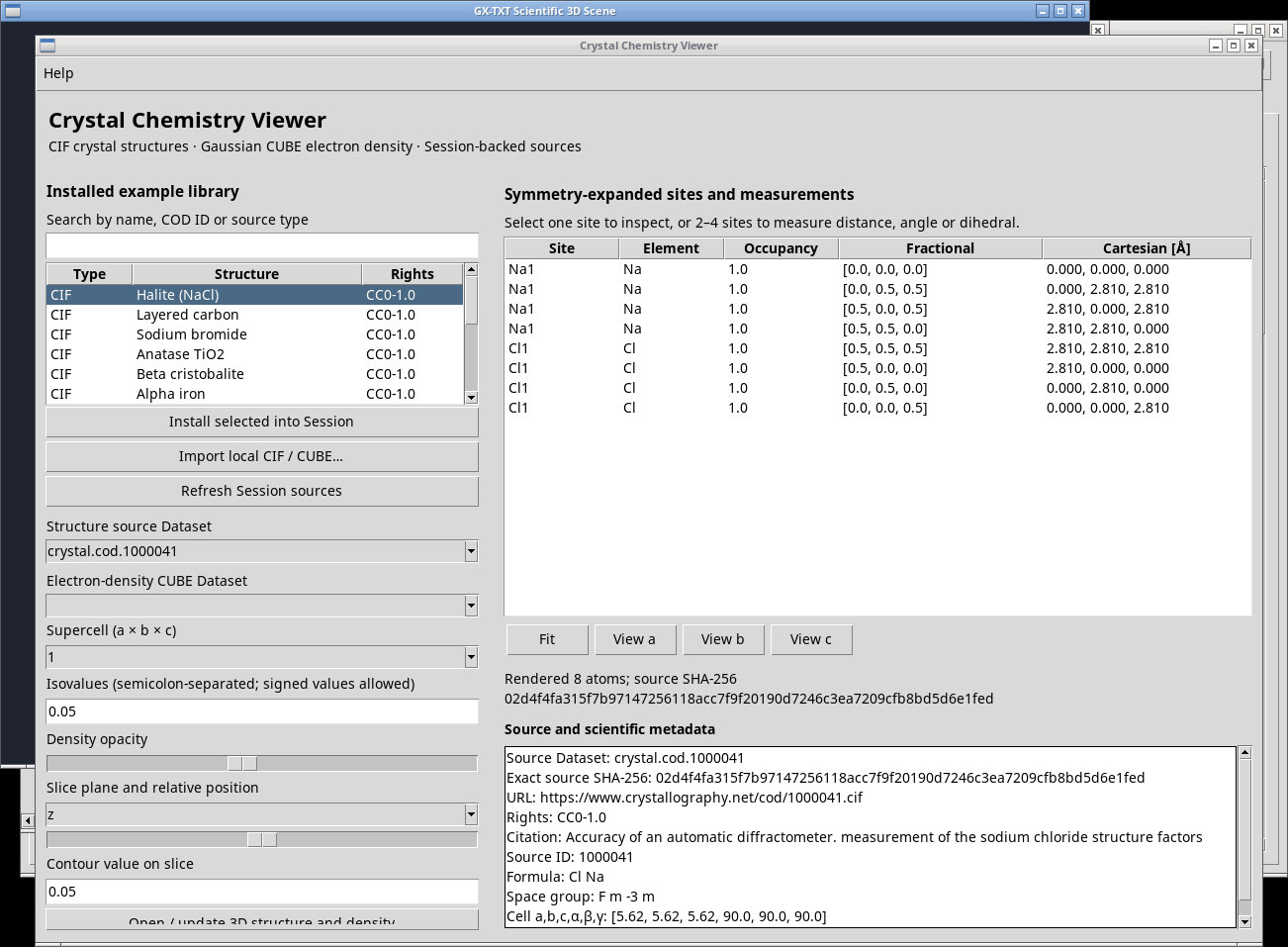
After rendering, Symmetry-expanded sites and measurements shows the positions present in the scene. For a CIF the expansion applies the symmetry operations and repeats the cell according to Supercell. For a CUBE the rows come from the atomic coordinates included in the file. The site count helps you check which render you are looking at.
- Site
- Label of the atomic position. The same name can recur for the symmetry images of the site. Use the coordinates as well to identify the row.
- Element
- Symbol of the element associated with the site.
- Occupancy
- Declared occupancy. A value of
1.0means full occupancy in the record. Interpret partial occupancies with respect to the source structure. - Fractional
- Coordinates expressed in the basis of the cell. For a molecular CUBE they may be absent and the summary shows
None. - Cartesian [Å]
- Geometric coordinates in ångström. The grid rounds the three coordinates, while the selection summary can show more detail.
Inspect or measure with the selection
Choose a row with a click. Use Ctrl with the click for separate rows and Shift with the click for a range. Read the summary below the table. The calculation follows the order of the rows in the table.
- One row
- Shows site, element, occupancy, coordinates and symmetry operator. If there is a CUBE field, the summary can include the grid sample.
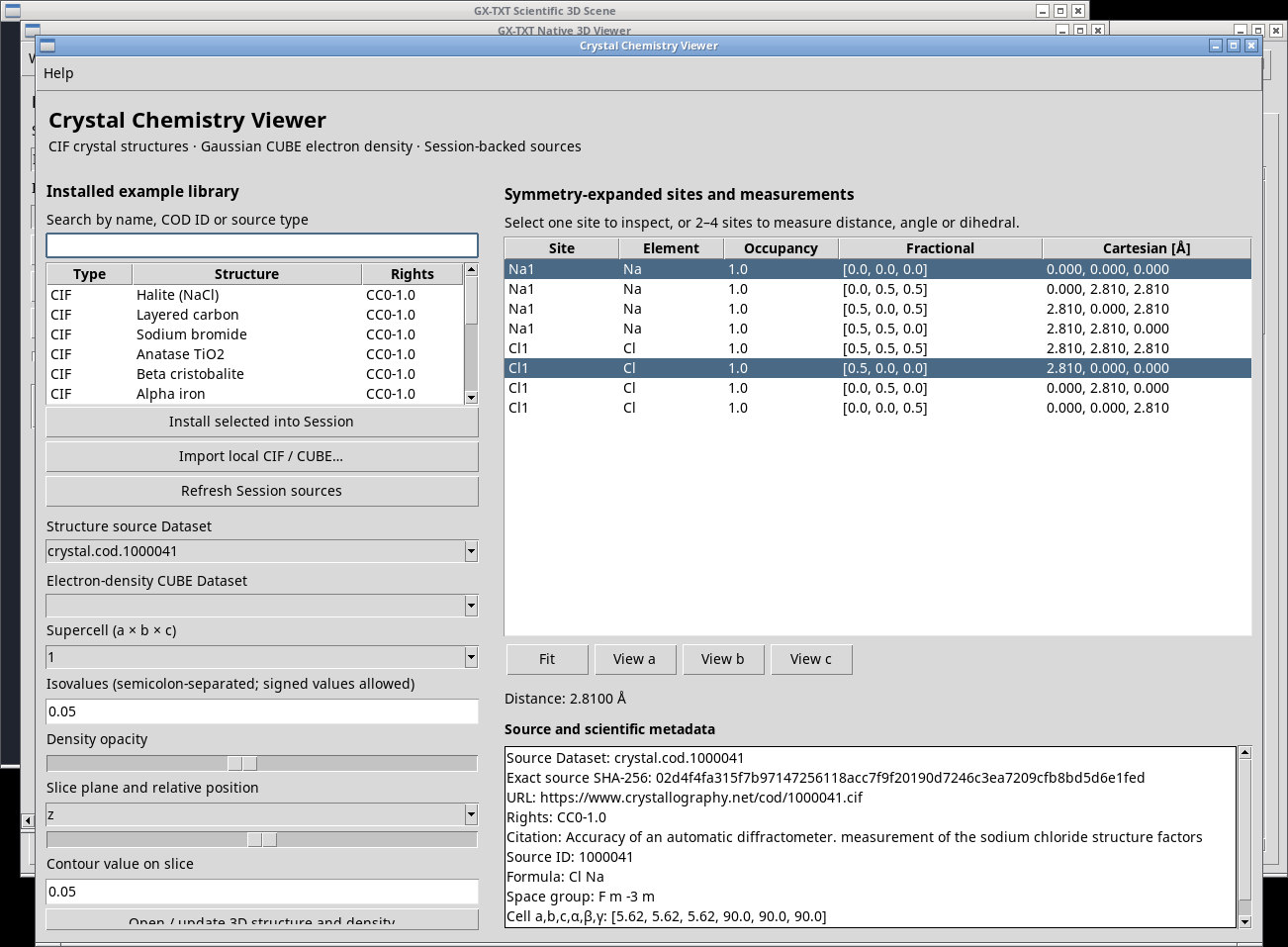
- Two rows
- Shows Distance in ångström. In halite, choose the first
Na1at0, 0, 0and theCl1at2.810, 0, 0to read2.8100 Å. - Three rows
- Shows Angle in degrees, with the vertex at the second selected row in table order. For the halite example, select rows 1, 4 and 6 from the top. The test result is
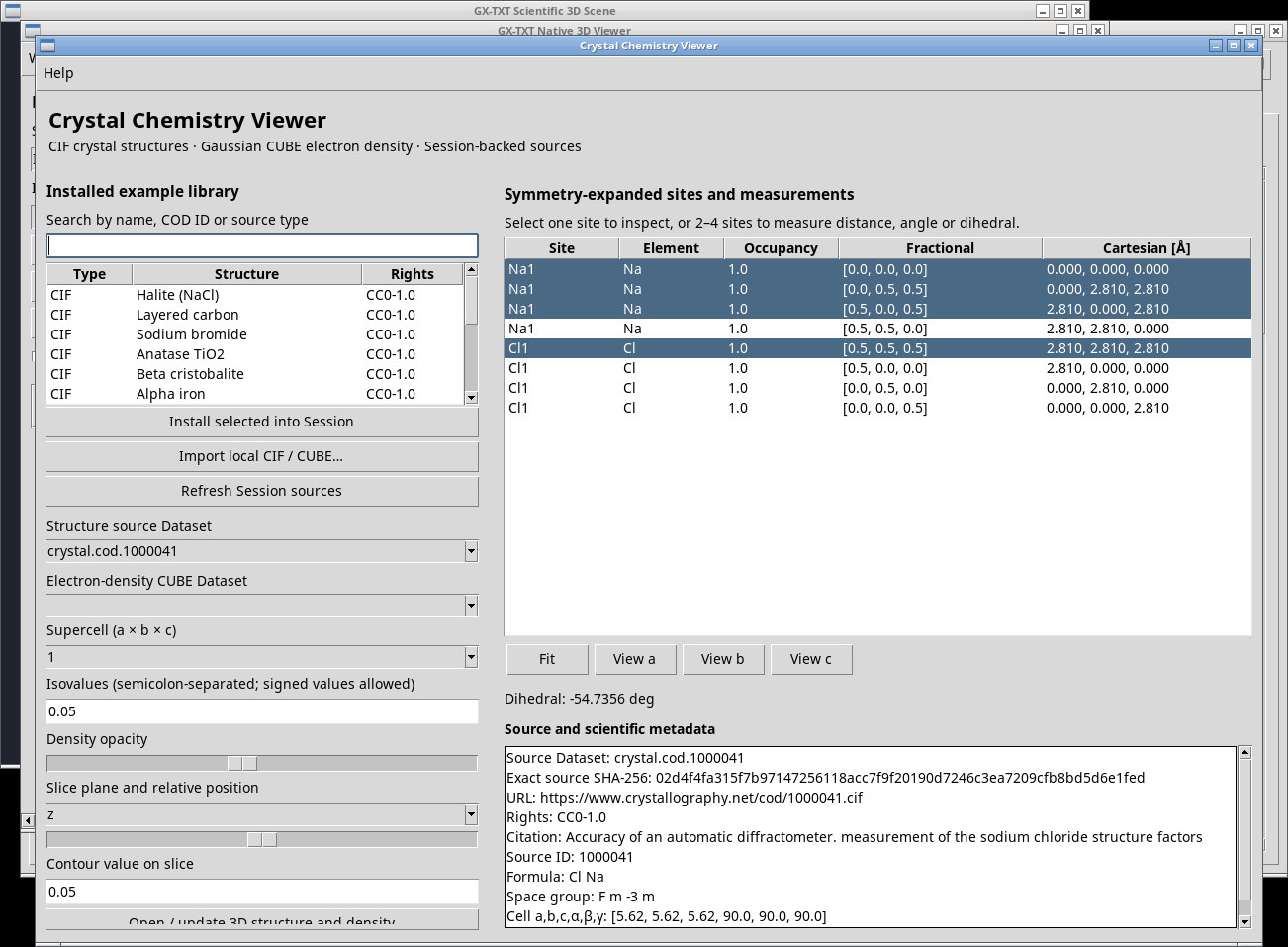
45.0000 deg. - Four rows
- Shows the signed Dihedral in degrees, around the segment joining the two central sites. With rows 1, 2, 3 and 5 of halite you get
−54.7356 deg. Coincident sites or four collinear sites can make a measurement undefined. If you move from a valid dihedral to four collinear sites, the previous number may stay visible. Go back to a single row before trying again, choose four points that define two planes and check the new result. For collinear points, do not use the leftover value. - No rows or more than four
- The viewer asks you to select 1 to 4 sites, without producing a new measurement. Go back to one row to start again.
Check identity and provenance
Source and scientific metadata reports Source Dataset and Exact source SHA-256. The URL, Rights, Citation and Source ID fields appear when the Dataset keeps those metadata. For a CIF, after rendering, you can read Formula, Space group, Cell a,b,c,α,β,γ and Symmetry-expanded atoms. The three lengths are in ångström, the cell angles in degrees. Halite has cell 5.62, 5.62, 5.62 Å, right angles and space group F m -3 m. Scroll the box to see the additional rows for the field. After changing a selector, update the scene before attributing the properties to the new source.