

Advanced Editor reference
Use search, parameters, and scope
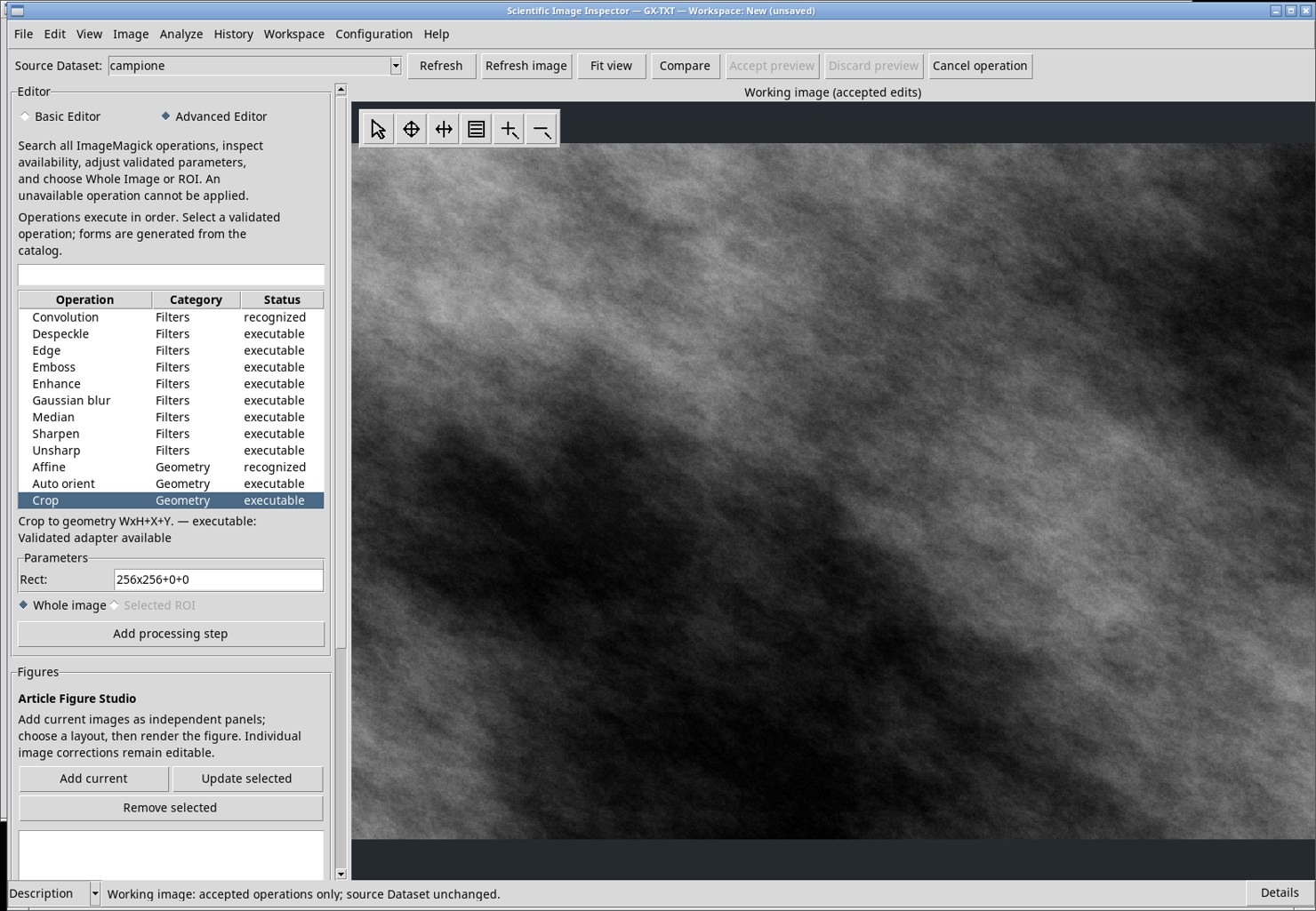
- Open Image → Advanced Editor. Search by operation name or category in the field above the table. Select an operation and read Status and its description.
- Fill in Parameters. Drop-down lists accept the values shown. Numerical fields are validated when you request processing. If a value is rejected, read the error and correct the field.
- Choose Whole image to process the full raster. Selected ROI requires a rectangle and a compatible operation. Geometry operations that change dimensions apply to the full raster.
- Click Add processing step. The accepted recipe changes only when you click Accept preview. Publishing the derived Dataset records the step order in its manifest.
The verified catalog contains 69 operations. The 46 executable entries produced a candidate using their default parameters on the sample. recognized entries show why they are unavailable. disabled entries are excluded from processing. Availability can depend on the ImageMagick installation.
Color
| Operation and status | Use, parameters, and scope |
|---|---|
CLUTrecognized | Color lookup table. Requires authorized selection of a second Dataset, which is unavailable in this version. |
Channel extractionrecognized | Extracts one channel as a grayscale image. Use Preview channel in Colors for a read-only preview. Defaults. Channel R (choices R G B A). |
Color matrixrecognized | Matrix for transforming pixel values. The matrix has no validated input form. |
Colorspaceexecutable | Mathematically transforms the color space. Gray produces a grayscale raster. The results do not certify an ICC conversion. Whole image or Selected ROI. Defaults. Space sRGB (choices sRGB RGB Gray Lab LCH HSV HSL CMYK XYZ YCbCr). |
Deactivate alphaexecutable | Disables the alpha channel. Check how previously transparent areas appear. Use Whole image. Defaults. Mode Off (choices Off). |
Extract alphaexecutable | Extracts the alpha coverage plane. The resulting raster represents coverage. Use Whole image. Defaults. Mode Extract (choices Extract). |
ICC profilerecognized | Applies an external ICC profile. The catalog would require an authorized resource and provides no direct file selection. |
Modulateexecutable | Adjusts brightness, saturation, and hue using factors centered on 100. Check for color compression or saturation. Whole image or Selected ROI. Defaults. Brightness 100 (from 0 to 300), Saturation 100 (from 0 to 300), Hue 100 (from 0 to 300). |
Palette quantizationexecutable | Reduces the image to no more than the number of colors specified in Count. Whole image or Selected ROI. Defaults. Count 64 (from 2 to 65536). |
Posterizeexecutable | Reduces the image to discrete tonal levels. Increase Levels to retain finer gradation. Whole image or Selected ROI. Defaults. Levels 8 (from 2 to 256). |
Composition
| Operation and status | Use, parameters, and scope |
|---|---|
Appendrecognized | Appends rasters or frames. The number of frames cannot be managed explicitly. |
Comparerecognized | Measures the quantitative difference between two images. The catalog cannot select the second Dataset. The viewer’s Compare button toggles candidate visibility. |
Compositerecognized | Overlays two images. It requires a second Dataset and a rule for alpha alignment. |
Flattenrecognized | Merges layers. It requires explicit handling of multi-frame rasters. |
Filters
| Operation and status | Use, parameters, and scope |
|---|---|
Add noiserecognized | Adds synthetic noise with a selected distribution. Reproducible seed control is unavailable. Defaults. Distribution Gaussian (choices Uniform Gaussian Multiplicative Poisson Laplacian Impulse). |
Blurexecutable | Blurs with radius and sigma in pixels. A radius of 0 lets the filter choose its support. Whole image or Selected ROI. Defaults. Radius 0 (from 0 to 80), Sigma 1 (from 0.1 to 80). |
Convolutionrecognized | Convolves the image with a custom matrix. Kernel coefficients are not validated. |
Despeckleexecutable | Reduces isolated specks. Check that small markings of interest remain readable. Whole image or Selected ROI. |
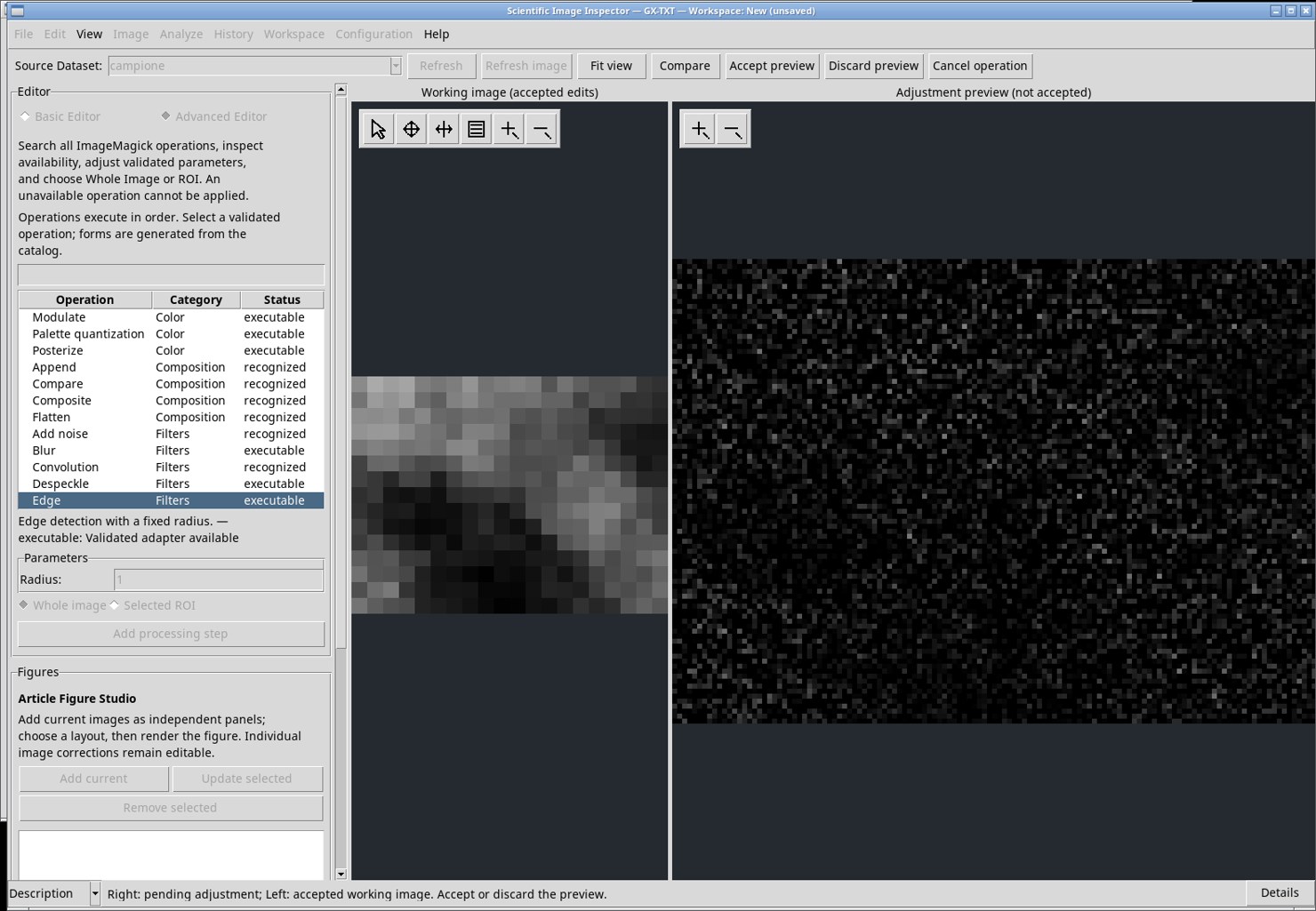
Edgeexecutable | Highlights edges using a radius in pixels. Use the result as a diagnostic image. Whole image or Selected ROI. Defaults. Radius 1 (from 0.1 to 30). |
Embossexecutable | Produces an embossed effect using a filter with radius and sigma in pixels. Whole image or Selected ROI. Defaults. Radius 0 (from 0 to 50), Sigma 1 (from 0.1 to 50). |
Enhanceexecutable | Applies the engine’s Enhance filter to reduce fine noise. Whole image or Selected ROI. |
Gaussian blurexecutable | Softens fine detail with a Gaussian filter. Sigma specifies the smoothing scale in pixels. Whole image or Selected ROI. Defaults. Radius 0 (from 0 to 80), Sigma 2 (from 0.1 to 80). |
Medianexecutable | Uses the neighborhood median. Size is the side length of the square neighborhood in pixels. Whole image or Selected ROI. Defaults. Size 3 (from 1 to 31). |
Sharpenexecutable | Enhances local contrast using radius and sigma. Check edges and noise. Whole image or Selected ROI. Defaults. Radius 0 (from 0 to 80), Sigma 1 (from 0.1 to 80). |
Unsharpexecutable | Applies an unsharp mask. Radius and Sigma are in pixels. Gain sets the strength, and Threshold controls which differences are enhanced. Whole image or Selected ROI. Defaults. Radius 0 (from 0 to 80), Sigma 1 (from 0.1 to 80), Gain 1 (from 0 to 10), Threshold 0.05 (from 0 to 1). |
Geometry
| Operation and status | Use, parameters, and scope |
|---|---|
Affinerecognized | Transforms the image with an affine matrix. A validated schema for transform coordinates is unavailable. |
Auto orientexecutable | Adjusts the geometry to match the EXIF orientation when present. Use Whole image. |
Cropexecutable | Crops a rectangle using widthxheight+X+Y. X and Y are offsets from the left and top edges of the working image. Use Whole image. Defaults. Rect 256x256+0+0. |
Deskewexecutable | Straightens a scan using a threshold to identify dominant markings. Check the resulting angle and edges. Use Whole image. Defaults. Threshold 40 (from 0 to 100). |
Distortrecognized | Applies geometric distortion with method-specific parameters. A validated transform schema is unavailable. |
Extentexecutable | Extends or reduces the canvas to the requested size. Use widthxheight in pixels. Use Whole image. Defaults. Geometry 800x600. |
Flipexecutable | Flips the image vertically, exchanging top and bottom. Use Whole image. |
Flopexecutable | Flips the image horizontally, exchanging left and right. Use Whole image. |
Resamplerecognized | Resamples with respect to physical resolution. Availability requires a validated interpretation of pixel density. |
Resizeexecutable | Resizes the raster by interpolation. Specify widthxheight in pixels and measure the output before reusing previous coordinates. Use Whole image. Defaults. Geometry 1024x768. |
Rotateexecutable | Rotates by an angle in degrees. Check the candidate’s edges and dimensions. Use Whole image. Defaults. Degrees 90 (from -360 to 360). |
Sampleexecutable | Resizes using nearest-neighbor sampling. It preserves sample values without interpolating between pixels and can produce stair-step edges. Use Whole image. Defaults. Geometry 640x480. |
Transposeexecutable | Transposes across the main diagonal, exchanging X and Y. Use Whole image. |
Transverseexecutable | Reflects across the diagonal opposite to the one used by Transpose. Use Whole image. |
Trimexecutable | Removes a uniform border according to the filter. Check the resulting dimensions. Use Whole image. |
Morphology
| Operation and status | Use, parameters, and scope |
|---|---|
Cannyrecognized | Detects edges using sigma and thresholds. A validated workflow for these parameters is unavailable. |
Closeexecutable | Applies morphological closing with a disk. It tends to close small gaps in bright regions. Whole image or Selected ROI. Defaults. Radius 1 (from 1 to 15). |
Connected componentsrecognized | Labels connected components. An output schema for labels and statistics is unavailable. |
Dilateexecutable | Applies dilation with a disk. The radius in pixels controls how far high-value regions expand. Whole image or Selected ROI. Defaults. Radius 1 (from 1 to 15). |
Distancerecognized | Computes a distance transform. Quantitative output requires validated units and scale. |
Erodeexecutable | Applies erosion with a disk. The radius in pixels controls how much high-value regions shrink. Whole image or Selected ROI. Defaults. Radius 1 (from 1 to 15). |
Morphological gradientexecutable | Applies a morphological gradient using a disk. It highlights transitions at the selected radius. Whole image or Selected ROI. Defaults. Radius 1 (from 1 to 15). |
Openexecutable | Applies morphological opening with a disk. It can suppress small bright features or break thin connections. Whole image or Selected ROI. Defaults. Radius 1 (from 1 to 15). |
Output
| Operation and status | Use, parameters, and scope |
|---|---|
Format conversionrecognized | Converts the format. Use Publish to produce one of the available canonical raster outputs. |
Tones
| Operation and status | Use, parameters, and scope |
|---|---|
Auto gammaexecutable | Automatically derives a gamma value from the current raster. Whole image or Selected ROI. |
Auto levelexecutable | Extends the tonal range being used. Check the effect at both ends. Whole image or Selected ROI. |
Black thresholdexecutable | Sets values below the percentage threshold to black. Other levels are retained. Whole image or Selected ROI. Defaults. Threshold 20 (from 0 to 100). |
Brightness / contrastexecutable | Adjusts brightness and tonal separation. Negative values decrease the setting’s effect and positive values increase it. Whole image or Selected ROI. Defaults. Brightness 5 (from -100 to 100), Contrast 5 (from -100 to 100). |
Contrast stretchexecutable | Stretches contrast based on the tails specified by Black and White. Check for saturated pixels. Whole image or Selected ROI. Defaults. Black 1 (from 0 to 99), White 1 (from 0 to 99). |
Equalizeexecutable | Redistributes tones using the histogram. It can amplify noise in areas with little variation. Whole image or Selected ROI. |
Gammaexecutable | Remaps midtones. Gamma 1 preserves the starting relationship. Whole image or Selected ROI. Defaults. Gamma 1.2 (from 0.01 to 10). |
Invertexecutable | Inverts intensity or color levels. Whole image or Selected ROI. |
Levelsexecutable | Remaps the range specified by Black and White as percentages. Use lower and upper bounds in order. Whole image or Selected ROI. Defaults. Black 1 (from 0 to 99), White 99 (from 1 to 100). |
Normalizeexecutable | Applies the engine’s tonal normalization. Check the resulting distribution. Whole image or Selected ROI. |
Sigmoidal contrastexecutable | Applies a curve whose slope is set by Contrast and whose transition is centered on the Midpoint percentage. Whole image or Selected ROI. Defaults. Contrast 5 (from 0 to 50), Midpoint 50 (from 0 to 100). |
Solarizeexecutable | Inverts the upper tonal range beyond a percentage threshold to create a solarization effect. Whole image or Selected ROI. Defaults. Threshold 50 (from 0 to 100). |
Thresholdexecutable | Produces a binary result using a percentage threshold. Whole image or Selected ROI. Defaults. Threshold 50 (from 0 to 100). |
White thresholdexecutable | Sets values above the percentage threshold to white. Other levels are retained. Whole image or Selected ROI. Defaults. Threshold 80 (from 0 to 100). |
Unsafe
| Operation and status | Use, parameters, and scope |
|---|---|
Arbitrary definesdisabled | Arbitrary engine settings. The interface exposes only validated options. |
Delegatedisabled | Direct execution of a delegated process. Unavailable in this catalog. |
Drawdisabled | Arbitrary ImageMagick drawing commands. Use the graphical Draw tools for editable annotations. |
FXdisabled | Arbitrary ImageMagick expression evaluation. Disabled in this catalog. |
Scriptdisabled | ImageMagick script execution. Disabled in the viewer. |
Writedisabled | Arbitrary output to a path. Use canonical publishing and export the new Dataset. |