

Find and select a script
Find a script registered with filters and check in identity details, revision, hash, provenance and API.
- Set Scope on
all,userorsession; use Language to limit to Python or Octave. Reset buttons restore their respective values. - Write in the field under Language to restrict your search. Choose Sort by name or reference, growing or decreasing.
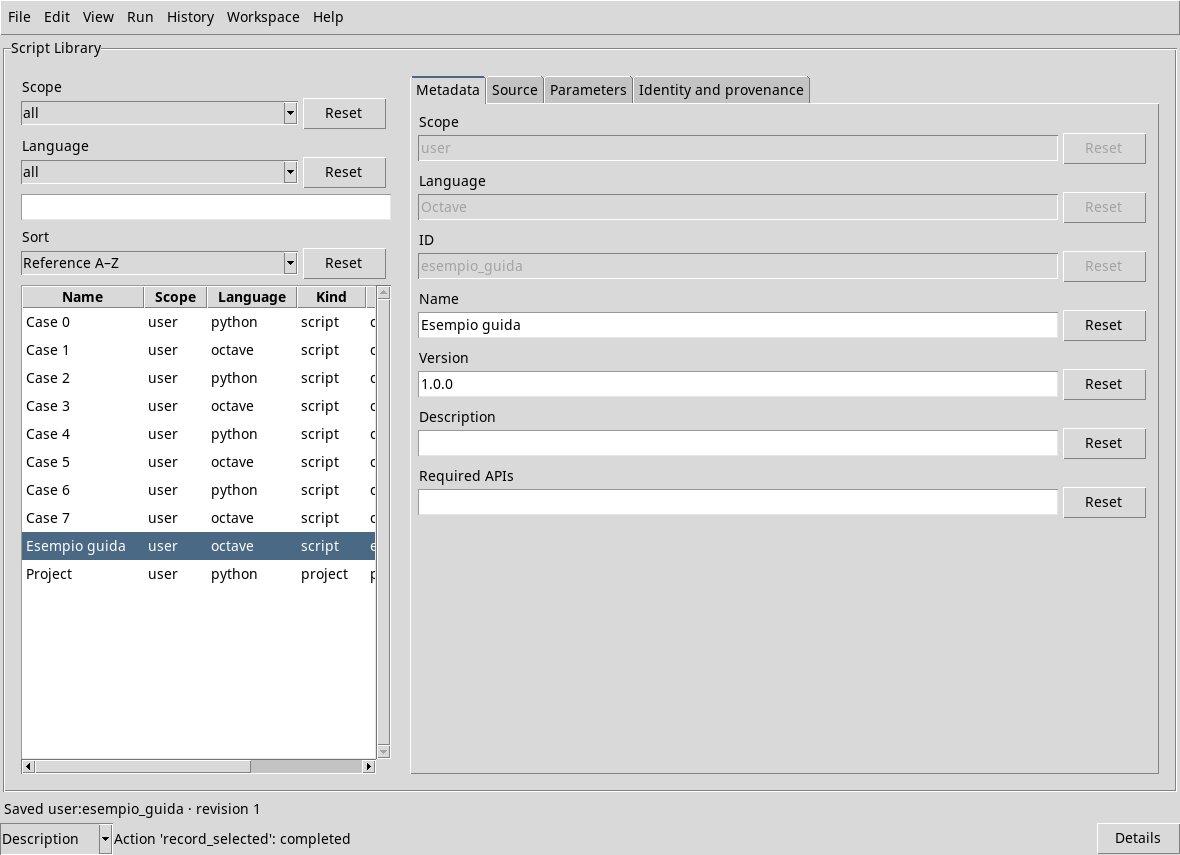
- Select a row. Metadata shows scope, language, ID, name, version, description and required APIs; Source shows code; Parameters definitions; Identity and provenance identity and origin.
List controls
Scope offers all, user and session. The last option requires an open Session. Language offers all, python and octave. The Reset buttons next to Scope and Language restore all. Type in the search field to narrow the list, and clear it to remove the search filter. Sort offers Name A–Z, Name Z–A, Reference A–Z and Reference Z–A. Reset restores Reference A–Z. The vertical scrollbar moves through rows and the horizontal scrollbar moves through columns.
The columns indicate Name, Scope, Language, Kind, ID and Version; Kind distinguishes scripts and project. The selected line determines the record shown to the right. If no row is selected, the fields not yet usable appear disabled.
The list is paged: use View → Previous scripts and Next scripts. The order covers the whole set filtered before the subdivision in pages. View → Refresh Library rereads the Registry and retains the local drafts; it is not equivalent to saving.
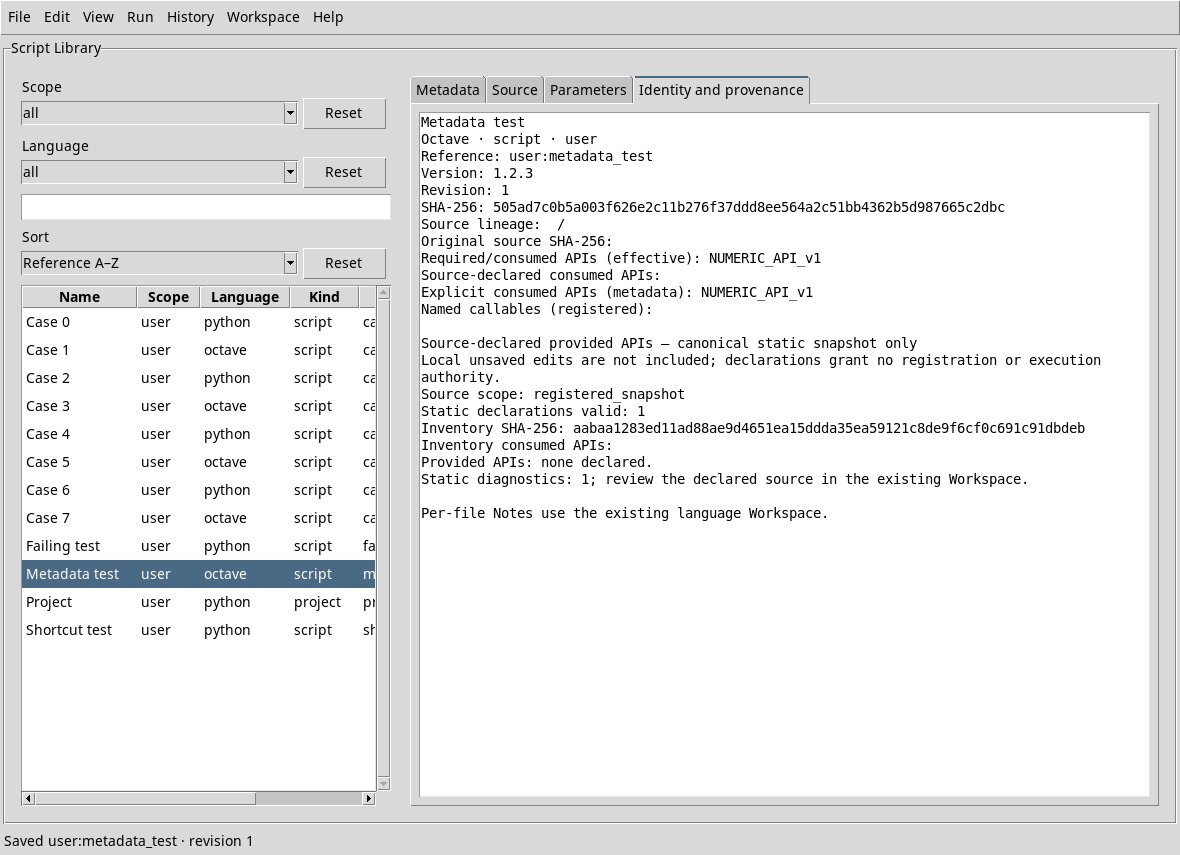
Identity and provenance
The Identity and provenance card lists reference, scope, language, version, revision and SHA-256 of the recorded record, as well as declared or requested APIs. The information on the supplied API comes from the recorded snapshot: the unsaved local changes are not included and a statement does not authorize execution. The Notes of individual files are managed in the Workspace of language.
Actions on the Library use the window menus: a context menu with the right-click is not provided in the list, search and editors Source and Parameters. History instead has its own context menu, described in chapter Workspace and History.