Import, export and organize
Check the commands to import, export, and organize recorded scripts and check identity and review before deleting them.
| Operation | How to proceed |
|---|---|
| Import a file | Check Scope in current metadata (or Scope filter if there is no draft), then choose File → Import script; select a .py or .m file and enter a free ID. The import registers a copy of the source without performing it. |
| Importing a project | Use File → Import Project ZIP, choose an exported project archive and assign a free ID. Cancel to stop without importing. |
| Export | Select a saved record and choose File → Export source or Project, then destination and name. For a project an archive is written; the registered version is exported, not a local modification still to be saved. |
| Copy | Select the record and choose File → Copy registered script. Enter a new stable ID and press Continue; Cancel. |
| Assign | Open the desired session, select a saved User record and choose File → Assign to Session. The Session receives a snapshot from the original; the User script remains distinct. |
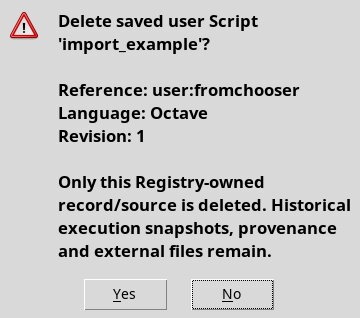
| Delete | Select the record and use Edit → Delete registered script. Read identity and review in the confirmation and choose Yes only to delete the record; No cancels. Historical snapshots of execution and external files remain. |