Define the Surface
Write the formula z = f(x, y)
The field between the unit summary and the Parameter table holds the scalar response expression. Always use x and y for the selected physical coordinates, even if the source variables have other names. The initial expression is offset+x_slope*x+y_slope*y. You can replace it with a polynomial or nonlinear expression and update the parameter rows accordingly. Use a decimal point.
Expressions support + - * / ^, unary signs, parentheses and scalar functions subject to dimensional rules. For example, exp and log require dimensionless arguments. Addition requires terms of compatible dimensions. Use letters and distinct parameter identifiers. pi, e, x, y and the names of called functions are reserved. Remove parameters that no longer appear in the expression. Scalar expressions are limited to 32,768 characters and 4,096 tokens.
Configure the parameters
- Parameter
- Enter the identifier used in the formula. The initial rows are
offset,x_slopeandy_slope. Each identifier must be unique. - Unit
- Enter a linear physical unit or
1for a dimensionless quantity. The field starts blank to request dimensional inference. When the coefficient dimensions are determined, the implicit scale is that of the inferred canonical unit. In the plane example with Z in mm, leaving the offset unit blank returned meters. Entermmto supply the initial value and read the result directly in mm. If inference is ambiguous or incompatible, specify the appropriate units and rerun the fit. - Initial
- A finite starting value, initially 1, in the declared or inferred Unit. For nonlinear fits, provide realistic initial values and check the sensitivity of the result to them.
- Lower
- Finite lower bound in the parameter unit. Leave blank for no lower bound.
- Upper
- Finite upper bound in the parameter unit. Leave blank for no upper bound.
- Consistent bounds
- Initial must lie within the bounds. Equal bounds fix the parameter at that value. If the lower bound exceeds the upper bound, correct the fields before using Preview fit.
- Fixed
- This checkbox starts cleared. Select it to hold the parameter at its initial value during the fit. The report distinguishes fixed and estimated parameters. Fix a parameter when its value is already known for the case at hand.
- Add parameter and Remove
- Add parameter, also available in Fit, adds a row with empty name and unit, initial value 1 and no bounds. A surface supports 1 to 32 parameters. Remove deletes a row. Update the expression before the next preview.
Iterations, Seconds and Accepted name
- Iterations
- Maximum numerical iterations, initially 400. Enter a positive integer. The solver rejects 0.
- Seconds
- Solver time limit in seconds, initially 30. Set a finite positive value and allow enough time for the model. Zero or a negative value prevents the preview.
- Accepted name
- Name assigned to the result by Accept fit. The initial name is Accepted surface. Choose a name that distinguishes expressions or runs, for example Plane with known sigma. You can set it after reviewing the preview.
Quadratic surface example
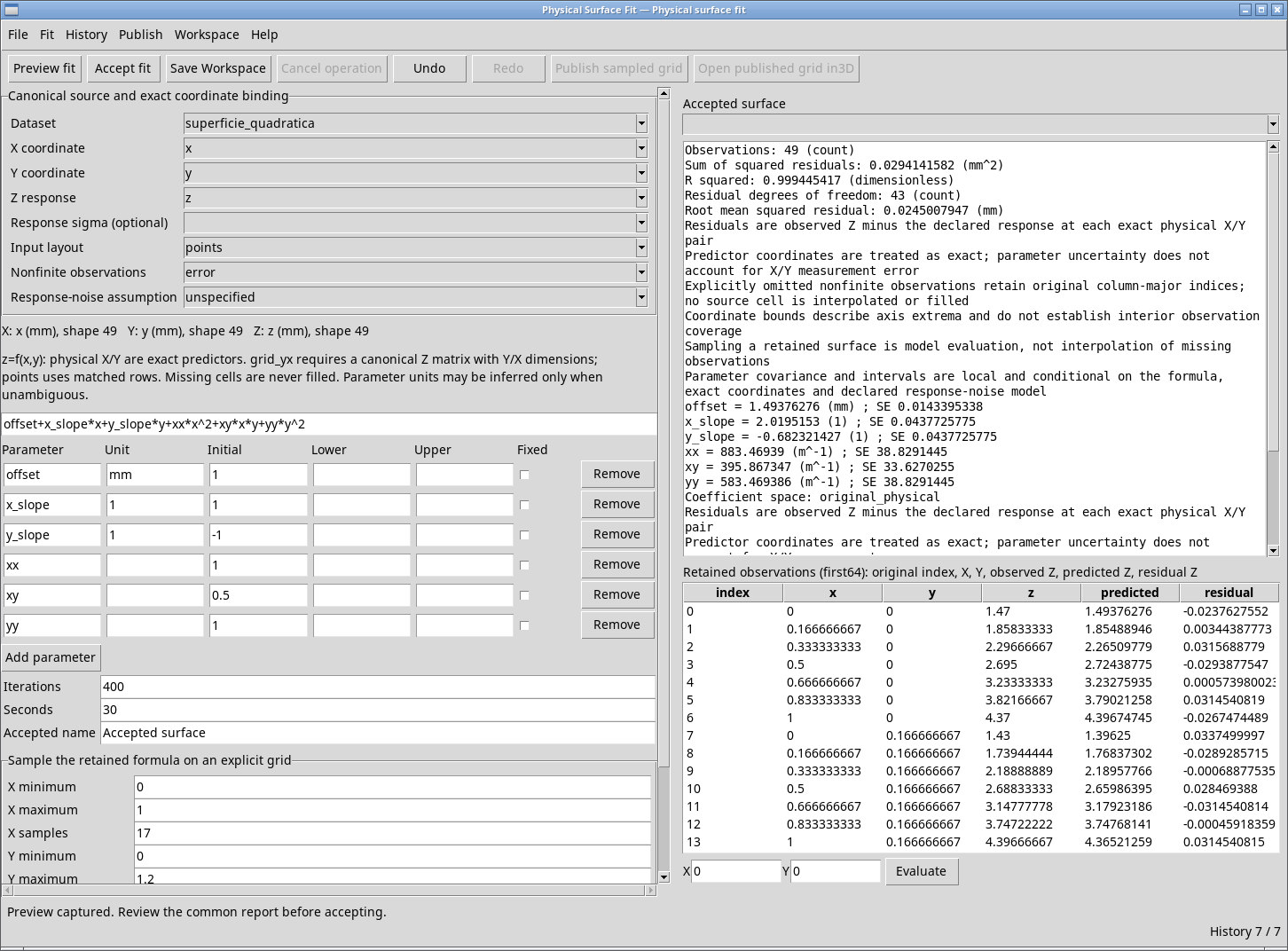
For superficie_quadratica, use points and bind x, y and z. Enter the expression below and add xx, xy and yy. Leave Unit blank for the quadratic terms to infer their units. For offset, x_slope and y_slope, use mm, 1 and 1, respectively. Enter initial values of 1, 1, −1, 1, 0.5 and 1 in that order.
offset+x_slope*x+y_slope*y+xx*x^2+xy*x*y+yy*y^2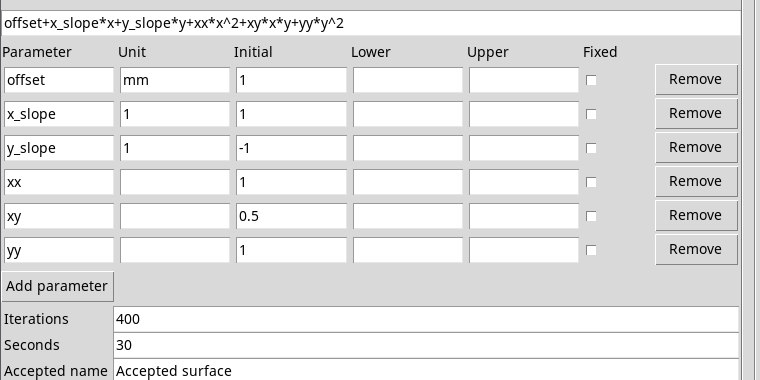
Exponential decay example
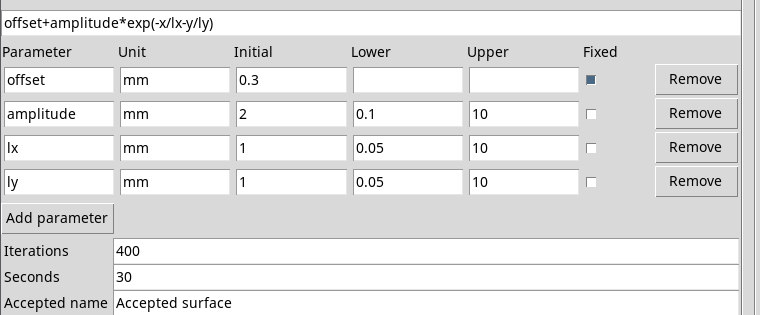
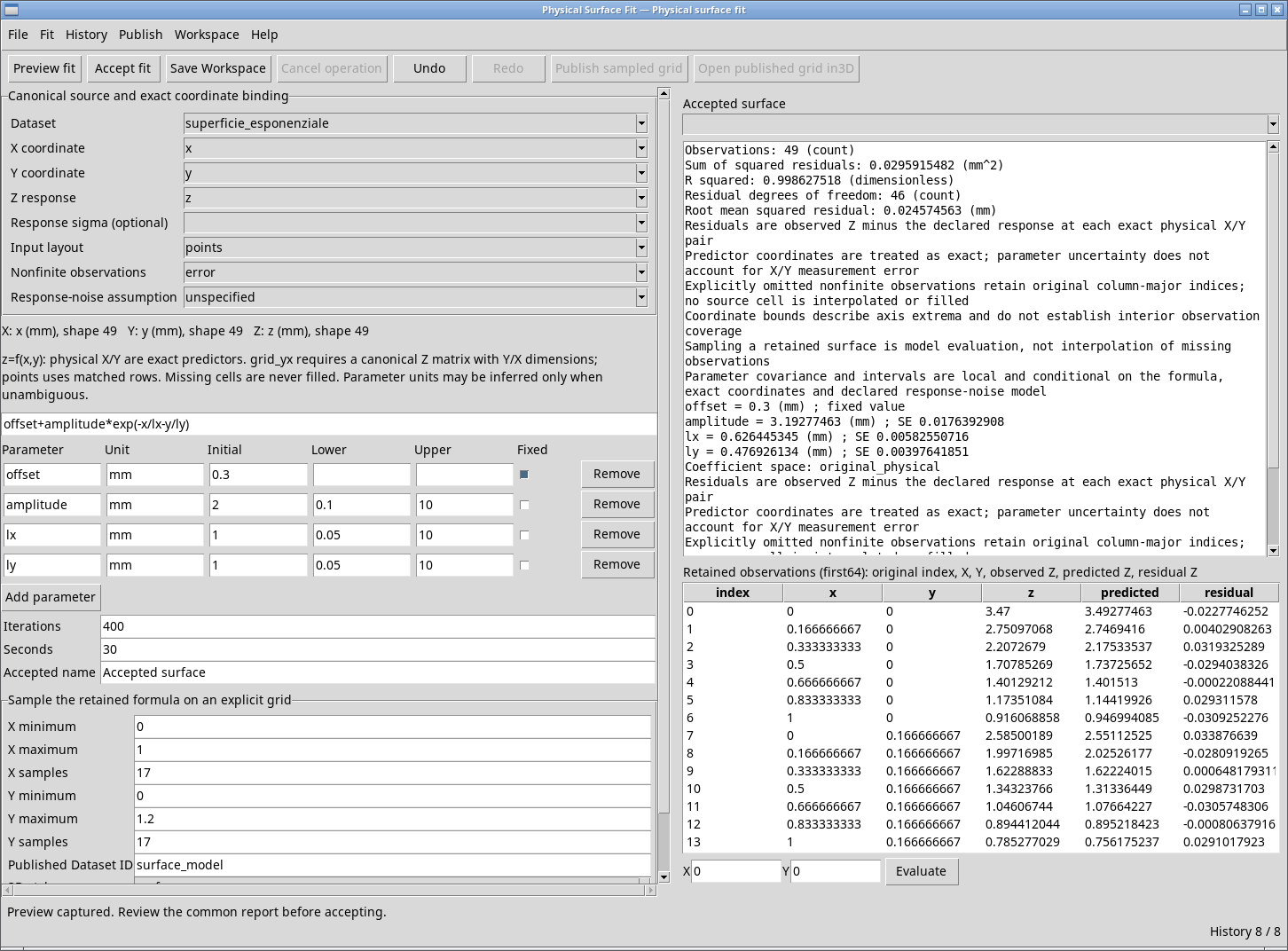
For superficie_esponenziale, bind x, y and z in points. Use the expression below. lx and ly are positive length scales in their respective axis units. The ratios x/lx and y/ly are dimensionless.
offset+amplitude*exp(-x/lx-y/ly)| Parameter | Unit | Initial | Lower | Upper | Fixed |
|---|---|---|---|---|---|
| offset | mm | 0.3 | blank | blank | yes |
| amplitude | mm | 2 | 0.1 | 10 | no |
| lx | mm | 1 | 0.05 | 10 | no |
| ly | mm | 1 | 0.05 | 10 | no |