

Import and select a document
Import an HTML file as a canonical Dataset or use the supplied examples. Select a document and verify the integrity of its source.
Import a local HTML file
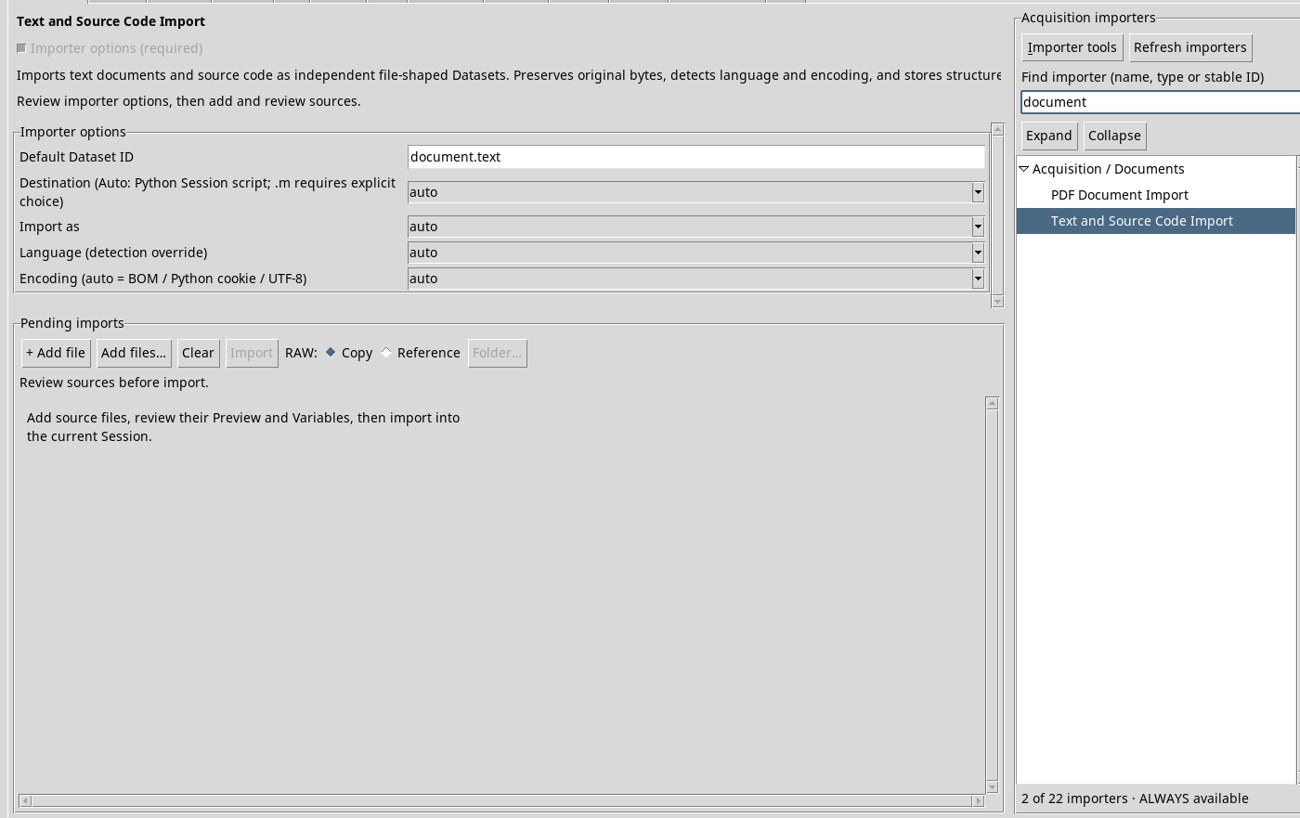
- Download scheda.html and extract the ZIP. On the Acquisition tab, search for
documentand select Text and Source Code Import under Acquisition / Documents. - Click + Add file, select
scheda.htmlin the dialog, and click Open. In Pending imports, check Source file, Dataset ID, Include, and Proposed contract. For this exercise, use the IDschedaand the proposeddocument.textcontract with automatic source language detection. - Click Import. The Dataset preserves the file bytes and HTML language metadata. Open the HTML tile and select
scheda.
Import the supplied Datasets
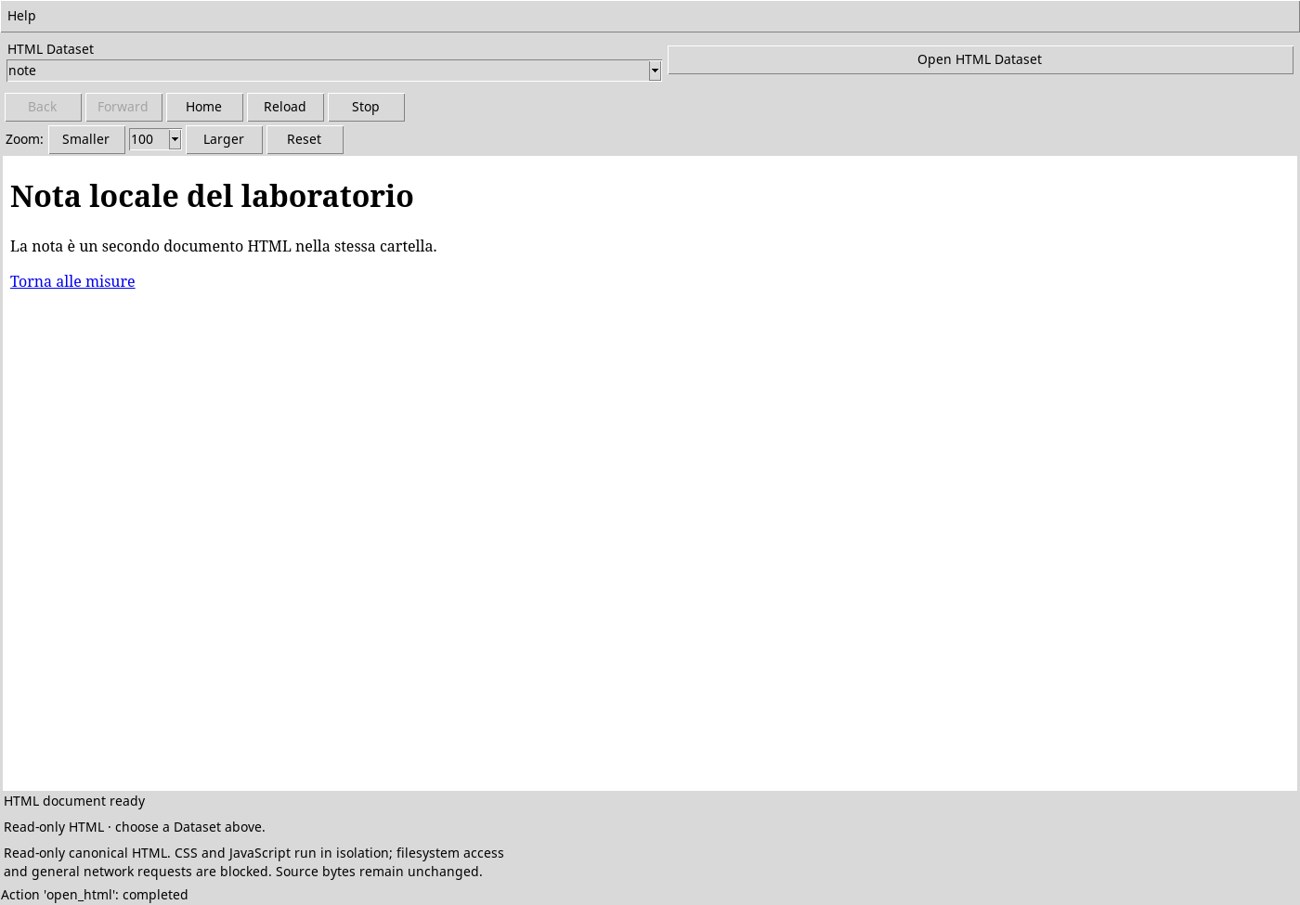
For a reproducible exercise, use the scheda Dataset and the note Dataset. On the Dataset tab, open Actions → Import Dataset ZIP…, select a ZIP, and confirm with Import. The first contains a page with a table, anchors, and a JavaScript interaction. The second contains a short standalone note. The sample documents are in Italian, so their visible labels are quoted in the following instructions.
Identify and switch Datasets
The selector lists eligible HTML IDs. With the exercise data, it shows scheda and note. A plain-text file imported the same way remains available in the Dataset list, while the HTML selector omits it. To switch pages, choose the other ID and click Open HTML Dataset. Check the new document title and the selected ID.
Verify the read-only source
You can select, copy, and interact with the page in the viewer. The canonical file belongs to the Dataset, and viewing actions preserve its bytes. In the test, the displayed file’s SHA-256 matched that of scheda.html both before and after interacting with the page.