Find text in the source
Find bar, shortcuts, matches and outcomes.
Open Find and enter a query
Use the Find bar above the source or press Ctrl+F while you are in the text. Type a word or a sequence. The search is literal and ignores case. For example temperature and TEMPERATURE find the same word. If you type characters such as brackets or asterisks, Code searches for those characters. Press Esc from the text to hide Find and Ctrl+F to bring it back.
Move to the previous or next match
- Next
- Moves to the following match. With the focus in the Find field, Enter searches forwards.
- Previous
- Returns to the previous match.
- F3 and Shift+F3
- From the text, F3 moves forwards and Shift+F3 backwards. They use the current query.
Interpret the position and the absence of results
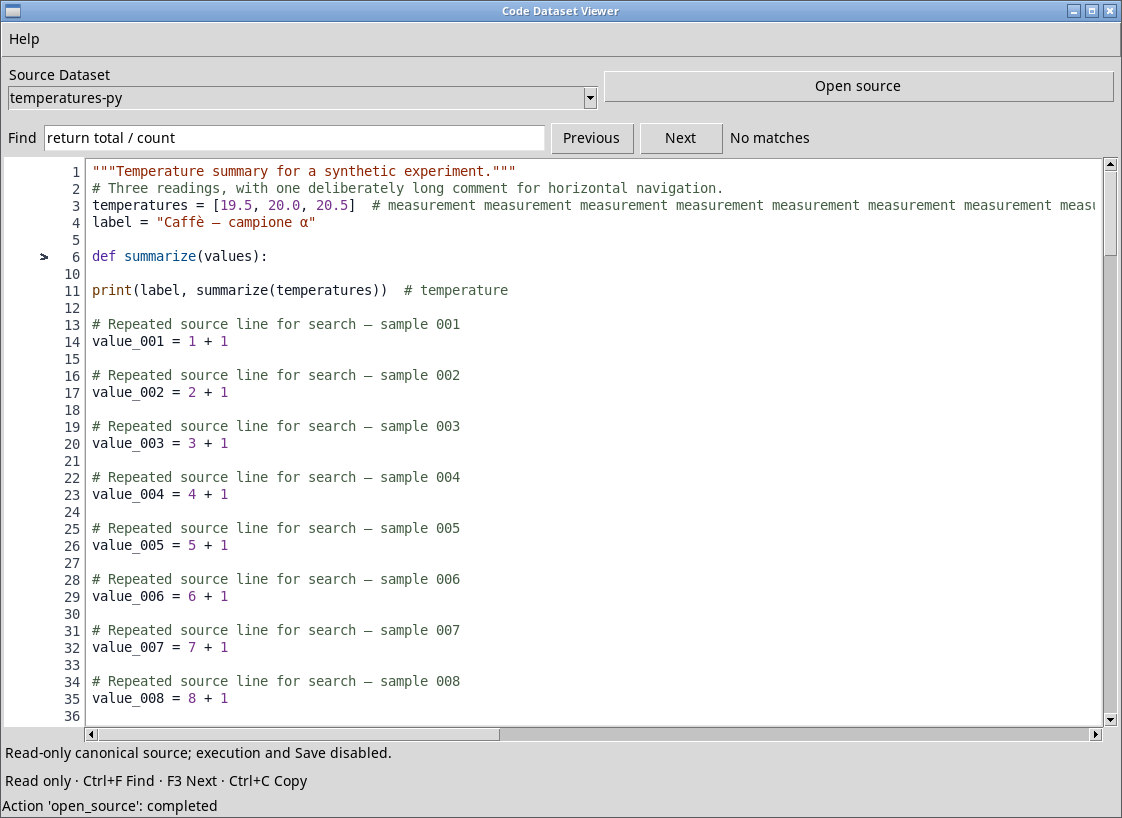
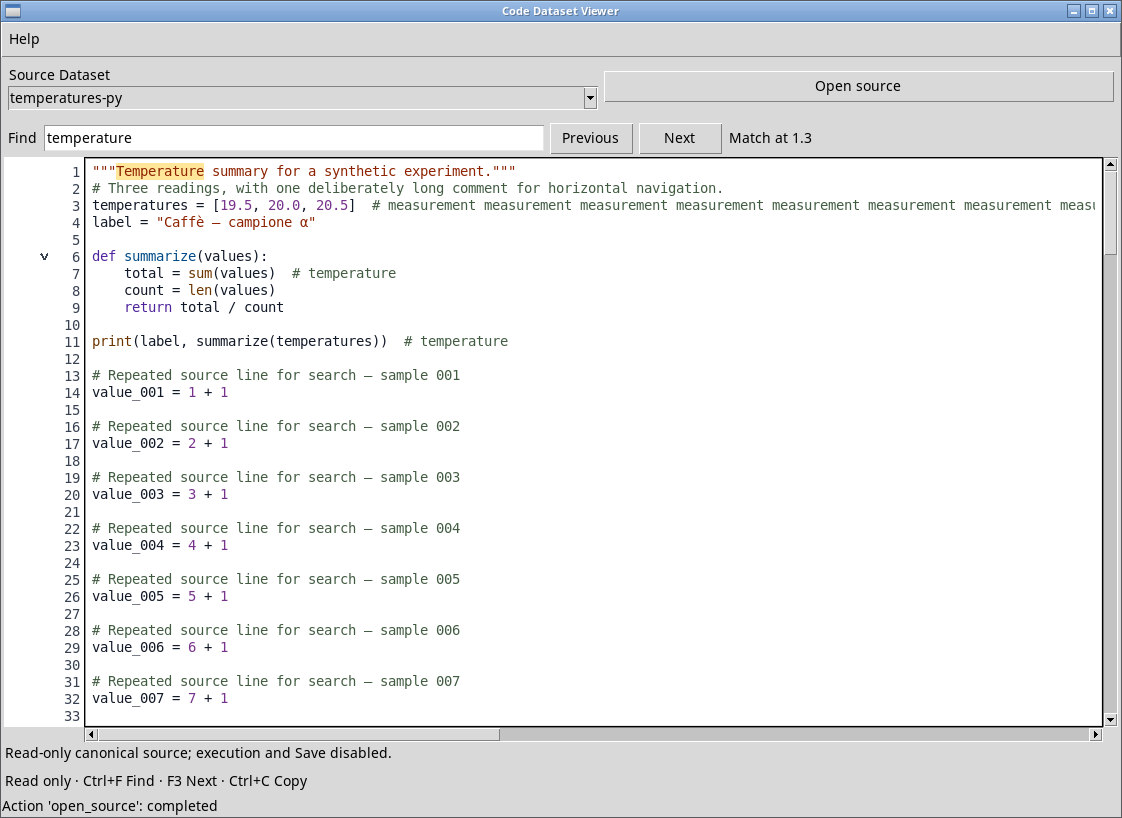
Match at gives the line and column of the match, with the first column of the line at zero. Enter search text asks you to type a query. No matches means the search found no visible text. If the expected word is inside a folded function, unfold the block and search again. In the example, return total / count is not found while the function at line 6 is folded.