Trigonometry and plane geometry
Calculation modes
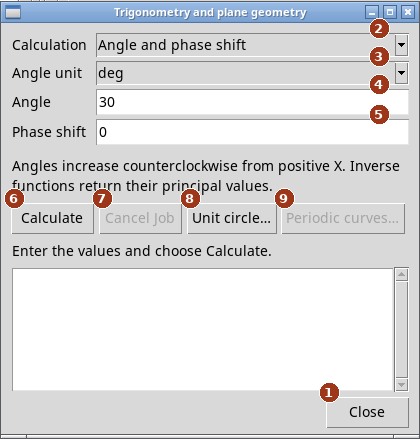
Open Study → Trigonometry and plane geometry…. Angle unit sets deg or rad. It changes both how the entered angles are read and how the relevant results are given. The inputs change with Calculation. Press Calculate and read the result with its units.
| Mode | Data and result |
|---|---|
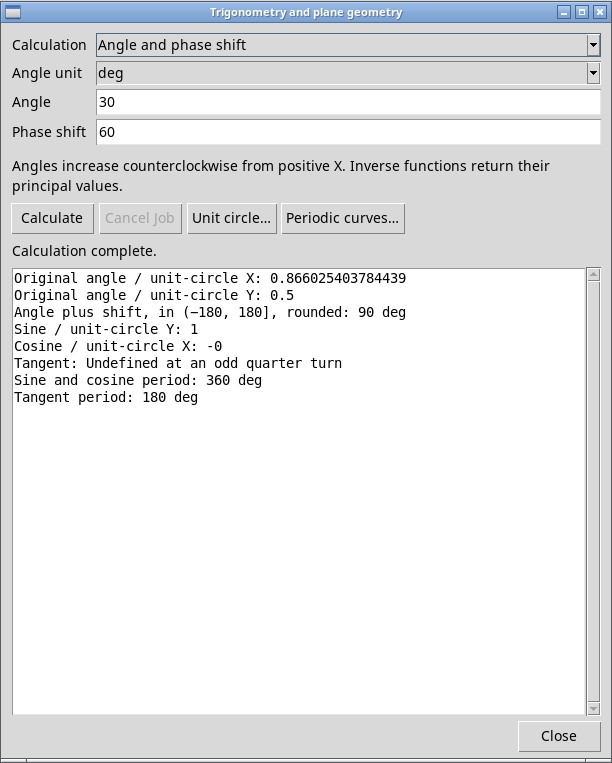
| Angle and phase shift | Angle, Phase shift. Computes the coordinates of the initial point and the sine, cosine and tangent of the shifted angle. With 30°+60° the test reports sine 1, cosine −0 and undefined tangent. Near the quarter turn the tangent can take very large finite values. |
| Inverse trigonometry | Enter Dimensionless input. The report gives arcsine, arccosine and arctangent on the principal branch. Outside [−1,1] the first two are unavailable, while the arctangent stays valid. |
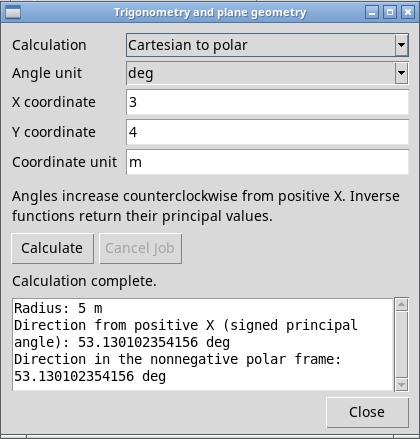
| Cartesian to polar | Enter X coordinate and Y coordinate, then set Coordinate unit for both. Read r and direction. With (3,4) m the test gives r=5 m and 53.130102354156°. At the origin the direction is undefined. |
| Polar to Cartesian | Enter Angle, a non-negative Radius and Coordinate unit. The X and Y coordinates are expressed in the same unit as the radius. |
| Triangle · cosine law | Use First side, Second side and Included angle to determine the opposite side. The sides must be positive and the angle must form a triangle. |
| Triangle · sine law | Use Side a opposite A, Angle A and Angle B to find the corresponding side. The sum of the known angles must be less than a straight angle. |
Unit circle
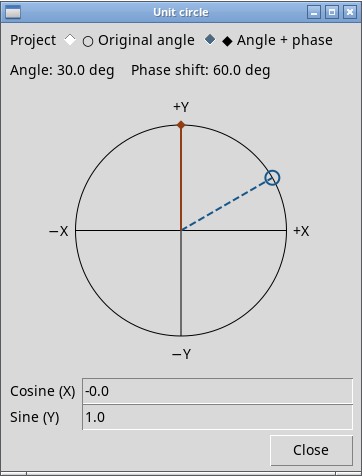
Unit circle… opens the geometric view. In Project choose ○ Original angle or ◆ Angle + phase, or select the corresponding marker. Cosine (X) and Sine (Y) show the coordinates read-only. With 30°+60° check Y=0.5 and Y=1 for the two markers.
Periodic curves
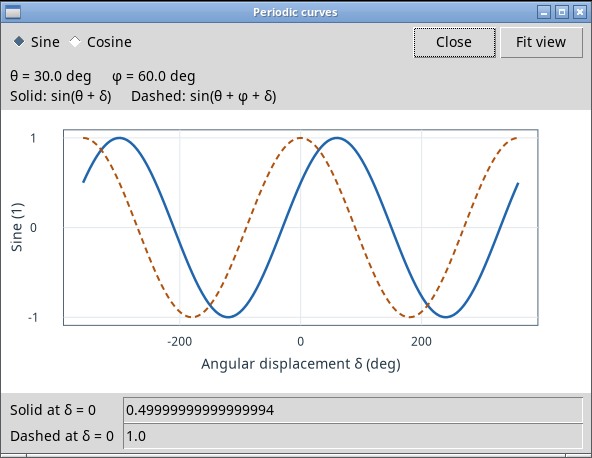
Periodic curves… uses the admitted result of Angle and phase shift. Choose Sine or Cosine and use Fit view to frame the whole interval. The axis shows the shift δ from the initial angle. The solid line follows the original angle plus δ, the dashed one also includes Phase shift. For 30°+60° and δ=0 read 0.5 and 1 in Sine mode. Wait for the rendering before reading a curve. At the bottom Solid at δ = 0 and the reading of the dashed curve report the two ordinates.