

Lists, Tuples, Indices and Slicing
Scientific Python in GX-TXT · Module 1 · Lesson 4
So far we have given a name to individual values. To work with multiple readings or with the list of available APIs, you need ordered containers. In this lesson we will use lists and tuples, choosing items and intervals without losing sight of the order.
Objectives: to create lists and tuples; to include zero indices and negative indices; to use slicing, append, in and sorted; to distinguish modification, reference and copy.
Prerequisites: variables and scalar types of previous lessons.
A list of values
A list is written in square brackets; the elements are separated by commas:
readings_mv = [1.2, 1.5, 1.3, 1.6]
print(readings_mv)
The values are four synthetic readings expressed in millivolt, chosen for the example: they are not real measures and do not have a given uncertainty. The list keeps the order. It may contain different types, but in a scientific series it is advisable to maintain a coherent structure and document unity and meaning.
A list is mutable: we can add an element with the append method:
readings_mv.append(1.4)The list now contains five values. append changes the existing list and returns None: do not write readings_mv = readings_mv.append(1.4), otherwise the name will no longer indicate the list.
Indices: the first is zero
readings_mv[0] reads the first element, readings_mv[1] the second and readings_mv[-1] the last. The index represents a position, not the value. With five elements, valid non-negative indices are from 0 to 4. An access out of range, such as readings_mv[5], generates IndexError.
You can change an item: readings_mv[0] = 1.1. This operation changes the list. If the values were real measures, a correction would require motivation and preservation of the original data; it should not be done to improve a result.
Slicing: Choose a range
The sequenza[start:fine] form selects from the initial index included to the final index excluded. For example:
readings_mv = [1.2, 1.5, 1.3, 1.6, 1.4]
print(readings_mv[1:4])  # [1.5, 1.3, 1.6]
The selected indices are 1, 2 and 3. readings_mv[:2] takes the first two elements, readings_mv[2:] from the third to the end, and readings_mv[:] creates a new list with the same elements. A slice out of the limits is reduced to the available limits and can be empty; on the contrary, access to a single nonexistent index generates an error. With a third part, sequenza[start:fine:step], you can choose the step: readings_mv[::2] takes one item every two.
Tuples and lists
A tupla is often written in round brackets: interval_s = (0.0, 0.5). As a list, it is sorted and supports indexes and slices; otherwise, you cannot reassign directly one of its elements. One tuple with one element requires comma: (0.5,); (0.5) is simply a number in brackets.
The immutability of the tupla is about its structure: if it contains a mutable object, that object can still change. In our example, the two numbers indicate two synthetic instants in seconds. It is not the tupla to attribute the unit: it is the name and documentation to communicate it.
Appearance, sorting and copying
1.5 in readings_mv produces True if the value appears on the list. For float values obtained from calculations, the exact comparison requires caution due to numerical representation, as seen in lesson 2.
sorted(readings_mv) returns an orderly new list; it does not change the starting list. It is different from the readings_mv.sort() method, which modifies the list on the spot. The order of a series can destroy the association with acquisition times: it always keeps the relationship between coordinates and readings when needed.
The altra = readings_mv assignment does not create a copy: both names indicate the same list. Changing altra also changes what you see through readings_mv. copia = readings_mv[:] instead creates a distinct external list. It is a superficial copy: any mutable elements contained remain shared.
A list from GX-TXT bridge
gxtxt_api_list() is a function of the public client that returns the API descriptions available for execution. The observed answer is a list of structured elements; here we are interested in its length with len(api) and a api[:2] slice. The fields of each description are dictionaries, which we will learn to read in the next lesson. Number, content and order of the list can change between installations: do not assume that a position always identifies the same API. api[:2] is safe even if the list contains less than two items.
Full code
from gxtxt import gxtxt_api_list

readings_mv = [1.2, 1.5, 1.3, 1.6]
readings_mv.append(1.4)
interval_s = (0.0, 0.5)
print("Synthetic readings (mV):", readings_mv)
print("First reading (mV):", readings_mv[0])
print("Central readings (mV):", readings_mv[1:4])
print("Intervallo (s):", interval_s)

api = gxtxt_api_list()
print("APIs available:", len(api))
print("First two descriptions:", api[:2])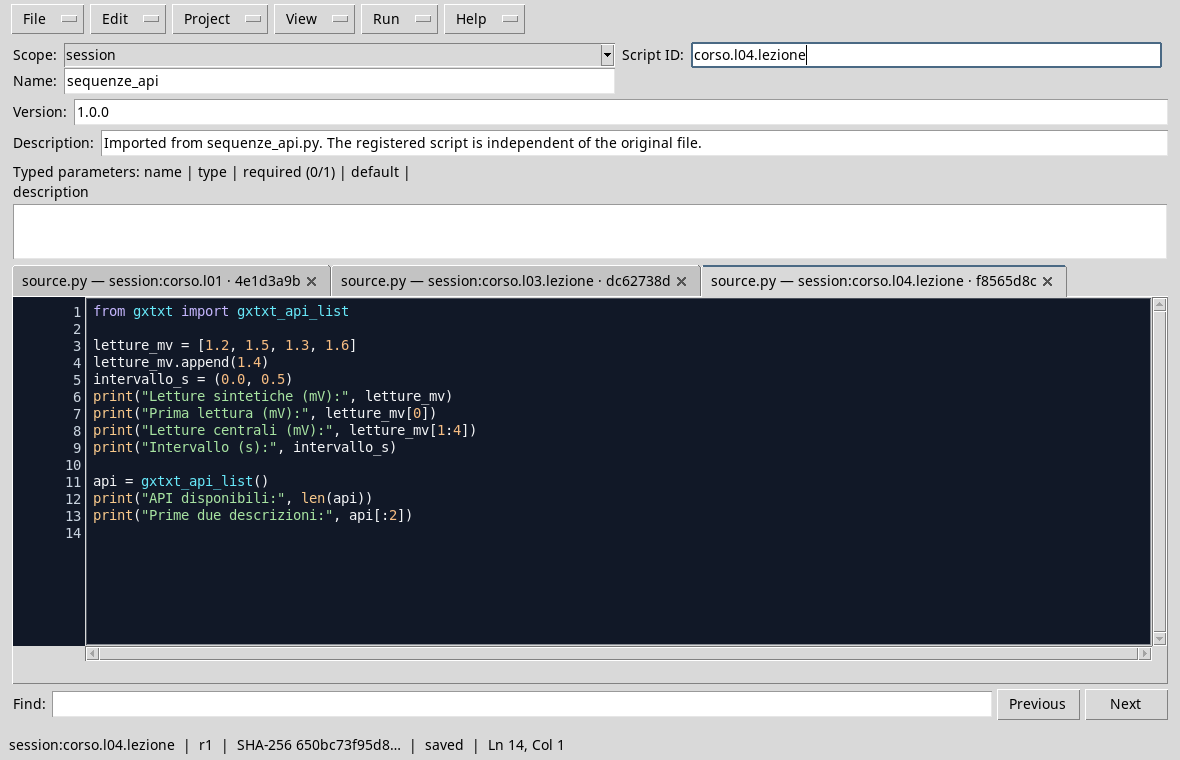
Sequences and call to the public client in the editor.
Perform and interpret
- Open a Session in GX-TXT and choose Viewers → Python Scripts.
- Import
sequences_and_api.pywith File → Import .py…, choosesession, assign a name and a Script ID and save. - Open Run → Open Script Runner…, press Run Job and observe the output after completion.
- Check that the first reading is
1.2, the central slice is[1.5, 1.3, 1.6]and the tupla is(0.0, 0.5). The number of APIs and descriptions depend on the system in use.

The output shows the list after append, the slice, tupla and the number of detected APIs.
Exercise
Starting from times = [0.0, 0.5, 1.0, 1.5, 2.0], you get a new list with the three central times, then create a full copy and add 2.5 only to the copy. What are the two final lists?
Worked solution
times = [0.0, 0.5, 1.0, 1.5, 2.0]
middle = times[1:4]
copia = times[:]
copia.append(2.5)
print(middle)  # [0.5, 1.0, 1.5]
print(times)     # [0.0, 0.5, 1.0, 1.5, 2.0]
print(copia)     # [0.0, 0.5, 1.0, 1.5, 2.0, 2.5]
The slice creates a new external list, then append on the copy does not add an element to times. If we had written copia = times, the two names would have indicated the same list.
In the next lesson, we will use dictionaries to read API descriptions by field name.