

Multidimensional Datasets and Hyperslabs
Scientific Python in GX-TXT · Module 4 · Lesson 22
A Dataset can contain an organized variable on multiple sizes. A hyperslab is a rectangular subset defined by an initial position and by a number of elements for each axis. In this lesson we will create a synthetic matrix at the GX-TXT Session and read a part through the public API.
Objectives: interpret multidimensional shape and indices; distinguish initial position and required dimensions; publish a small matrix and read a hyperslab; compare the result with expected values.
Prerequisites: Array and shape of lessons 13–14; Dataset and progressive reading of lessons 19–21.
A matrix with two axes
Consider the following synthetic matrix of signals in mV:
 1   2   3   4
 5   6   7   8
 9  10  11  12
The shape is (3, 4): three rows and four columns. The two axes are identified as row and column. The values are invented to show indexing: they are not experimental measures, there is no uncertainty and the indices do not automatically represent physical coordinates.
The [1, 1] index element is 6: the indexes start from zero, so it is the second row and the second column. A hyperslab with [1, 1] start and [2, 2] counts selects two rows and two columns:
 6   7
10  11
For each axis, the count indicates how many light elements, not the last index included. The row range starts from 1 and contains indexes 1 and 2; the column range also contains 1 and 2.
Over two dimensions
A three-dimensional variable can have, for example, time axes, row and column. Its shape could be (n_t, n_r, n_c), but the meaning of each axis must come from the schema and metadata, not from the single length. A hyperslab requires an initial position and a count for each size, in the declared logical order.
NumPy broadcasting can combine arrays with compatible forms, but form compatibility does not mean physical compatibility. Before applying operations between a subset and coordinates or calibrations, check which axis represents each size and which units you use.
Publish an example matrix
DATASET_PUBLICATION_API_v2 allows you to declare dimensions and variables before writing values. The script opens a writer, declares two fixed dimensions and a signal variable of rank 2 with dtype float64, then writes the matrix and concludes the publication. If the publication raises an exception, the code requires the writer’s cancellation and raises the error: it does not have a partial matrix as a complete result.
The publication is only tempted if the corso_python_matrice_sintetica ID is not in the catalog. The present ID does not warrant on its own that a pre-existing Dataset has the same matrix: use a Session dedicated to the course and verify the content if the ID is already busy. The storage format required in the example is HDF5; we do not access internal files from the code.
Read a hyperslab
CANONICAL_DATASET_API_v2/read_hyperslab receives Dataset ID, variable ID, start vector and count vector. Returns a structure that includes values, form and reading information. For our case we ask [1, 1] and [2, 2], then we print response["values"].
The position and form required must be in the form of the Dataset. For a reusable program consult the scheme first, check rank and limits, and maintain the relationship between axes and scientific coordinates. Here we already know the form because we have created the example.
Full code
import numpy as np
from gxtxt import gxtxt_api_call, gxtxt_api_require

gxtxt_api_require("CANONICAL_DATASET_API_v2@2")
gxtxt_api_require("DATASET_PUBLICATION_API_v2@2")
dataset = "corso_python_matrice_sintetica"
api = "DATASET_PUBLICATION_API_v2"
catalog = gxtxt_api_call("CANONICAL_DATASET_API_v2", "list", [])
if dataset not in catalog:
    definition = {"dataset_id": dataset, "contract": "table.generic", "storage": "hdf5", "provenance": "Synthetic teaching matrix, not measures"}
    writer = gxtxt_api_call(api, "begin", [definition])
    try:
        gxtxt_api_call(api, "declare_dimension", [writer, "riga", 3, {"extendible": 0}])
        gxtxt_api_call(api, "declare_dimension", [writer, "colonna", 4, {"extendible": 0}])
        schema = {"dtype": "float64", "rank": 2, "dimension_ids": "riga;colonna", "coordinate_role": "data", "unit": "mV"}
        gxtxt_api_call(api, "declare_variable", [writer, "segnale", schema])
        matrix = np.array([[1., 2., 3., 4.], [5., 6., 7., 8.], [9., 10., 11., 12.]])
        gxtxt_api_call(api, "write_variable", [writer, "segnale", matrix, [3, 4]])
        gxtxt_api_call(api, "finalize", [writer])
    except Exception:
        gxtxt_api_call(api, "abort", [writer])
        raise
response = gxtxt_api_call("CANONICAL_DATASET_API_v2", "read_hyperslab", [dataset, "segnale", [1, 1], [2, 2]])
print("Dataset:", dataset)
print("Hyperslab from [1,1] with form [2,2]:", response)
print("Selected values (mV):\n", response["values"])
The dimension_ids statement retains the row;column logical order; the client carries an already shaped array keeping its logical indexes. raise in the operator repeats the error after the cancellation request. Writer operations will be deepened in lesson 24.
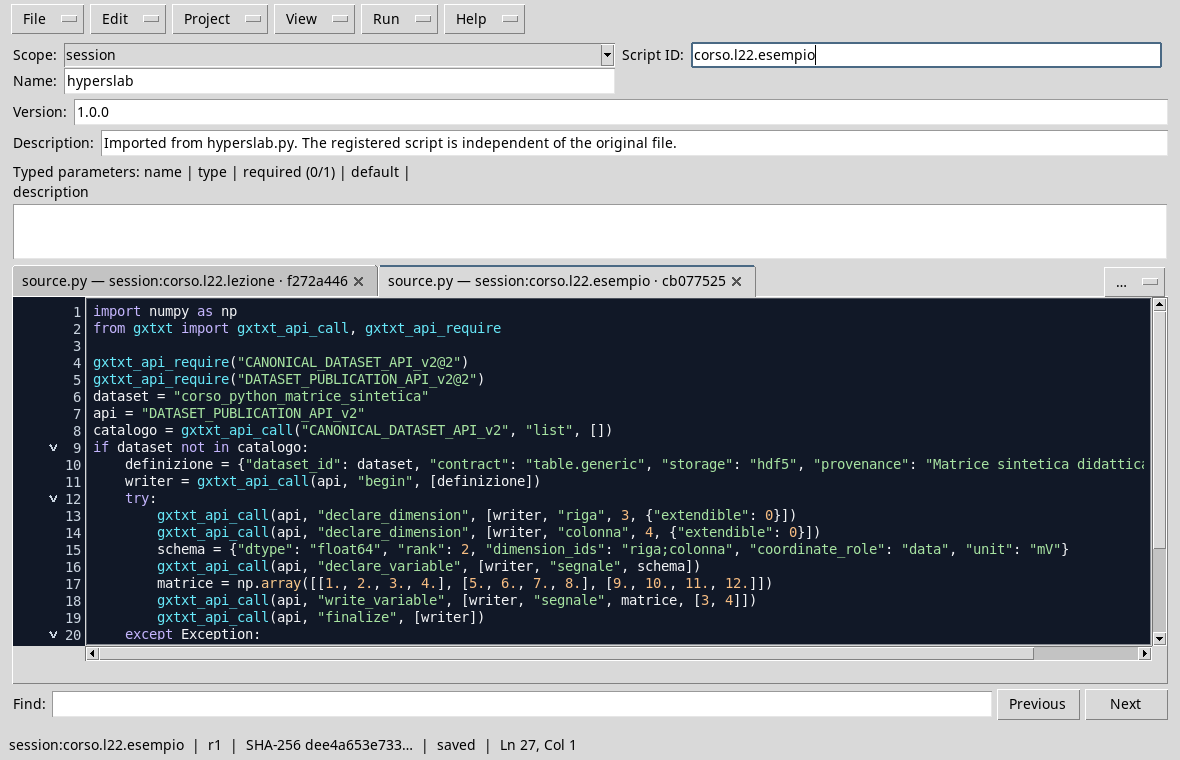
The synthetic matrix is published in the Session before reading the subset.
Execution
- Open a dedicated session and the Viewer Python Scripts.
- Import
hyperslab.py, assigns name and Script ID into thesessionbroom, then saves. - Open the Runner, press Run Job and wait for completion.
- Read the output: the selected values must be
[[6, 7], [10, 11]]mV and the count must be four. The shape is 2 × 2.

The subset bed contains the two rows and the two columns required.
Common error
Confuse [2, 2] with the last index to read leads to a different subset: in this API is the number of elements per axis. Another mistake is to flatten the matrix and lose the relationship between rows and columns. Always check shape, axle order, beginnings and counts.
Exercise
In the example matrix, what values do you get with [0, 2] start and [2, 2] counts?
Worked solution
The rows are 0 and 1; the columns are 2 and 3. The expected result is [[3, 4], [7, 8]] mV, with (2, 2) shape. The values are synthetic and do not represent measures.
In the next lesson we will publish a derived series keeping its origin clear.