Prepare the analysis and read the netlist
Choose op, tran, ac or dc, check the effective source and prepare a local or remote Job.
Select the analysis and fill in the relevant fields
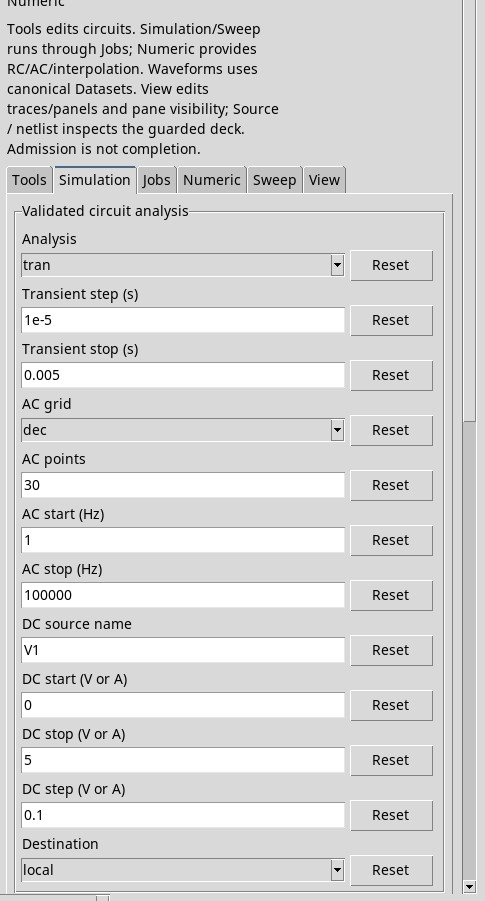
In the Simulation → Validated circuit analysis tab choose Analysis. The other groups stay visible. Prepare uses the parameters relevant to the chosen mode. Reset next to a field brings that field back to its starting value.
| Value | Effect and fields |
|---|---|
op | Computes the static operating point. It requires no intervals. |
tran | This is the initial value. Computes the evolution over time. Transient step (s) initially 1e−5 s and Transient stop (s) 0.005 s. Use a positive step and a stop consistent with the time scales of the circuit. The solver can use adaptive sampling. |
ac | Small signal around the operating point. AC grid dec uses points per decade, oct points per octave, lin uniform points in the interval. AC points starts at 30. AC start (Hz) and AC stop (Hz) start at 1 Hz and 100000 Hz. Set the source with a useful AC amplitude. Read the real and imaginary part from the resulting Dataset. |
dc | Varies the value of an independent source. DC source name starts as V1. DC start (V or A), DC stop (V or A) and DC step (V or A) start at 0, 5 and 0.1 in the units of the source. The step must be non-zero and advance towards the stop. |
Discover the destination, prepare and submit
- Press Discover nodes and choose Destination. In the test Session
localis available. A remote node requires configuration and authentication that are already working. The chosen destination applies to the prepared Job. - Press Prepare. Preparation validates components, connections, ground reference, parameters and document identity. Read the footer and check for errors. An open terminal or a source without an electrical reference requires a change to the schematic. After a change to the schematic, destination or analysis, repeat Prepare.
- Press Submit after Prepare and open Jobs. Use Refresh status until the terminal state. In this environment all four types were run and published for the test RC circuit. To read the results and the log follow the Job cycle.
Inspect Source / netlist
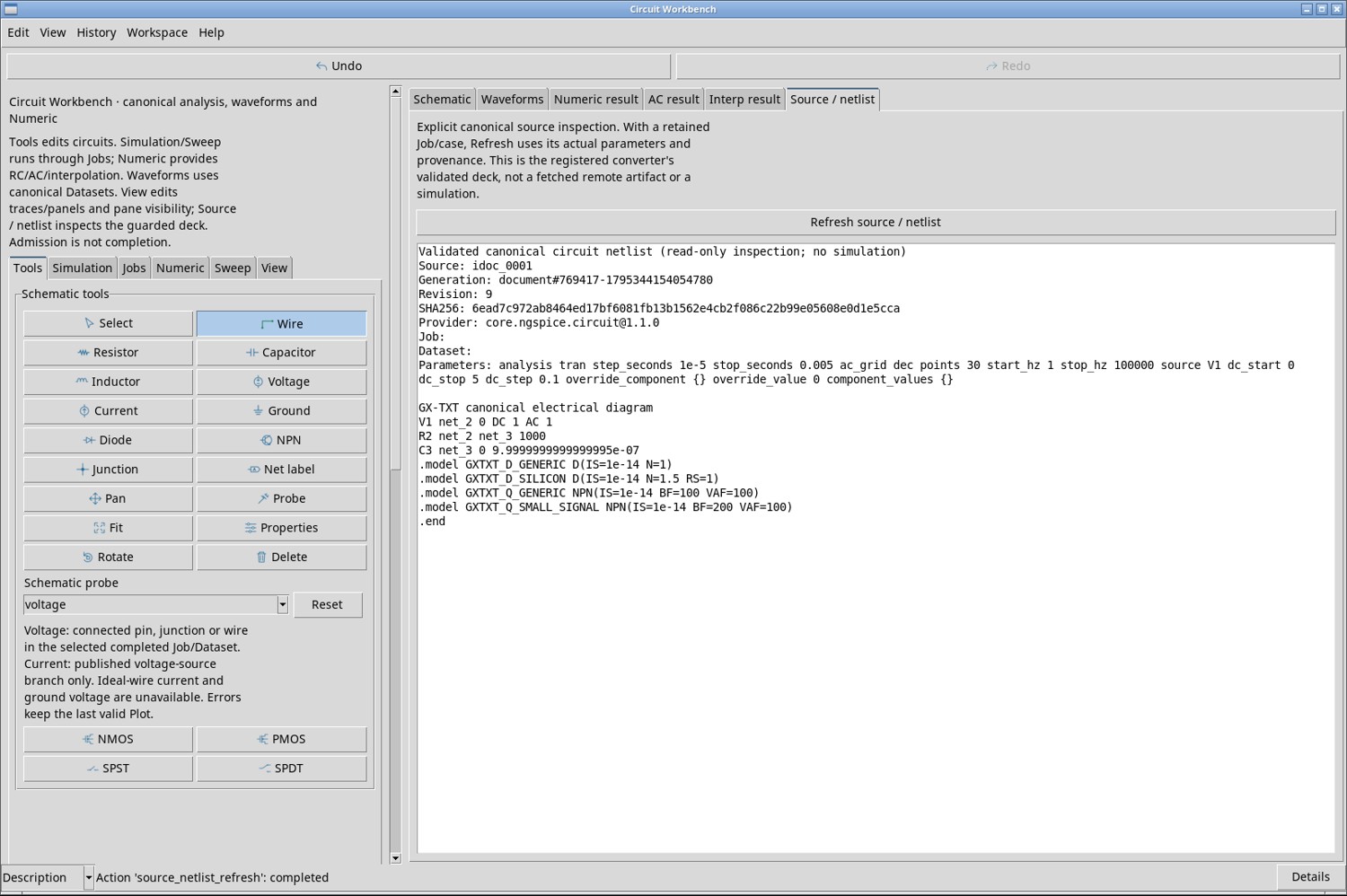
Select Source / netlist in the right-hand area and press Refresh source / netlist. The header identifies document, generation, revision and fingerprint, provider, parameters and, if available, Job, case and Dataset. The text is a validated netlist of the circuit. For a Job already run it identifies the effective version of source and parameters. The text is read-only and Refresh only checks.
In the documented RC circuit, V1 reaches the input node, R2 connects input and output, C3 connects output and reference 0. On an incomplete schematic the command can write Circuit requires an explicit ground reference. The old log, the Datasets and the graphs are kept. Use the netlist of a circuit already prepared or the teaching Datasets if the renderer problem prevents you from inspecting the drawing visually.