

Follow Jobs and physical sweeps
Check the execution, publish the canonical result and manage the sweep cases.
From the Job to the Session Dataset
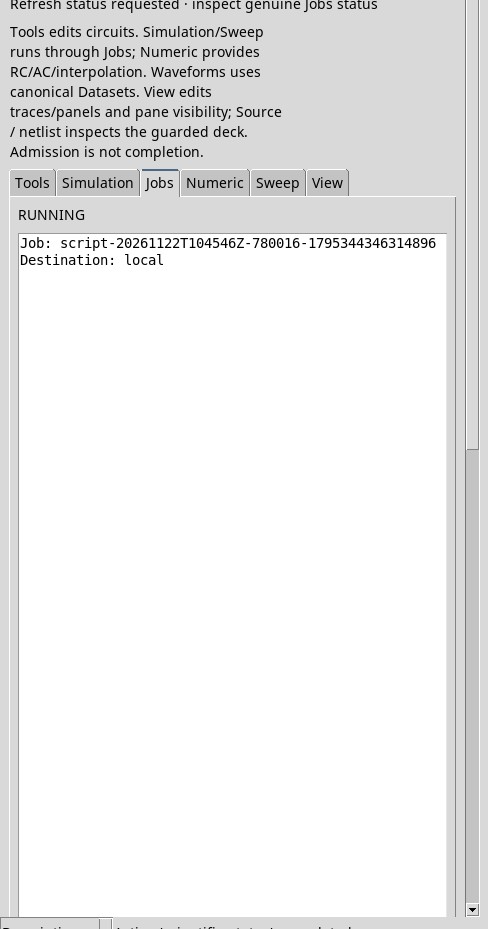
After Prepare and Submit, open Jobs. The first state at start-up is DISCOVERED. PREPARED means that the parameters are validated, QUEUED that the Job has been admitted and is queued. Refresh status updates the state of the actual Job. Wait for COMPLETED before publishing. RUNNING means processing in progress and FINALIZING the closing phase. During import PUBLISHING can appear, then PUBLISHED when the Dataset appears. If the state is FAILED, CANCELLED or INTERRUPTED, read the log before repeating the preparation.
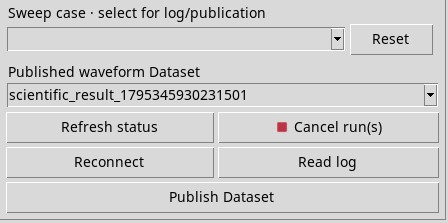
- Read log
- Reads the solver log for the chosen Job or case. It is useful for topology, execution or destination errors.
- Publish Dataset
- Imports the output of the complete Job into the Session and keeps the provenance. When it ends, check the new ID in Published waveform Dataset and in the Dataset browser.
- Published waveform Dataset
- Chooses the Dataset you will use to discover X/Y or feed a trace. The selection alone leaves the Plot unchanged.
- Reconnect
- Reattaches the original Job or the saved campaign. Use it after opening the corresponding Workspace. A successful reconnection keeps the published associations and does not require a new Submit.
- Cancel run(s)
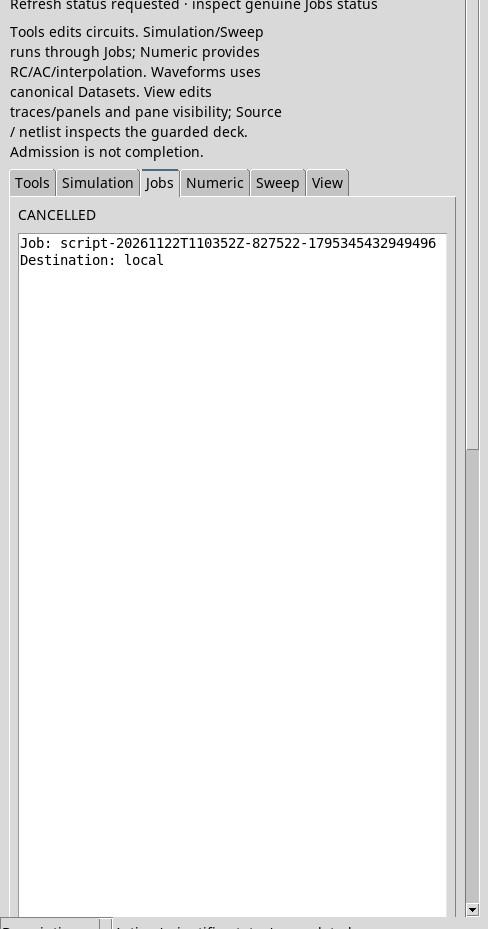
- Asks to stop the processing still active. Refresh the status to know whether the request arrived before completion. Closing the viewer leaves the Job to the infrastructure that runs it. In the synthetic test a new transient cancelled right after Submit reached
CANCELLED.
Configure the two-axis sweep
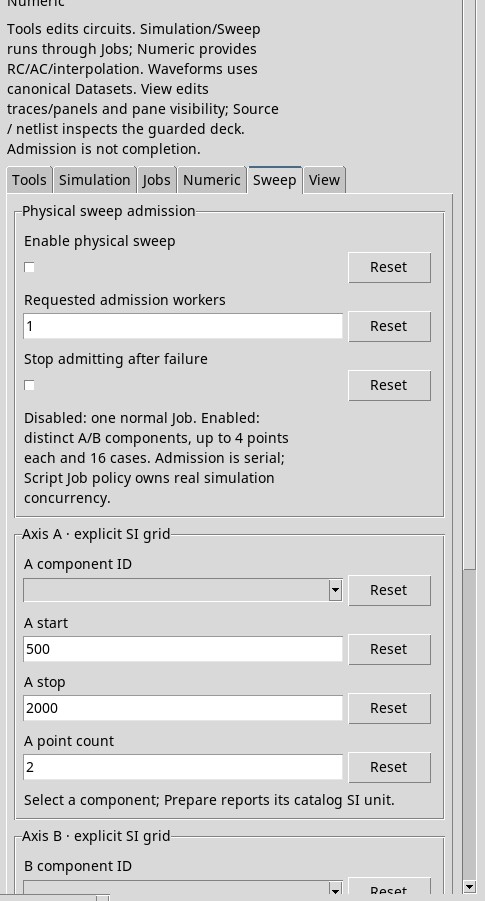
- First set analysis and destination in Simulation. In Sweep press Discover nodes / axes. The candidates are the identities of the admitted components, including R, C, L and independent sources. Enable physical sweep is initially off and submits a single Job. Turn it on to create the grid of cases.
- In Axis A · explicit SI grid and Axis B · explicit SI grid choose two distinct IDs in A component ID and B component ID. A start, A stop, B start, B stop are the limits in the SI units of the component. The starting values are 500–2000 for A and 1e−6–2e−6 for B. They suit a resistor in Ohm and a capacitor in F respectively. Check the units reported by Prepare. Use A point count and B point count from 1 to 4, initially 2. To keep an axis fixed use equal limits and one point. The two lists produce at most 16 cases.
- Requested admission workers requests 1 to 4 admission workers. The module admits the cases in series. The Job management engine decides how many processes are actually active. Stop admitting after failure, initially off, stops admitting further cases after an admission error. Those already started keep their own state.
- Press Prepare run(s) to validate combinations, intervals, source and parameters. Read the summary and press Submit run(s). An admitted case can still be queued or running. In the Jobs panel check the counters and the individual states.
SWEEP_PREPAREDmeans a grid ready,SWEEP_RUNNINGa campaign in progress andSWEEP_COMPLETEDthe completion of the cases in the test.
Choose a case for log and publication
In Jobs → Sweep case · select for log/publication select the ID of the case. Reset restores the initial selection. Use Read log for that Job and Publish Dataset for the complete case. Repeat explicitly for every case to compare. The test sweep published case1, with 500 Ohm and 1 µF. Publication keeps override, Job and provenance. To inspect the deck of the selected case open Source / netlist and press Refresh. To compare the Datasets, add one trace per case as in Traces.
If you reopen a campaign Workspace, the RESTORED_SWEEP state represents the last saved observations. Reconnect requests the current states from the saved Jobs. Cancel run(s) requests the cancellation of all the admitted children that are still active. Refresh the status to see which were actually cancelled and which had already finished.