

Sorting and filtering
Sort the data, apply filters, and distinguish changes to row order from a presentation view.
Sort or isolate rows with Sort / Filter
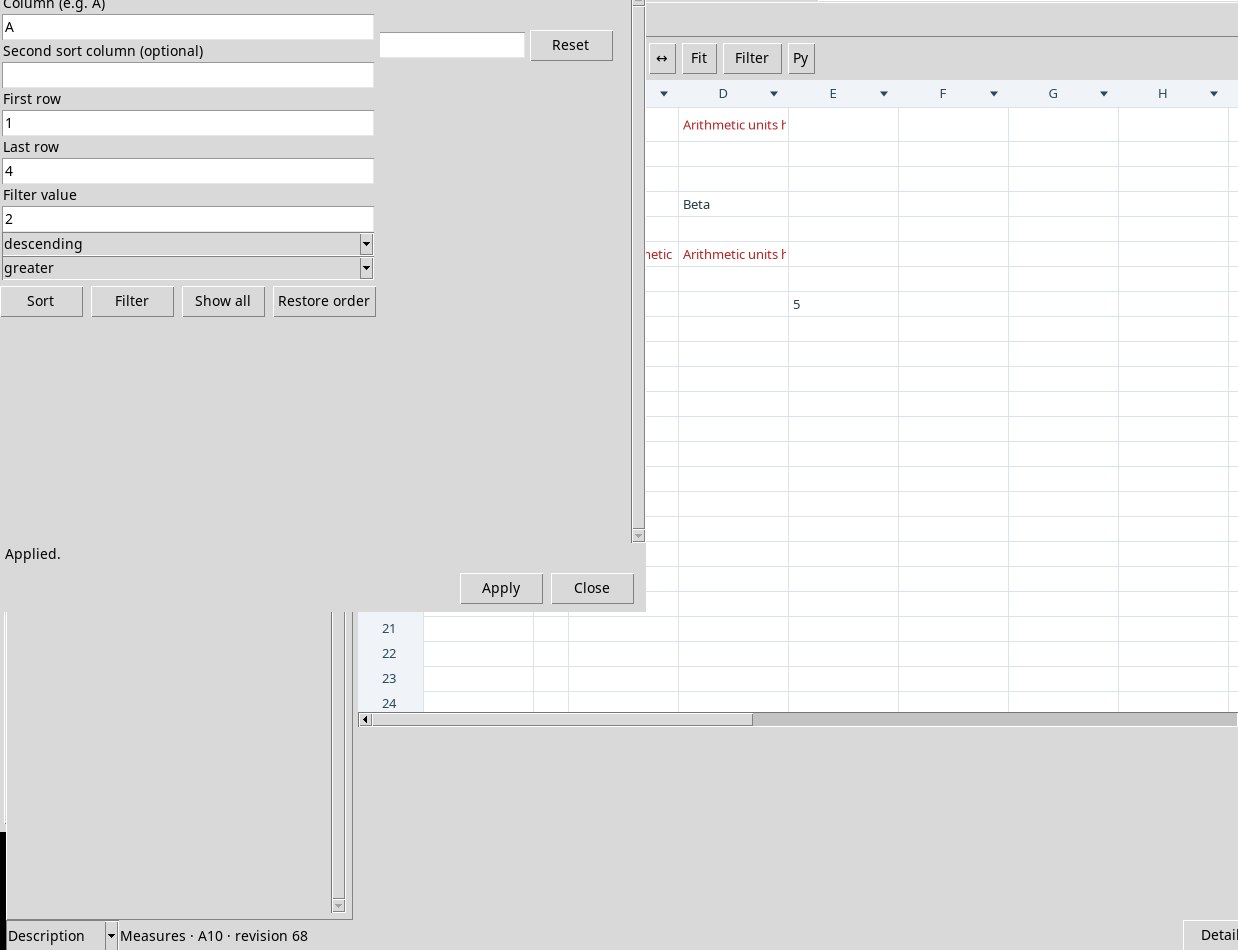
Data → Sort / Filter… opens the dialog for a row range. In Column (e.g. A) sets the first key. In Second sort column (optional) sets a second criterion for ties. First row and Last row start at 1 and 100. With ascending it sorts in ascending order, with descending in descending order. Sort changes the order, Restore order uses the row identities to restore the reference order.
To filter, fill in Filter value, choose contains for a substring, equals for an equality comparison, greater or less for a numerical comparison, and press Filter . Show all makes the rows visible again. Try A on rows 1–4 with values 1, 2, 3, 4 and criterion greater 2.
Build a reusable Filter View
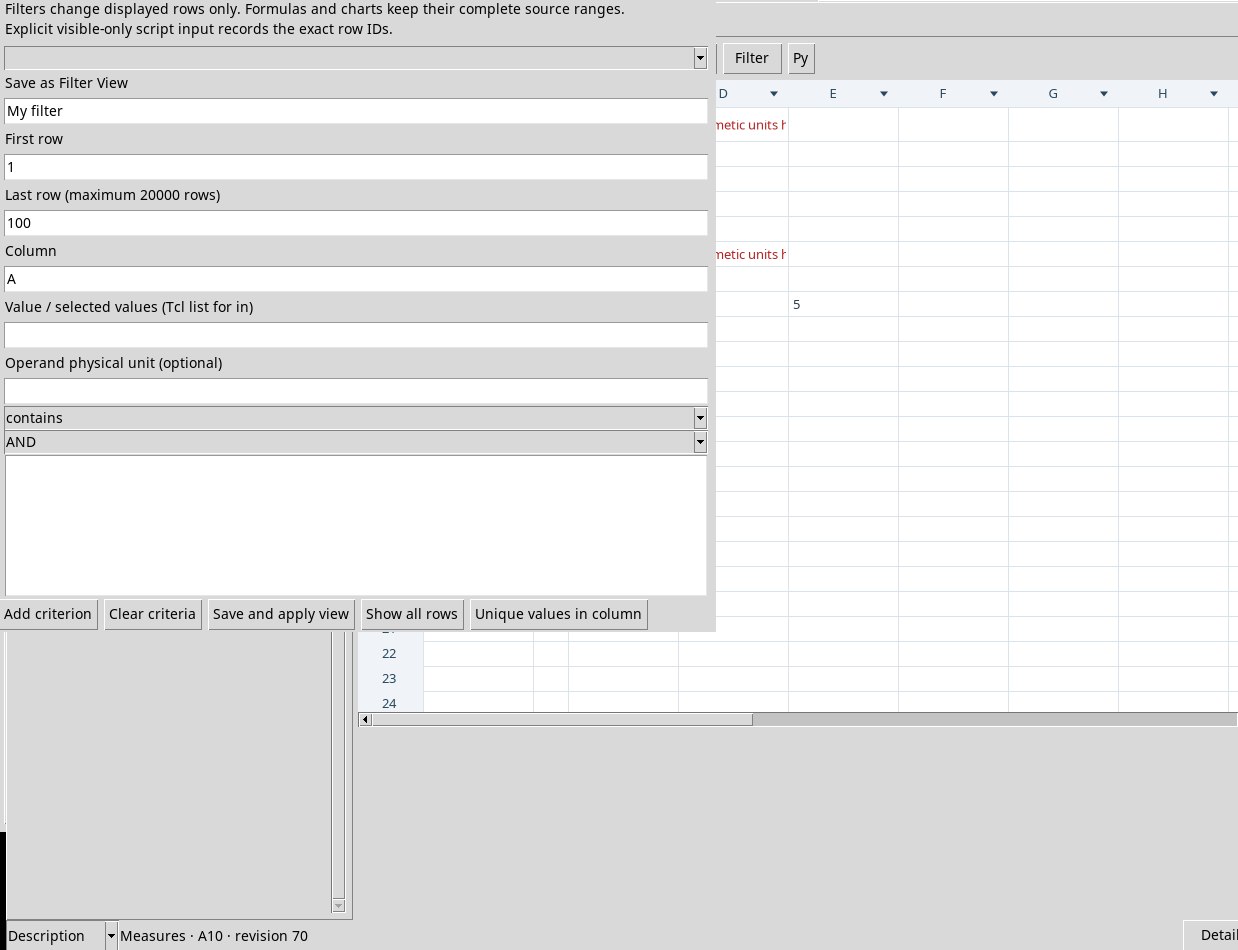
In Edit → Filters, with the Filter , or with the triangle in the header, open the presentation filter. The triangle starts from the clicked column. Fill in Save as Filter View and a range of up to 20,000 rows. Indicate the column, choose the operator, the value if any and, for a physical comparison, Operand physical unit (optional).
- eq, ne, gt, ge, lt, le
- Equal, not equal, greater than, at least, less than and at most. To compare voltages expressed in compatible units, make the unit of the comparison term explicit. Check the visible rows against a known value.
- contains, starts, in
- Contains the text, starts with the prefix, or belongs to the list of values. In Value / selected values (Tcl list for in) write the values as space-separated elements, with braces for a single element containing spaces, or use the choice of unique values.
- blank, missing, nan, error, boolean
- Query the data type.
blankcatches the empty cell,missingthe declared missing value,nanan explicit NaN,erroran error outcome, andbooleana logical result. These criteria classify the content rather than compare it to a number.
Press Add criterion for each condition. With AND all must be true, with OR one is enough. Clear criteria clears the list under construction. Save and apply view records the view in the current sheet. Open it from the view selector. Show all rows or All rows removes the active filter from the presentation.
Unique values in column shows up to 2,048 distinct values in the chosen range. Search the list, select the items and press Use selected values. The system prepares a in criterion. Check the count shown in the status bar when you activate the view.
Visible rows, sorting and statistics
A Filter View projects the rows shown, leaving the ranges of formulas and charts whole. To analyze a subset reproducibly, use explicit data or criteria, or Explicit visible-only row input for the Python Job. A structural change or a new binding may require you to review the filter definition.