Open, publish and export
UML import, revisions, permissions and formats.
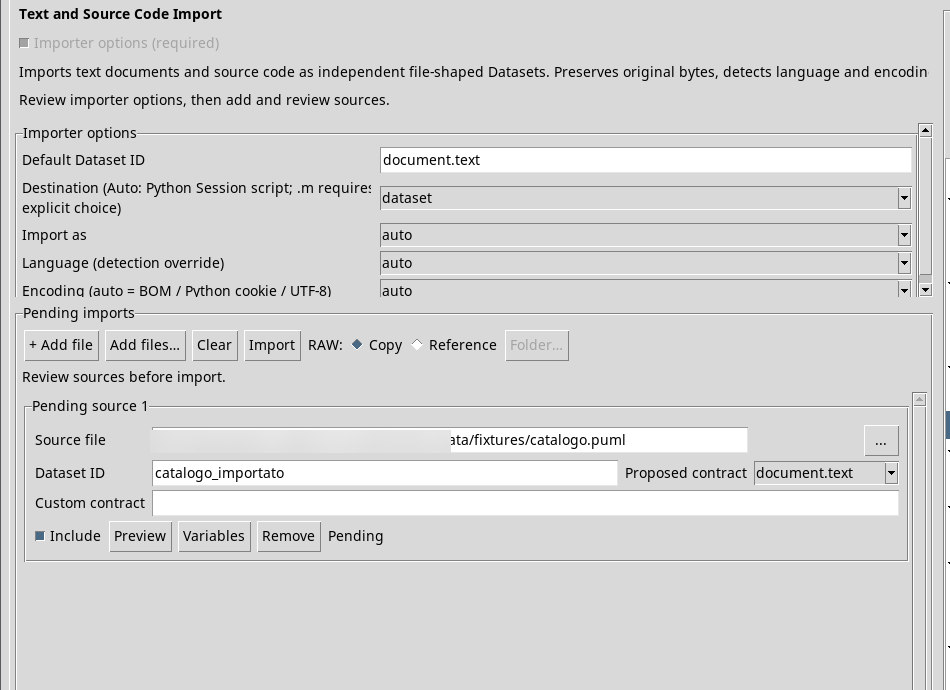
Acquire a .puml or .plantuml file
To open a local file, first pass it through Acquisition → Text and Source Code Import. Select Destination dataset and Import as auto. Add the file, assign the Dataset ID and press Import. The queued proposal may show document.text. The valid UML source with the .puml extension was registered with the document.uml contract. Check the new ID in the Dataset tab, then open it in the editor.
Open a registered UML Dataset
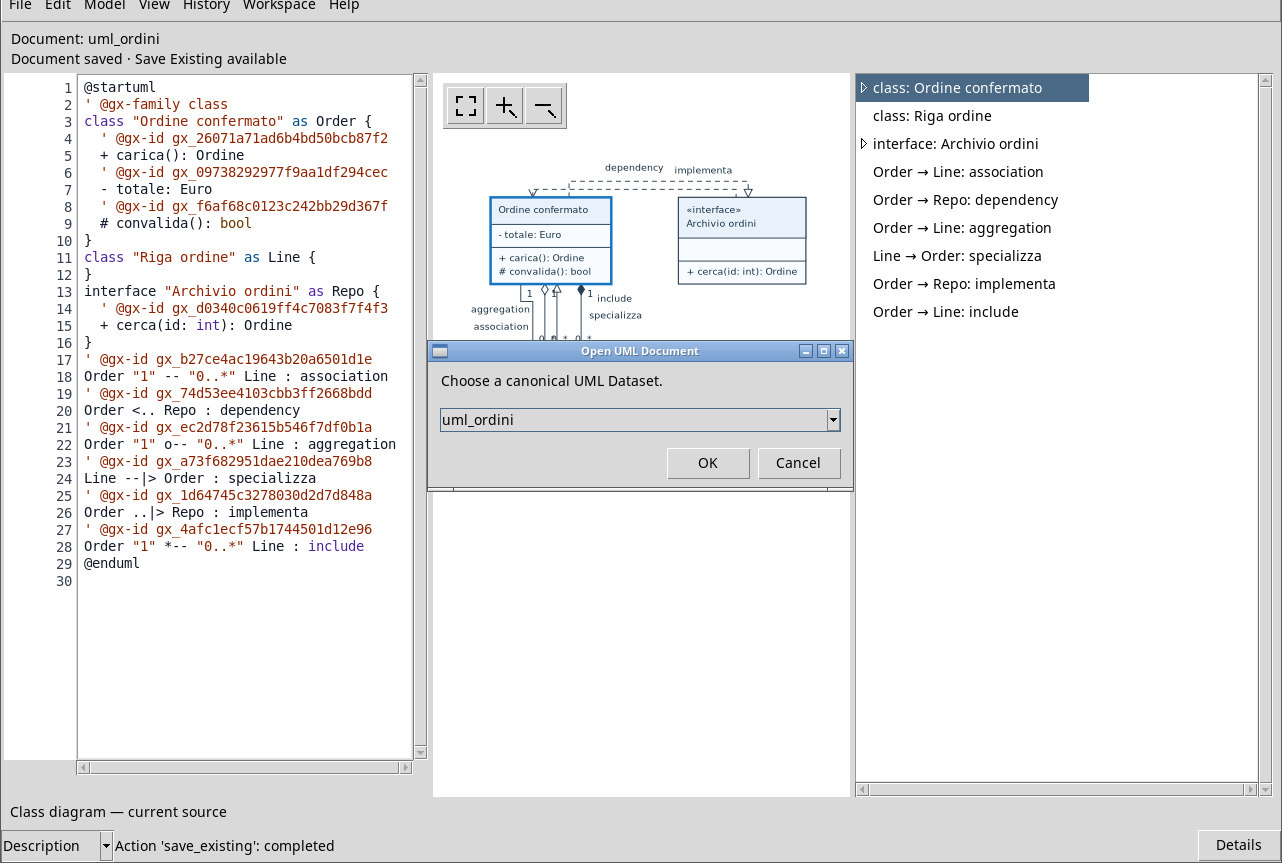
File → Open UML Dataset… or Ctrl+O opens Open UML Document. Choose the canonical ID and press OK, or Cancel to abandon the choice. The editor displays the source and shows the identity in the lower part. If the Session has no UML Datasets, the command reports that there are no candidate Datasets. When the current draft is modified, the viewer asks how to keep it before changing document.
Create a Dataset and replace an authorised revision
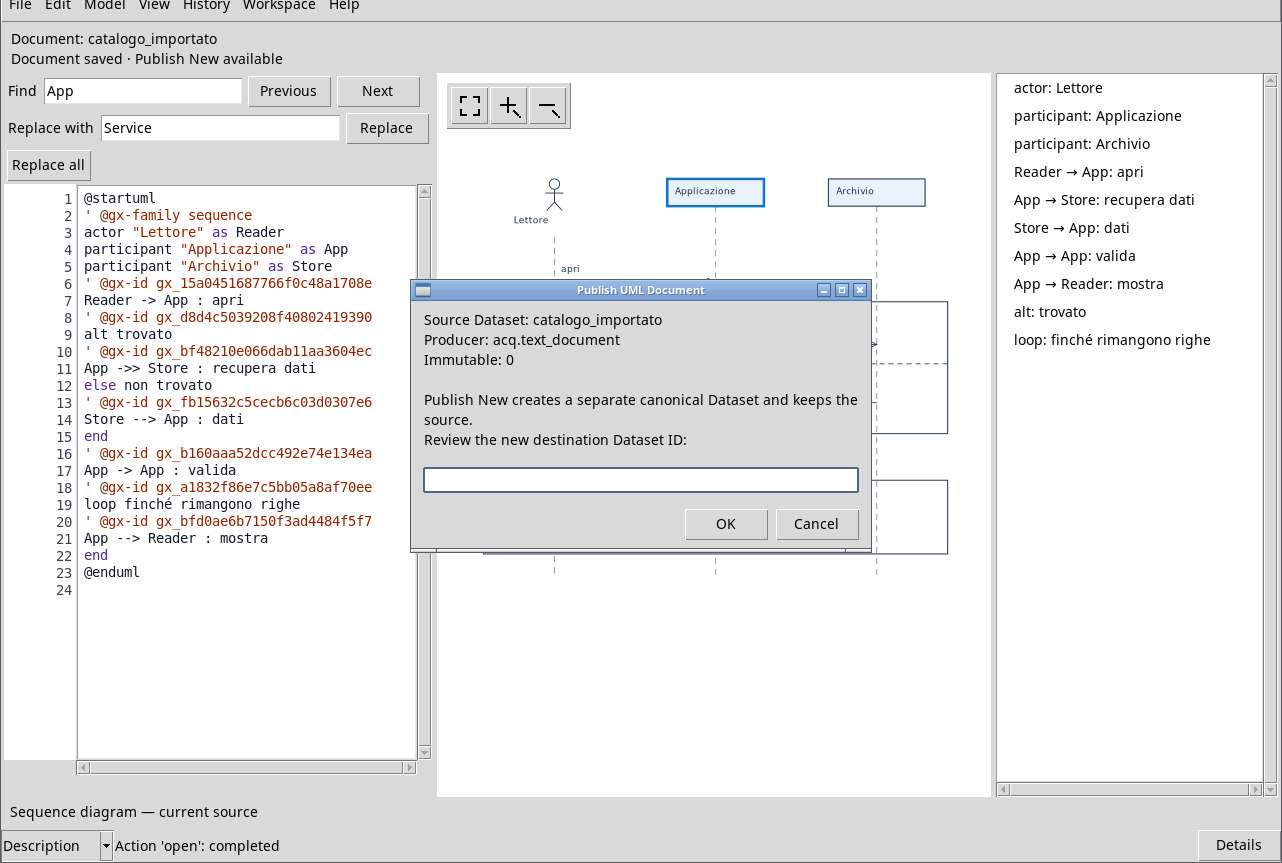
File → Publish New… or Ctrl+Shift+S publishes a new identity in the Session. Enter a new Dataset ID and confirm. With a source already bound to a Dataset, the dialog shows ID, producer and any immutable state before creating the copy. The starting Dataset remains available. The result is indicated by Document saved.
File → Save Existing or Ctrl+S saves to the same ID when the draft is valid, the module is entitled to replace that Dataset and both the Session and the revision are still current. It is disabled on a new draft and on protected originals. For example, on a UML imported by acq.text_document use Publish New… and keep working on the copy. If a concurrent change makes the replacement stale, review the latest revision or choose a new identity when the dialog offers the alternative save.
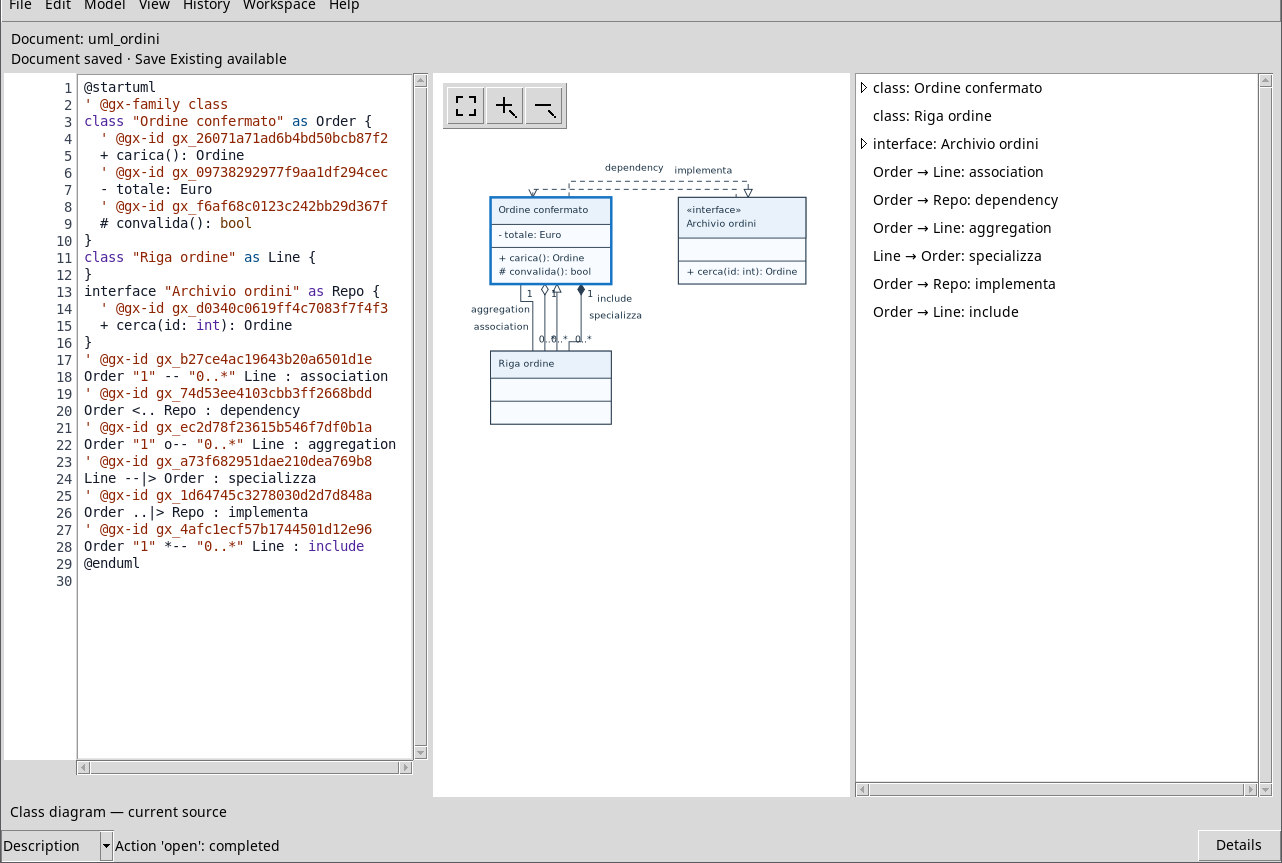
Export the text or the diagram
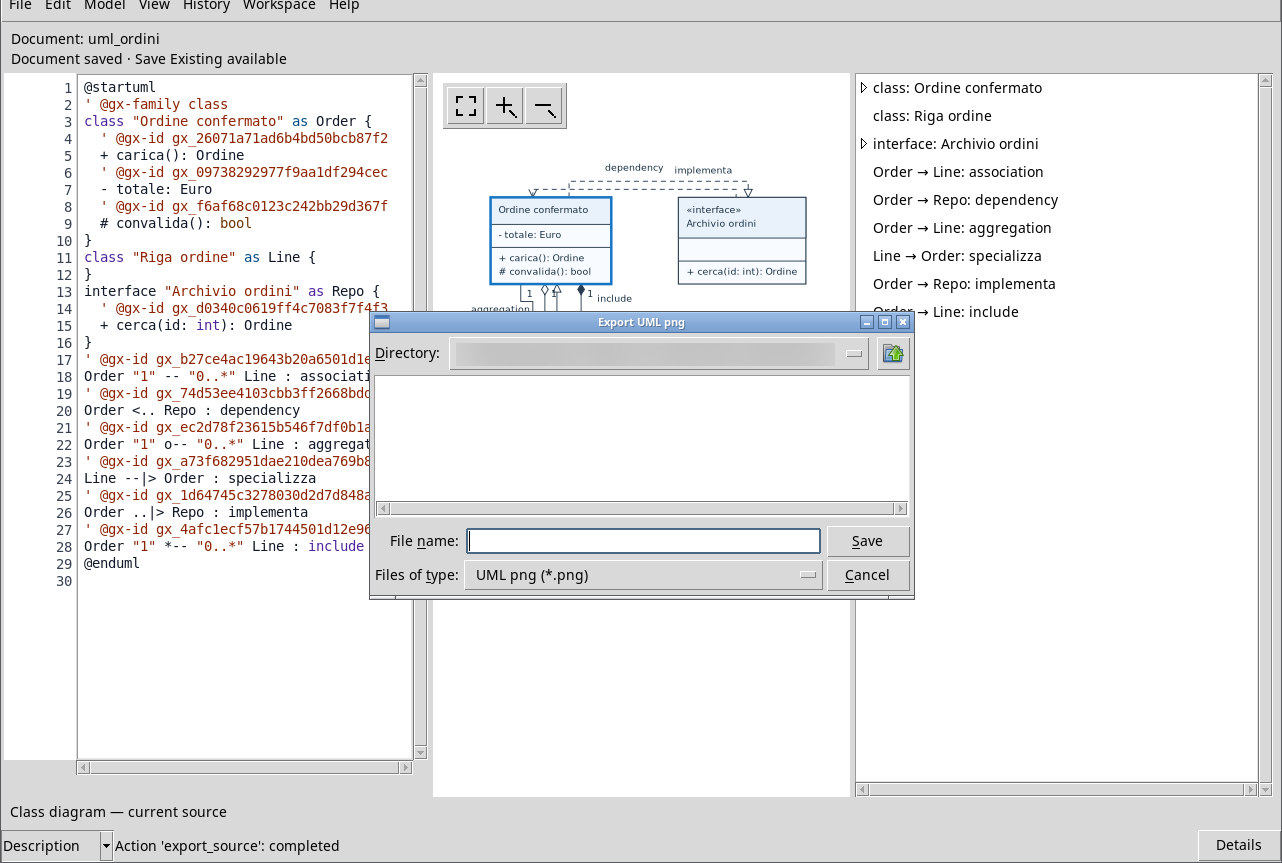
In the File menu choose the format, set Directory and File name, check Files of type and press Save. Cancel closes the dialog without writing. The export creates a file in the chosen path.
- Export source…
- Writes the exact UTF-8 source to
.puml. It is also available for an invalid draft, which is useful to keep the text you need to correct. - Export PNG…
- Writes the raster image of the current valid drawing. In the test the size is 1,600 × 1,200 pixels.
- Export SVG…
- Writes the vector drawing of the current valid model. It is suitable for enlarging or for page layout.
Open the resulting file with a suitable tool. To return to an editable UML use the exported source. For PNG and SVG check before exporting that the drawing shows current source.