Five verified exercises
Classes, sequences, canonical copy, source recovery and portable Workspace.
1. Class diagram for order management
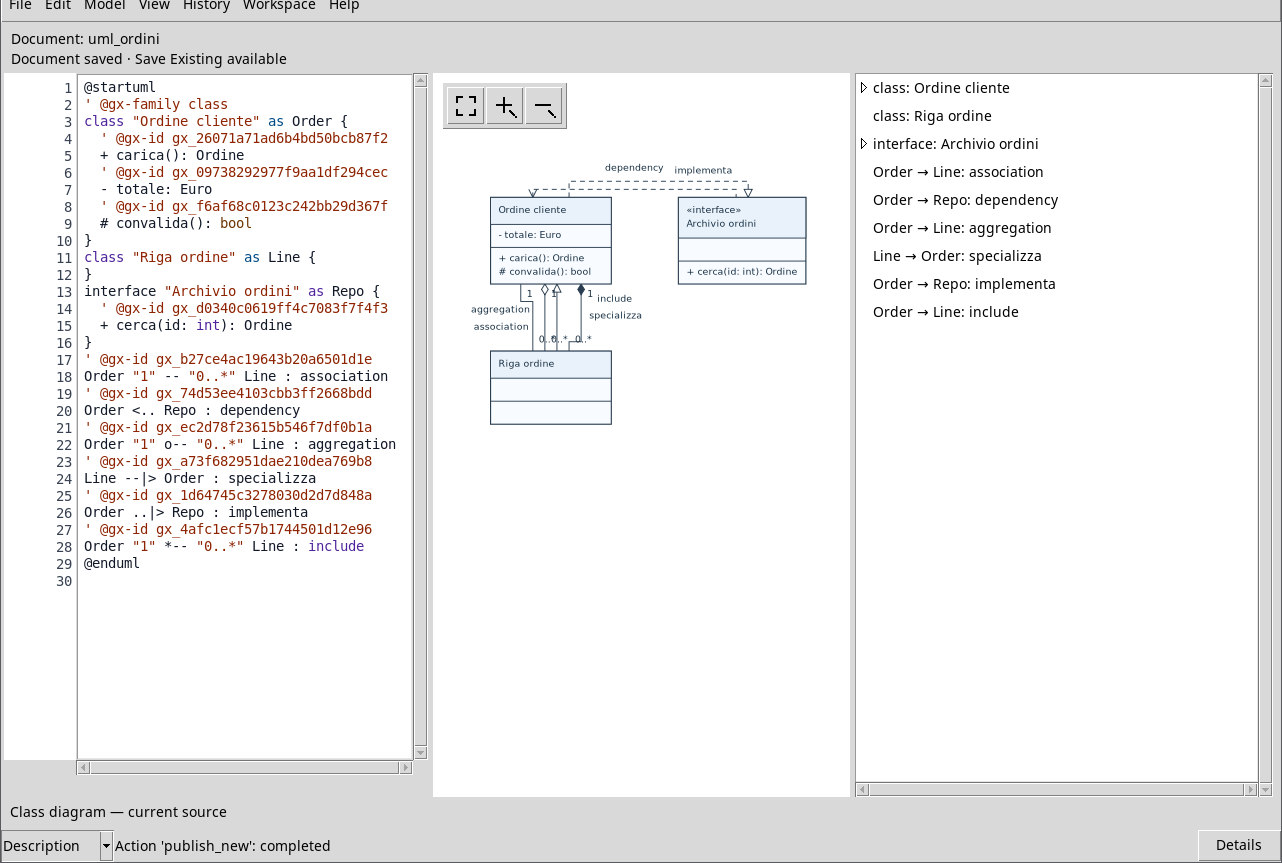
- Create New class diagram and add
OrderandLinewith Add class…. AddRepowith Add interface…. - Add the attribute
- totale: Euroto Order and the operation+ cerca(id: int): Ordineto Repo. Create a realization from Order to Repo with markerendand a composition from Order to Line with markerstart. - Check the triangle towards Repo, the filled diamond on Order and the multiplicity
1/0..*. Use Publish New…, save any later revision with Save Existing and reopen the ID.
Synthetic model of this guide. Download the source ordini.puml (ZIP).
2. Consultation sequence with branches
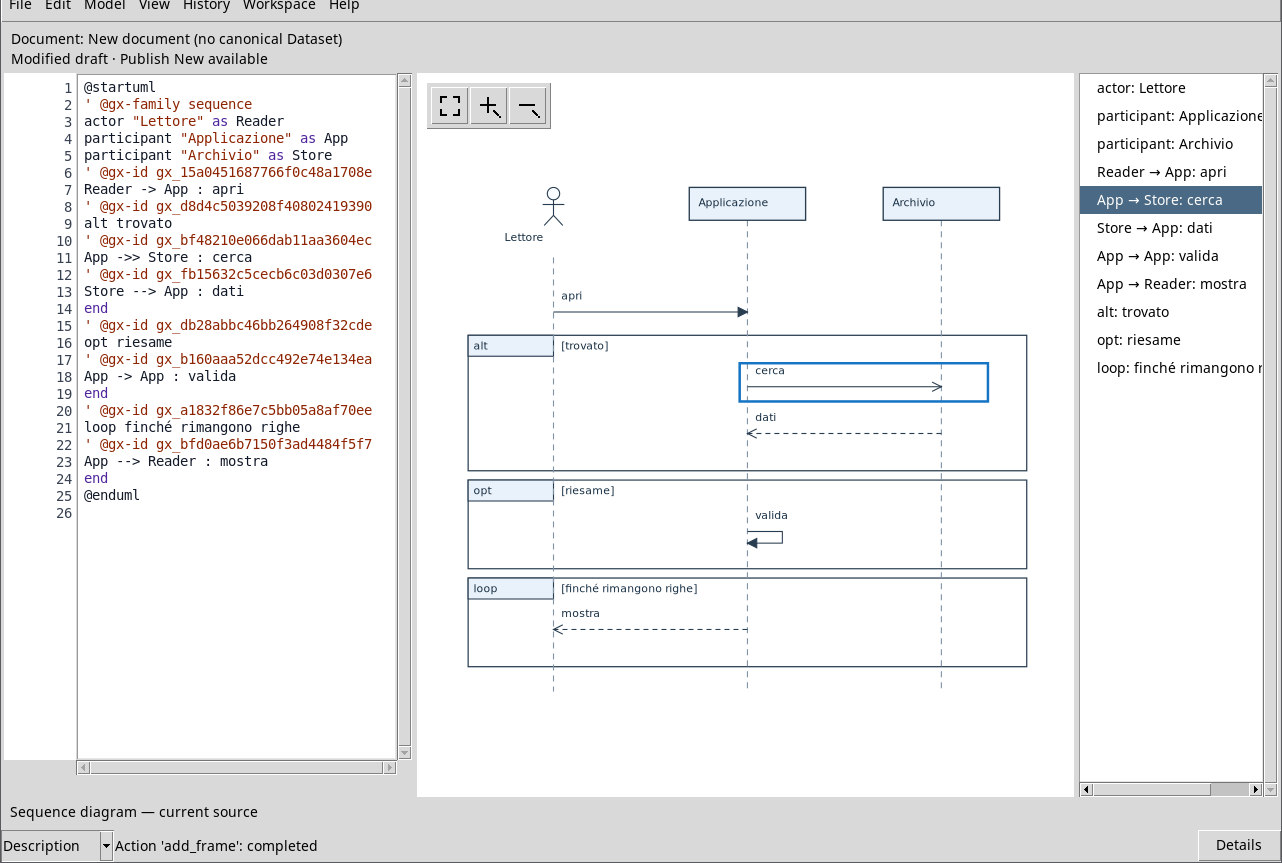
- Create New sequence diagram. Add the actor Reader and the participants App and Store.
- Add a synchronous request Reader → App, an asynchronous one App → Store, a reply Store → App and a call App → App.
- Wrap the asynchronous request and the reply in Add control frame… with
alt. Insertelse non trovatobetween the messages in Source and check the separator in the drawing.
Synthetic consultation scenario. Download the source catalogo.puml (ZIP).
3. Import a source and work on an independent copy
- Import
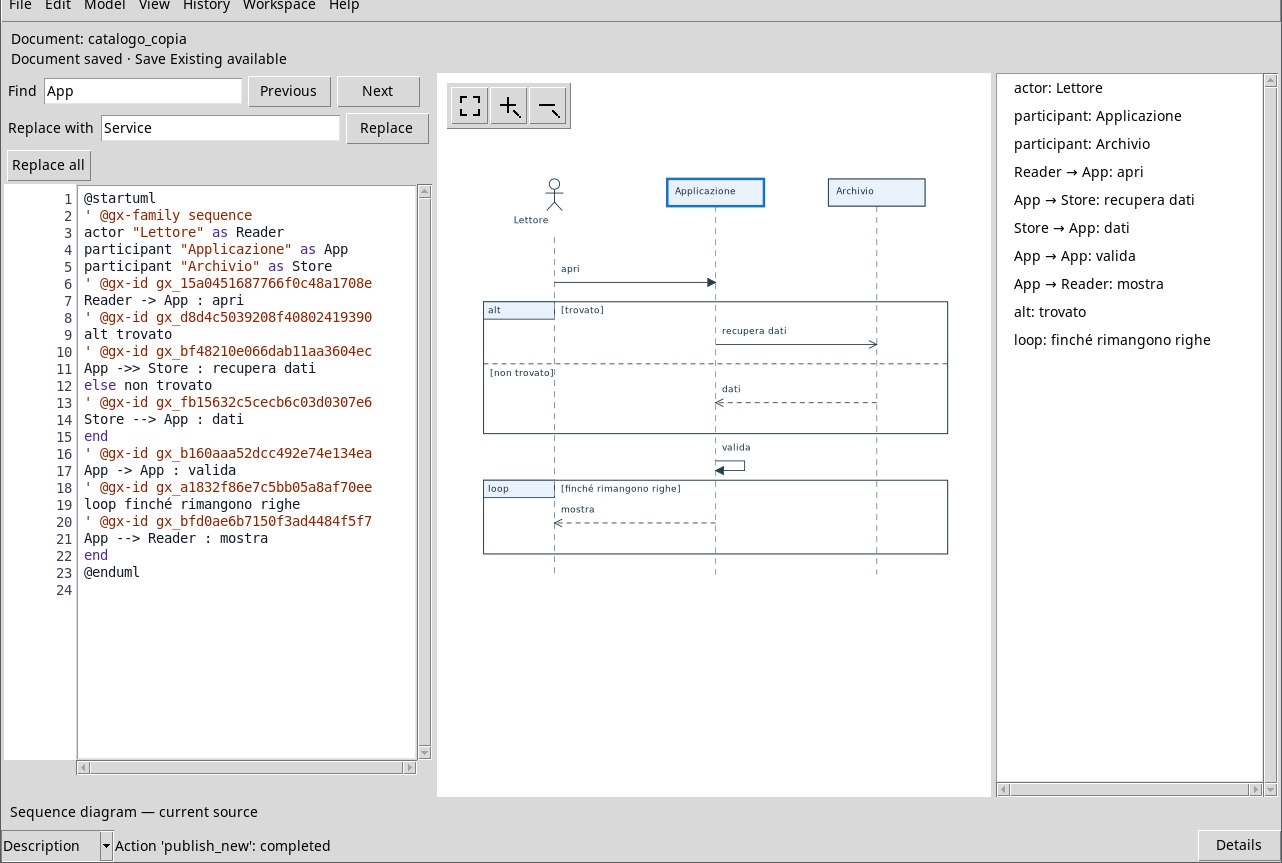
catalogo.pumlfrom Text and Source Code Import with Destinationdatasetand Import asauto. Assigncatalogo_importato. - Open the ID with Open UML Dataset…. Check that replacing the acquired original is unavailable.
- Use Publish New… with ID
catalogo_copia. Check that both IDs are present and that the copy is open.
4. Export and fix an invalid draft
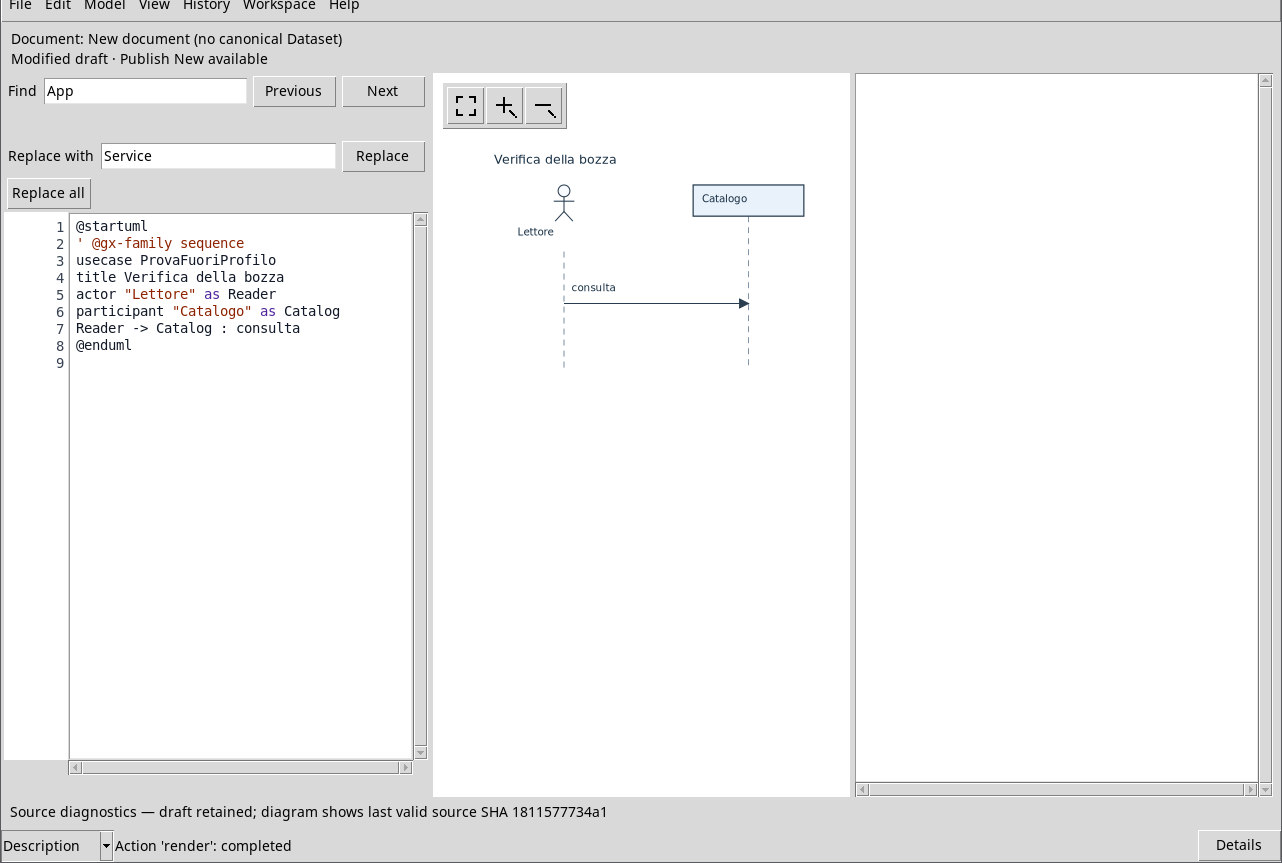
- Open a new sequence and paste the small synthetic example verifica.puml (ZIP). Use Refresh diagram.
- Insert a line
usecase ProvaFuoriProfiloright after the family comment. Show Diagnostics and check the line number. The diagram keeps the last valid source, identified by its fingerprint. - Choose Export source… to keep the raw draft. Delete only the unsupported line and check the return to Sequence diagram — current source.
5. Save a sequence draft in a portable Workspace
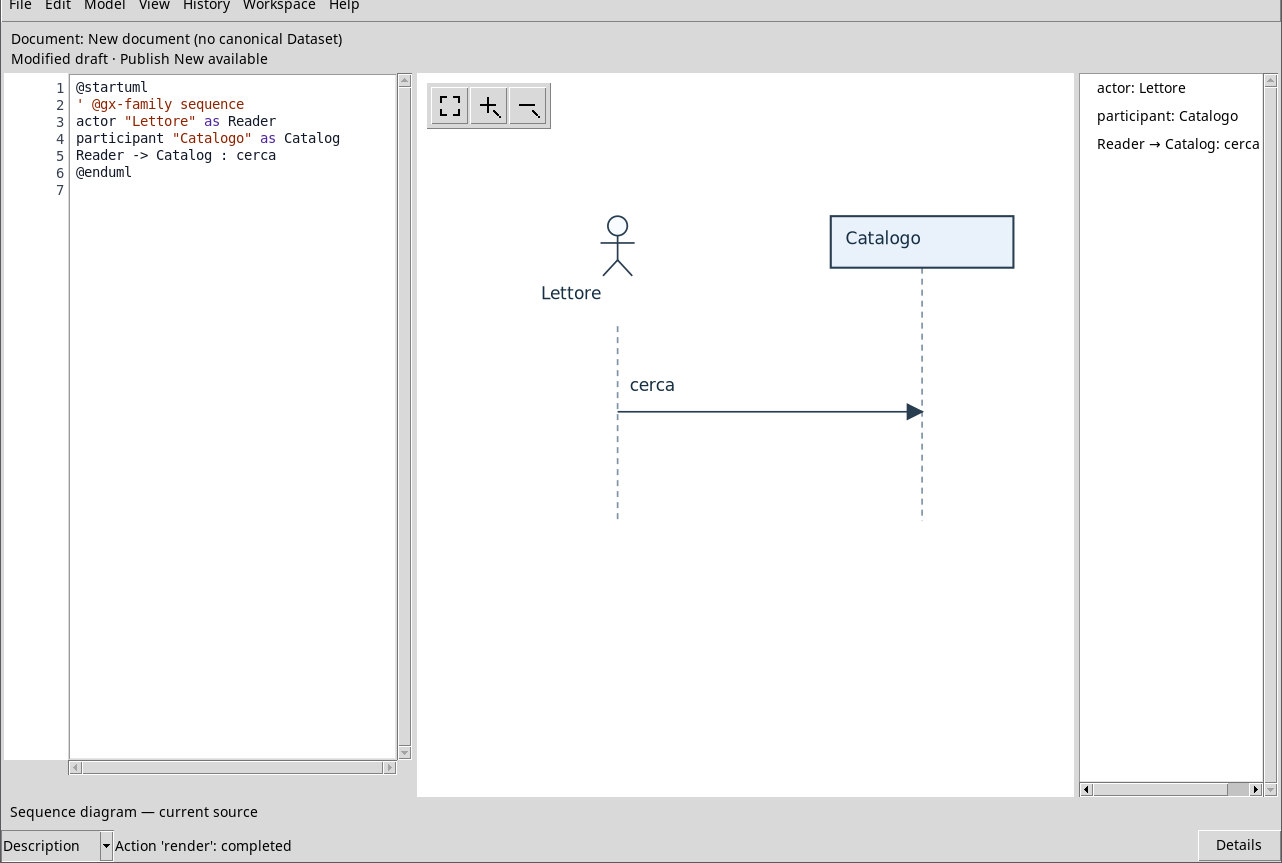
- Create a new Workspace. Create a sequence with the actor
Reader, the participantCatalogand a messageReader -> Catalog : cerca. - Use Workspace → Save. Check that the status still indicates a draft and that no new Dataset appears in the Session.
- Use Export… to create the ZIP. Import it with the name
Catalogo portatileand reopen the Workspace from the manager. Check that the sequence and the draft condition are restored.