

Output, Saving and Verified Repeatability
Scientific Python in GX-TXT · Module 7 · Lesson 42
A repeatable analysis requires you to know what data, code, parameters and environment have produced a result. In this lesson we generate synthetic samples with a declared seed, write a CSV and compare two executions.
Objectives
- Use a NumPy generator with explicit seed.
- Write and close a file with a context manager.
- Publish the file through the GX-TXT API.
- Compare file footprints and distinguish publication and rescue of the Session.
Execution
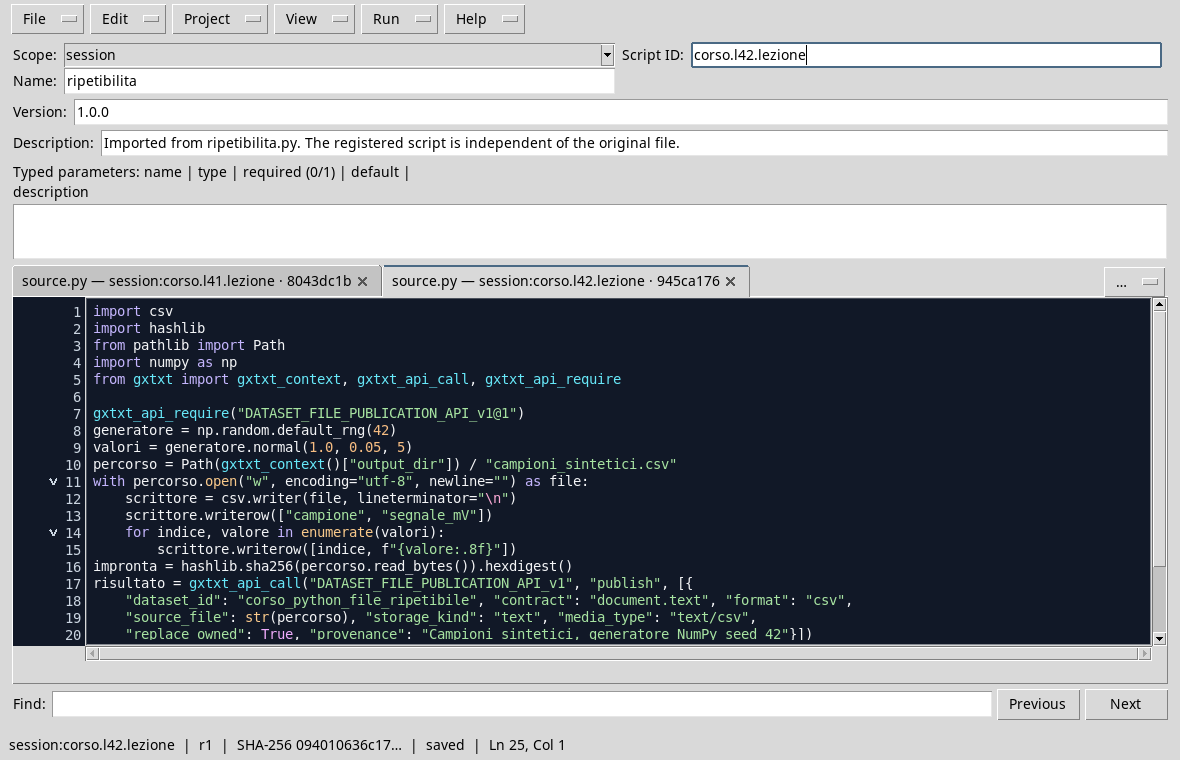
In the corso_python Session, import repeatability.py, save the script and start it twice with Run → Open Script Runner → Run Job. The output dataset belongs to the script; replace_owned allows the same authorized source to replace its output. Do not use this option to assume you can overwrite other people’s data.
import csv
import hashlib
from pathlib import Path
import numpy as np
from gxtxt import gxtxt_context, gxtxt_api_call, gxtxt_api_require

gxtxt_api_require("DATASET_FILE_PUBLICATION_API_v1@1")
generator = np.random.default_rng(42)
values = generator.normal(1.0, 0.05, 5)
path = Path(gxtxt_context()["output_dir"]) / "campioni_sintetici.csv"
with path.open("w", encoding="utf-8", newline="") as file:
    scrittore = csv.writer(file, lineterminator="\n")
    scrittore.writerow(["campione", "segnale_mV"])
    for index, value in enumerate(values):
        scrittore.writerow([index, f"{value:.8f}"])
fingerprint = hashlib.sha256(path.read_bytes()).hexdigest()
result = gxtxt_api_call("DATASET_FILE_PUBLICATION_API_v1", "publish", [{
    "dataset_id": "corso_python_file_ripetibile", "contract": "document.text", "format": "csv",
    "source_file": str(path), "storage_kind": "text", "media_type": "text/csv",
    "replace_owned": True, "provenance": "Synthetic samples, generator NumPy seed 42"}])
print("Seed:", 42)
print("Synthetic values (mV):", np.round(values, 8))
print("SHA-256 file:", fingerprint)
print("Dataset:", result.get("dataset_id"))
default_rng(42) creates an initialized generator with seed 42. The five values are synthetic, with declared mV units. The with lock closes the file even if an exception occurs; only after closing we calculate the SHA-256 footprint of bytes and we ask for publication as a managed CSV document.
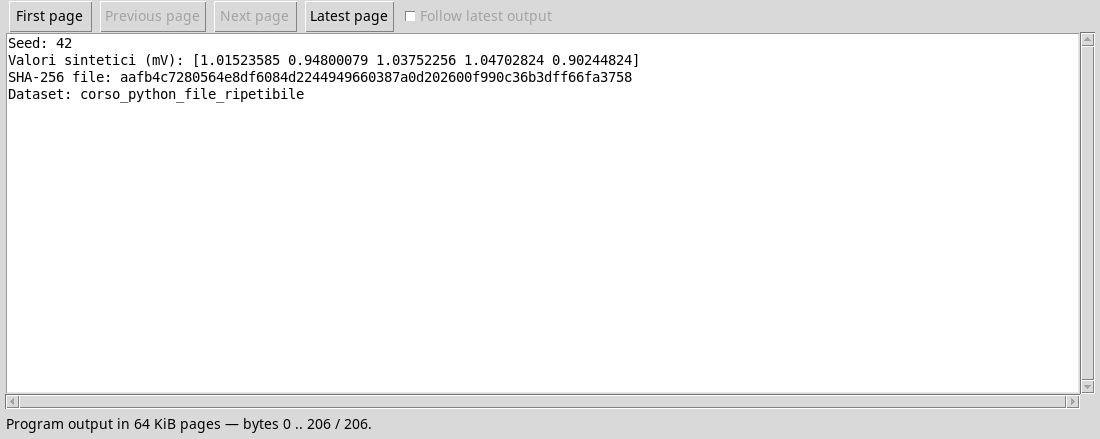
In the two executions carried out in the same environment, the printed values and the CSV footprint coincide. This proves the equality of the files produced in these two tests; it does not automatically demonstrate that any future version of libraries or environment produces the same bytes. The numerical format and the line terminator are explicit to reduce serialization differences.
File, Publishing and Session
The file generated in the Job output directory and the published Dataset have different roles. The API returns the identity of the publication; the presence of a local file, alone, does not prove that the publication has succeeded. Similarly, it does not show that every change in the Session has been saved: it checks the status and uses the rescue functions provided by the context.
For a repeatable procedure, it documents the version of the script, seed, input, parameters, units, version of the libraries and output identity. Synthetic data of the example are not experimental measures.
Exercise
- Why is seed declared in the script?
- Two identical prints in these tests what do they allow to conclude?
- A CSV in the Job folder shows that the whole session is saved?
Worked solution
- It allows to reproduce the sequence in the same context and to document the initialization of the generator.
- That the compared files have the same footprint; together with the comparison of the contents, it provides evidence that they are identical to those executions.
- No. Output files, publication of the Dataset and persistence of the Session are distinct steps.
In the next module we will deepen statistics and uncertainty.