

Exceptions, Logging and Code Quality
Scientific Python in GX-TXT · Module 9 · Lesson 52
A reliable program clearly signals invalid inputs and does not transform a read error into a seemingly correct result. In this lesson we separate a calculation reusable from the management of messages.
Objectives
- Validate an input before the call to the API.
- Use
loggingfor information-level messages. - Relaunch Bridge errors after documenting them.
- Use an assignment for didactic control.
Execution
At the corso_python Session, import exceptions_and_logging.py, save it and run it in the Runner.
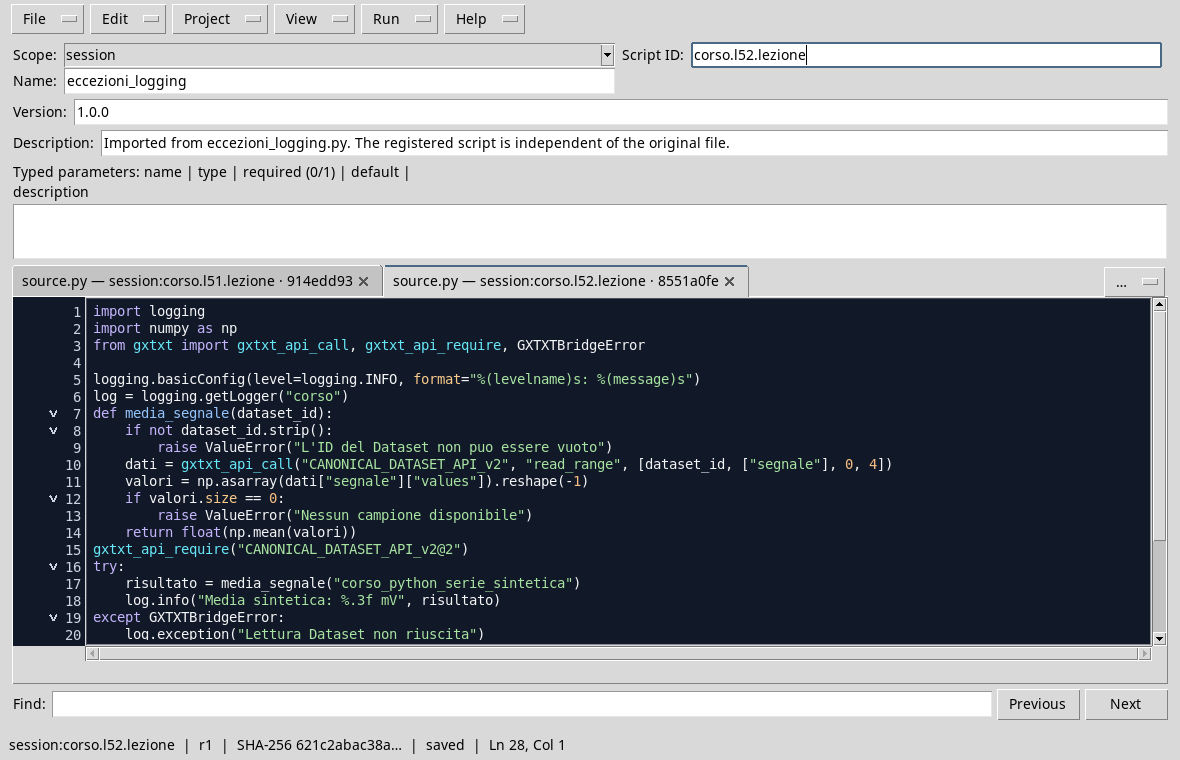
import logging
import numpy as np
from gxtxt import gxtxt_api_call, gxtxt_api_require, GXTXTBridgeError

logging.basicConfig(level=logging.INFO, format="%(levelname)s: %(message)s")
log = logging.getLogger("corso")
def mean_signal(dataset_id):
    if not dataset_id.strip():
        raise ValueError("Dataset ID can't be empty")
    data_values = gxtxt_api_call("CANONICAL_DATASET_API_v2", "read_range", [dataset_id, ["segnale"], 0, 4])
    values = np.asarray(data_values["segnale"]["values"]).reshape(-1)
    if values.size == 0:
        raise ValueError("No sample available")
    return float(np.mean(values))
gxtxt_api_require("CANONICAL_DATASET_API_v2@2")
try:
    result = mean_signal("corso_python_serie_sintetica")
    log.info("Synthetic average: %.3f mV", result)
except GXTXTBridgeError:
    log.exception("Unsuccessful Dataset reading")
    raise
try:
    mean_signal("")
except ValueError as caught_error:
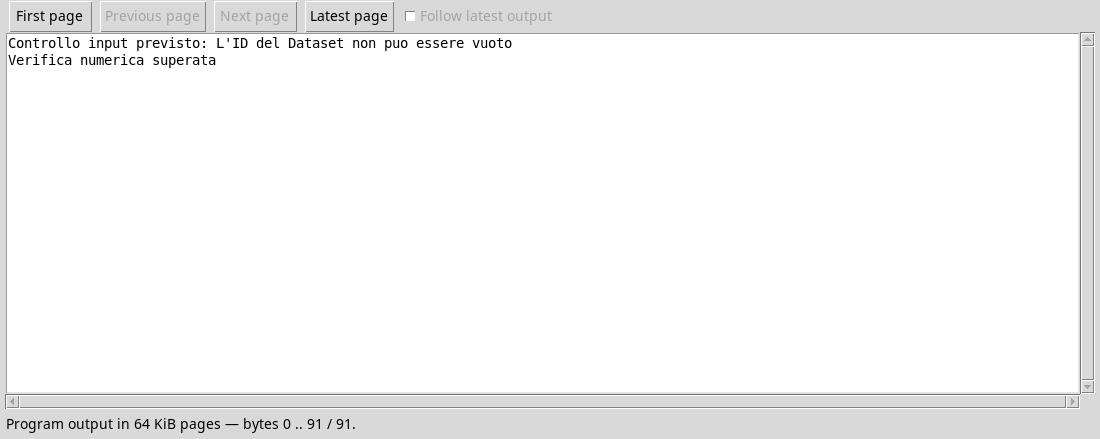
    print("Input control provided:", caught_error)
assert abs(result - 1.4) < 1e-12
print("Numerical check passed")
mean_signal controls the ID, reads the four synthetic values and returns the average. An empty ID causes a ValueError before the call. A possible GXTXTBridgeError during reading is recorded with the context and relaunched: we do not invent a replacement media. The second block deliberately tests the blank input and captures only the expected exception.
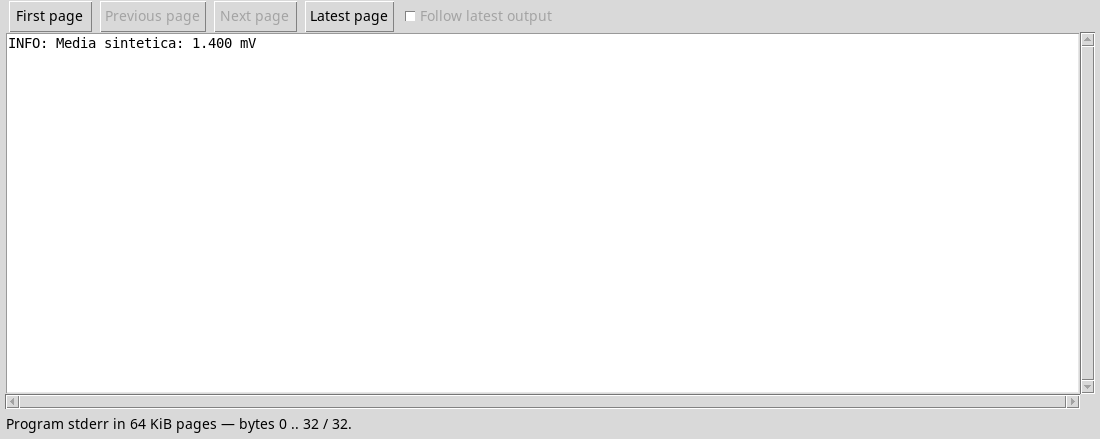
The logging module normally writes on stderr; in the detail of the Job choose Program stderr to see the media message 1,400 mV.
assert verifies here an example property, but it should not replace the indispensable input validation: Python can disable assertions in optimized mode. For mistakes the caller has to handle, he uses explicit exceptions. Avoid a except Exception that hides any problem and returns a plausible number.
Exercise
- What exception does an empty ID make?
- What happens to a Bridge reading error?
- Why can the INFO message be visible in stderr instead of in stdout?
Worked solution
ValueError.- It is recorded and relaunched, so it does not become a invented numerical result.
- The default manager of
loggingnormally uses stderr; the Job shows the two streams separately.
In the next lesson, we will explore project debuggers and tests.