

GUI Debugging and Project Tests
Scientific Python in GX-TXT · Module 9 · Lesson 53
The debugger allows to stop a program, observe the execution point and inspect the variables. The tests, on the other hand, test behaviors expected in a repeatable way. We use the project created in lesson 49.
Objectives
- Set a breakpoint in an auxiliary file of the project.
- Read local stacks and variables during a break.
- Resume the execution and check the result.
- Run small test of the function in the Runner.
Stop running in the helper
Open the lesson 49 project and select calculations.py. Place the cursor on the return sum(values) / len(values) line and open Run → Debug Session script. Use Breakpoint to set the stop point, then Start Debug and Continue. The first break can take place at the entrance; continuing, the execution reaches the breakpoint in the mean_value function.
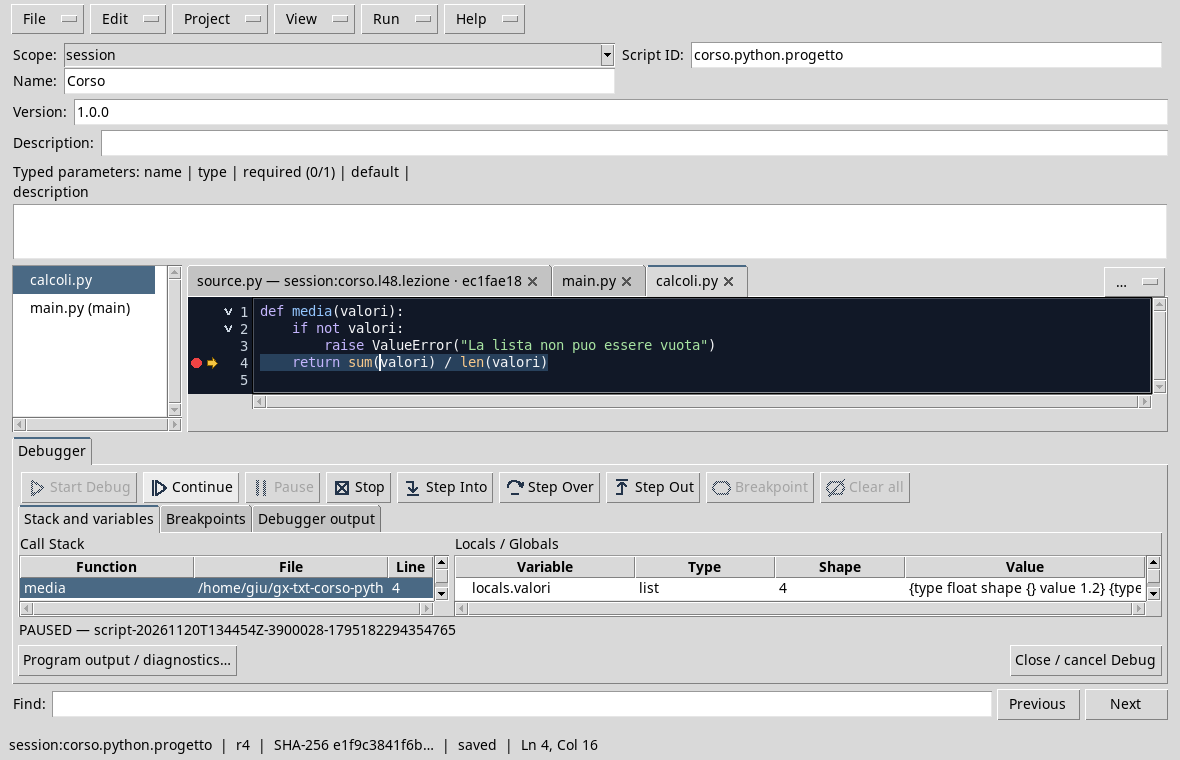
On the screen the highlighted line is the point where the execution is suspended. The stack shows the mean_value function and the pane of local variables shows values, a list of four elements. Step Into, Step Over and Step Out allow you to advance with different granularities; Continue resumes until the next stop or at the end. Finish the debug and close the view when you’re done.
Test in Runner
In the same project, keep calculations.py and temporarily replace the entry point with main.py:
from calculations import mean_value

assert abs(mean_value([1.2, 1.5, 1.3, 1.6]) - 1.4) < 1e-12
assert mean_value([2.0]) == 2.0
try:
    mean_value([])
except ValueError:
    print("Empty-list test: passed")
else:
    raise AssertionError("The empty list must be rejected")
print("Mean tests: passed")
Save the new review and start the project in Runner. The first two controls verify the average of the four synthetic values and that of a single element. The try/except/else block checks that the blank list lifts ValueError: if not, lifts AssertionError.
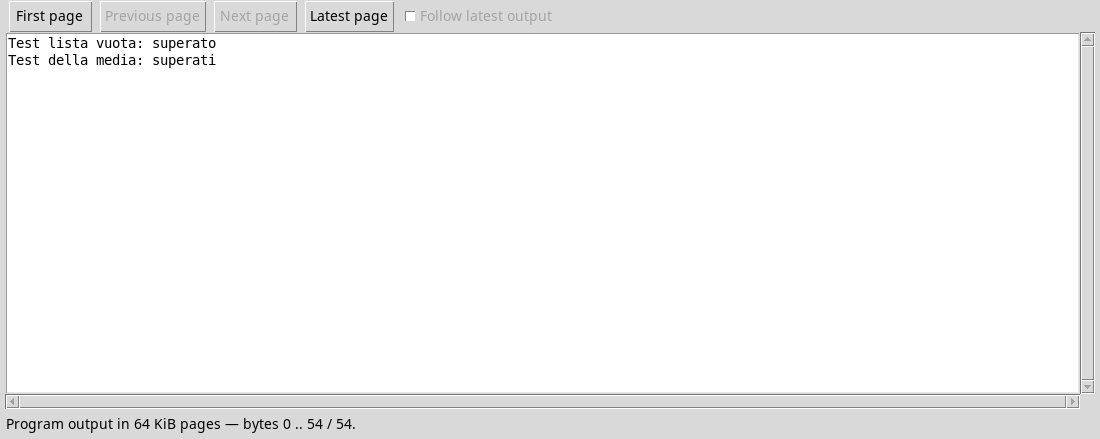
The assertions are useful for these tests; the indispensable audits on inputs remain in function with explicit exceptions. A past test only covers the cases that you check: add significant cases to your domain and record which enrypoint review you have performed.
Exercise
- In which file was the breakpoint set?
- What local variable is observed in the
mean_valuefunction? - Why does the empty list test also use a
elsebranch?
Worked solution
- In the
calculations.pyauxiliary file. values, the list passed to the function.- To fail the test if the waiting exception is not lifted.
In the next lesson we will read the resource policy before deciding whether to use parallelism.