

GX-TXT Debugger · Guide 03 — When a GX-TXT API is unavailable
This guide is part of the project GX-TXT Script Debugger. The screens come from real executions in GX-TXT dev112-P011-bis, already made for the debugger course; examples use synthetic data. The D codes identify the corresponding exercises of the full course on the debugger.
Download the six practical guides’ scripts (ZIP). To repeat this guide, extract the guide_03/scripts folder files.
D38 — API and operation availability
A recognized API name is not enough to ensure that a specific operation is available in the version and context in use. Before diagnosing a calculation, we verify the stated requirements.
Check two operations
Import and record D38_api_check.m. The script requires CANONICAL_DATASET_API_v2@2 and NUMERIC_API_v1@1, then check the read_range and statistics operations with gxtxt_api_has_operation.
Set a breakpoint on the print statement, after the two controls, and start the debug. In the copy used for the test, has_read and has_statistics are both logical with 1 value:
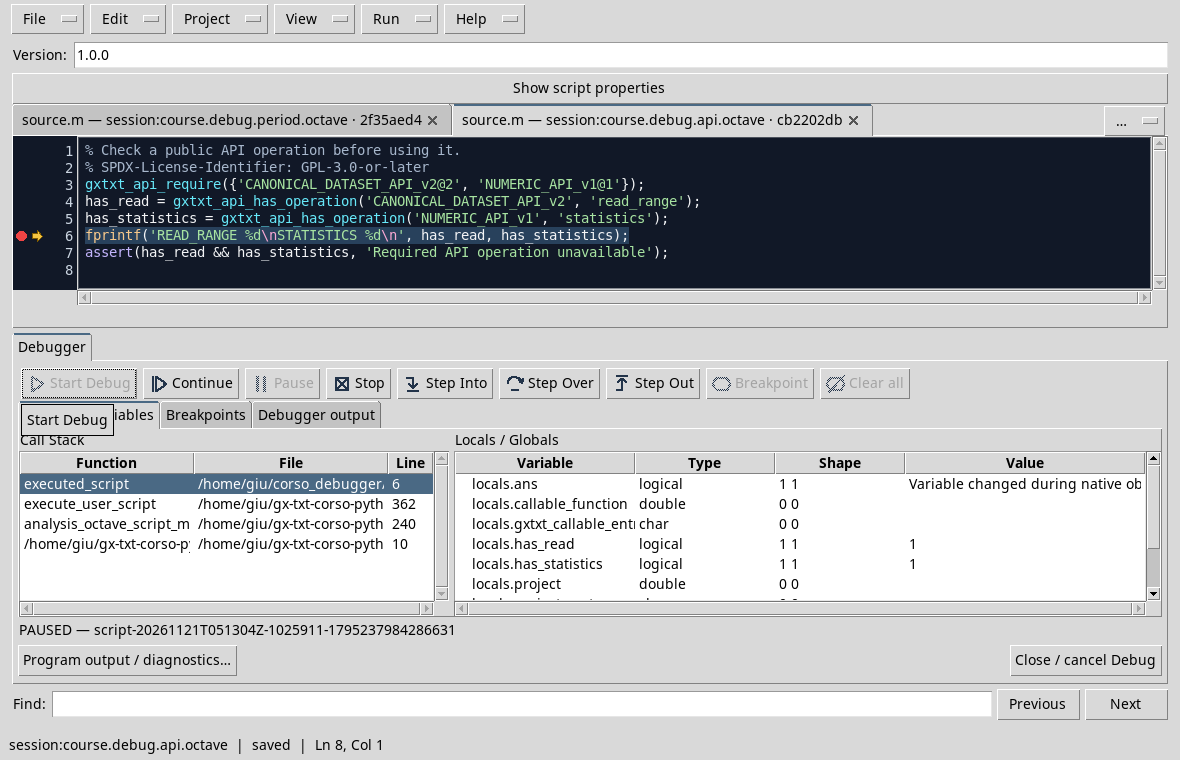
Continue to print READ_RANGE 1 and STATISTICS 1. If an operation is absent, the script would signal it with the assertion; if an API requirement is missing, gxtxt_api_require could stop before the two controls. Always check the contract and the actual version: a result at this Session does not guarantee the same inventory on all installations.
The panel can also show variables of the execution environment or limited reepylogues. For diagnosis, he observes the two explicit values prepared by the script.
Exercise
What does has_read = 1 mean? Does it also mean that a Dataset with any ID exists?
Worked solution
Indicates that the required operation is available in the context of the test. It does not prove that a particular Dataset or variable exists: it is also necessary to check the inputs of the call.
Interpreting an unsatisfied requirement
gxtxt_api_require verifies the stated requirement, while gxtxt_api_has_operation controls a specific operation of a present API. If the requirement fails, check API identity, requested version and contract provider: an unavailable provider is not resolved by changing the Dataset. If the requirement passes but an operation is missing, compare the name with the documentation of the version in use. Avoid replacing absent results with invented numbers: preserves message, requirement and context of the Session.
Two deliberately unsatisfiable requirements
In a test session, it imports and records unavailable_api.m, open the debugger and start Start Debug. The file states EXAMPLE_MISSING_API_v1@1, a name invented for the exercise. In the test the preliminary control stopped the Job with FAILED, indicating that the required API was not available; the next press was not reached.
Repeat with unavailable_provider.m: the NUMERIC_API_v1 API is known, but the requirement requires the invented example.missing provider. In the test the preliminary check reported the requested provider and the one found, math.numeric, ending the Job with FAILED before the break in the script. Open Program output / diagnostics and choose Diagnostic log to read the reason:
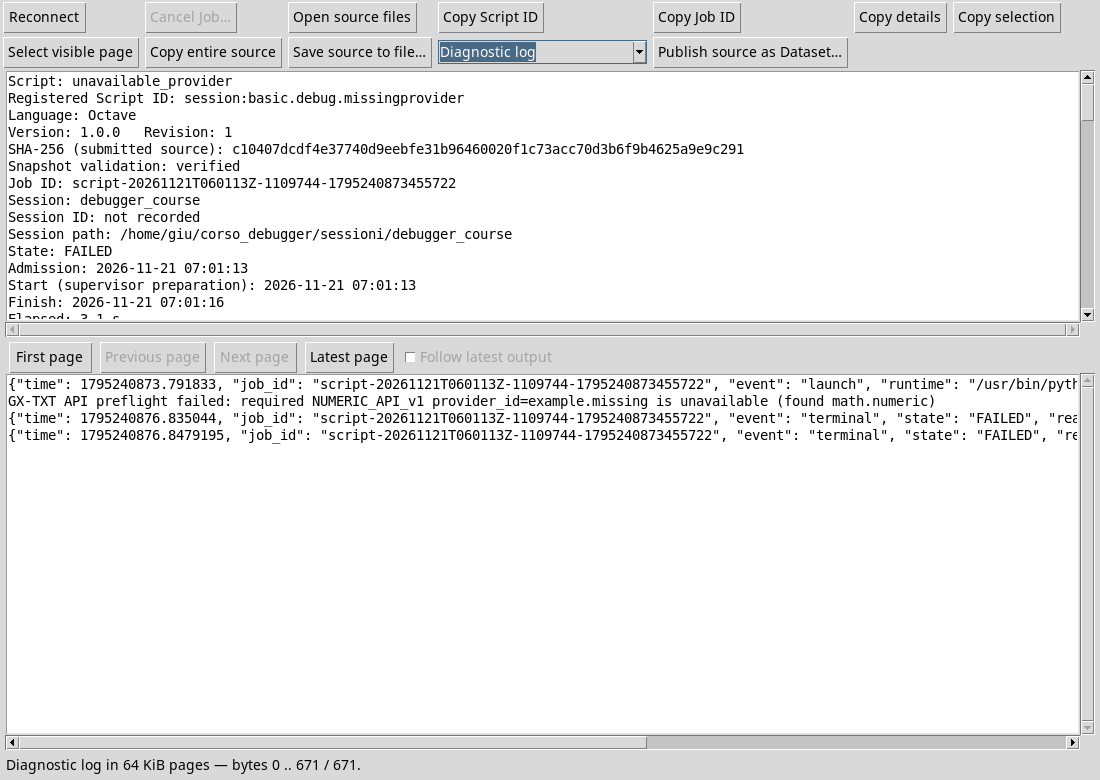
These two FAILED are expected, because the requirements are deliberately non-existent. In real programs, you use ID and documented version for installation; do not copy fictitious names as dependencies. The following test is different: API and operation exist, but the requested Dataset does not exist in the Session.
D42 — Bridge errors and program errors
A call through Script Bridge can fail because the request does not match the available data. The message should be interpreted together with the arguments prepared by the script, without confusing it with a local indexing error.
An intentionally absent dataset
In a test session that does not contain debug_missing_dataset_example, it matters D42_missing_dataset.m. The script requires a deliberately non-existent ID via CANONICAL_DATASET_API_v2/read_range. Put a breakpoint on the call and start the debug.
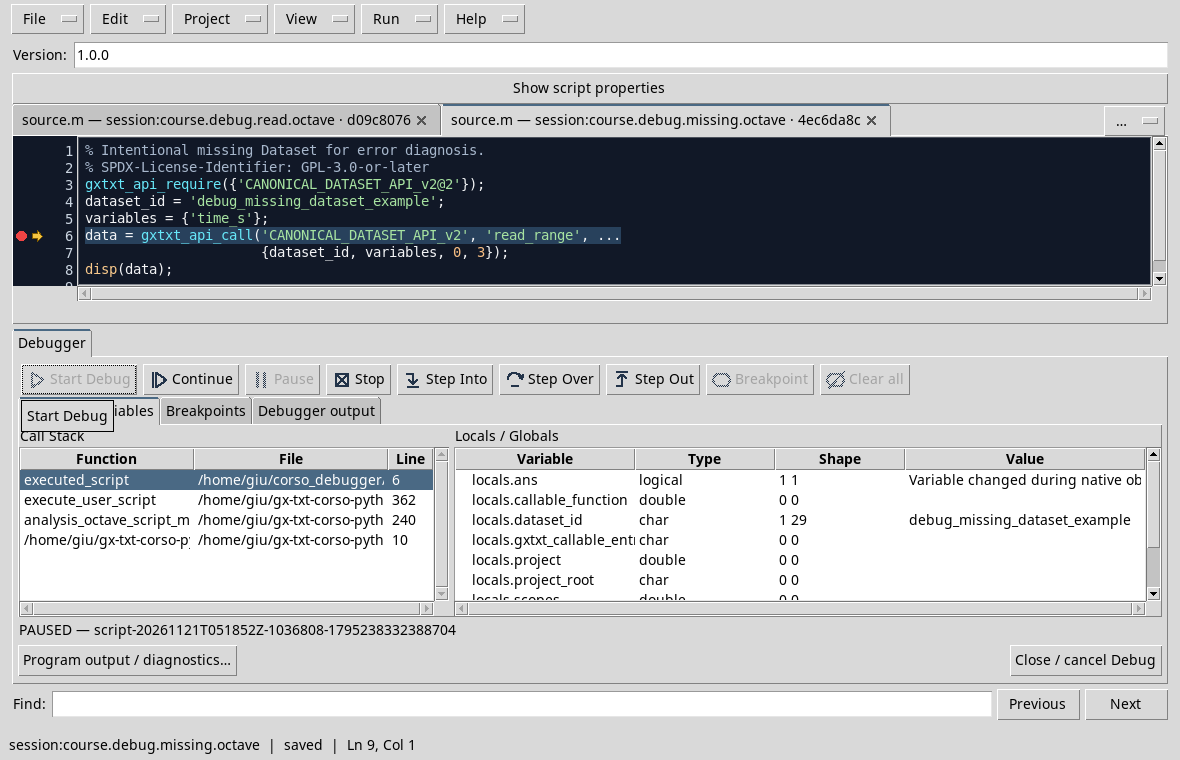
Press Continue. In the test the Job ends with FAILED and reports Unknown dataset: debug_missing_dataset_example:
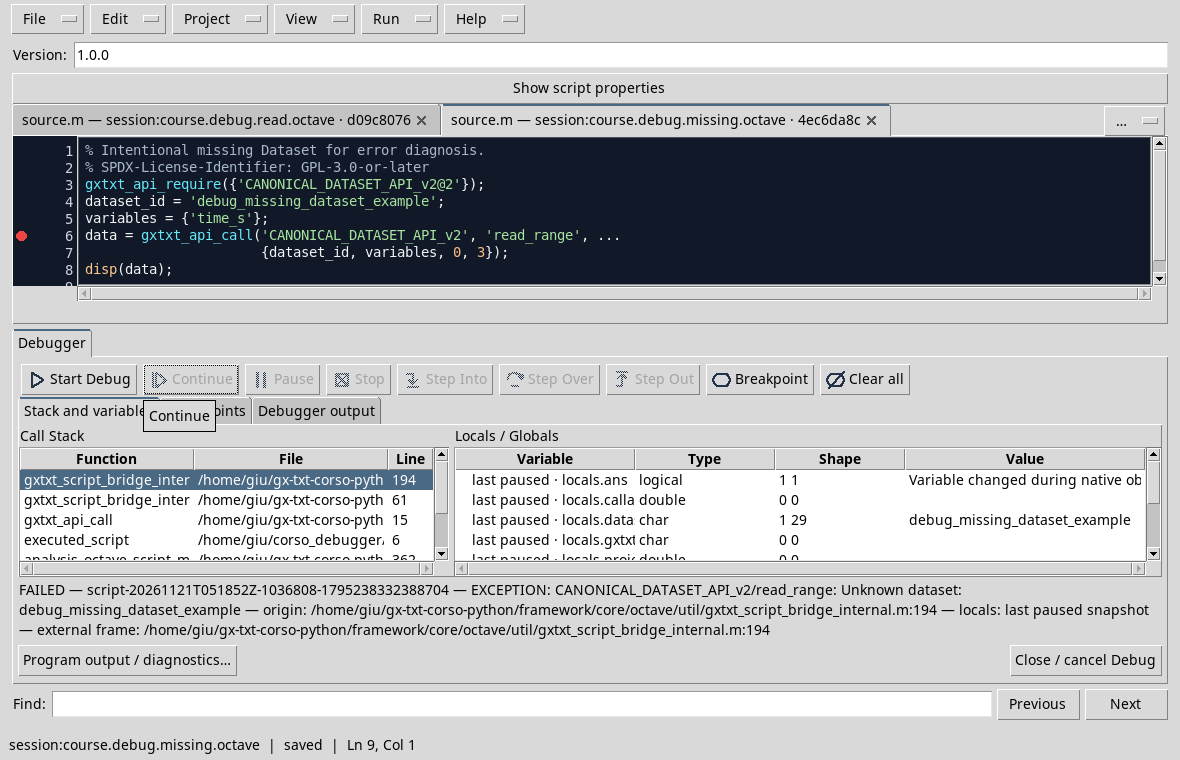
The message identifies the operation and the required ID. The track also crosses Bridge functions: to find the error in our example, it returns to the topics of the call in the source. The indication last paused refers to the last photograph observed, not to living variables after failure.
Compare the D35, where the error was an Octave index out of range on a carrier already in memory. Here the request deliberately points to an absent Dataset: it is not a fault of the framework. For a valid reading, prepare the D41 series and use the D39 script.
Exercise
A message says a Dataset is unknown. What do you check before changing the numeric formula?
Worked solution
Check Open Session, Dataset existence and exact match of the required ID. Then check the variables and parameters of the reading.
Other steps of this project
- Debugging GNU Octave in GX-TXT: Breakpoints, Variables and Public APIs
- GX-TXT Debugger · Module 08 — Projects, revisions and Sessions
- GX-TXT Debugger · Module 09 — Integrated practical cases
- GX-TXT Debugger · Module 10 — Independent debugging and the final project
- GX-TXT Debugger · Guide 05 — Debugging scientific data: vectors, structures and Datasets
- GX-TXT Debugger · Guide 06 — Debugging a complete scientific workflow