

GX-TXT Debugger · Module 10 — Independent debugging and the final project
The GX-TXT debugger · 10-module course
The last verification of the course is to be able to explain why a correction works. We reduce the case, we distinguish a defect from legitimate numerical behavior, we choose the right viewer and face the startup obstacles. The final project collects diagnosis, correction and reproducible delivery.
Download the Python and GNU Octave examples (ZIP). Extract all the archive folders and keep the multifile examples files together.
D55 — A strategy for isolating defects
Faced with an unexpected result, reduce the case and formulate a verifiable hypothesis. Changing more things together makes it difficult to figure out which modification has solved the problem.
One question at a time
Take index_error.py: three values and 3 index. The goal is to obtain the third value, 30. Import the script, put a breakpoint on the access line and start the debugger; check the list length and index. The screen shows the situation before access.
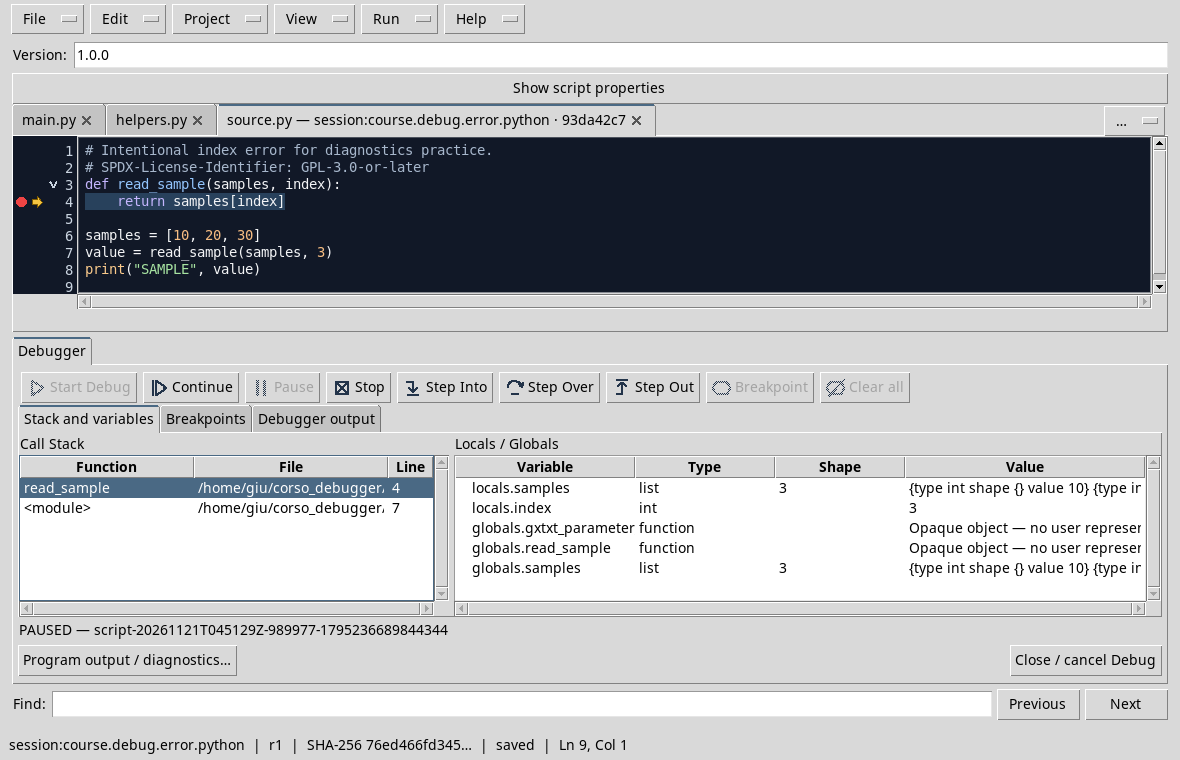
Hypothesis A: the list is shorter than expected. Hypothesis B: the index is calculated with a different convention. The three elements are present; in Python the third uses 2 index. In the index_fixed.py copy only changes the index and verifies SAMPLE 30. Keeps input and expected result: they are the independent comparison.
Exercise
Why is it not useful to add an item to the list and change the index in the same attempt?
Worked solution
You could get a result without knowing what change was necessary. Try one hypothesis at a time and compare with the requirement.
D56 — When a result is not an error
A display number can be rounded; a panel can also sum up a collection. Before correcting the program, check what the display is.
Shape, value and precision
In the D32, column_shape contains 3 1, i.e. the column vector shape. The column_shape itself is a 1 2 form vector: the two data are not contradicted.
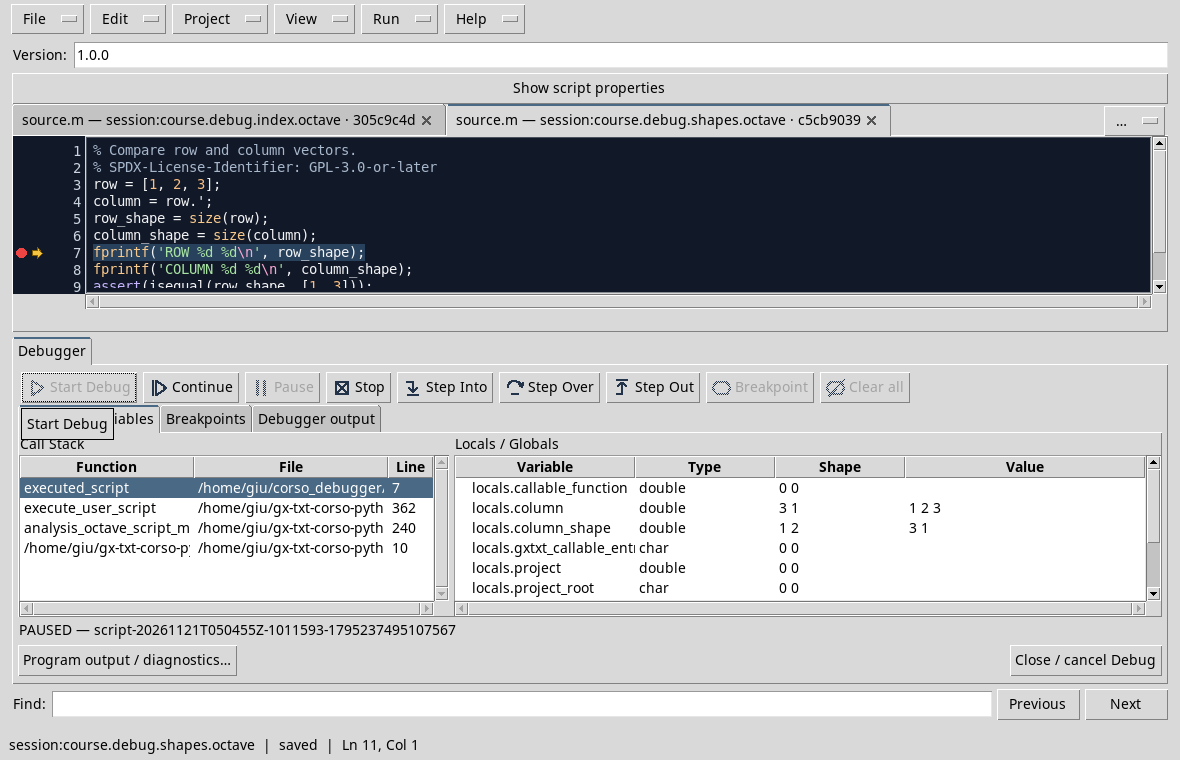
In the D51, a very small residue can appear as 0.000000 with six decimals without being exact zero. Check a numerical value with a tolerance justified by the problem; do not choose such a wide tolerance to hide a concrete error. If the panel shows a summary, use the form information and outputs provided by the script to determine what you have actually observed.
Exercise
column_shape has 1 2 shape and 3 1 value: how many rows does column have?
Worked solution
Three. The column_shape value describes column; the 1 2 shape describes the container of its size.
D57 — Comparing Python and GNU Octave
The same numerical operation may require different indices in the two languages. We compare the result and meaning of the extremes, not only the graphy.
Select a window
Use slices.py and indexing.m. On [10, 20, 30, 40, 50], the second, third and fourth are [20, 30, 40]. In Python the selection is samples[1:4], with an initial index from zero and exclusive final limit; in Octave it is samples(2:4), with an initial index from one and extreme included.
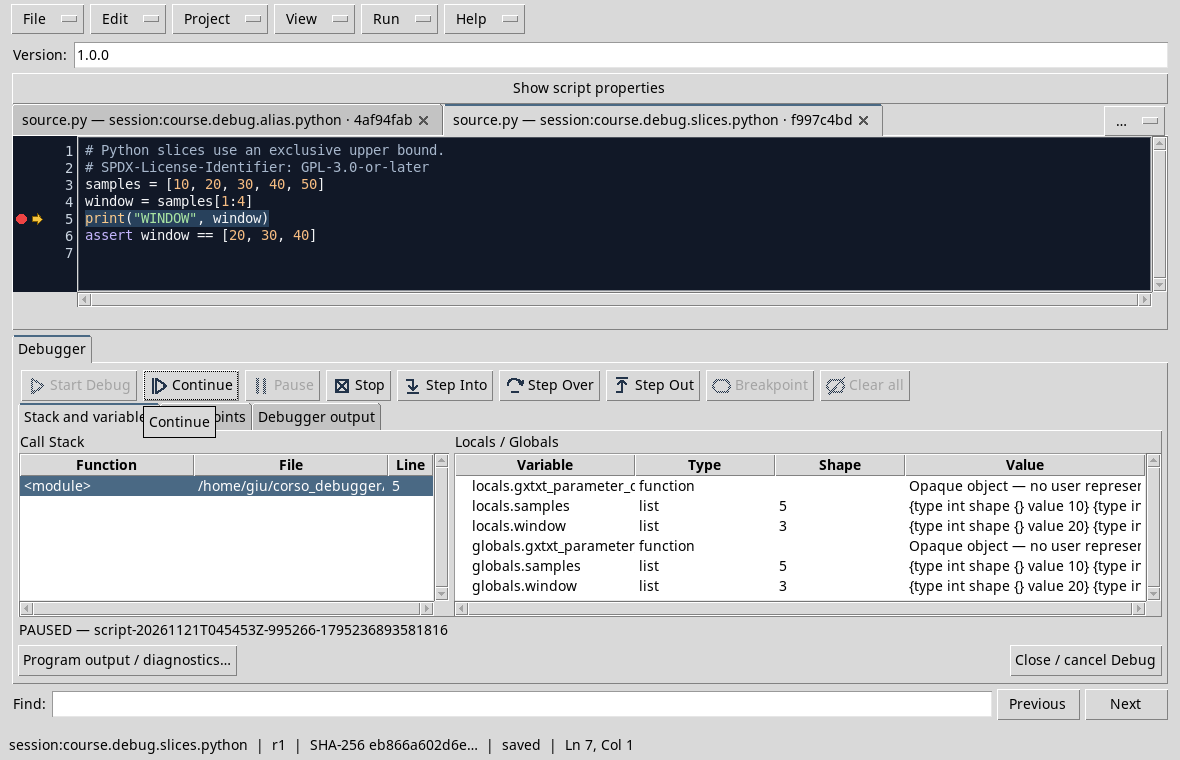
Import each script in the corresponding viewer, save it in the Session and stop the test after the selection. Check the window content and length in the respective panel. Also check the shape in Octave if the data will be used in matrial operations: a Python list and an Octave vector do not automatically have the same rules.
Exercise
How do you select the third and fourth sample?
Worked solution
Python: samples[2:4]; Octave: samples(3:4). The common result is [30, 40].
D58 — Common startup problems
When Start Debug is not available, check the context before changing the code: Session, script identity, save and Job status.
A card after the change of Session
In the D45 test, a script card of the first Session remains open after opening another Session. Start Debug appears disabled; the old tab does not become a script for the new Session.
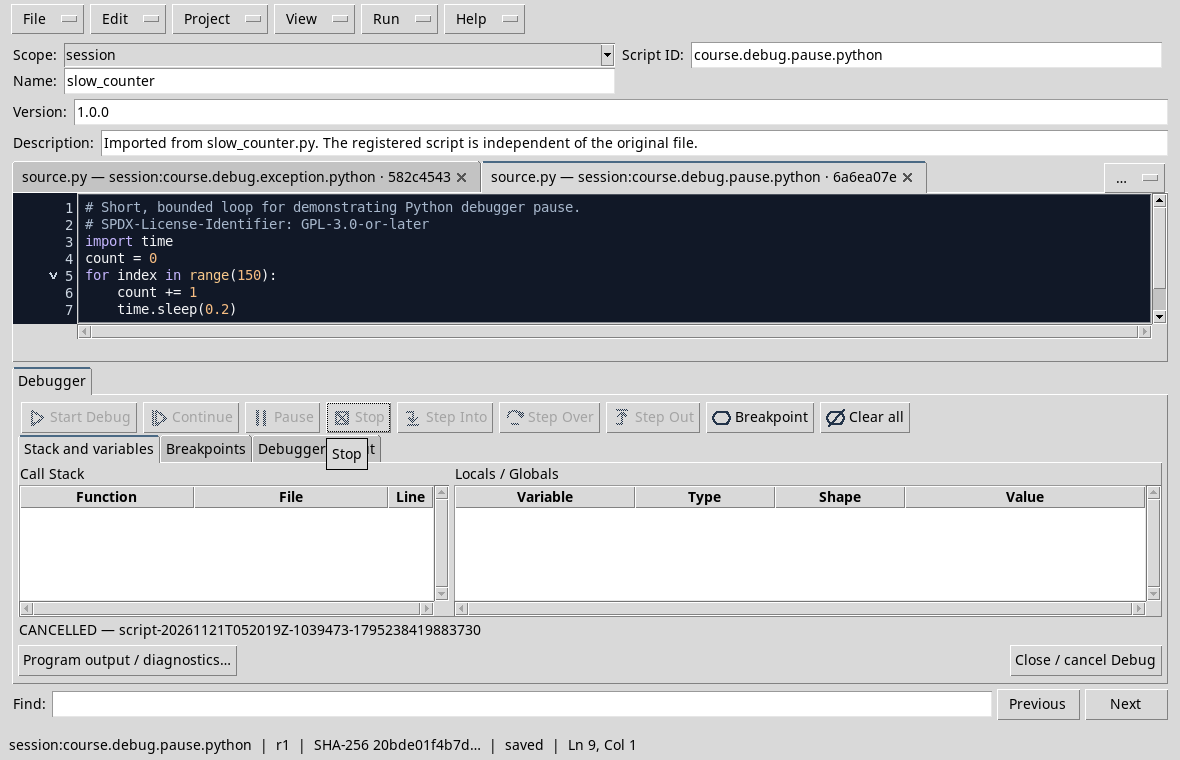
Finish an active Job first, check which Session is open and back to the correct context with Sessions → Session → Open Session. Reopen the right script, check broom and Script ID and save the revision before you start. If the problem persists, consult viewer messages and diagnostics and check runtimes and dependencies: a button disabled by itself does not identify any possible cause.
Exercise
You changed Session and an old tab is still visible. Is it enough to see the source to be sure that it is recorded in the new Session?
Worked solution
No. Check Session, broom and identity; then open or record the script in the desired context.
D59 — Final project: diagnosis
A synthetic sensor records three voltages in volts. The program has to convert them to millivolt and calculate the average. It is a small case, but it reproduces a real pipeline: input, conversion, aggregation and control.
The expected result
The measurements are 0.1, 0.2, 0.3 V. Since 1 V = 1000 mV, the expected measures are 100, 200, 300 mV and the average is 200 mV. The deliberately incorrect calibration_bug.py and calibration_bug.m versions use 100 factor instead and print MEAN 20.0 mV.
Identifying the origin
Import the script of the language chosen in the viewer GX-TXT, record it in the Session and open View → Debugger. In the Python program, put a breakpoint on the return line of the function; in Octave on the converted_mv = ... line. Start the debug and use Continue if necessary to arrive at the breakpoint. Check input and factor; with Step Over observes the next step. For Python, if you stop at return, go back to the caller to examine converted_mv. Resal to conversion before changing the average calculation.
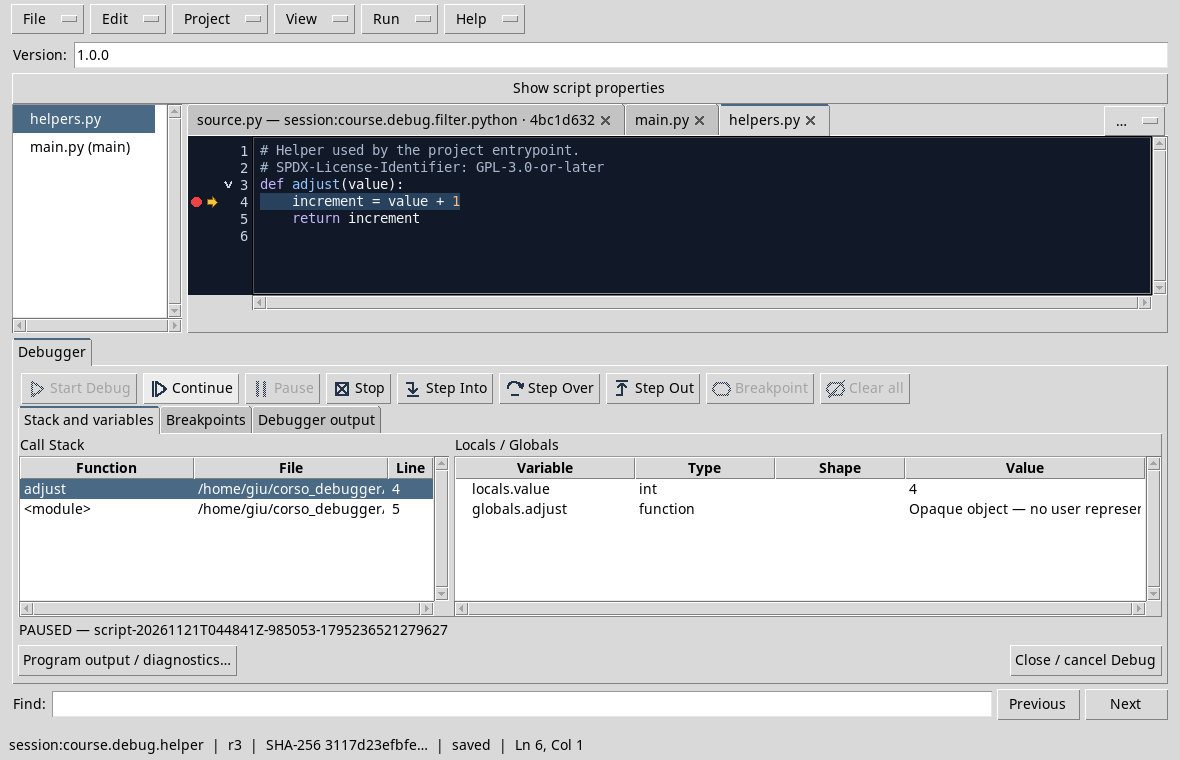
The image resumes the D18 multifile project and shows how to connect a function to the caller; the displayed values belong to that example. In this project note language, input, pause point, observed factor, expected value and obtained value. In the D60 you find the correction.
Exercise
If the conversion produces [10, 20, 30], does the 20 mean that the aggregation is wrong?
Worked solution
No. The average of those three values is 20; the error is already in the conversion into the aggregation.
D60 — Final project: correction and submission
We complete the D59 project by correcting the conversion factor and verifying the result with the same data.
Correct and verify
The correct calibration_fixed.py and calibration_fixed.m versions use 1000. Import that of the chosen language, save it in the Session and put a breakpoint after conversion, on the line that calculates mean_mv. Launch the debug and control converted_mv: the expected values are [100, 200, 300]. With Step Over controls mean_mv, then it continues: the expected output is MEAN 200.0 mV and the adjustment checks the result within 1e-10.
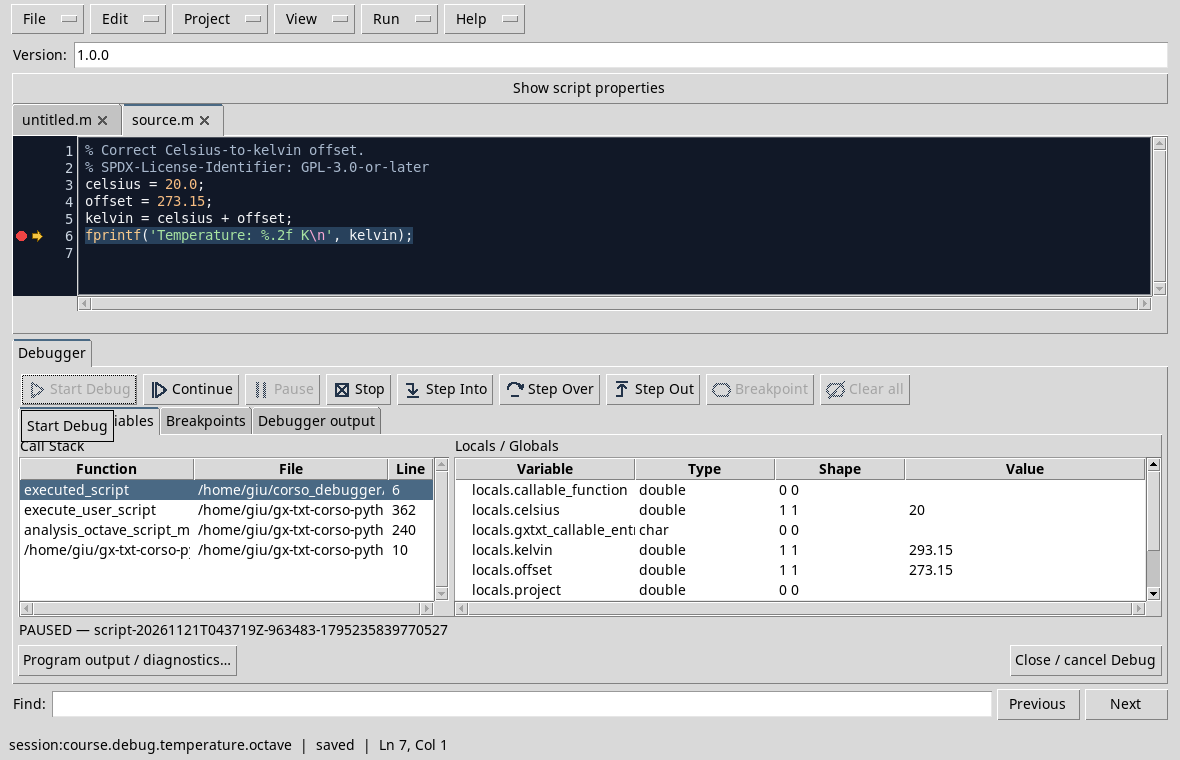
The screen is that of the D40: it illustrates the control of the variables in a different unit conversion. In your exercise compares the new execution with the D59 diagnosis without changing the data. Also try 0 V and 1 V: they must match 0 and 1000 mV. Document version, Session, script, data, expected result and result obtained; it preserves both the incorrect didactic version and the correct one with distinct names.
Concluding exercise
A correct average ensures that each sample is correct?
Worked solution
No. Different errors can be compensated. Also check the converted values individually, independent units and reference cases.
In the final report connects the expected result, the observed status and verification after correction. It is this comparison that makes diagnosis reproducible.
Other steps of this project
- Debugging GNU Octave in GX-TXT: Breakpoints, Variables and Public APIs
- GX-TXT Debugger · Module 08 — Projects, revisions and Sessions
- GX-TXT Debugger · Module 09 — Integrated practical cases
- GX-TXT Debugger · Guide 05 — Debugging scientific data: vectors, structures and Datasets
- GX-TXT Debugger · Guide 06 — Debugging a complete scientific workflow
- GX-TXT Debugger · Module 01 — Foundations and the first Debug Job