

GX-TXT Debugger · Guide 04 — Finding and correcting runtime errors
This guide is part of the project GX-TXT Script Debugger. The screens come from real executions in GX-TXT dev112-P011-bis, already made for the debugger course; examples use synthetic data. The D codes identify the corresponding exercises of the full course on the debugger.
Download the six practical guides’ scripts (ZIP). To repeat this guide, extract the guide_04/scripts folder files.
D23 — Errors and tracebacks
An error message is a starting point: it indicates what happened and where to search. To understand the cause, we compare the track with data and with the observed state before problematic education.
An intentionally incorrect index
Import D23_index_error.py to Python Scripts and save it to Session. The list contains three elements, but the program calls read_sample(samples, 3). The valid indices are 0, 1 and 2.
Put a breakpoint on return samples[index] and start the debugger. After any initial break, use Continue to get to the function. In the test the panel shows a length list 3 and index = 3:
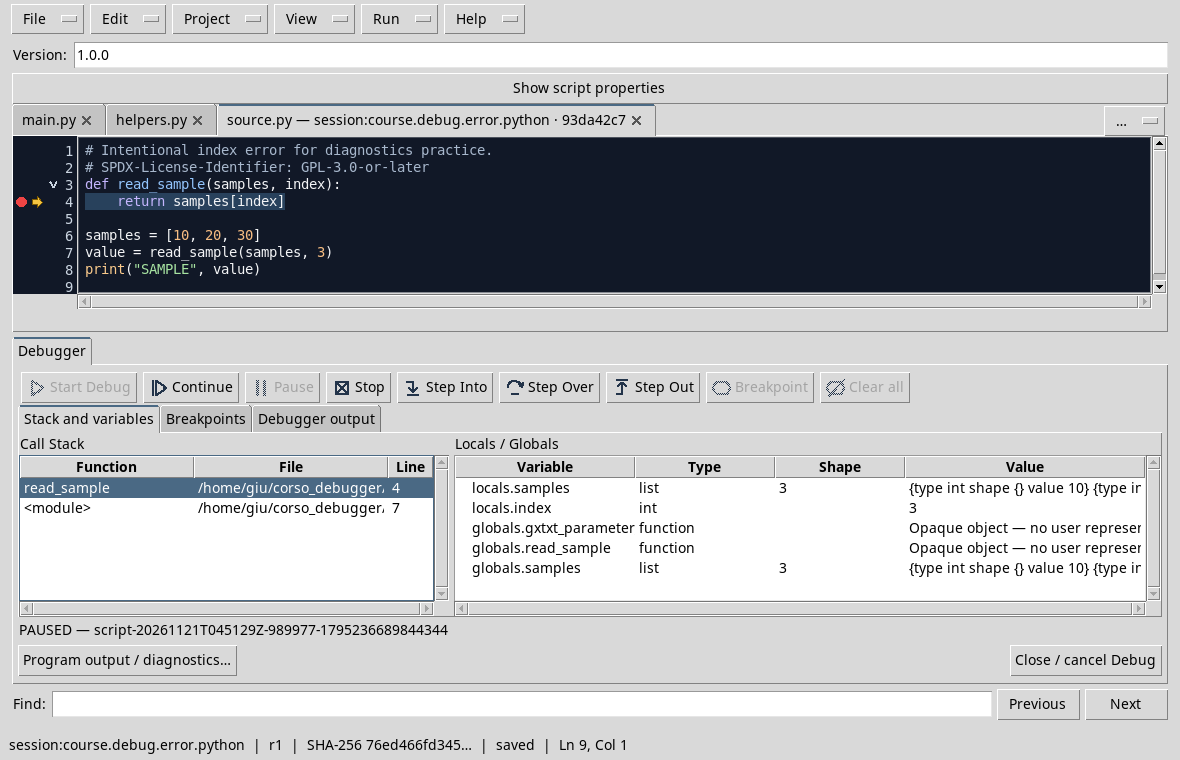
Press Continue. The Job ends with FAILED, because access exceeds the last index. Open Program output / diagnostics and select Program stderr:
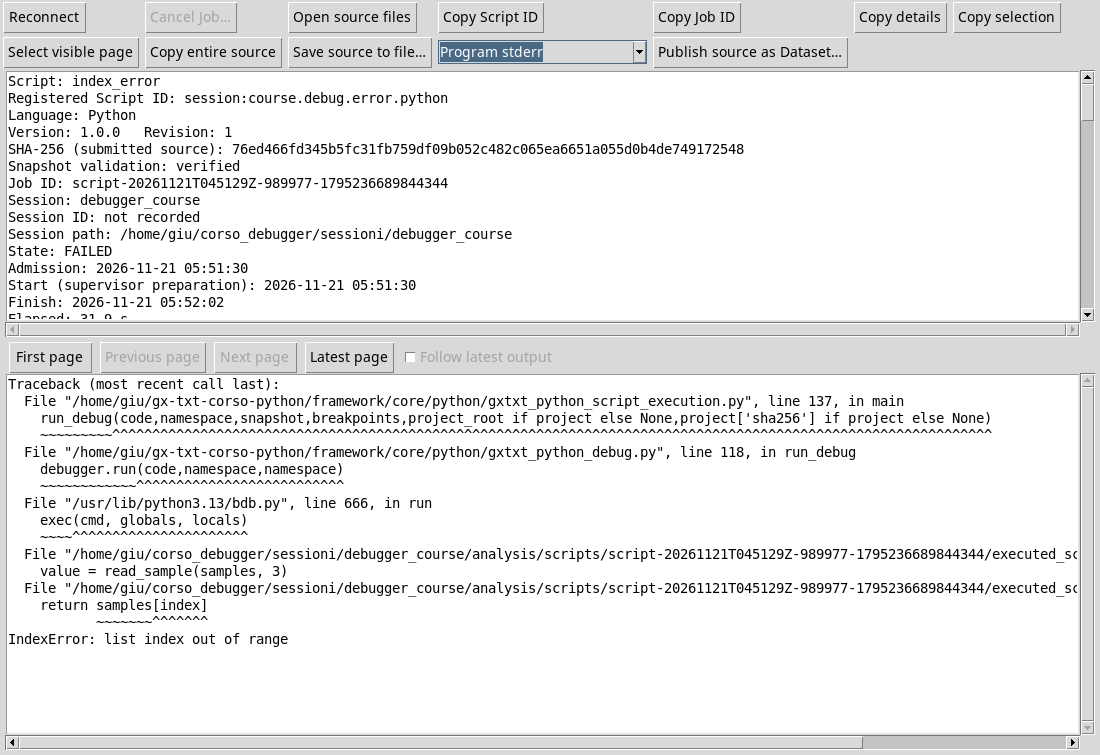
The track shows the call, access education and IndexError: list index out of range. The lines of the execution environment are part of the track; it identifies above all those that refer to your code. Once the Job is finished, the pause stack is no longer a live state.
Correct and verify
The D23_index_fixed.py copy uses the 2 index and SAMPLE 30 printing. It is an appropriate correction if the goal was to read the last element. If the index depends on external inputs, consistent controls with the program requirements would be required.
Exercise
Why is the 3 index wrong with a long Python list 3?
Worked solution
The numbering starts from 0: the three elements have indexes 0, 1 and 2. The 3 index would require a fourth element.
D35 — GNU Octave errors and the originating stack
When an Octave script fails, it observes the message and the point of origin, distinguishing them from the values that the debugger had recorded during the last break.
An out-of-range index
Import D35_index_error.m. The vector contains three elements, but the script uses index = 4. Set a breakpoint to value = samples(index) and start the debug. Before accessing, the test shows index = 4 and a samples 1 3 form vector:
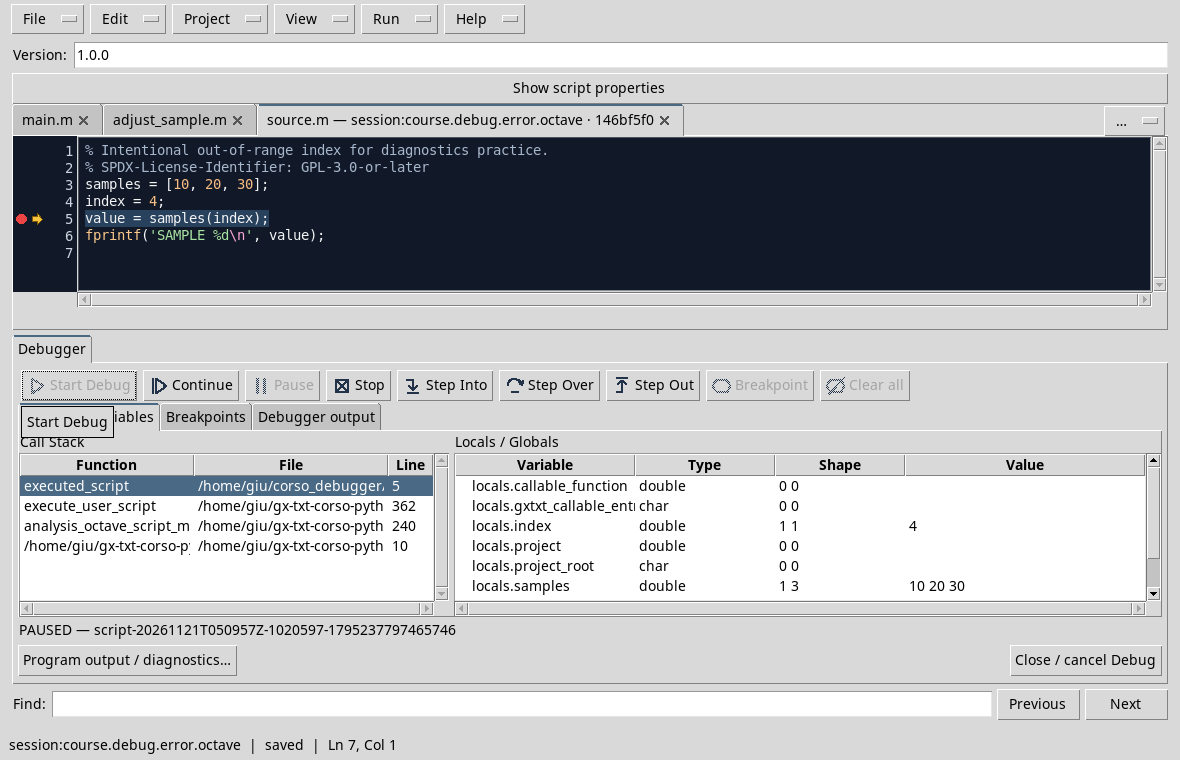
Press Continue. In the test the Job ends with FAILED and the message indicates that samples(4) is out of the limits of a vector with three elements, indicating the origin to the 5 line.
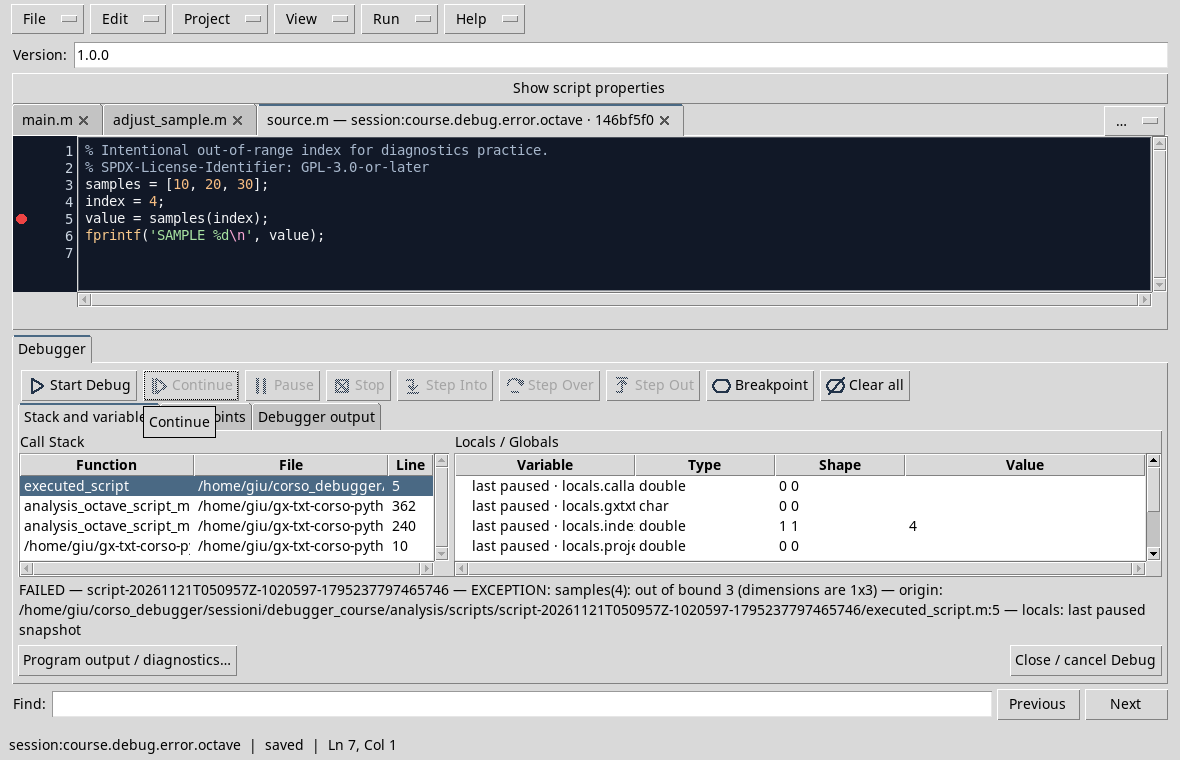
The variables indicated as last breaks are the last photograph observed, not local alive after the error. A frame already released from the stack should not be presented as yet selectable. To deepen program output / diagnostics and consult message and available streams.
Correction
If the goal is to read the third element, the D35_index_fixed.m copy uses index = 3 and SAMPLE 30 print. If the index comes from an input, it validates the limits according to the problem before accessing the vector.
Exercise
What are the valid indices for this carrier of three elements in Octave?
Worked solution
They are 1, 2 and 3. The 4 index would require a fourth element.
Other steps of this project
- Debugging GNU Octave in GX-TXT: Breakpoints, Variables and Public APIs
- GX-TXT Debugger · Module 08 — Projects, revisions and Sessions
- GX-TXT Debugger · Module 09 — Integrated practical cases
- GX-TXT Debugger · Module 10 — Independent debugging and the final project
- GX-TXT Debugger · Guide 05 — Debugging scientific data: vectors, structures and Datasets
- GX-TXT Debugger · Guide 06 — Debugging a complete scientific workflow