Stacked Panels and Shared X-Axes
GX-TXT P011-bis · Scientific Dataset Plot 4.4.2
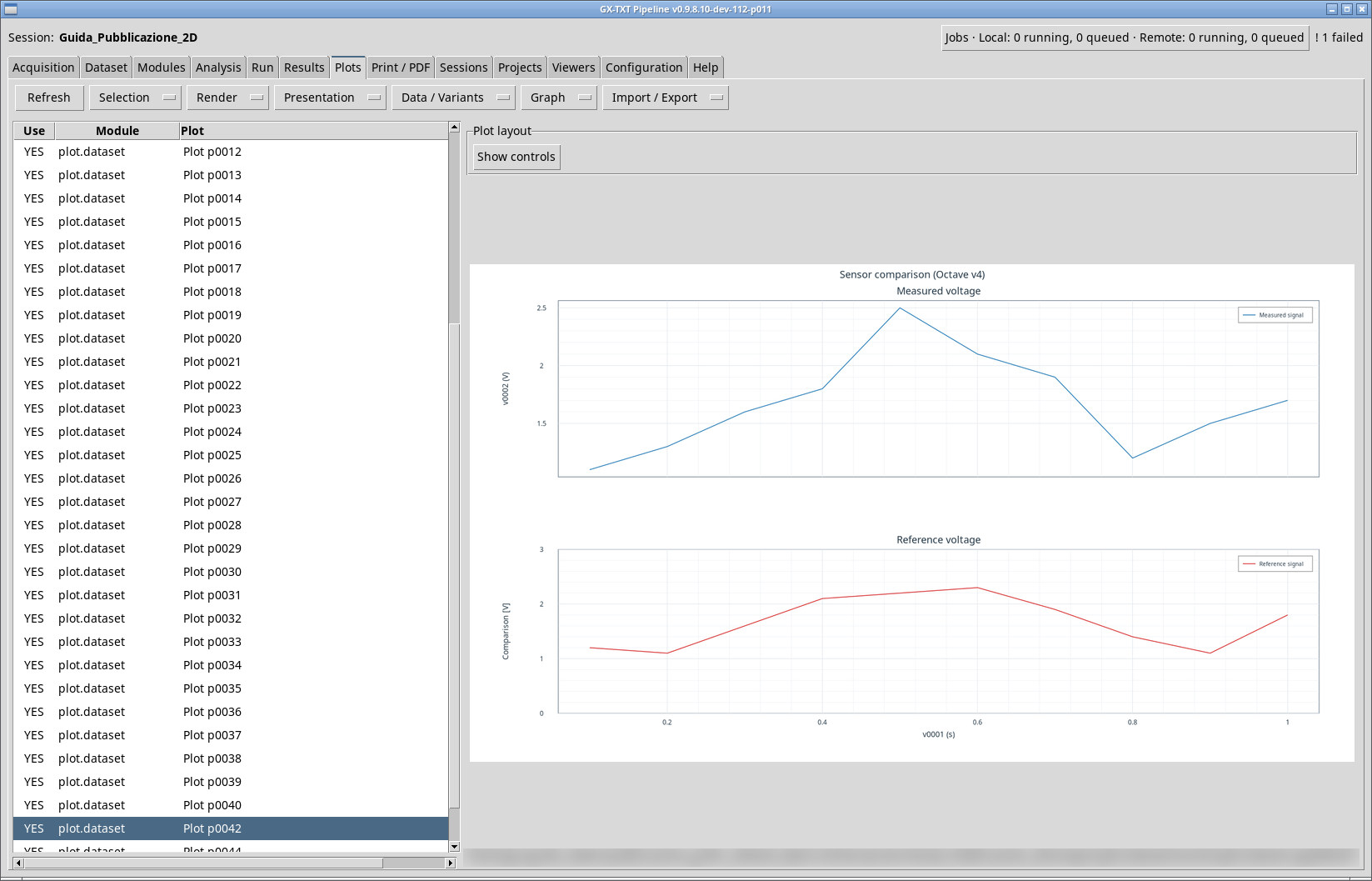
The stacked panels of the Scientific dataset 2D output share X. Each panel has its own series assignment, its own title and independent settings for the Y sides.
Enable and fill the panels
- In Analysis → Scientific dataset 2D → Configure… select Multi-panel (vertically stacked, shared X).
- Enter an ID in the new panels area and click the add command. Choose a panel from the list to set its title and axes. Use Up or Down to change the order in the stack. At the first or last panel, a move past the end keeps the order.
- In Series… assigns the curves. With
osservazioniuseobservation_Vin the main panel andcomparison_Vin the secondary one. Set consistent units on the X axis and keep two separate Y scales. - Start Run. Check that the same X values fall on the same vertical. A new title applied to the second panel appears only there.
Shared X and local Y
In the group Panels, Panel select the current panel and New panel ID prepares the ID to add. Panel title (blank = none, auto = panel ID) accepts an explicit title, no title or an automatic ID. The boxes Y Left and Y Right show Label, Display unit and Scale. A series on that side makes the override meaningful. Check the measurement after rendering and change the source only when the column really changes.
Set Shared X to change the scale of all panels. The linear step is in the display unit. The logarithmic step follows decades. The automatic minor grid of a logarithmic axis includes the subdivisions between decades. Use the selected panel’s settings for Y label, scale and limits.
Before deleting a panel, move its series to a destination that stays in the plot. Check the column Panel and render again. You can return to single mode with the configuration checkbox. A rectangle plot and distribution representations stay in single mode.
In variant_panels_octave.m (ZIP) the v3 and v4 APIs create two panels, move a series, change the order, set the Y limits of the second panel and change the shared X step. The Job opens the reference after publishing, tries a temporary variant and deletes it. The two final plots remain available in Plots.
Test results