

Run and Publish from Octave
GX-TXT P011-bis · Scientific Dataset Plot 4.4.2
The Octave client invokes the registered operations with the same API ID and a cell array of arguments. Use scalar structs for objects and cells for sequences such as panels and series.
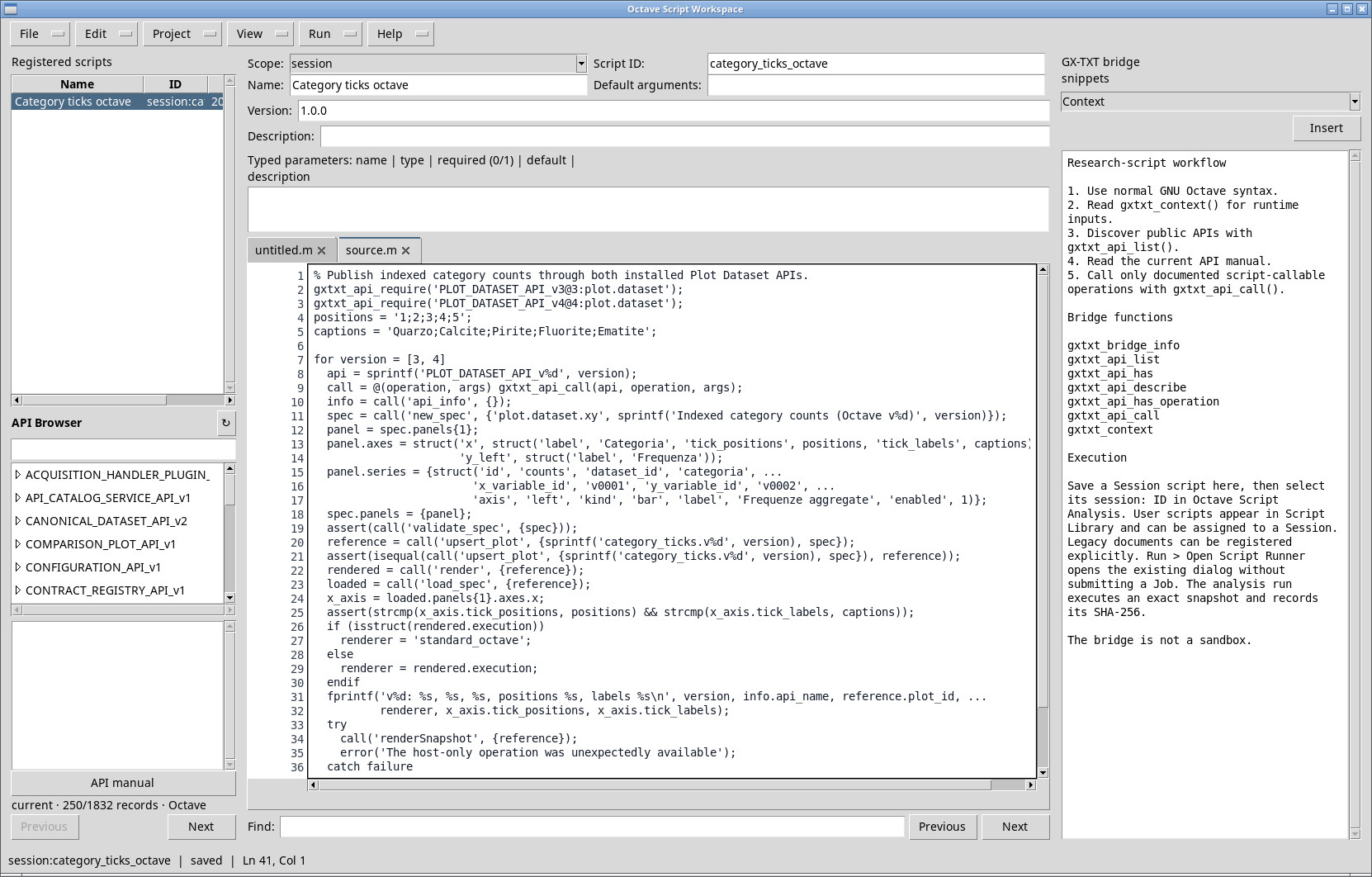
Running the recipe in Octave Script Workspace
- Prepare
categoriaas in Bars. Download category_ticks_octave.m (ZIP). - Open Viewers → Octave Scripts. From New or by opening the source, prepare a document with ID
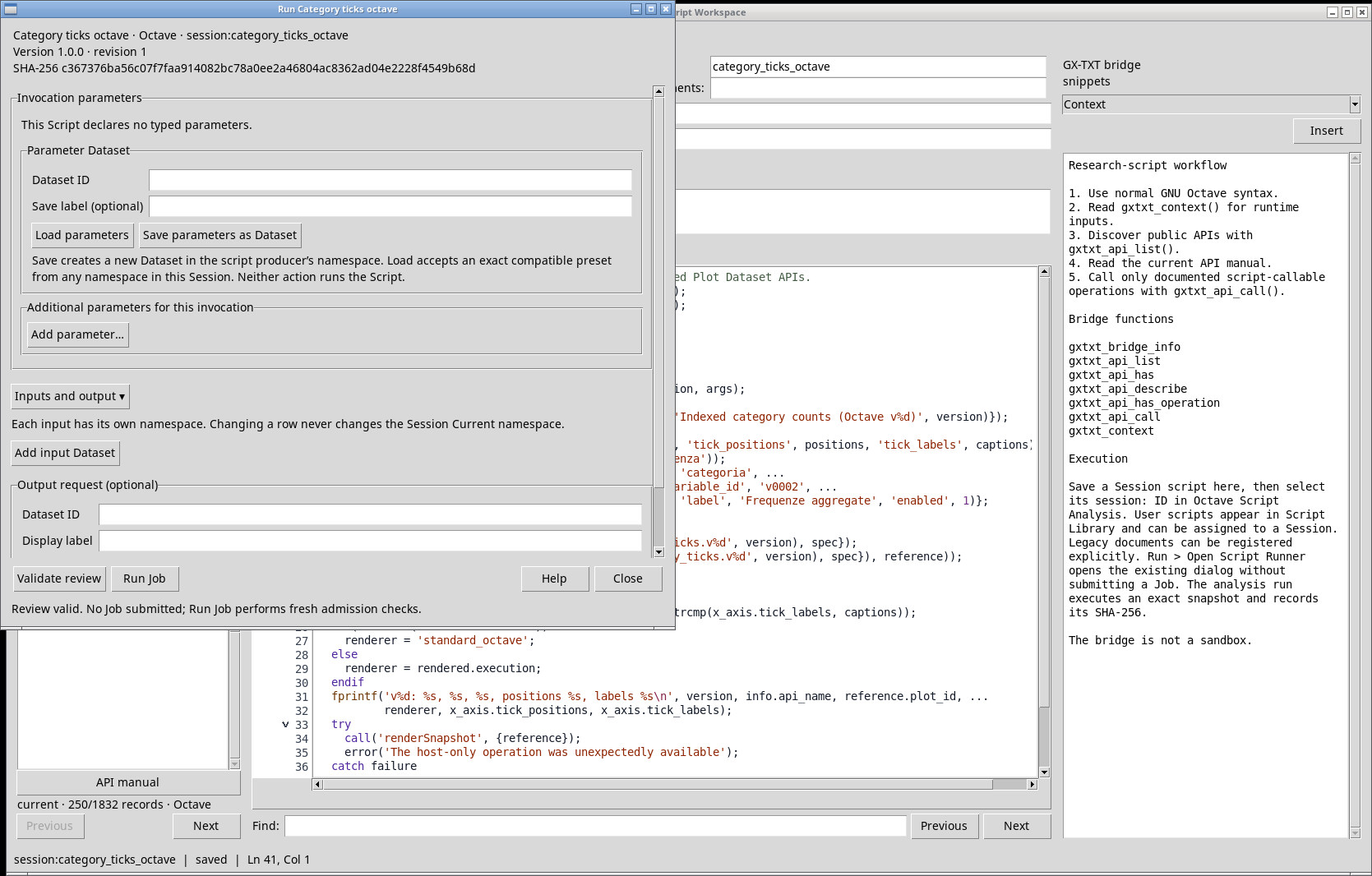
category_ticks_octave. Insert or open the code and save it in the Session. - From Run → Review and Run choose Validate and then Run. The Job prints API, figure ID, renderer and the five pairs. For the returned objects use
spec.panels{1}andpanel.series{1}. - Open Plots and select the references received. Compare the captions and counts with the module’s plot.
Catalog, cells and structs
api = 'PLOT_DATASET_API_v4';
gxtxt_api_require('PLOT_DATASET_API_v4@4:plot.dataset');
descriptor = gxtxt_api_describe(api);
registered = gxtxt_api_has_operation(api, 'newSpec');
a = gxtxt_api_call(api, 'new_spec', {'plot.dataset.xy', 'Measured data'});
b = gxtxt_api_call(api, 'newSpec', {});
Use gxtxt_api_list() for the catalog and gxtxt_api_describe(api) for the provider operations. The positional arguments are in the outer cell. An inner list of series is a further cell of structs. For ticks, send two single strings with semicolons. The server can reject an unregistered command or data with a non-admitted schema before rendering.
Exercise with panels and a variant
Import the Dataset osservazioni and start variant_panels_octave.m (ZIP) as a second Script. The Job builds two shared panels for each version, moves the comparison series, applies title and scale, publishes, opens the reference and updates the presentation. A temporary variant is created and deleted. The two main figures stay in Plots. Editing operations and the new rendering are separate calls.
Temporary Native2D model
With native_model_octave.m (ZIP) open osservazioni through Curve Source and use scientific_model with an inner cell for the handles. render_model returns the 840 × 570 PNG and the raster fingerprint in memory. The test produced the same digest as the Python recipe, without a new Plots row. At the end of the Job, release the source. To create a persistent row use the flow PlotSpec and publication.