

Run and Publish from Python
GX-TXT P011-bis · Scientific Dataset Plot 4.4.2
Run the Plot Dataset calls in Python Scripts inside GX-TXT. The managed Job makes the Session Datasets and the references of the registered producer available.
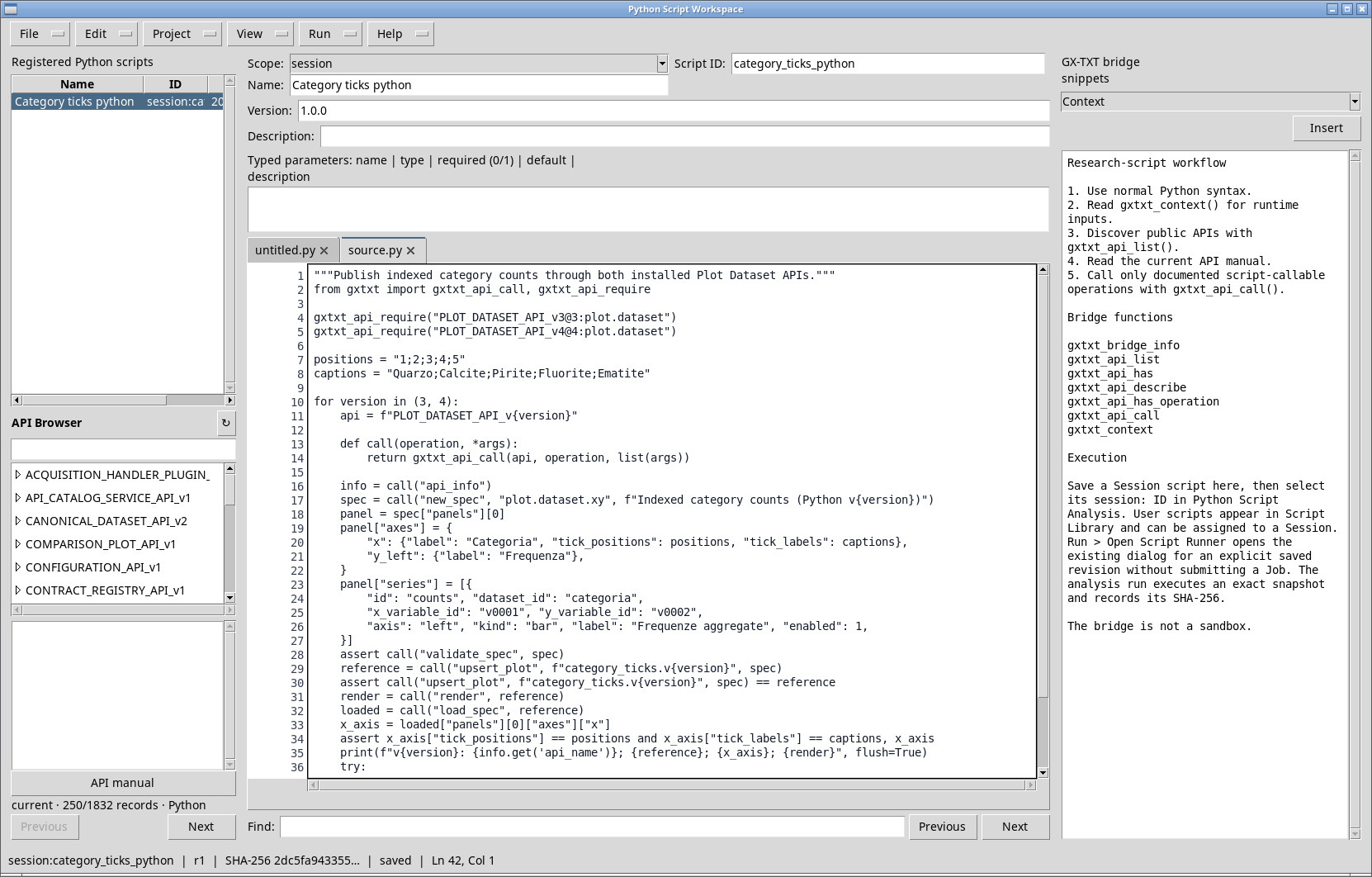
Registering and running a script
- Open the Session with
categoriaimported as in Bars. Download category_ticks_python.py (ZIP). - Open Viewers → Python Scripts. Create a new document or open the source. For registration give a Script ID as
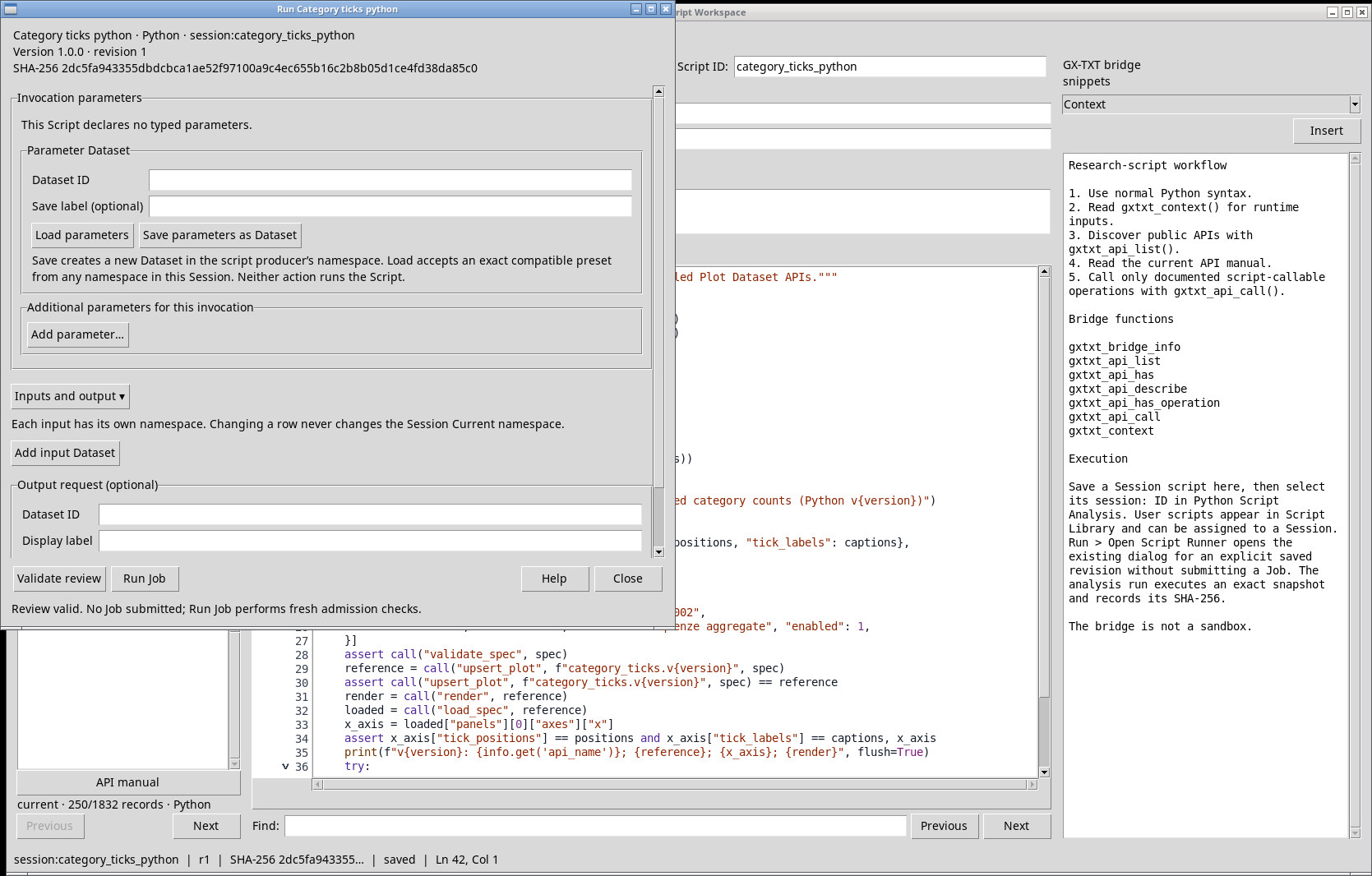
category_ticks_pythonand a name. Insert the code and use Save. - Open Run → Review and Run. Use Validate to check the context, then Run. In Jobs open the run and compare the output of the two APIs. If the Dataset is missing, check the ID in the Session. If an API is missing, check the preflight of the declarations
gxtxt_api_require. - In Plots, check the two references reported by the Job. The code checks the pairs after
load_specand tries the host operationrenderSnapshotto show the expected rejection by the Bridge.
Arguments and catalog check
from gxtxt import gxtxt_api_call, gxtxt_api_describe, gxtxt_api_require
api = "PLOT_DATASET_API_v4"
gxtxt_api_require("PLOT_DATASET_API_v4@4:plot.dataset")
operations = gxtxt_api_describe(api)["operations"]
spec = gxtxt_api_call(api, "new_spec", ["plot.dataset.xy", "Measured data"])
original = gxtxt_api_call(api, "newSpec", [])
Pass positional arguments in a list. Nested objects such as PlotSpec use dict and sequences of dict. A call has an API ID and an operation key, both case-sensitive. new_spec accepts plot and title. newSpec builds the defaults or receives the flat text options. Local Tcl commands, renderer functions and internal worker paths have their own contracts.
Python recipes
- category_ticks_python.py (ZIP) publishes the bar plot in v3 and v4 and checks the Upsert identity.
- publication_lifecycle.py (ZIP) use
osservazioniand publishes lines, points, steps, errors, bands and distributions. The scatter with three names also has SVG. The Job reports the rejection of the right-only series with v3. - native_models.py (ZIP) use
osservazioni, produces an in-memory PNG from a managed source, builds two HDF5 Datasets and publishes the triangular cells and the centroid profile with v4. Run it in a Session where the IDsfield_nodesandfield_cellsare free.
Checking contracts and format variants
- tick_contract.py (ZIP) tests limits on the number of pairs, log compatibility, rejected formats and tick conversion from s to ms.
- plot_contract_cases.py (ZIP) checks the predicates, uses linear, area and text scientific references, checks the forbidden combinations and produces PNG plus PDF.
- bridge_lifecycle_validation.py (ZIP) checks sources, shared X state, spec removal and cleanup of a test variant.