3D Variants, Run, and Persistence
GX-TXT P011-bis · Scientific Dataset Plot 4.4.2
Create and manage XYZ variants, run the rendering and check that the plots can be reopened from the Session.
Managing XYZ references
Open Scientific dataset 3D → Variants… from Analysis or Plots → Data / Variants → Variants… after selecting the product. The manager lists stable ID, title and Enabled state.
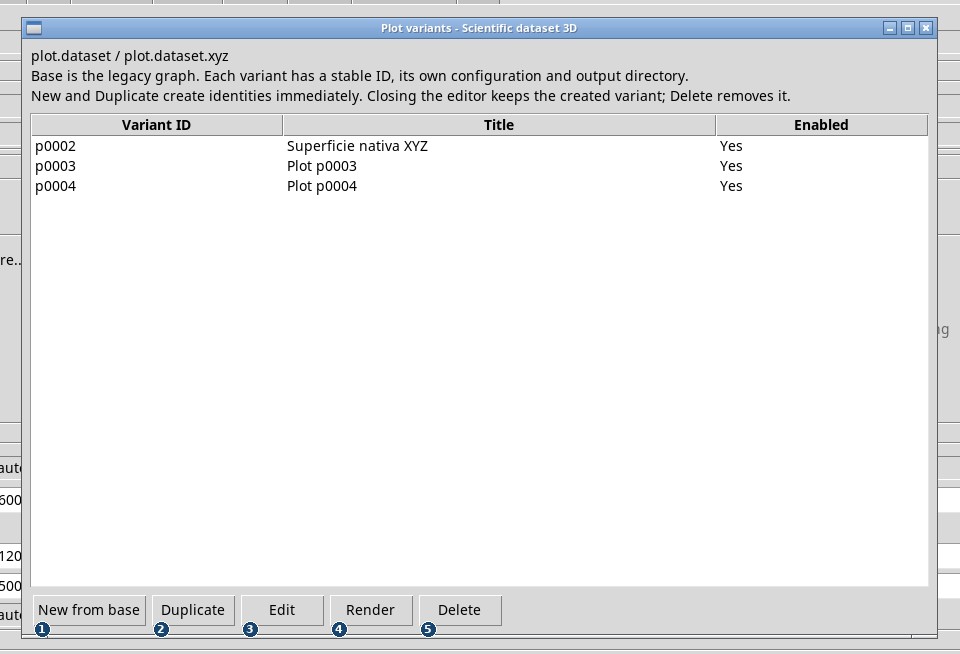
- Control
- New from base
- Effect
- Immediately allocates a distinct variant and opens its editor. Even if you close the editor, the created identity can remain. Complete the bindings, disable or delete the incomplete variant before Run.
- Control
- Duplicate
- Effect
- With a row selected, creates a copy with a new ID. Check whether the copied title, bindings and overrides suit the new result.
- Control
- Edit
- Effect
- Opens the selected row. Enabled and title are at the top and are saved with the variant.
- Control
- Render
- Effect
- Tries to regenerate the selected variant from its already registered state. Check diagnostics and artifacts.
- Control
- Delete
- Effect
- Asks for confirmation and removes the row and the artifacts of the variant. Any derived Workspaces keep a separate identity and can indicate a missing source.
First Native3D variant
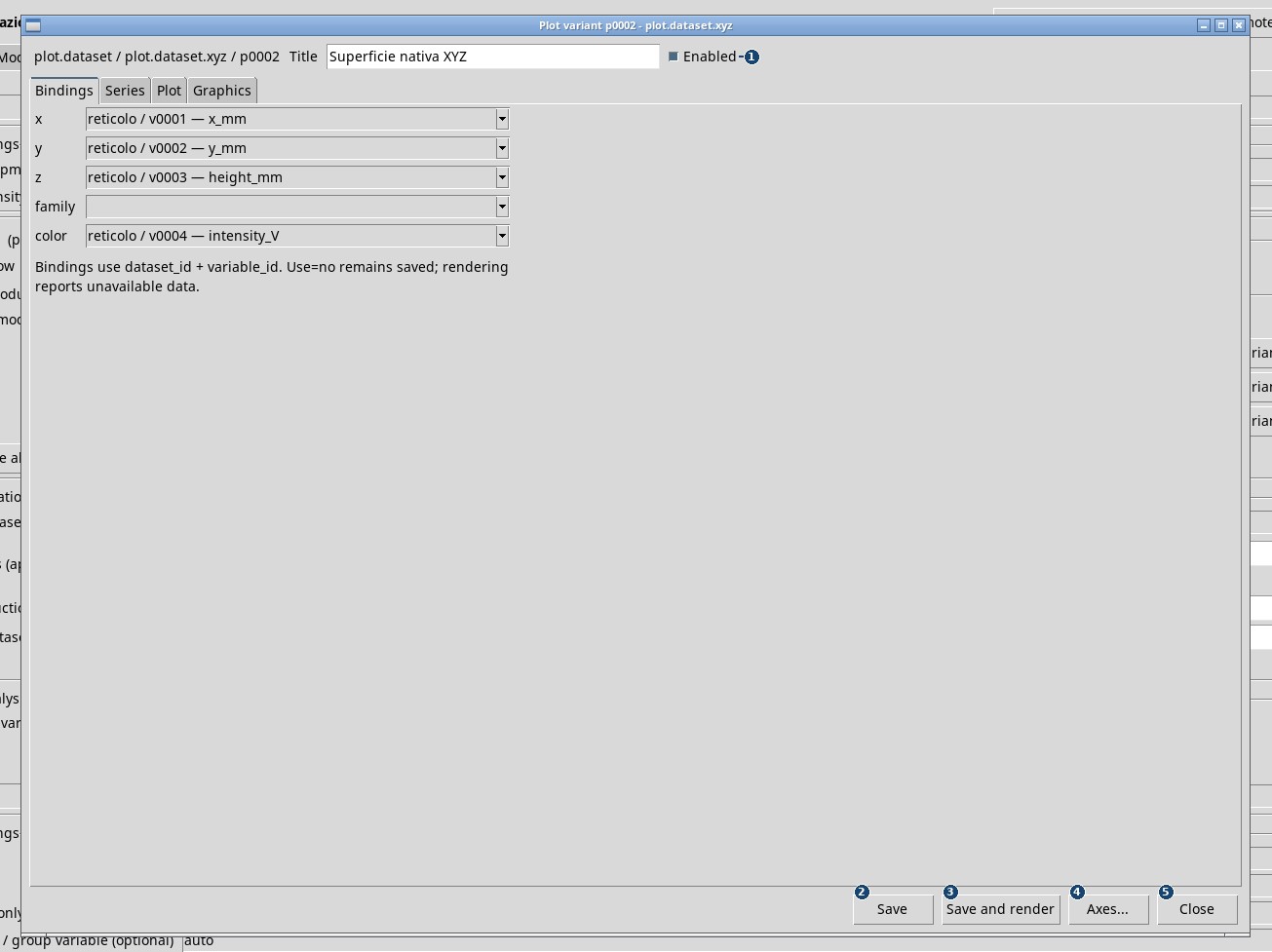
- Use New from base, assign the title Superficie nativa XYZ and check Enabled.
- In Bindings select
reticolo / v0001 — x_mm,reticolo / v0002 — y_mm,reticolo / v0003 — height_mmandreticolo / v0004 — intensity_V. Leave Family empty. Make sure all variables come from the same Dataset. A missing stable X or Y can stop a later Run. - In Plot choose
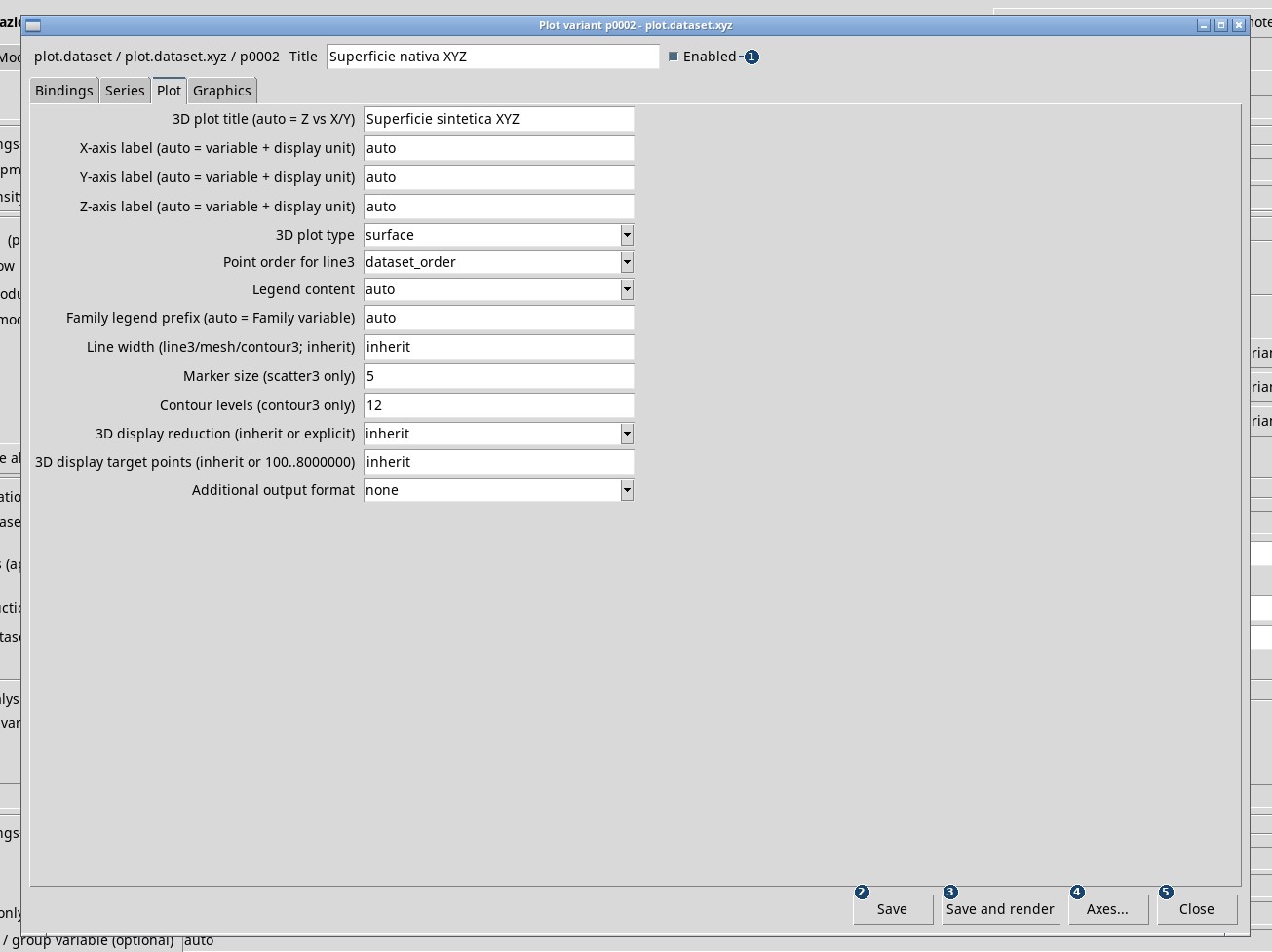
surfaceand review title, label, representation, legend, reduction and additional format. The tab Series holds the generic rows described in the chapter on sources. - In Graphics configures any rendering overrides. Axes… opens the axes of the variant. Save keeps the state. Save and render tries the render immediately. Close closes the editor.
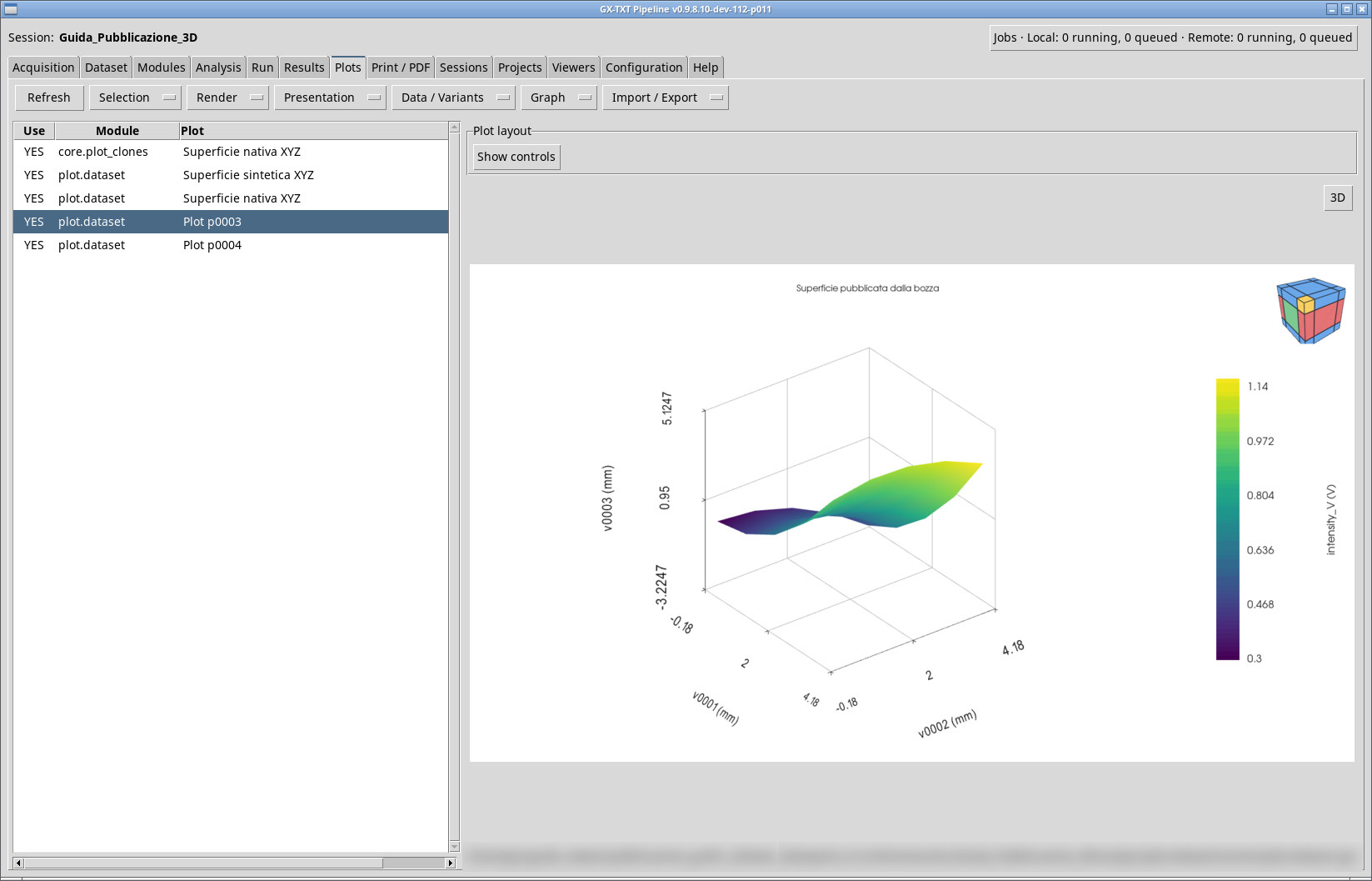
- In Plots, select the new variant and check the PNG. When the representation is allowed, the 3D button appears above the preview.
Base Run and variant render
The common Run can include the base plots and the selected variants. Independent Jobs can update a variant without creating a new base plot. After a binding change, check the new date of the PNG. If the rendering fails, the one displayed can be the artifact of the previous render.
P011-bis · rank-two enabled. Report 203 documents a comparison over three runs with the same tabular Primary. With the rank-two variant disabled, the Run completes. With it enabled, the Run can stop with Variable height_mm is not table-shaped. Disabling it again, the base figure renders again. To update the canonical grid, enable the variant and use Save and render. Disable it before the common Run.
Saving and reopening
Confirm the variant and save the Session with Save Config. Start a new GX-TXT process, open the same Session and look for the ID and title in Plots. Check that the PNG and the bindings are available. The scene saved as a Workspace, the static PNG and the image Dataset created from the inspection are different resources and are reopened with their respective browsers.