

GX-TXT Debugger · Module 07 — Scientific data and GX-TXT APIs
The GX-TXT debugger · 10-module course
When the calculation depends on the Session, the visible code is only a part of the diagnosis. We check the parameter received, the API and the operation available, the identity of variables and units. We then follow the passage from a Dataset read to a published result, verifying what happened at each border.
Download the Python and GNU Octave examples (ZIP). Extract all the archive folders and keep the multifile examples files together.
D37 — Context and parameters
A script managed by GX-TXT can receive parameters through its context. Before attributing an unexpected result to a formula, we check which value came to the script.
Frequency and period
Import and record period.m in Octave Scripts. The script declares a frequency parameter with 5 Hz default value, ctx.parameters.frequency law, verify that it is positive and calculates period = 1 / frequency.
Set a breakpoint on the assert(frequency > 0, ...) verification and start the debug. In the test the panel shows frequency = 5 and ctx as structure:
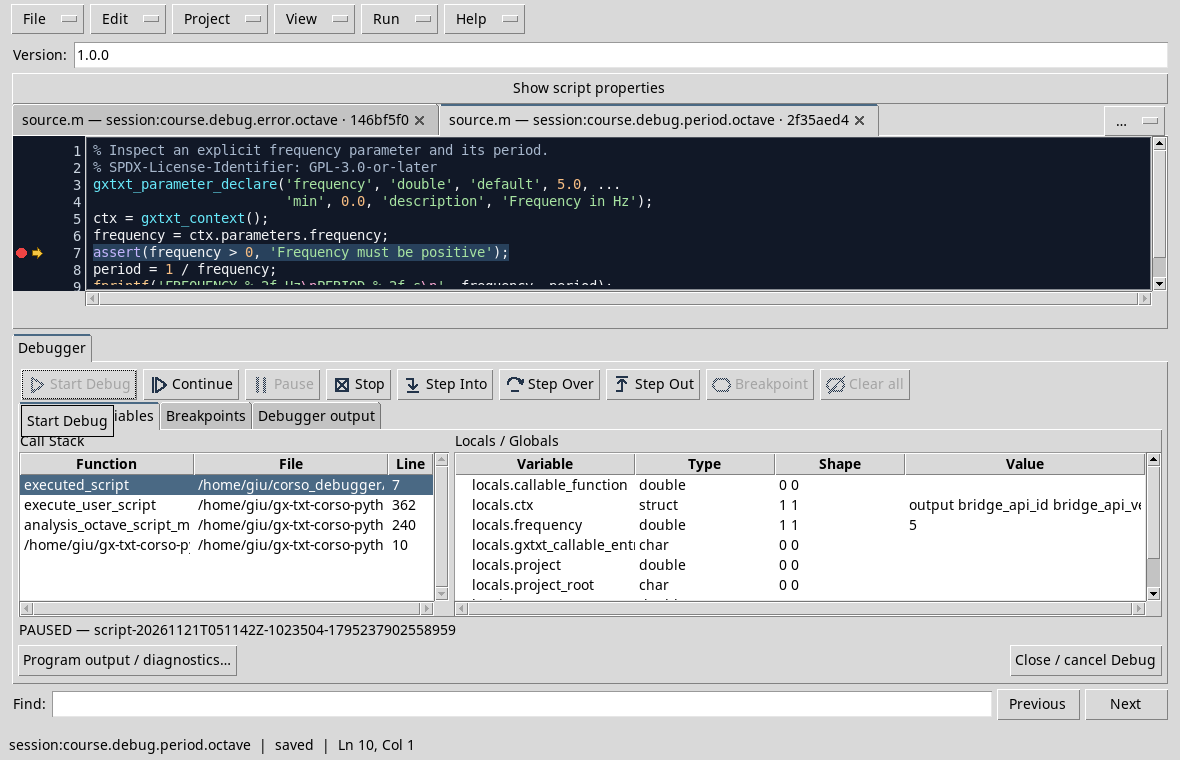
With the default value the expected period is 0,20 s. The statement admits values up to zero included, but the formula requires positive frequency: for this the script explicitly controls frequency > 0 before splitting. ctx is a context summary; to clearly observe the parameter the script assigns it to the frequency intermediate variable.
The debug test uses the available value in the Job context. For an execution with a different value, use the Runner and check the parameters proposed before booting; compare the actual Job settings with the revision of the script.
Exercise
What period do you expect with 2 Hz? Why should zero value be handled before the division?
Worked solution
The period is 0,5 s. At zero the 1 / frequency formula does not represent a finite period valid for this analysis, so the script rejects it.
Course index · Previous lesson
D38 — API and operation availability
A recognized API name is not enough to ensure that a specific operation is available in the version and context in use. Before diagnosing a calculation, we verify the stated requirements.
Check two operations
Import and record api_check.m. The script requires CANONICAL_DATASET_API_v2@2 and NUMERIC_API_v1@1, then check the read_range and statistics operations with gxtxt_api_has_operation.
Set a breakpoint on the print statement, after the two controls, and start the debug. In the copy used for the test, has_read and has_statistics are both logical with 1 value:
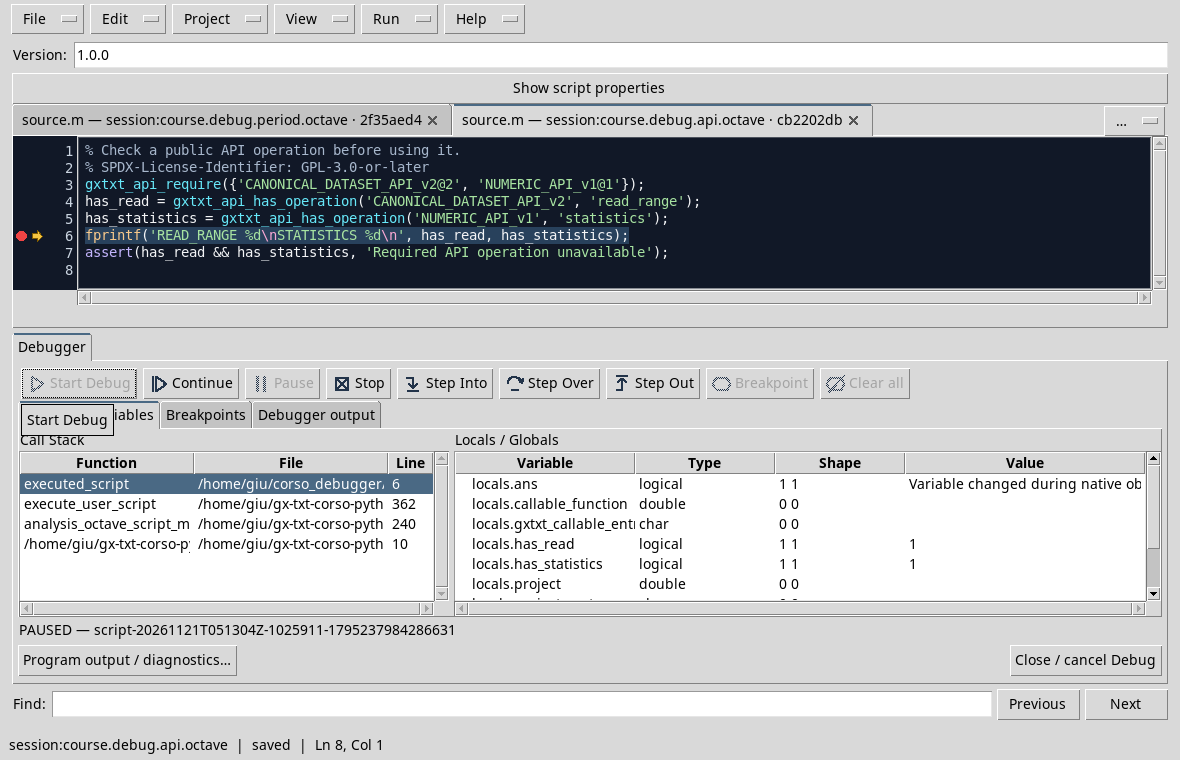
Continue to print READ_RANGE 1 and STATISTICS 1. If an operation is absent, the script would signal it with the assertion; if an API requirement is missing, gxtxt_api_require could stop before the two controls. Always check the contract and the actual version: a result at this Session does not guarantee the same inventory on all installations.
The panel can also show variables of the execution environment or limited reepylogues. For diagnosis, he observes the two explicit values prepared by the script.
Exercise
What does has_read = 1 mean? Does it also mean that a Dataset with any ID exists?
Worked solution
Indicates that the required operation is available in the context of the test. It does not prove that a particular Dataset or variable exists: it is also necessary to check the inputs of the call.
Course index · Previous lesson
D39 — Reading Datasets and variables
When an analysis reads data from GX-TXT, it controls the Dataset, the required Variable IDs, the number of elements and units before interpreting the result.
Preparing data
In a test session, it creates the debug_sensor_series Synthetic Dataset with publish_series.m, following the D41. The series contains 0, 1, 2 s times and 1, 2, 3 V voltages. The ID is created-only: to repeat the publication use a new Session or change the ID in both scripts.
Import and record read_series.m. Set a breakpoint on the read_range call and start the debug. Before the call you can check dataset_id = debug_sensor_series, time_s and voltage_v, 0 start and 3 required number.
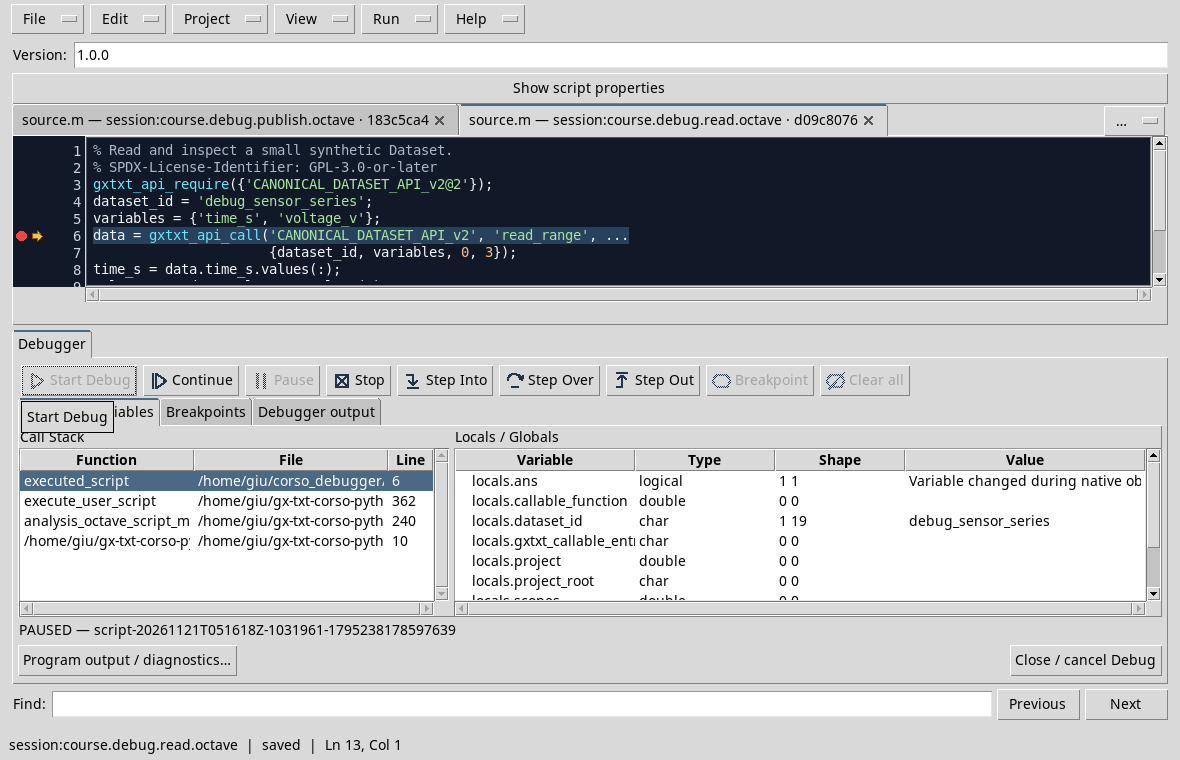
Press Step Over to complete the call, then two more steps to extract the carriers from the returned structure. Locals / Globals: in the test time_s and voltage_v they have shape 3 1 and values respectively 0 1 2 and 1 2 3.
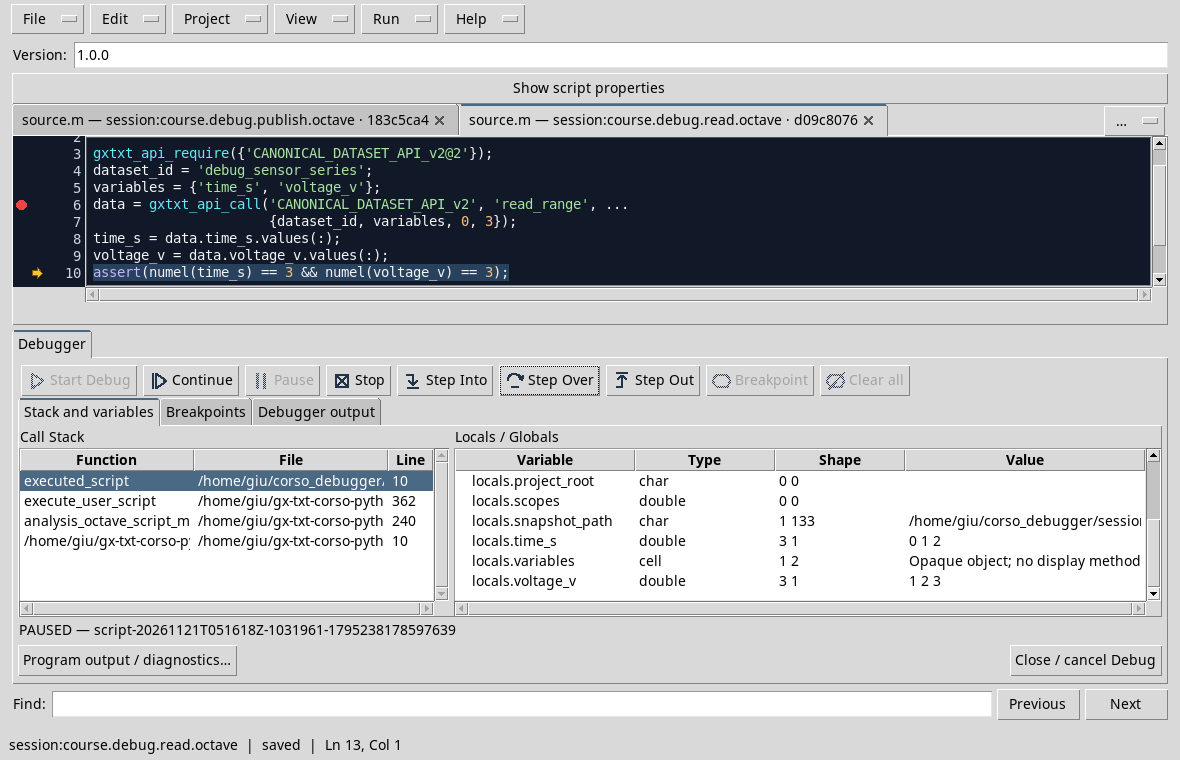
The next assignment checks that both have three elements. The names of variables and units must be consistent with the published Dataset; an operation available alone does not guarantee that a requested ID is correct.
Exercise
Why is size control useful before comparing time and tension?
Worked solution
It helps to detect incomplete readings or carriers of incompatible length. It does not show alone that unity and association between samples are correct: even those must be verified.
Course index · Previous lesson
D40 — Transformations and units
A numerical value can be correctly calculated and misinterpreted if we lose the unit. Before a transformation, we make explicit greatness, unity of input and unity of the result.
Follow a conversion
Use temperature_fixed.m in the Test Session. The script starts from celsius = 20, adds offset = 273.15 and gets kelvin = 293.15. Put a breakpoint on the press and start the debugger.
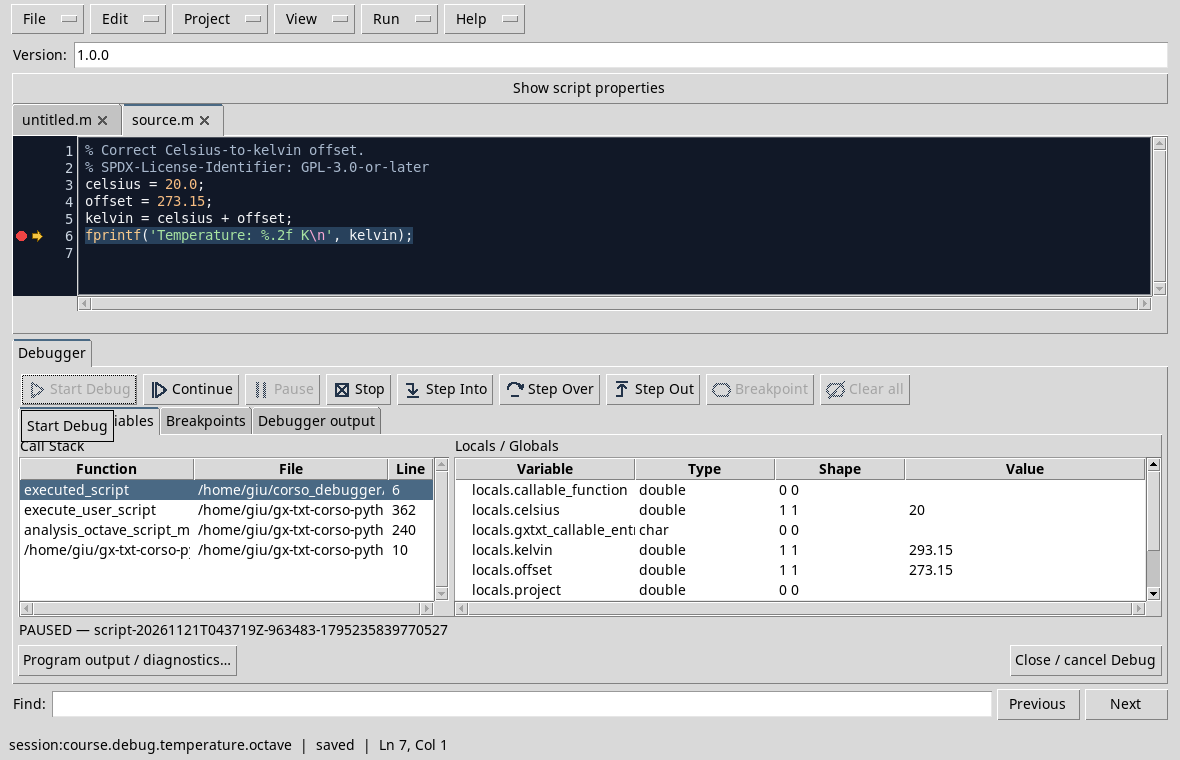
In the test the panel shows the three climbers. The 293.15 numerical value must be interpreted as kelvin because they specify the formula, the names and the print: the numerical type alone does not automatically contain this explanation.
When these values come from a Dataset, it also checks units and Variable IDs declared to the source. In the D39, time_s and voltage_v are different sizes: it is not enough for the carriers to have the same length to exchange them.
Exercise
If you interpret 20 °C like 20 K without conversion, should the program necessarily give a syntax error?
Worked solution
No. Both are valid numbers; it is the physical interpretation to be wrong. Explicit units and controls are required with independent expected values.
Course index · Previous lesson
D41 — Publishing and creating results
A calculation in memory and the publication of a Dataset are two distinct moments. A breakpoint before the call allows you to check inputs before the Session receives a result.
Preparing synthetic data
Use a Test Session and import publish_series.m to Octave Scripts. The code prepares three 0, 1, 2 s times and three 1, 2, 3 V voltages. The request assigns the debug_sensor_series ID and time_s and voltage_v variables.
The Dataset is created-only: if it already exists, use a new Session or change the ID in the script and in those that read it. Save before the test.
Stop before publication
Set a breakpoint on the construction of request, after the definition of the two vectors. Start the debug and check the data in the source and available reepylogues. Request and call to publish_series must still be made:
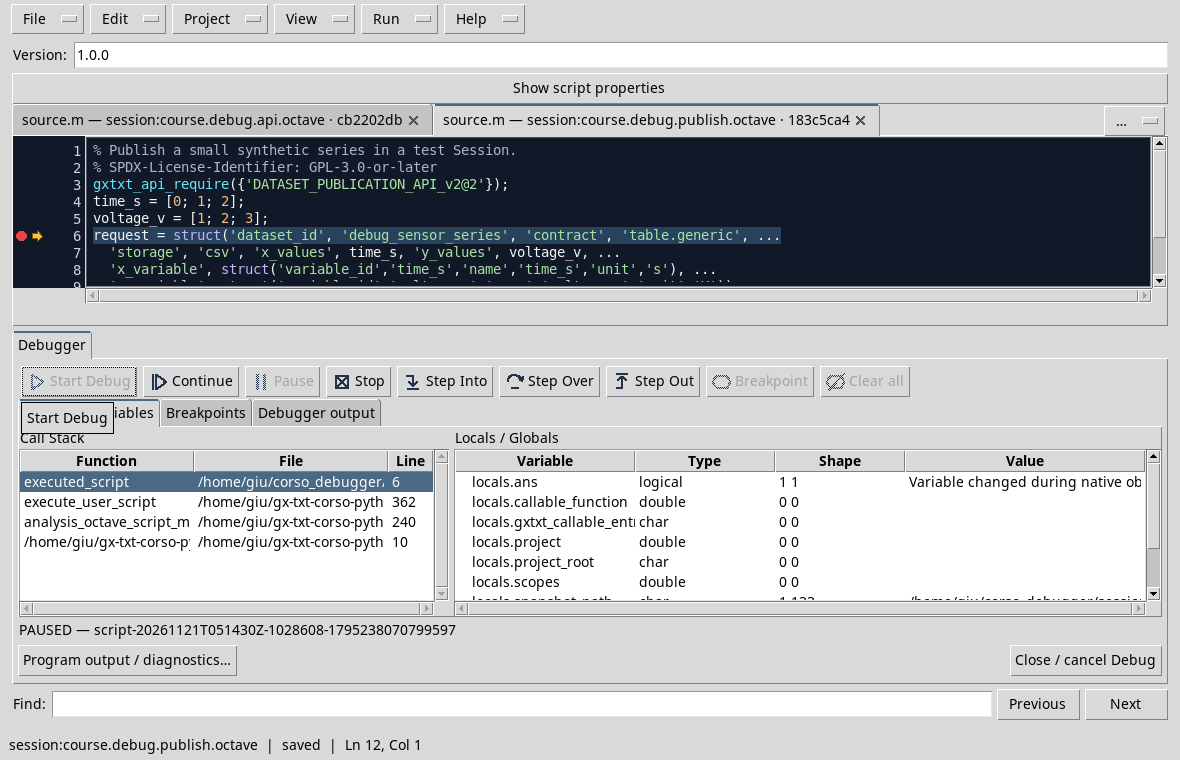
Press Continue. In the test the Job arrives at COMPLETED; the Synthetic Dataset is available at the Session and can be read by the example of the D39.
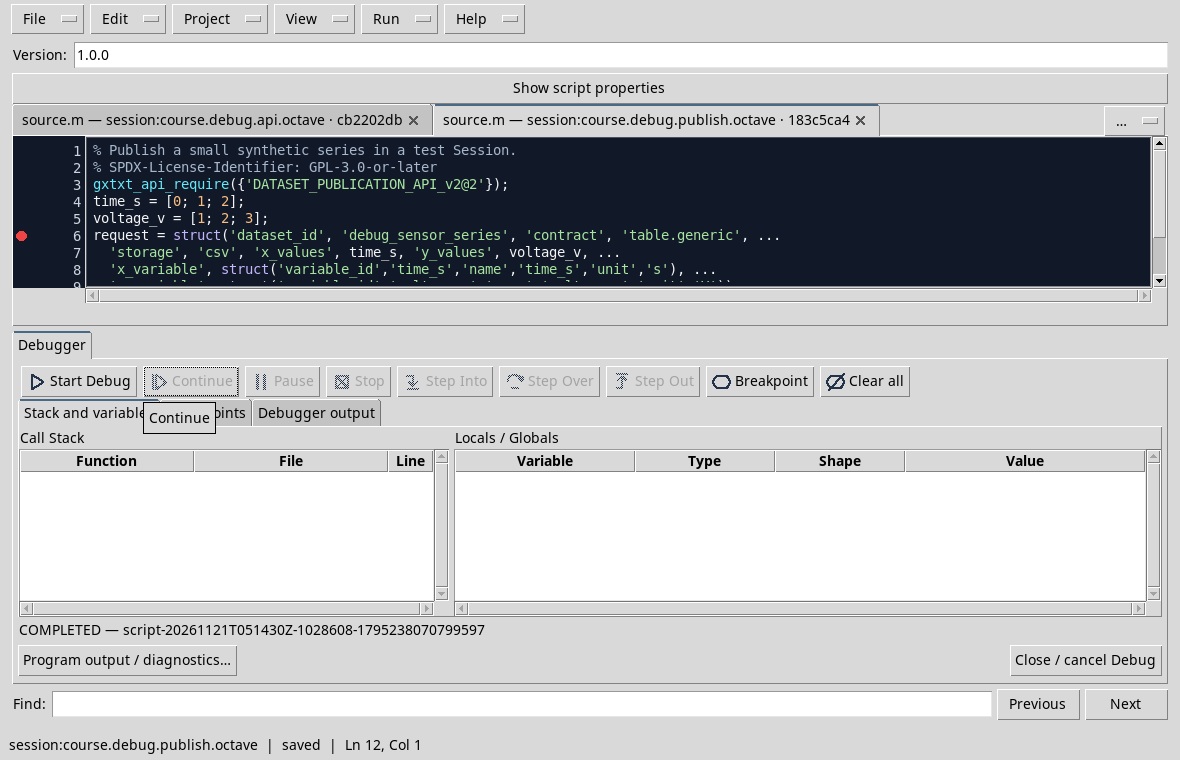
If you repeat the execution with the same ID in the same session, do not assume that the publication overwrites the Dataset: choose a new ID or a new trial session.
Exercise
The program is paused before the construction of the request. Has the Dataset already been published by this execution?
Worked solution
No. The call to publish_series comes after the pause line. After Continue, check the Job outcome and check the Dataset in the Session.
D42 — Bridge errors and program errors
A call through Script Bridge can fail because the request does not match the available data. The message should be interpreted together with the arguments prepared by the script, without confusing it with a local indexing error.
An intentionally absent dataset
In a test session that does not contain debug_missing_dataset_example, it matters missing_dataset.m. The script requires a deliberately non-existent ID via CANONICAL_DATASET_API_v2/read_range. Put a breakpoint on the call and start the debug.
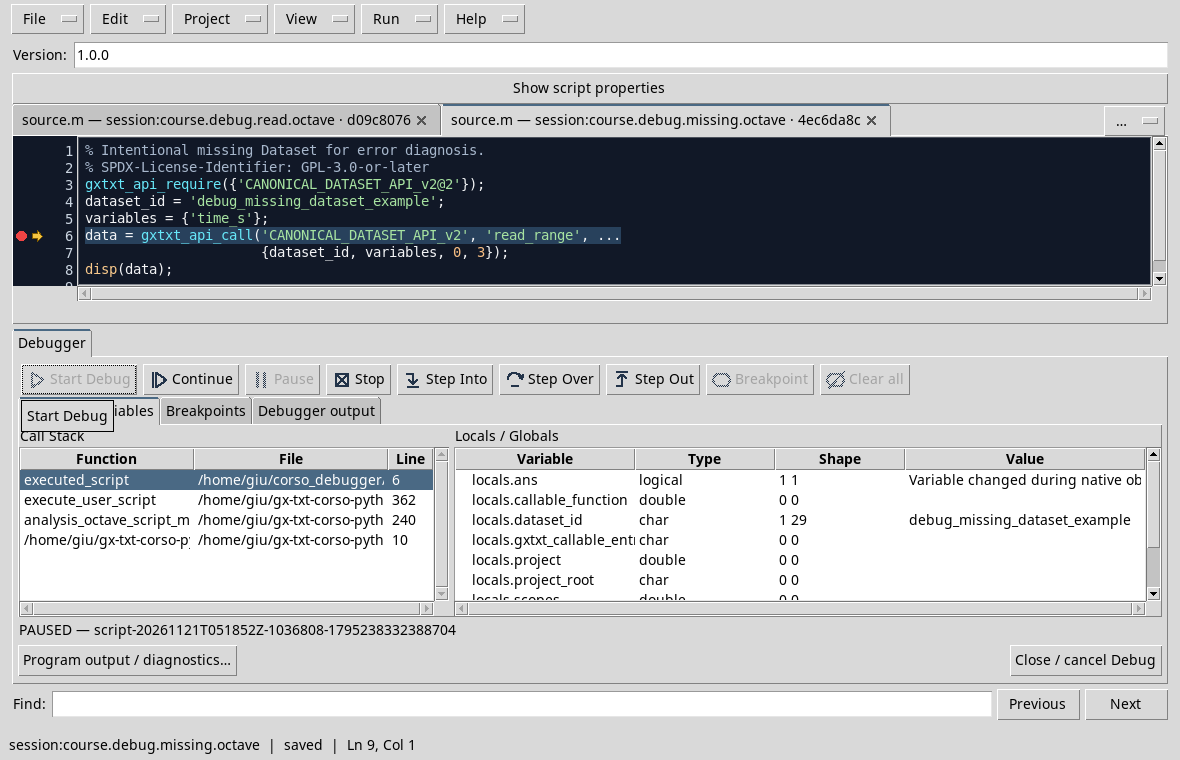
Press Continue. In the test the Job ends with FAILED and reports Unknown dataset: debug_missing_dataset_example:
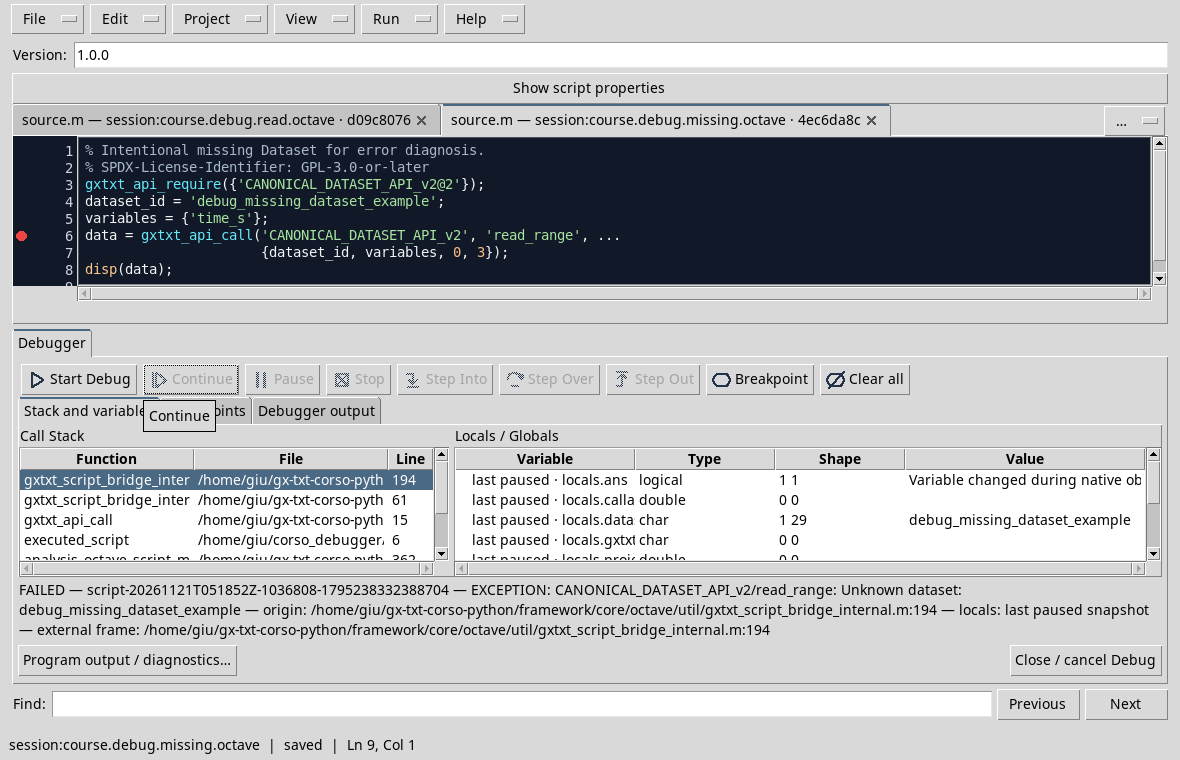
The message identifies the operation and the required ID. The track also crosses Bridge functions: to find the error in our example, it returns to the topics of the call in the source. The indication last paused refers to the last photograph observed, not to living variables after failure.
Compare the D35, where the error was an Octave index out of range on a carrier already in memory. Here the request deliberately points to an absent Dataset: it is not a fault of the framework. For a valid reading, prepare the D41 series and use the D39 script.
Exercise
A message says a Dataset is unknown. What do you check before changing the numeric formula?
Worked solution
Check Open Session, Dataset existence and exact match of the required ID. Then check the variables and parameters of the reading.
Course index · Previous lesson
In order to find the same situation in another execution, it is also necessary to identify the source, revision, session and project resources.
Previous: Module 06 · 10-module course contents · Next: Module 08
Other steps of this project
- Debugging GNU Octave in GX-TXT: Breakpoints, Variables and Public APIs
- GX-TXT Debugger · Module 08 — Projects, revisions and Sessions
- GX-TXT Debugger · Module 09 — Integrated practical cases
- GX-TXT Debugger · Module 10 — Independent debugging and the final project
- GX-TXT Debugger · Guide 05 — Debugging scientific data: vectors, structures and Datasets
- GX-TXT Debugger · Guide 06 — Debugging a complete scientific workflow