IR Remote-Control Protocol Identification
GX-TXT DEV112 P011-bis
Identify an IR remote-control protocol from the measured intervals and check decoding and diagnostics.
GX-TXT P011-bis · module 2.0.2. IR protocol identification compares carrier and MARK/SPACE timings with a collection of remote-control profiles. It ranks the candidates by deviation and accepts the first one if it meets both operating thresholds.
Prepare the Dataset and reconstruct the events
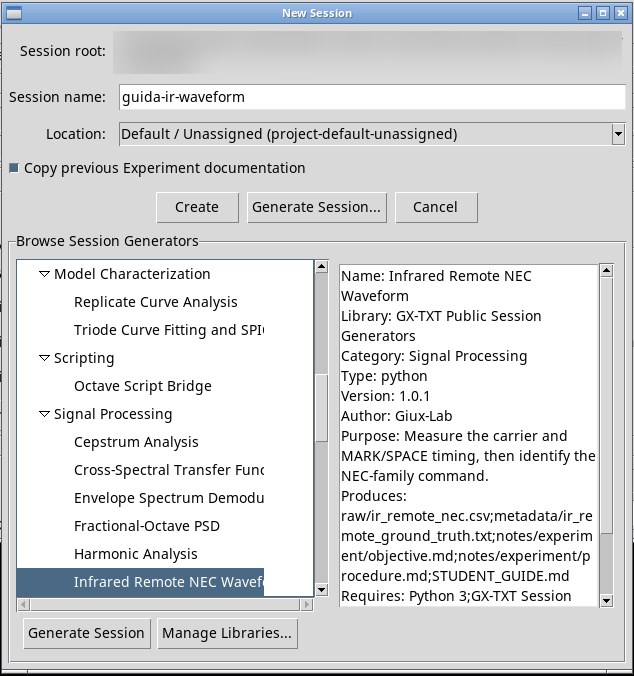
Create a Standalone Session with Infrared Remote NEC Waveform (ir_remote_nec) from Session → New Session → Generate Session. Open ir.remote.source in Datasets and check time and VIR in Preview and Metadata. Run IR waveform / MARK-SPACE analysis on the same trace. The event timings and the carrier are the inputs of the classification. Procedure for reconstructing the events.
Set input and thresholds
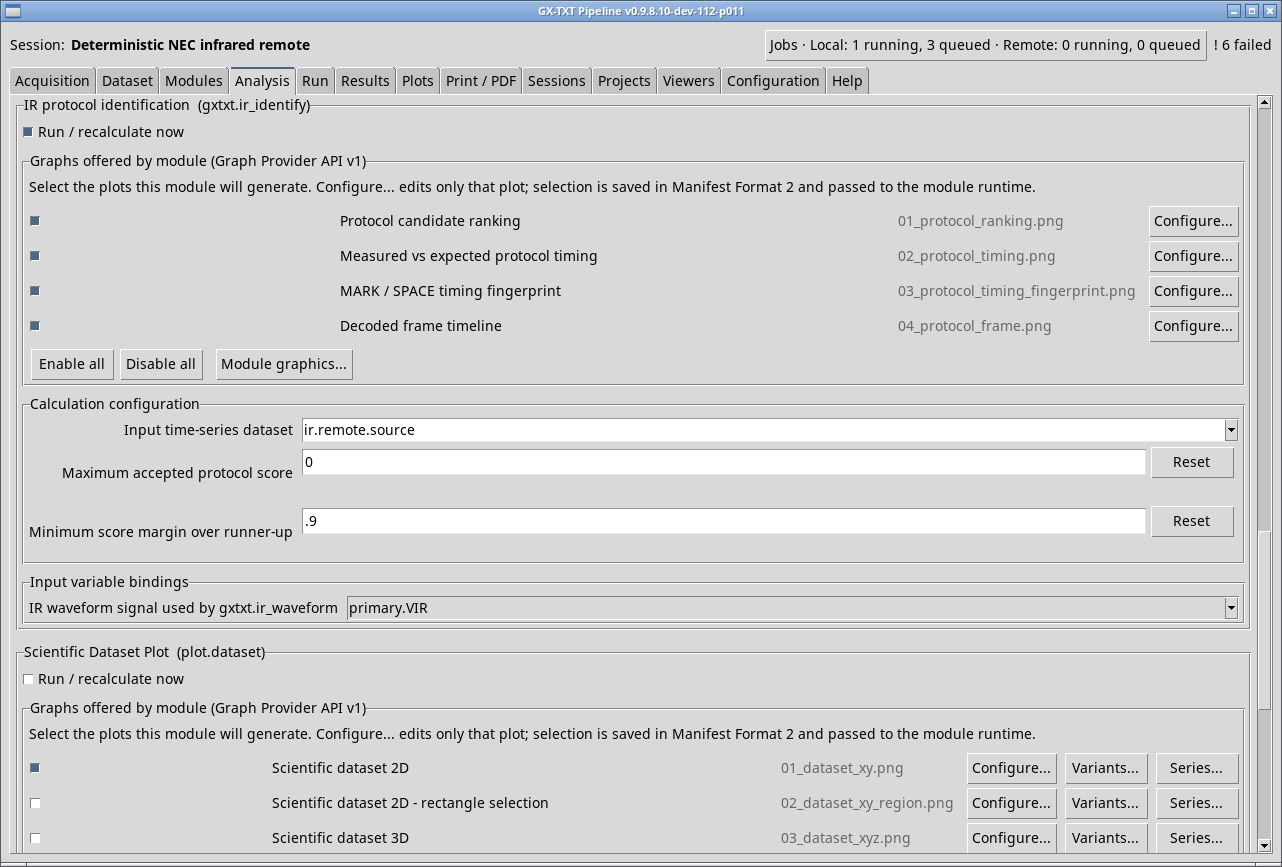
In Configuration → Modules → Analysis & Services enable IR protocol identification after checking Health. In Analysis tick Run / recalculate now.
- Input time-series dataset
- Choose or type
ir.remote.source. It must match the time series analyzed in the MARK/SPACE step. - IR waveform signal used by gxtxt.ir_waveform
- The test uses
primary.VIR, the same binding as the waveform module.autoleaves the resolution automatic. Check that the report points to the events of the expected trace. - Maximum accepted protocol score
- Upper limit on the deviation of the best candidate. A lower score indicates a closer match with the profile. Default 0.28. Lowering it makes acceptance stricter.
- Minimum score margin over runner-up
- Minimum required lead over the second candidate, initially 0.03. Increasing it makes the ranking separation requirement stricter.
- Reset and validation
- Reset next to each threshold restores the initial value. The message next to the field gives the cause of a value that is not allowed.
Tell ranking apart from acceptance
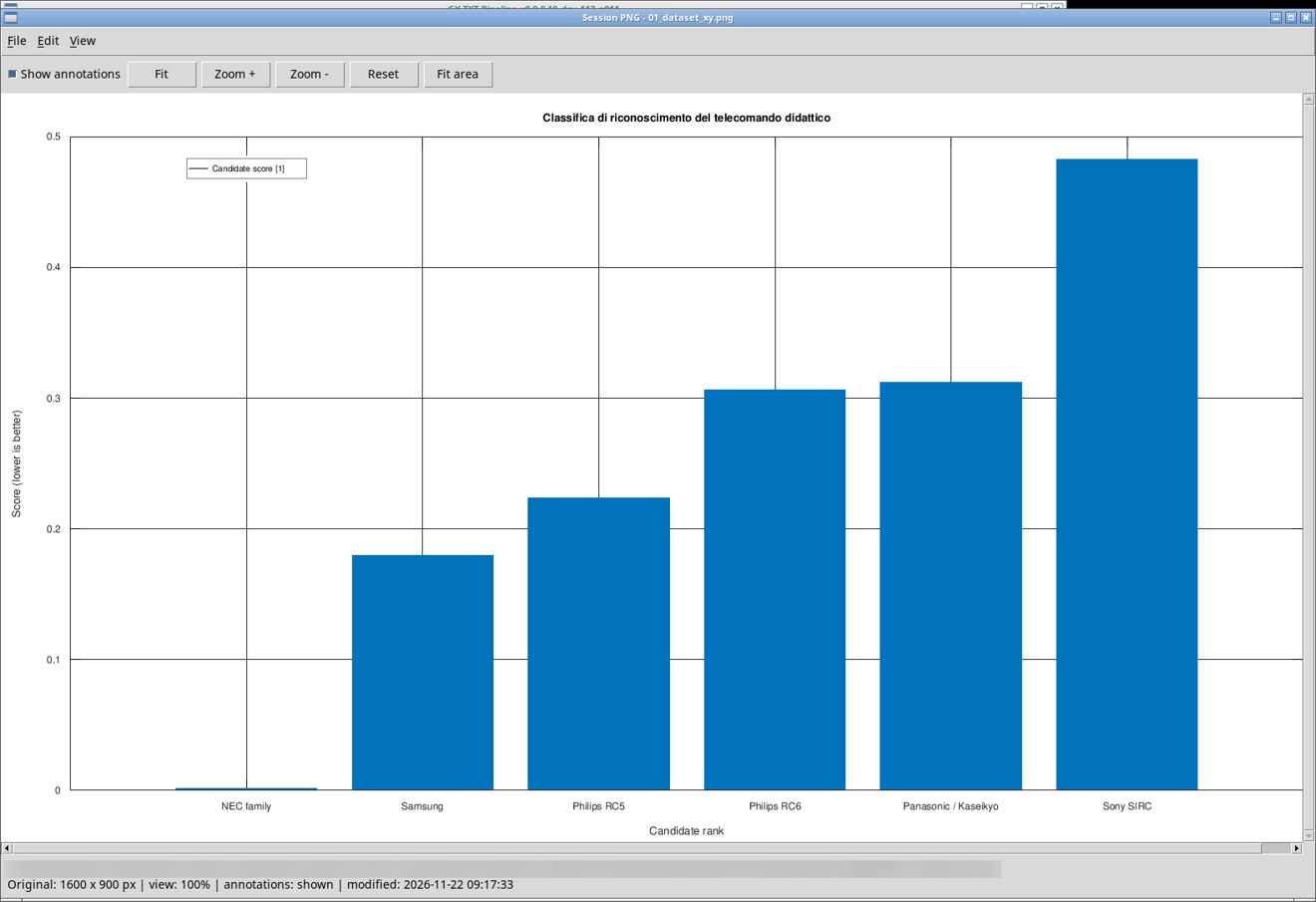
Open Run, update the plan and start the selective analysis. In Results read protocol_identification.txt. With thresholds 0.28 and 0.03 the test gives ACCEPTED, NEC family with score 0.001419, Samsung second, margin 0.178133 and 32 bits. The report records the NEC complements of address and command and the contributions of carrier and timing. The ranked profiles also include Philips RC5, Philips RC6, Panasonic/Kaseikyo and Sony SIRC.
Repeat with threshold 0 and margin 0.9. The Run ends and the report gives UNKNOWN and Identification accepted: no. The ranking is a diagnostic result even in the rejected case. The score expresses a deviation, with method-dependent thresholds.
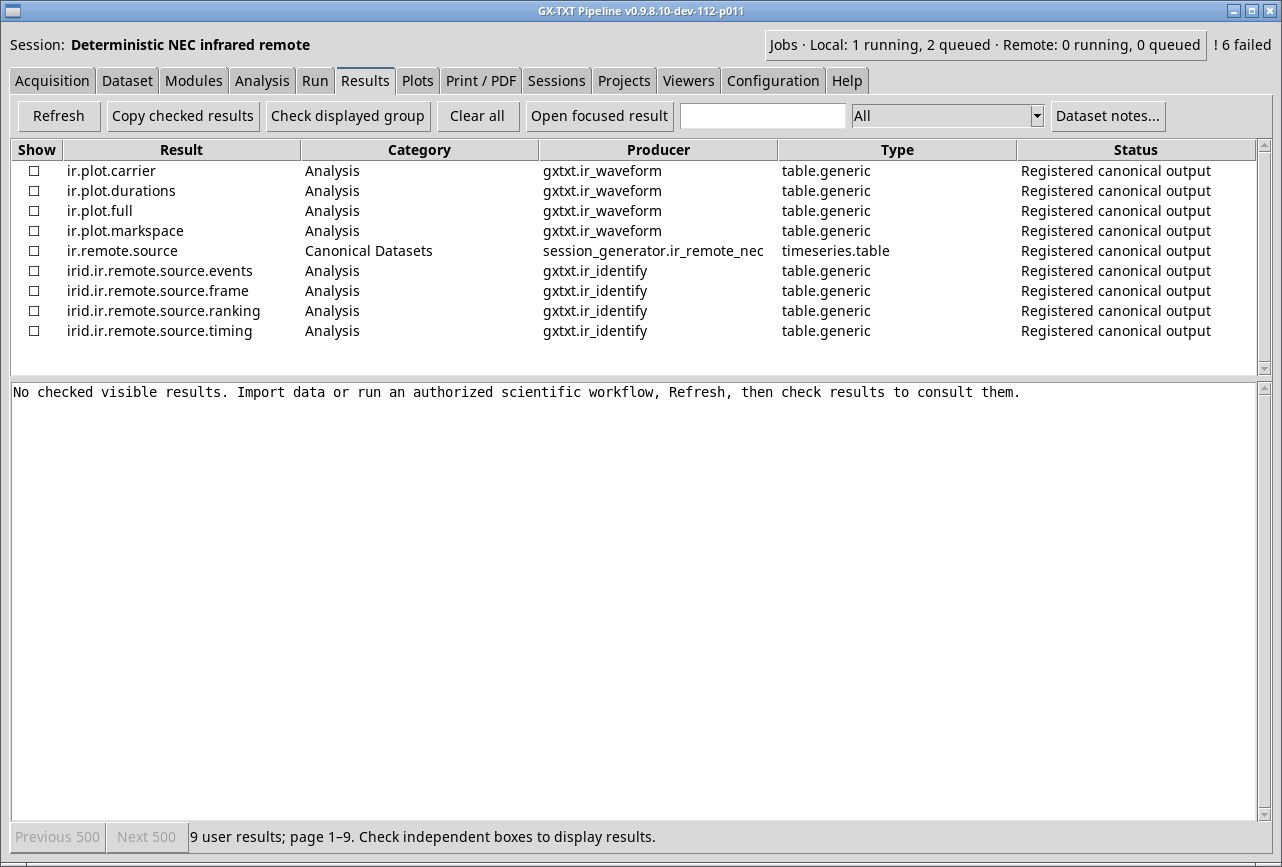
Open the Datasets with prefix irid.ir.remote.source. and suffixes ranking, timing, events and frame. Use Preview, Metadata and Canonical table to read ranking, timing comparison, events and frame. The files protocol_candidates.csv, protocol_timing.csv and protocol_frame.csv can be read from Results.
Choose and customize the views
In Graphs offered by module leaves the tick of the views to generate on. Enable all and Disable all change the group. Configure… acts on the single proposal. Module graphics… acts on the common settings of the module.
- Protocol candidate ranking
- Shows the deviations of the ranked candidates. Read the margin between the first two entries.
- Measured vs expected protocol timing
- Compares the measured timings with the model and lets you spot mismatching components.
- MARK / SPACE timing fingerprint
- Shows the timing fingerprint of bursts and pauses.
- Decoded frame timeline
- Shows the sequence of fields of the decoded frame when available.
In Plots select the plot variant. Open Presentation → Title and labels…, change the title, save and choose Render → Rerender. The PNG can be opened with Graph → Open PNG 1:1.