XAS Normalization
GX-TXT DEV112 P011-bis
Normalize XAS spectra and check intervals, diagnostics and results of the workflow for spectral families.
GX-TXT P011-bis · module 1.0.2. XAS normalization estimates or applies an E0, fits the pre-edge and post-edge background and scales the μ(E) spectrum by the edge step. The diagnostics record E0, windows, step, order and state for each member.
Prepare an XAS family in eV
In the search of the tested build no Generator for XAS normalization turned up. Use the teaching family of four spectra (ZIP), created with transitions at slightly different energies. The first column contains energy in eV, the next four the μ values.
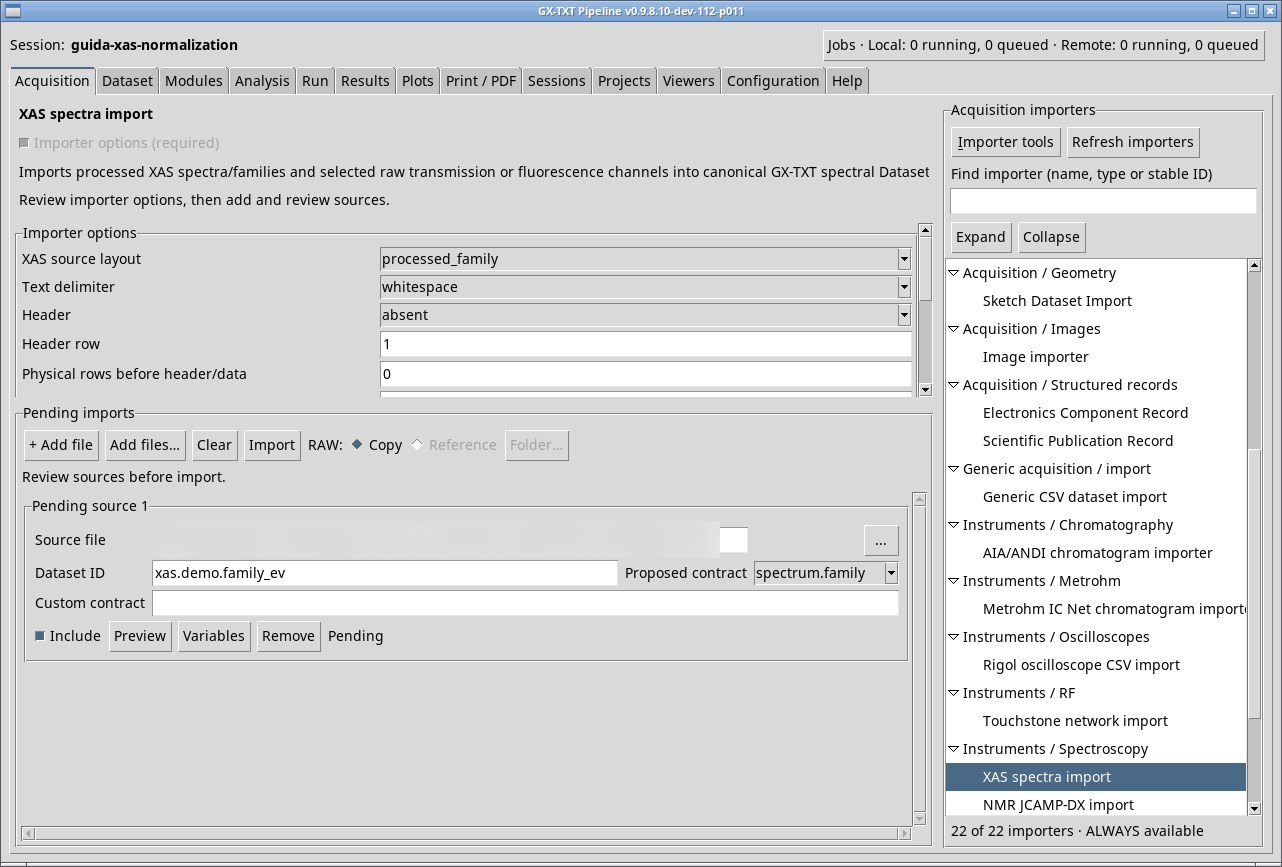
- Create a Session, open Acquisition and select the XAS handler. Choose
processed_family, separatorwhitespace, headerabsent, Energy column 1, first data column 2. Leave the last column at 0 to include up to the end. ChooseeVas the energy unit. - Add the file, use
xas.demo.family_evas ID andspectrum.familyas contract, then choose Import current. - In Datasets enable the family. In Preview and Metadata check members, axis
spectral_xin eV and μ inspectral_y. The original family in keV was rejected by the Run. If you have a file in keV, you must convert the numerical energy values, multiplying them by 1,000, and only then import them with eV units.
Determine E0 and the fit windows
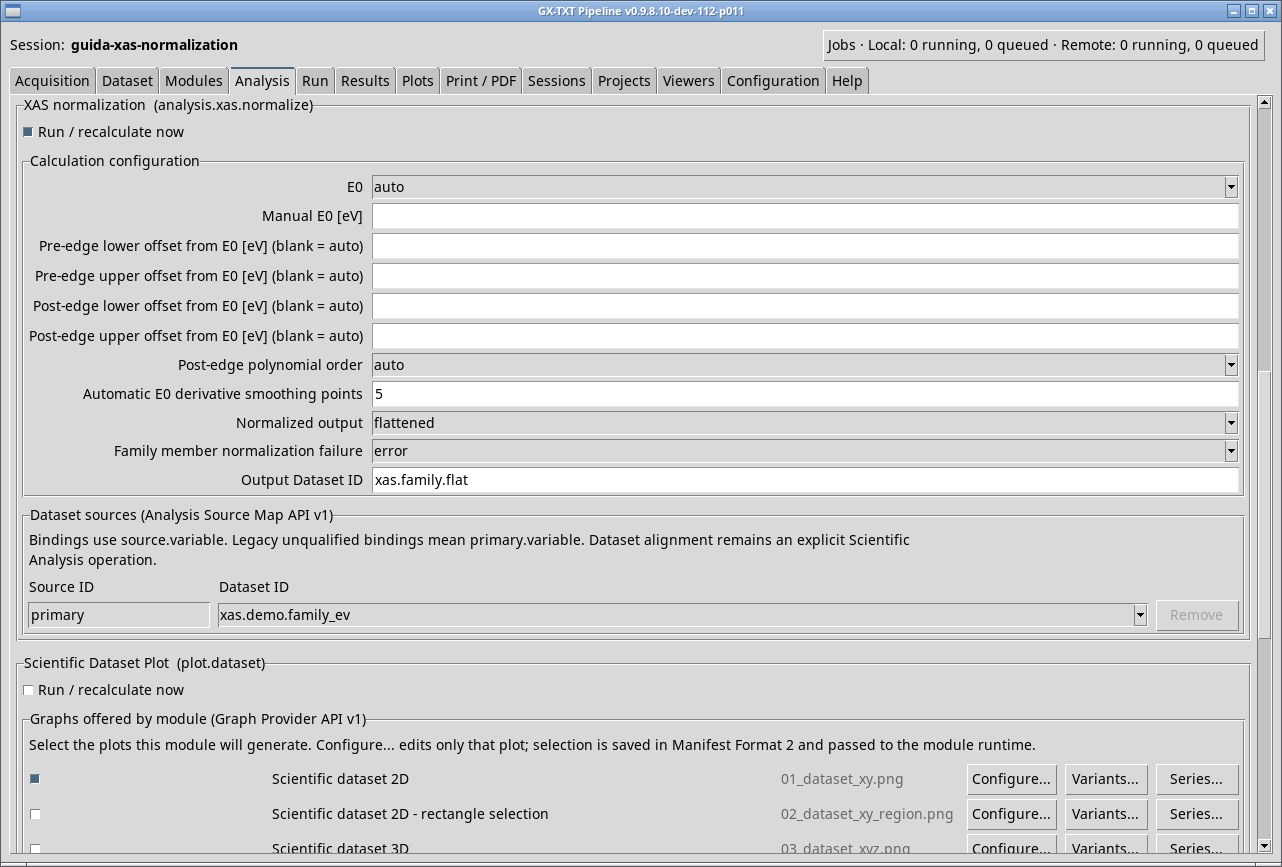
In Configuration → Modules → Analysis & Services press Enable module on the entry XAS normalization. Check Health, then open Analysis. Select Run / recalculate now and assign xas.demo.family_ev to primary. + Add source adds an alias. Remove releases the main source or removes an added alias. The example computation uses only primary and the canonical variables of the family.
- E0
autosearches for the maximum of the smoothed derivative for each member.manualapplies the value entered in Manual E0 [eV]. The manual value must fall within the useful domain.- Pre-edge lower / upper offset from E0 [eV]
- Limits of the pre-edge fit, relative to E0. Use two increasing, typically negative values, for example −100 and −50. Empty delegates to the automatic choice.
- Post-edge lower / upper offset from E0 [eV]
- Limits of the post-edge fit, typically positive. The manual test uses 30 and 110. Empty chooses the windows automatically. Both windows must contain enough points for their fit.
- Post-edge polynomial order
autochooses the order based on the data in the region.0fits a constant level,1a straight line,2a quadratic polynomial. Check the effective order in the report.- Automatic E0 derivative smoothing points
- Number of points of the moving-average smoothing of the derivative used for automatic E0. The default is 5. The choice
manualuses the given E0 directly. - Normalized output
normalizedsubtracts the background and scales by the edge step.flattenedalso removes the residual post-edge trend using the fit. Compare the two results on the same input and with the same windows.- Family member normalization failure
skip_with_reportcontinues on the valid members and records the rejected ones.errorstops if a member fails. After the Run, check the count and the diagnostics, even when all the published spectra pass.- Output Dataset ID
- Assign an ID, for example
xas.family.flat. The diagnostics use the suffix.diagnostics. Use separate IDs to compare preparations.
Run the family and read the diagnostics
For the first case choose E0 auto, empty offsets, order auto, output flattened and ID xas.family.flat. Open Run, update the plan and start the selective analysis. In the test the Session published four members and zero rejects. The E0 values are 7113, 7116, 7118 and 7121 eV, with steps from about 1.25009 to 1.25016 and a first-order post-edge fit.
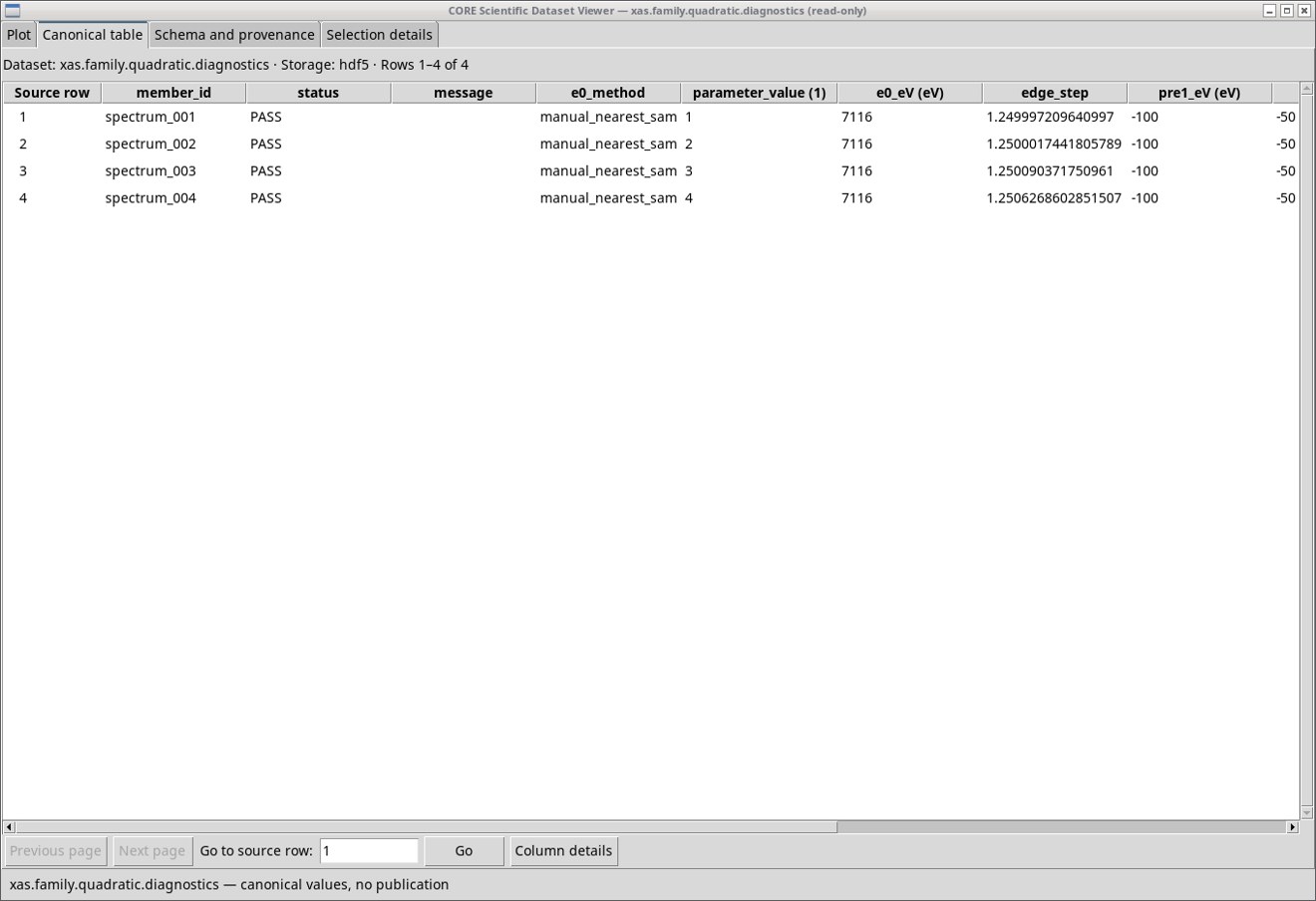
To compare other fits, set manual E0 7116 eV, pre-edge −100 and −50 eV, post-edge 30 and 110 eV and normalized. Both the order 0 and the order 2 tests succeeded, with distinct IDs.
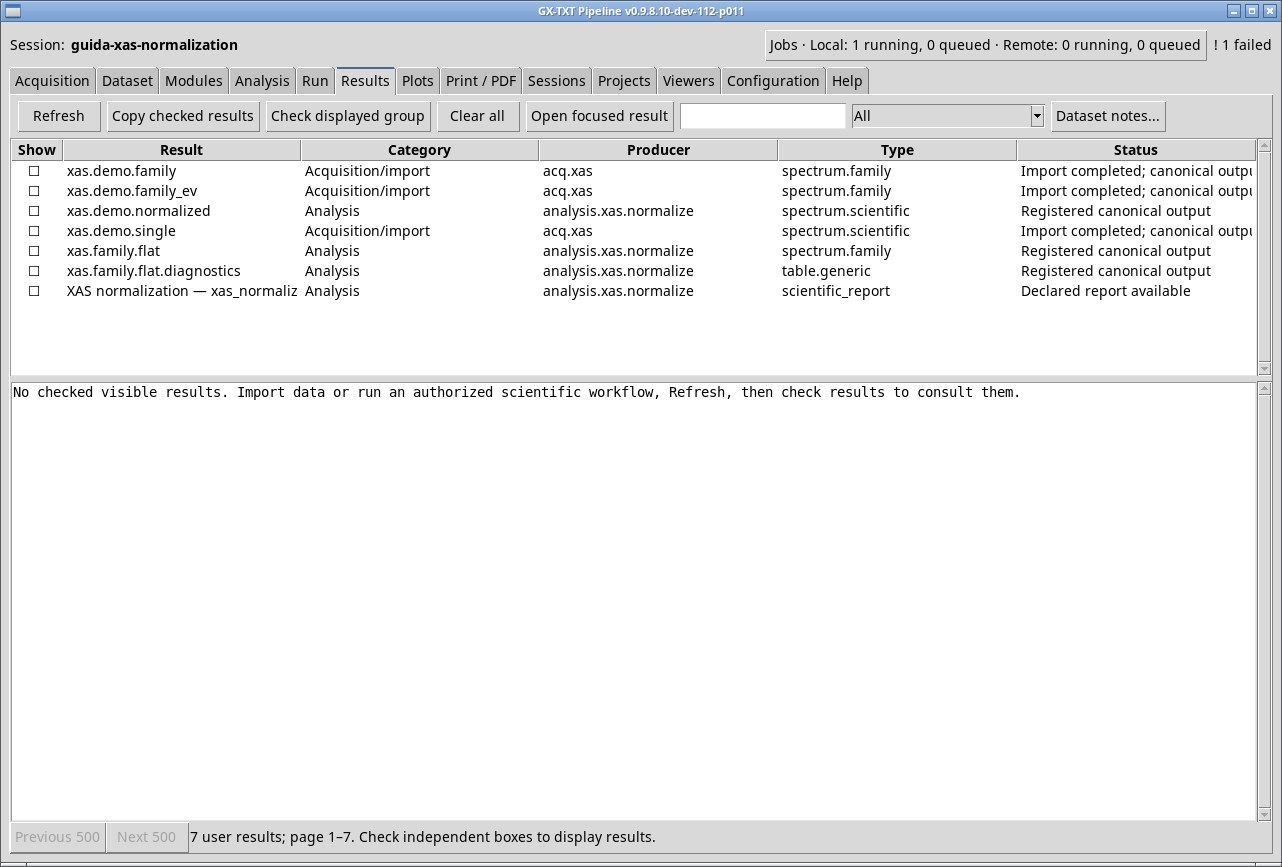
In Results read xas_normalization_report.txt. In Datasets open the result and xas.family.flat.diagnostics. Use Preview, Metadata and Canonical table to inspect units, representation, values, windows and state. Plots is empty in the tested case. To display the family you can open the normalized Dataset in the XAS viewer.
Check the state for a single spectrum
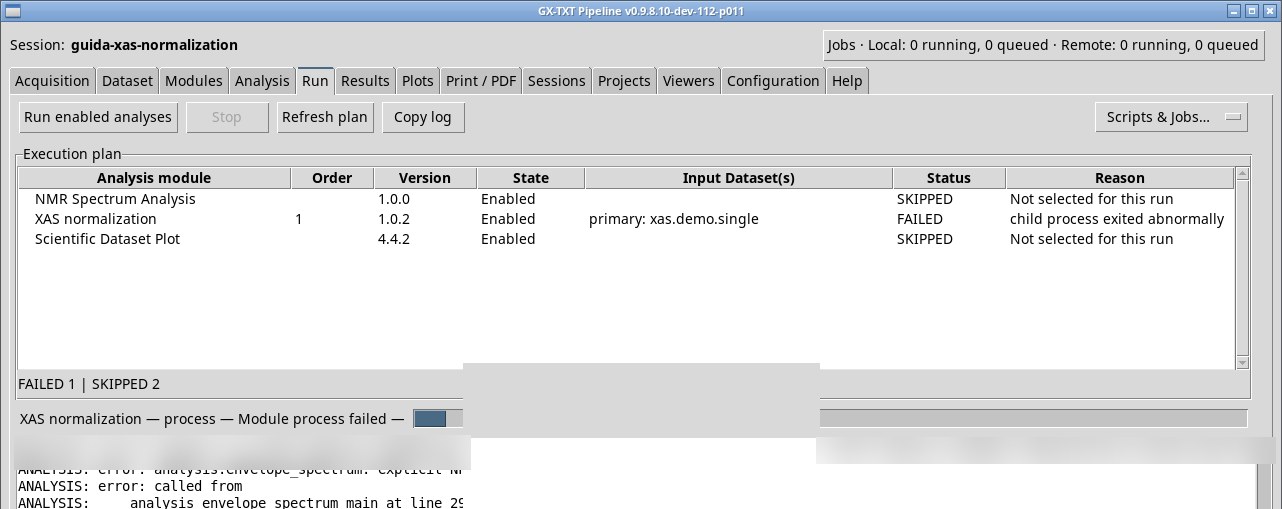
The XAS handler can import singolo.csv (ZIP) with processed_single, separator comma, header present, energy column 1 and μ 2, eV units and contract spectrum.scientific. With this input, the tested build left the normalized Dataset in the Session and ended with FAILED while publishing the diagnostics. The problem recurred with automatic E0 and with manual E0 7112 eV, order 1. Check the Run state and that .diagnostics exists before using the output. The family path in eV described above completed the publication.