Acquire IR and NMR Spectra in a Session
Measured samples, representations, plots and linked Datasets.
Two numeric ethanol spectra
This exercise preserves two numeric originals from different sources. The IR reference on the PubChem record points to spectral content. For the plots, acquire data from the NIST and BMRB originals.
- Gas-phase IR
- The ethanol JCAMP-DX file contains 880 absorbance samples from 450 to 3966 cm⁻¹ in steps of 4 cm⁻¹. The source credits Sadtler Research Laboratories under a US EPA contract. Use the original archive file, which includes attribution, terms and a rights reservation notice. NIST Chemistry WebBook, Ethanol IR · JCAMP-DX file.
- ¹H NMR at 400 MHz
bmse000297, DOI10.13018/BMSE000297, contains the ethanol spectrum in D₂O. The example uses the processed real channelpdata/1/1rand calibrationprocs. It yields 32,768 numeric pairs, with a decreasing ppm axis and intensity in the original counts. The calibration usesOFFSET − i × SW_p / (SF × SI), withistarting at zero. The script applies no additional scaling to the archived channel. BMRB Metabolomics, ethanol · Experiment 1 archive · BMRB data policy.
Prepare and install the spectra Library
Use a managed scientific.spectra ZIP with scientific.spectrum records in the numeric_source representation. Each record contains its declared format, parsing options, provenance and a local numeric resource with its bytes and SHA-256 hash. The metadata-only catalog and NMR chemical-shift reference library serve different purposes. Manual entry accepts PDFs or images as attachments. Use the managed package for these two numeric originals.
Download the originals from the sources above and follow the local preparation instructions to reproduce the example. Preparation instructions and filenames · Extract the ¹H channel · Prepare the ZIP package.
Note. The site delivers the programs with the .py_.txt extension. After downloading, rename them by removing _.txt, for example from gxtxt-sl-estrai_bmrb.py_.txt to estrai_bmrb.py, so that you can use the command names on this page.
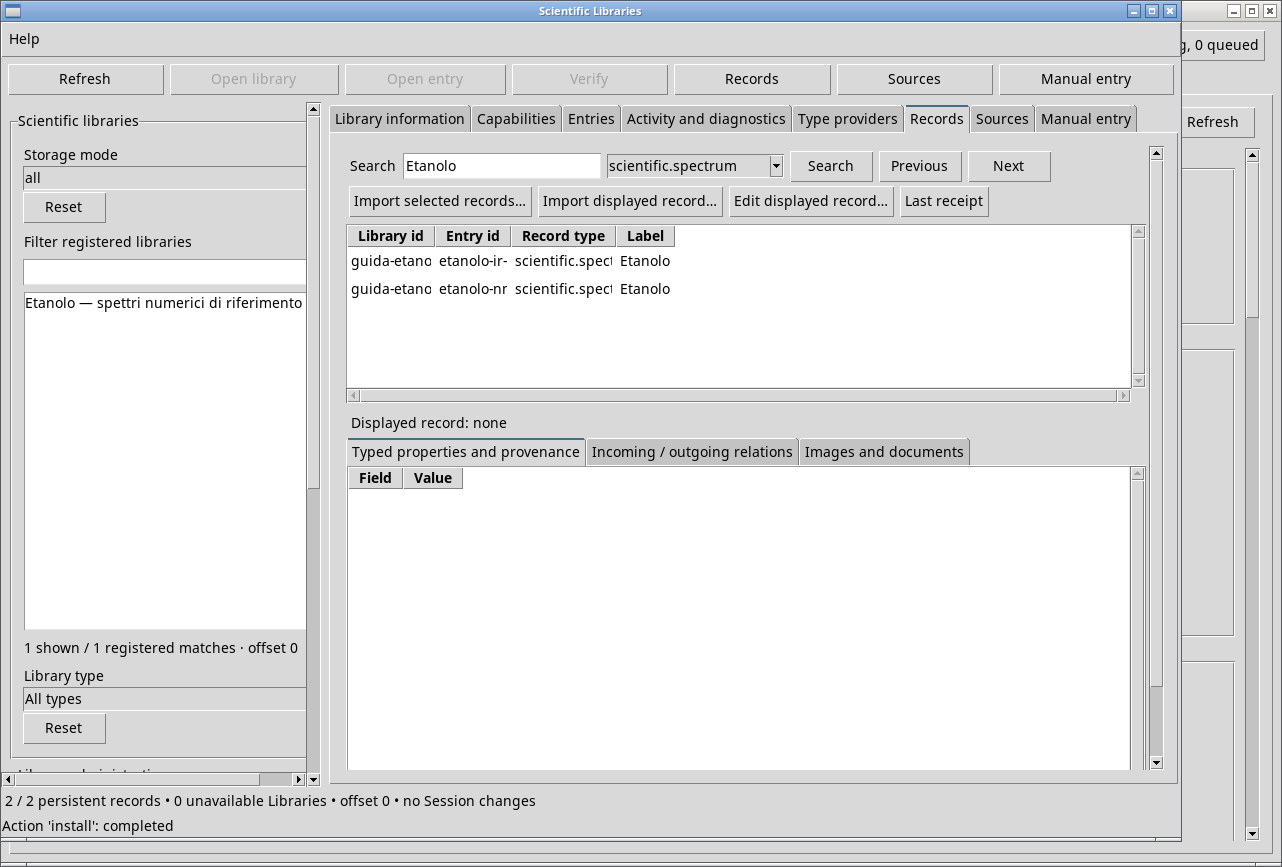
In Library administration, use Install managed package… for guida-etanolo-spettri-1.0.zip. In Records, filter by scientific.spectrum and search for Etanolo. Check records etanolo-ir-nist and etanolo-nmr-bmrb. In Typed properties and provenance, verify format (jcamp or csv), representation, parser_options, sample_count and the source.
Acquire a record as a Dataset
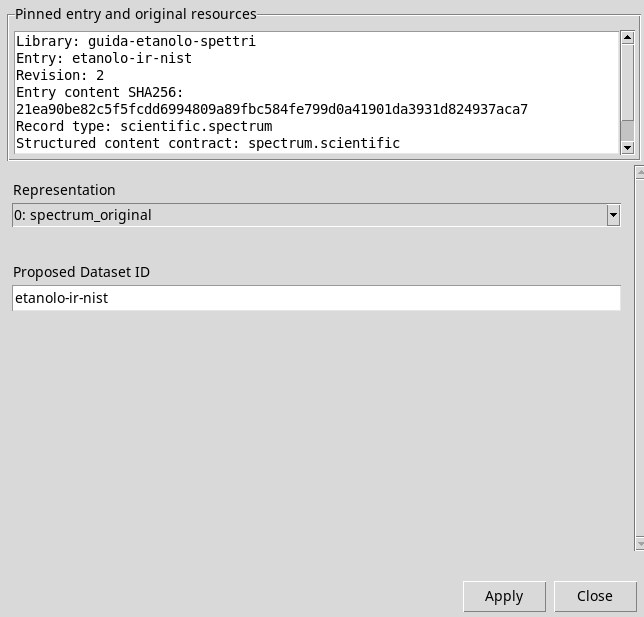
- Open or create the destination Session. In Records, select the IR row, verify Displayed and choose Import displayed record…. For several rows, use Import selected records… and explicitly confirm each.
- In Representation, choose
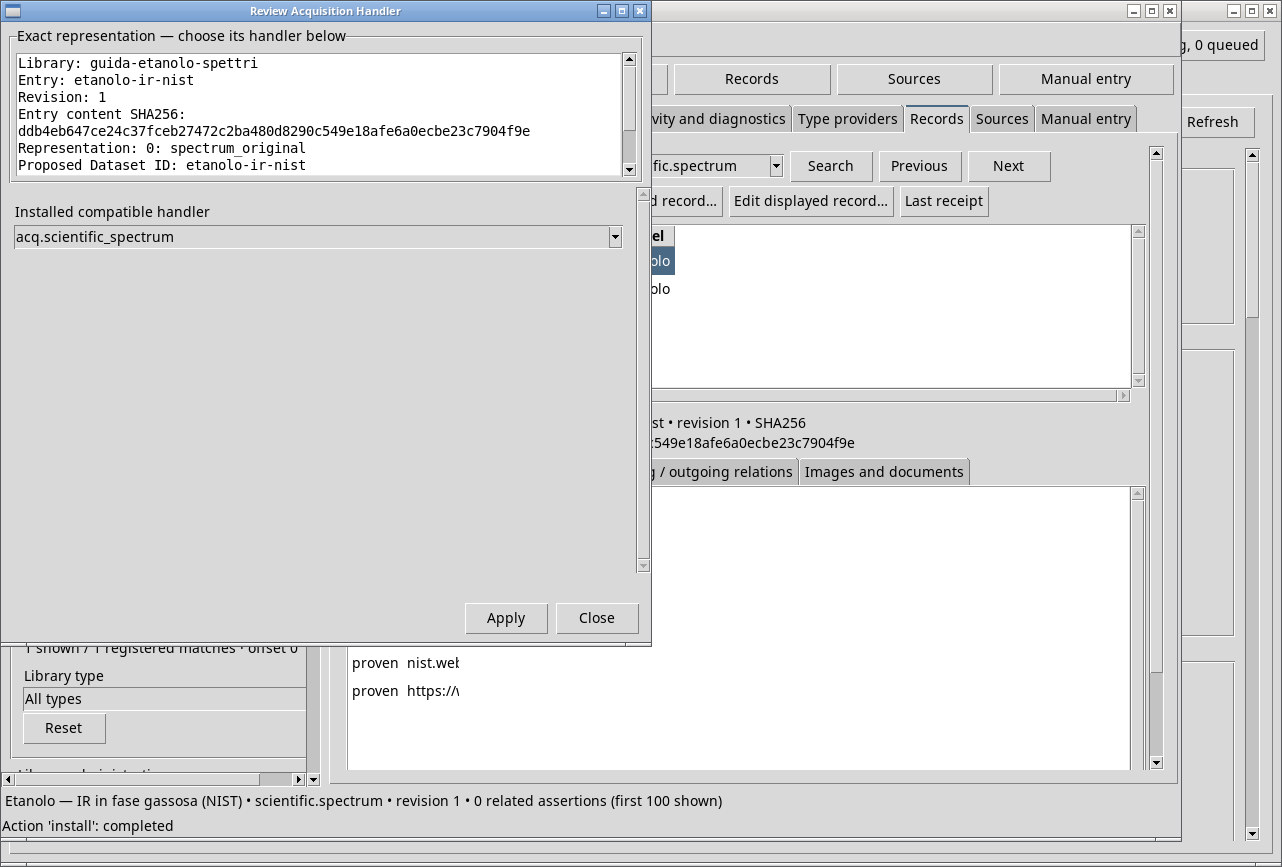
0: spectrum_originalfor the numeric bytes. When offered,-1: structured recorddenotes the structured representation of the entry. Review the contract, resources, revisions and hash. In Proposed Dataset ID, enter the ID to publish, such as the suggestedetanolo-ir-nist. Apply continues and Close leaves the dialog. - In Installed compatible handler, choose
acq.scientific_spectrum. JCAMP uses its declared units. For the NMR CSV, the record specifiesnmr,chemical_shift,ppm,intensity,raw_intensityandcounts, columns 1 and 2, with the header enabled and a comma delimiter. Use an enabled handler compatible with the representation and contract. - In Existing target Session path, check the existing Session path. Leave Destination Namespace (blank = root) blank for the root, or specify the intended destination scope. Apply starts acquisition. After completion, use Last receipt to inspect the result and generated Dataset. For batch acquisition, the last dialog collects the approved representations and IDs. Each record has its own outcome. Repeat for
etanolo-nmr-bmrb.
Open the Datasets and verify their units and samples
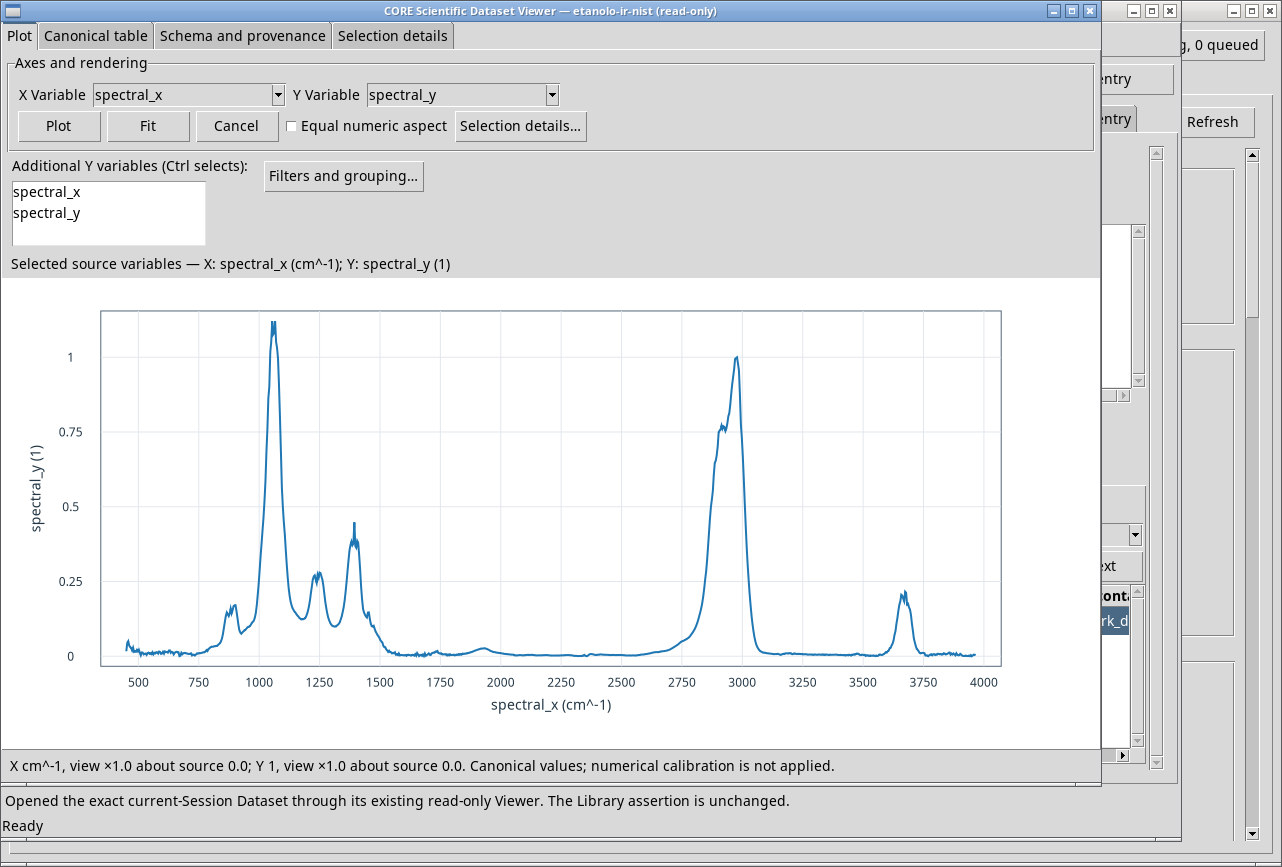
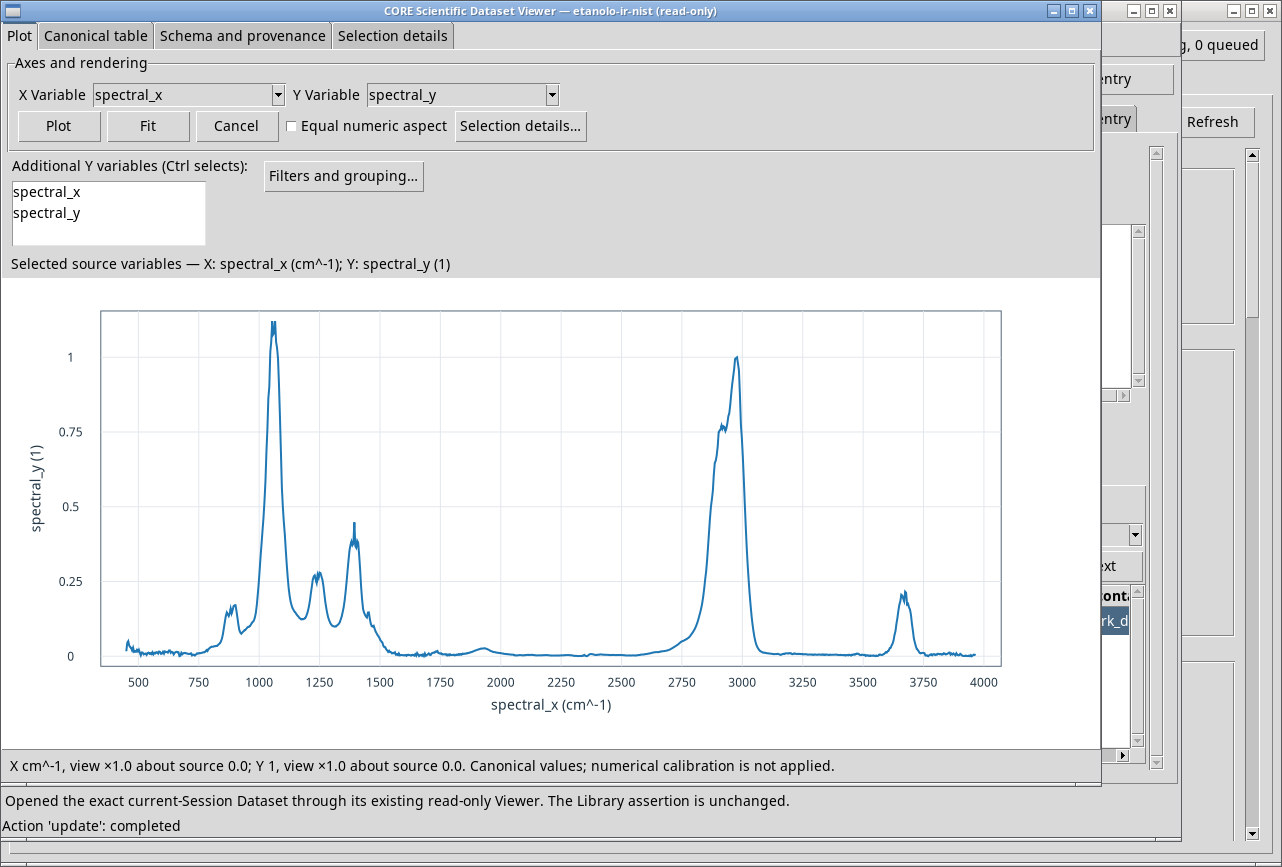
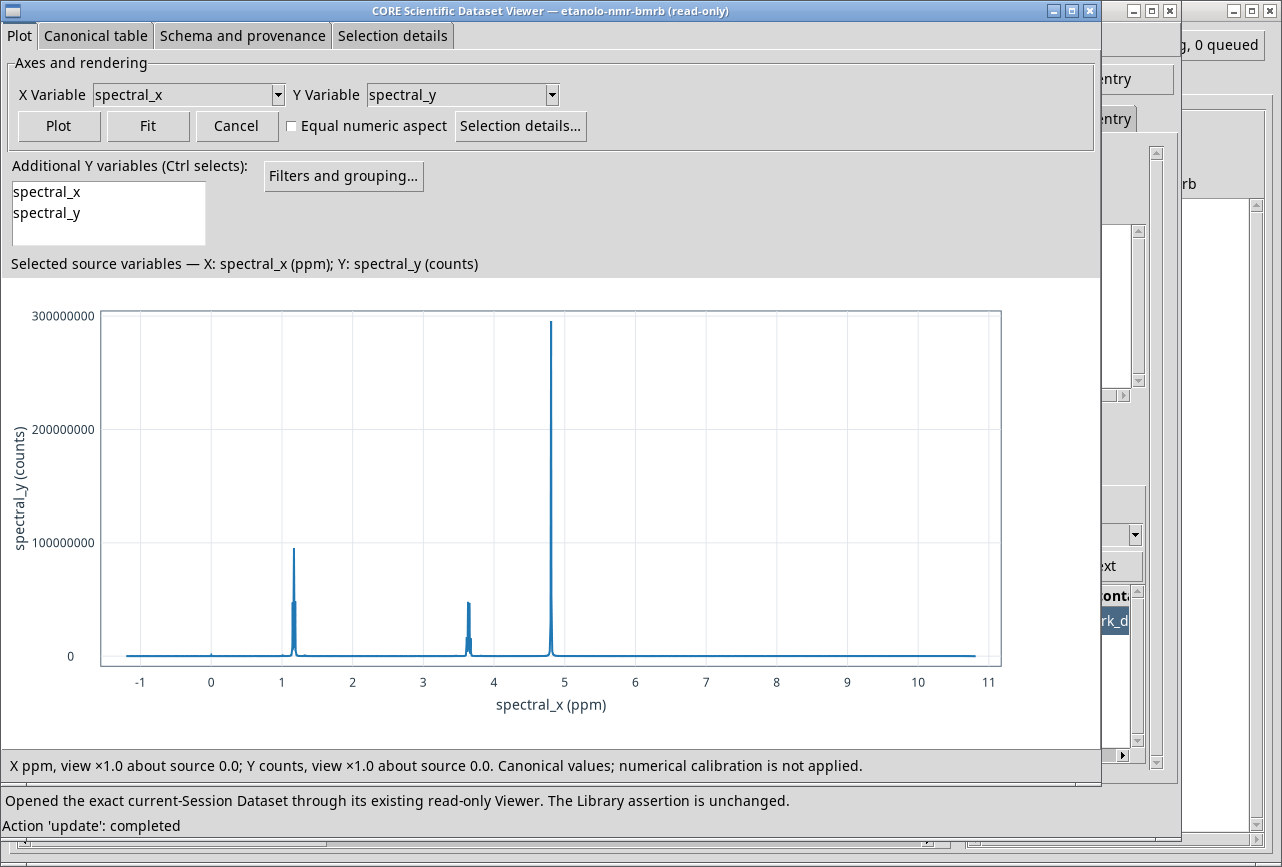
In the main Dataset tab, activate each Dataset using the icon beside its name and use Open active Dataset. In the test configuration, CORE Scientific Dataset Viewer opens in read-only mode. In Plot, use spectral_x as X Variable and spectral_y as Y Variable. Plot recalculates the sample plot and Fit fits the view. The legend shows cm⁻¹ and unit 1 for IR, and ppm and counts for NMR.
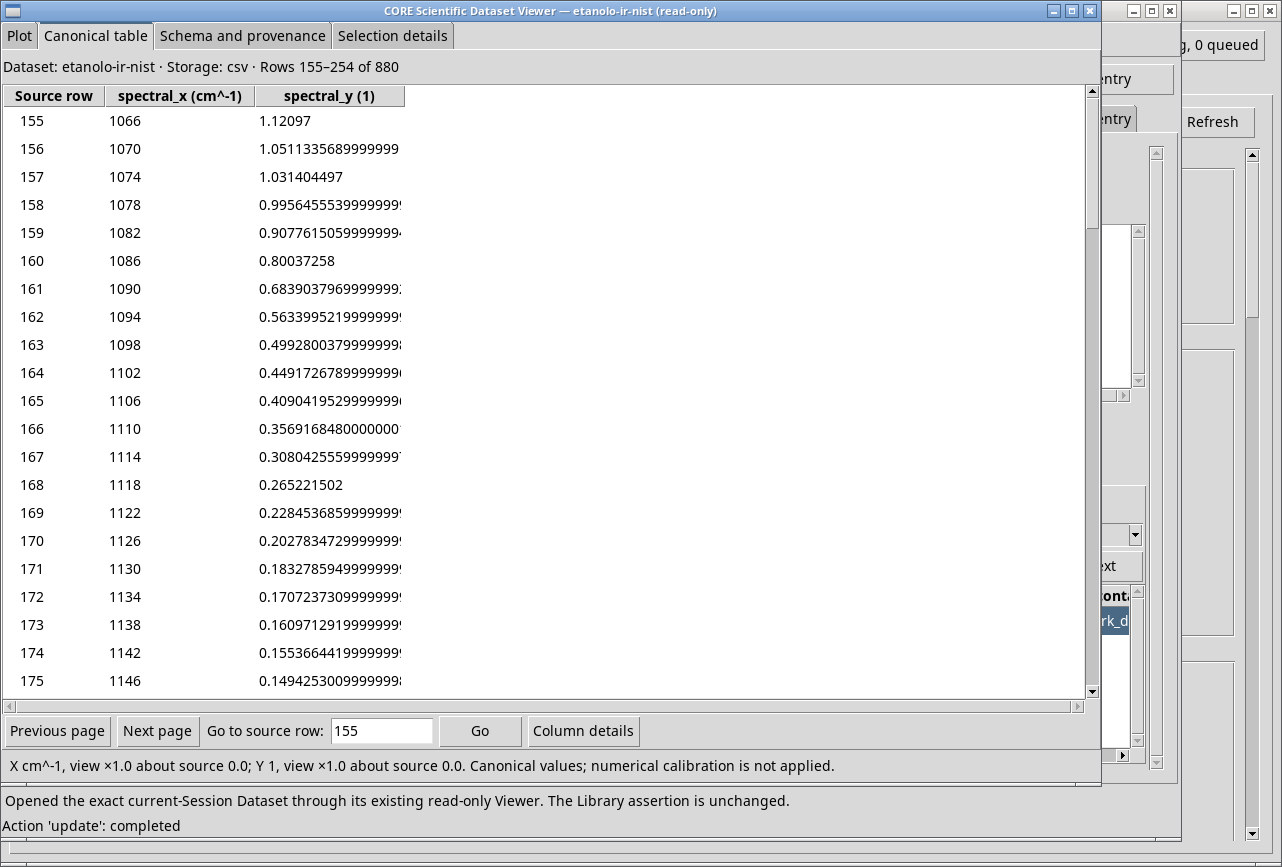
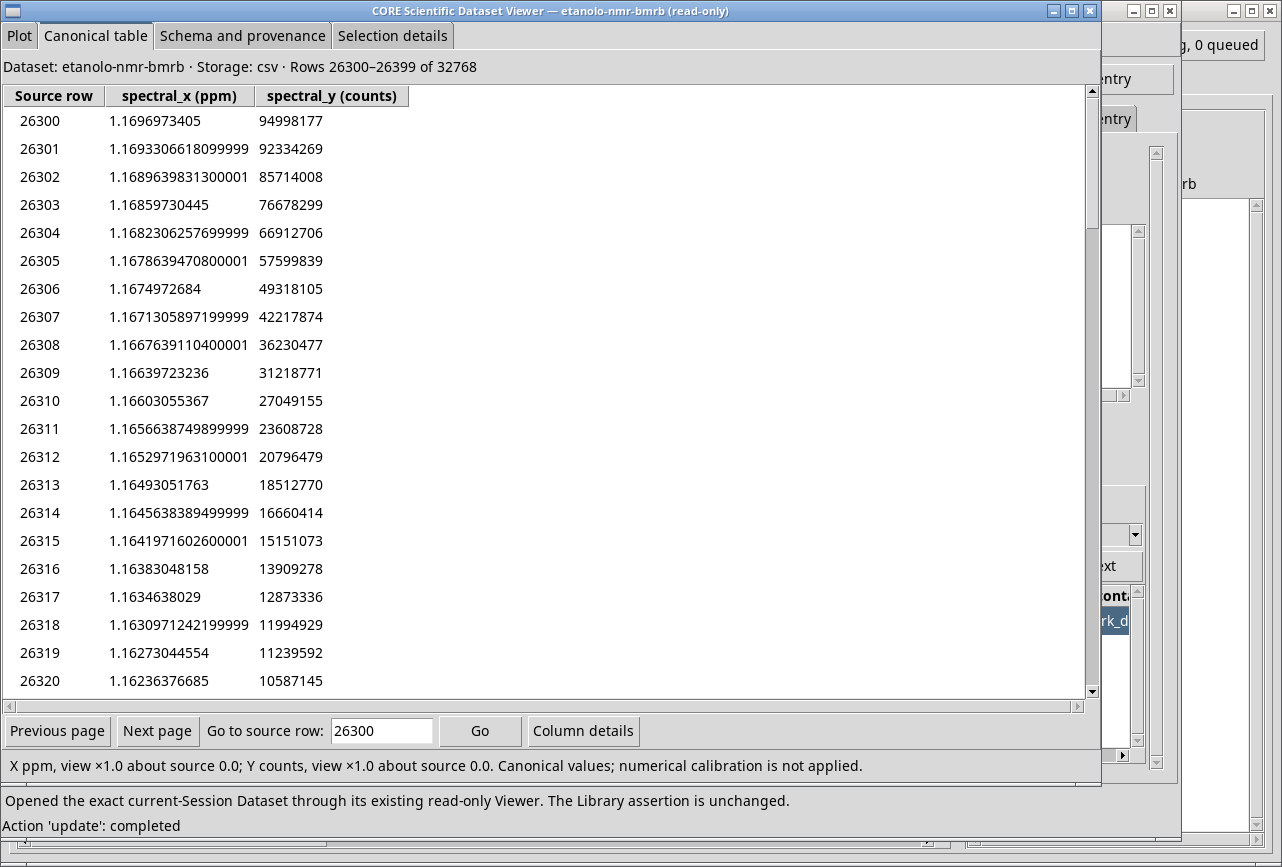
In Canonical table, use Go to source row → Go to check the exact values. For IR, go to row 155 and read 1066 cm⁻¹ and absorbance 1.12097. For NMR, go to row 26300 and read 1.1696973405 ppm and 94998177 counts. For provenance and declared units, use Schema and provenance and the Variables and Dataset and metadata views.
Follow a linked Dataset
A Library and a Session have distinct identities. Acquisition records the Library source in the Dataset. Navigating to that Dataset also requires a scientific.describes_dataset configuration with target canonical_dataset. The reference pins the Session identity, Dataset ID, contract, revision and payload SHA-256. The tested workflow adds the configuration in a new package version and installs it with Update managed package…. Manual entry has no field for writing this canonical relation.
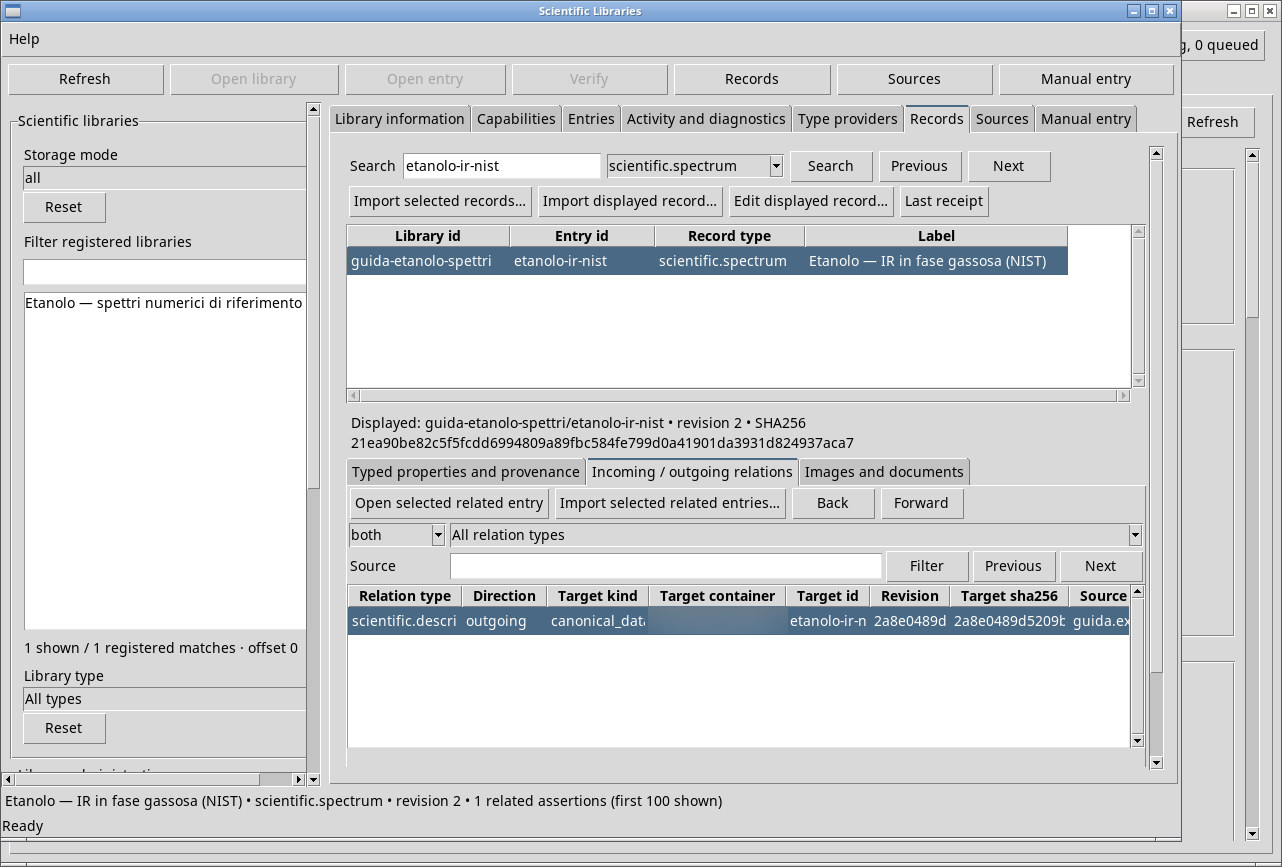
With the corresponding Session open, find etanolo-ir-nist in Records, choose Incoming / outgoing relations and select the scientific.describes_dataset / outgoing / canonical_dataset row. Use Open selected related entry. The GUI verifies the current content and opens the existing Dataset. The unresolved table value can remain visible until the contextual check. The status line reports the outcome. The command leaves the assertion unchanged.
If you follow the reference from another Session, the GUI reports that the Dataset belongs to a different or ineligible Session. A missing Dataset or changed hash also prevents opening. Open the corresponding Session normally, or update the package to the actual revision you want. The Library remains available for browsing. Use explicit acquisition commands to create other Datasets.