Search Remote Sources
PubChem, LCSC and Mouser. Search, preview, select and save.
Register an installed connector
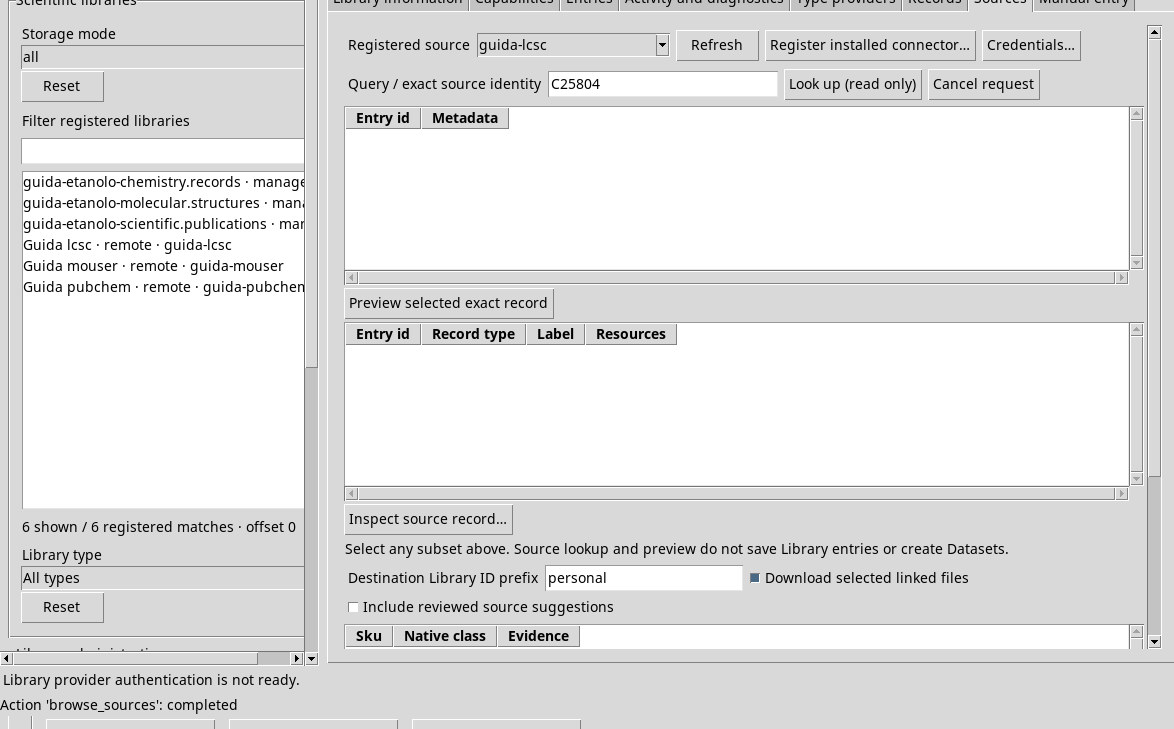
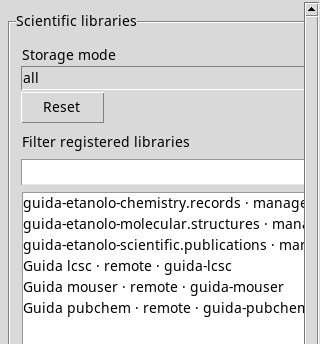
Open Sources from the toolbar or tab. If Registered source is empty, use Register installed connector…. The Connector dialog offers source.pubchem for chemical records, structures and publications, source.lcsc for components and source.mouser for browsing components. Enter a unique Stable source registration ID and a readable Source display name. Apply adds the registration. Close closes the form. Select the new source from the list, using Refresh in Sources to reload it. The registration ID identifies the connection. The provider controls supported operations and modes.
Manage protected credentials
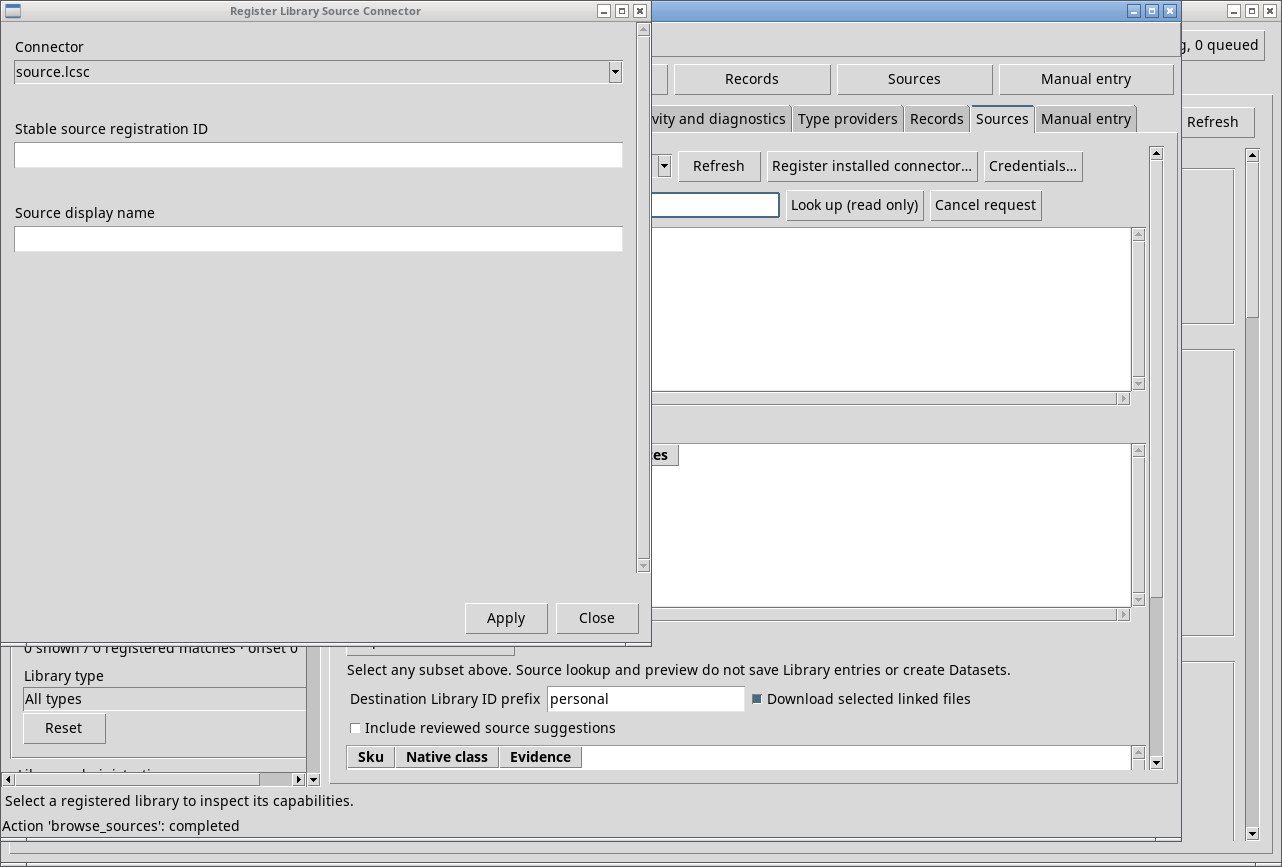
PubChem works without a profile. For Mouser or LCSC, select its registration and open Credentials…. The manager protects the provider secret and hides it after saving. The configuration and its parent folders must be owned by the user or root and must prevent group and other users from writing to them. The private credential directory requires mode 0700 and files require 0600. If the configuration fails the integrity check, use a secure configuration root or ask its administrator.
- Profile ID, Installed provider ID, New unlock credential, Confirm unlock credential, Provider secret (whole replacement)
- Identify the profile and installed credential provider, then set and confirm a new unlock credential. Enter the complete secret supplied for the service. Updating the profile replaces the entire provider secret. Keep the unlock credential and service secret separate.
- Refresh profiles, Inspect, Create, Replace, Delete
- Refresh the list and inspect the selected revision before creating, replacing or deleting a profile. If its revision changed, reload and verify the identity before confirming. After a confirmed change, use Refresh profiles to reload the list. Delete asks for confirmation and may leave a linked registration without a profile.
- Library ID, Inspect binding, Bind inspected profile, Unbind
- Enter the source registration ID. Inspect the current binding, bind the inspected profile or remove the binding. A bound registration may still be locked.
- Unlock credential, Seconds, Status, Unlock, Lock
- For temporary access, enter the unlock credential and a duration of 1–900 seconds (default 300), then choose Unlock. Status shows the current status. Lock ends temporary access. Unlock before testing authentication with Look up (read only).
unconfiguredindicates that an applicable profile is missing.lockedrequires unlocking.unlockedindicates temporary access and shows the remaining time. Ifrevokingis shown or cleanup is still in progress, wait before retrying. A profile can also be unavailable, failed or in an unknown state. PubChem does not require this access. - Reconcile unknown outcome, Acknowledge inspection observation, Close
- If the outcome is uncertain, the manager enables reconciliation and lets you acknowledge the inspection result. Read the status before retrying a change. Close closes the manager.
Search and preview
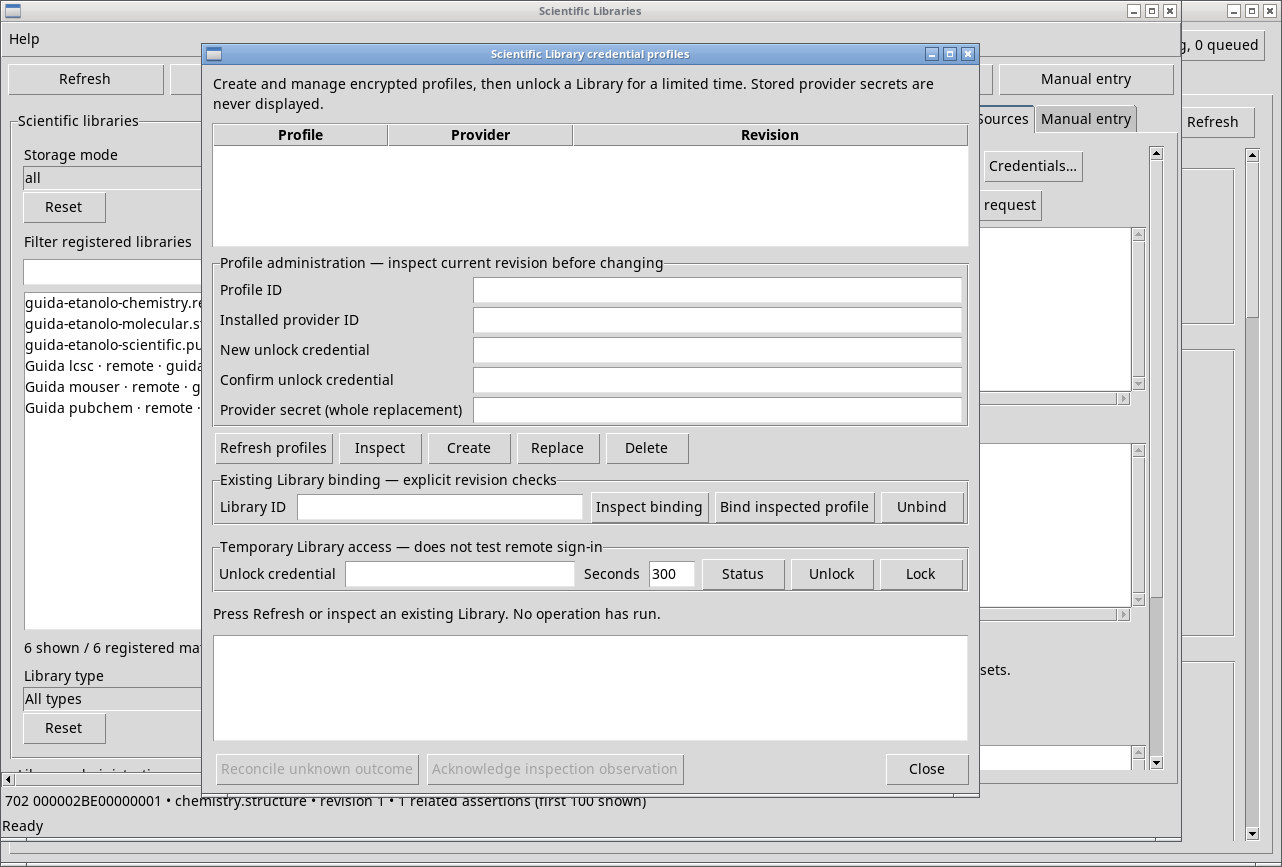
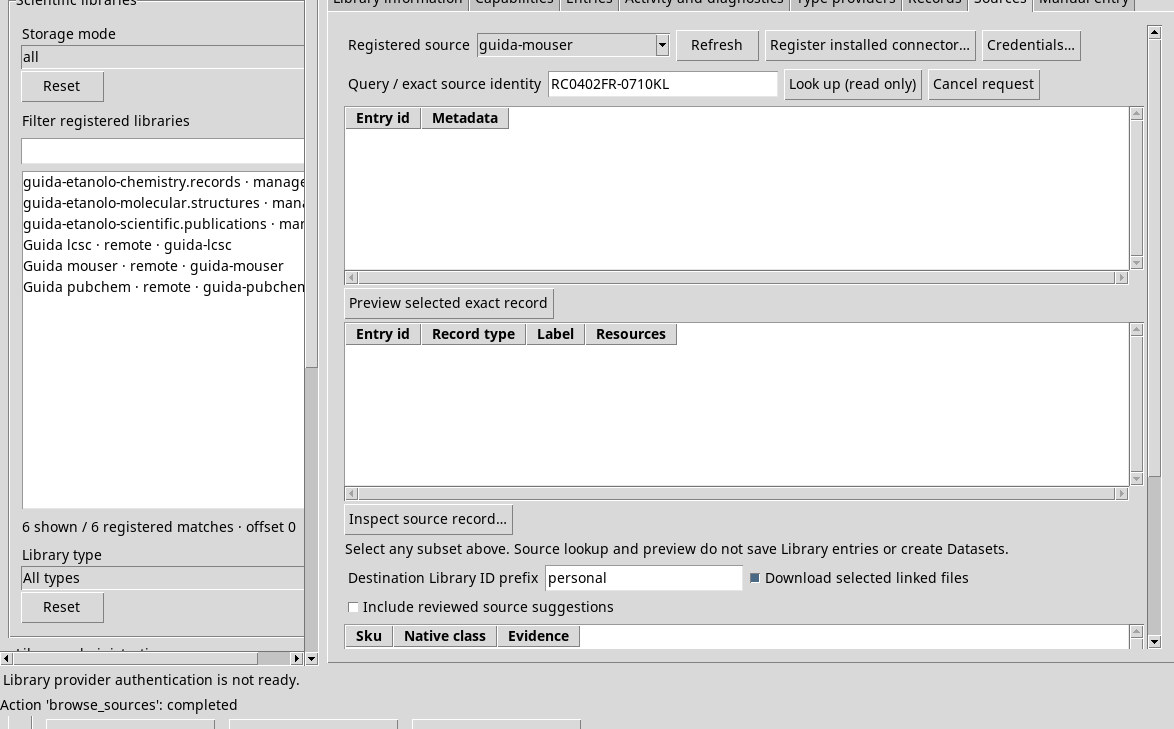
In Query / exact source identity, enter the name or identifier expected by the source. Look up (read only) starts the request. Cancel request becomes available while it runs. Check the final status for cancellation, no results, an authentication requirement or another error. If several results appear, select the row with the exact identity. Preview selected exact record requests its detail. Inspect source record… shows details for an entry in the preview. Browsing the source and preview leaves the Library and Session unchanged. A CID outside the catalog can produce a provider error and no row. Verify the identifier before trying again.
PubChem: from CID 702 to a library
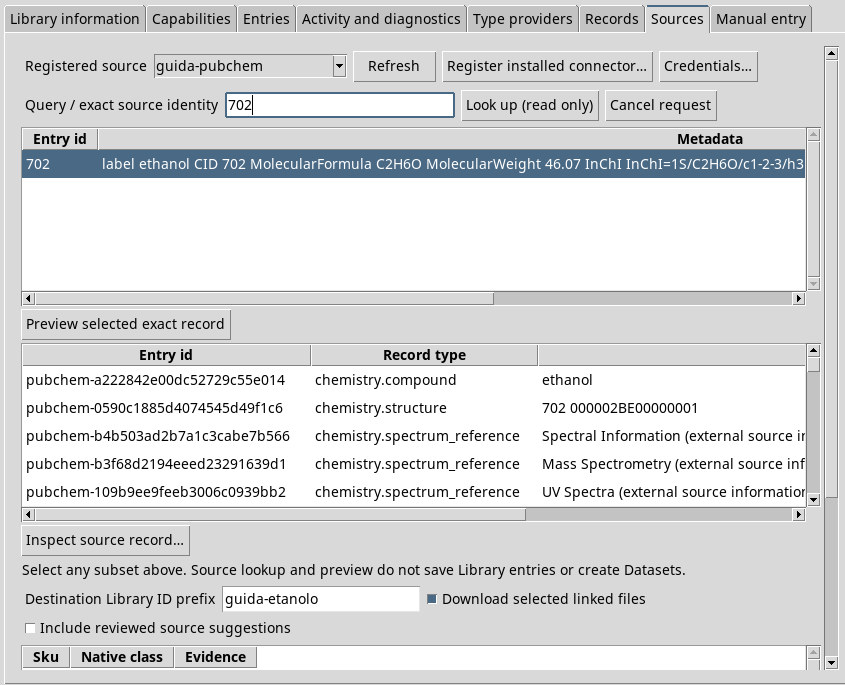
- Select the PubChem registration and search for
702. The response identifies ethanol by CID, the formulaC2H6Oand chemical identifiers. - Select the row and choose Preview selected exact record. Review properties, the 3D conformer, publications and references. A IR Spectra entry in this preview can be a descriptive reference. The manual’s two numeric spectra follow the workflow from the original analytical files.
- Explicitly select the records to keep. You can select multiple rows in the table. To open the molecule, include the
chemistry.structurerecord. Links to material you leave unselected remain references.
Source for the example record. NIH PubChem, ethanol CID 702.
Select and save from a persistent connector
- Destination Library ID prefix
personalis the initial prefix. Set a unique prefix to group the destination libraries. The import attempts to write a library per selected type, such asguida-etanolo-molecular.structures.- Download selected linked files
- Enabled initially. It includes obtainable file copies for selected records. If you leave a file remote, permission is missing or the download fails, check the availability field for the record resource.
- Include reviewed source suggestions / Review selected suggestion…
- Initially disabled. Enable it if the provider returned suggestions you want to examine. Select a suggestion, open its preview and select the desired records again before including them. Associations retain their source attribution. Check compatibility against the specifications.
- Import selected into persistent Libraries
- Confirm after checking the subset and prefix. Wait for the final result, then use Records → Last receipt and reload the catalog. Review outcomes and revisions for each library, since results can differ within the group. The summary lists added, updated and unchanged records and any Datasets created. In this step it reports zero Datasets. Reimporting with the same prefix retains stable IDs and can create a new revision. On the repeat import of CID 702, both the compound and the conformer advanced from revision 1 to 2, as
updatedin the receipt shows.
Mouser Search API: search and browse
Select the Mouser registration. With an authorized profile unlocked, enter a lookup key such as RC0402FR-0710KL and use Look up (read only). In this installation the connector is read_through and supports browsing. Previewing a response requires authentication. In the test Session, the request returned Library provider authentication is not ready. because no authorized profile was available. The installed Search API connector does not offer persistent import of results.
To record specifications for a component purchased for design, research or stock, use Manual entry with local data and files you are authorized to use. The example record uses Raspberry Pi documentation downloaded from the manufacturer.
LCSC: search and authorized import
Select the LCSC registration, bind and unlock an authorized profile, and look up the component code, such as C25804. Select the exact row to preview it. The installation declares persistent import, subject to service availability, applicable terms and the provider response. Without an authorized profile in the test Session, the lookup did not return results for live selection and confirmation.