

Choose Record Types and Fill In Schemas
Reference to record types and structured descriptions.
Choose the schema and field formats
Records → Search → All record types includes all installed types. Select one of the following types to limit the search. In Manual entry → Record schema, changing types opens the corresponding fields. Asterisks mark required fields. For objects, use JSON with string keys, such as {"cid":"702"}. For lists, use JSON with square brackets. Enter integers as digits without units. Text fields can preserve the source’s original values.
chemistry.compound
Use this filter for compound records. In Manual entry, use identifiers for known identities such as CID, InChIKey and name, and properties for chemical properties with structured values. source_record preserves structured context available from the source. The record identifies the substance and brings its properties together.
chemistry.structure
Filters to structure records. identifiers identifies the compound and structure. geometry_origin specifies the actual source, such as computed_3d. coordinate_unit preserves the declared unit, such as angstrom. dimensionality distinguishes 2d from 3d according to the data. conformer_id identifies the conformer. validated_atoms and validated_bonds are integers tied to the validated geometry. The Manual entry attachment control accepts PDFs and images. It rejects an SDF selected with All files, and a structure record cannot be saved without its SDF. Follow the tested Sources → PubChem → Images and documents workflow for the example conformer or install a managed package for your local SDF.
chemistry.safety_claim
Filters to attributed safety claims. In Manual entry, contributor gives the organization or author, claims holds the attributed statements as JSON, and source_record records the structured context. jurisdiction specifies the regulatory jurisdiction and source_revision identifies the source revision. A substance can have multiple distinct claims.
chemistry.spectrum_reference
Filters to chemical references to spectra. heading identifies the human-readable reference and source_record preserves the source record as JSON. To acquire samples, find a scientific.spectrum record with a numeric resource.
electronics.component
Use this filter for component records. In Manual entry, record the manufacturer identity, variants, specifications and supplier references using the component fields and tables.
electronics.supplier_listing
Find supplier offers or ordering codes. supplier and sku identify the supplier and its offer. manufacturer and mpn identify the manufacturer and official part. source_record records the structured source context. url points to the original listing. offer can preserve authorized offer data as a JSON object. The offer is distinct from the manufacturer’s specifications.
scientific.publication
Find citations and publications. In identifiers, enter actual bibliographic IDs, such as a DOI, PMID or other verified identifier. title holds the title, authors the JSON list of authors, journal the publication venue and year the year as an integer. source_record preserves the structured source record. abstract holds the abstract available under the applicable terms, and url points to the publication page.
scientific.spectrum
Use this type for a one-dimensional XY spectrum. In Representation (description is not numeric validation), choose numeric_source for actual numeric data. This is the default when the field is absent. In Numeric-source format, choose csv for a table or jcamp for JCAMP-DX. Numeric-source parser options JSON defines the meaning of axes and columns as in the acquisition examples. Numeric-source sample count is optional, but if given it must match the real sample count. Place authorized source bytes in the managed package. Use description_only to describe the shape and provenance of an original. In this mode, leave the numeric format, options and count blank, complete Description-only measurement JSON and preserve the rank-one signal variables.
scientific.scalar_measurement
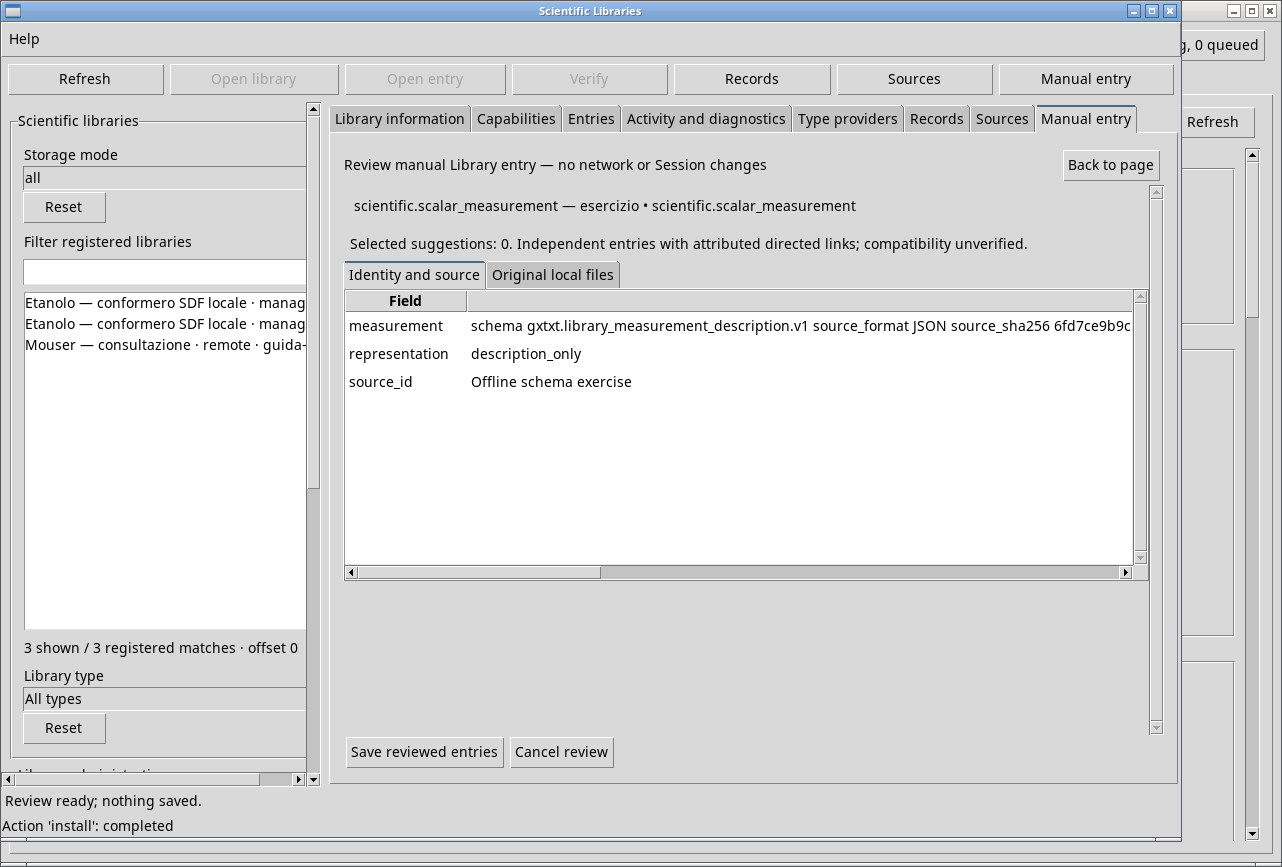
Use description_only with measurement for a scalar measurement. The measured variable has rank 0, an empty shape and no dimensions. This example describes a temperature measurement with a declared unit. Synthetic original · Description for the measurement field.
scientific.complex_spectrum
Use description_only with measurement for a spectrum with components. In components, record the membership and observed order of the real and imaginary parts, or the actual representation supplied by the source. The record preserves the available structure and units.
scientific.multidimensional_spectrum
Use description_only with measurement for a multidimensional spectrum such as 2D NMR. For numeric variables, retain at least one signal of rank 2 or higher with its actual dimensions, coordinates and shape. For an opaque original, declare its observed identity.
scientific.spatial_measurement
Use description_only with measurement for a map, image or volume. For a numeric field, record a signal of rank 2 or higher with its actual dimensions. For an opaque resource, record the hash and type. The filename alone does not define numeric variables.
scientific.frame_sequence
Use description_only with measurement for a sequence of frames or arrays. Specify the ordering dimension in sequence_dimension_ids and record the observed data variable. Use time units only if the source declares them.
scientific.temporal_trace
Use description_only with measurement for a time trace. Identify the time coordinate with coordinate_role set to coordinate and semantic_role set to time. Link the data to the actual time variable.
scientific.measurement_array
Use description_only with measurement for other structured array measurements. Preserve the actual shape and dimensions, along with the source identity, units and coordinates.
technical.document
Use this type for a technical document such as a PDF. title gives the title, document_role the role such as document or datasheet, source_url the source page and notes the context. To store the file, also attach a local copy.
technical.media
Use this type for photographs or technical illustrations. title identifies the content, media_role describes its purpose such as drawing, source_url gives the source page, and notes gives the context. Attach the PNG, JPEG or GIF to make the image available to open.
spectroscopy.ir.spectrum
This Records filter selects spectra projected by an installed IR reference provider. Read the published metadata in the record. Open the source IR library to use its scientific viewer. Use the provider’s workflow for these projected records, which cannot be edited in Manual entry.
Scientific description fields
In measurement, use the gxtxt.library_measurement_description.v1 JSON object in schema. This field preserves a verifiable description of the source. Explicitly mark unknown properties. The description is limited to 128 KiB and lists are limited to 256 items.
- source_format, source_sha256, source_resources, modality, dataset_contracts
- Give the observed source format, its SHA-256 hash and/or at least one identity in
source_resources, withsource_id,sha256androle. Inmodality, keep the observed modality or an empty string if unknown.dataset_contractslists any declared and distinct contract IDs. - storage_kind, binary_resource
numeric_variablesrequires metadata for actual variables.opaque_resourcerequiresbinary_resourcewith observedsha256,media_typeandstorage_kind. In that mode, omit variables.- dimensions, variables
- A dimension has
dimension_idand a nonnegative integersize. It may havequantity,unit,unit_statusandlabel. A variable hasvariable_id,dtype,rank,shape,dimension_ids,coordinate_role,unitandunit_status. Rank, shape and dimensions must agree. Usecoordinate_rolewithdatafor data,coordinatefor an axis orauxiliaryfor an auxiliary variable. Inunit_status, usedeclaredwith an observed unit orunknownwith a blank unit.coordinate_variable_idsandcomponent_idsrefer to variables already declared. - axis_kind, axis_origin, axis_step, axis_count
- Use
explicitfor an axis with listed coordinates,uniformfor a regular axis, ornonewhen there is no axis. Withuniform, specify a numeric origin, nonzero step and sample count consistent with the shape. You may also storequantity,semantic_role,group_id,source_headeranddisplay_labelas observed variable metadata. - components, sequence_dimension_ids, observed_metadata
componentsgroups related variables withcomponent_id,representation, orderedvariable_idsand matchingroles.sequence_dimension_idsidentifies dimensions that order the sequence.observed_metadatais a finite JSON object with additional source metadata.