

Generic CSV dataset import
Import CSV or TSV as a Dataset, map variables and units, and handle duplicate headers or incomplete rows.
acq.generic_csv · Version 3
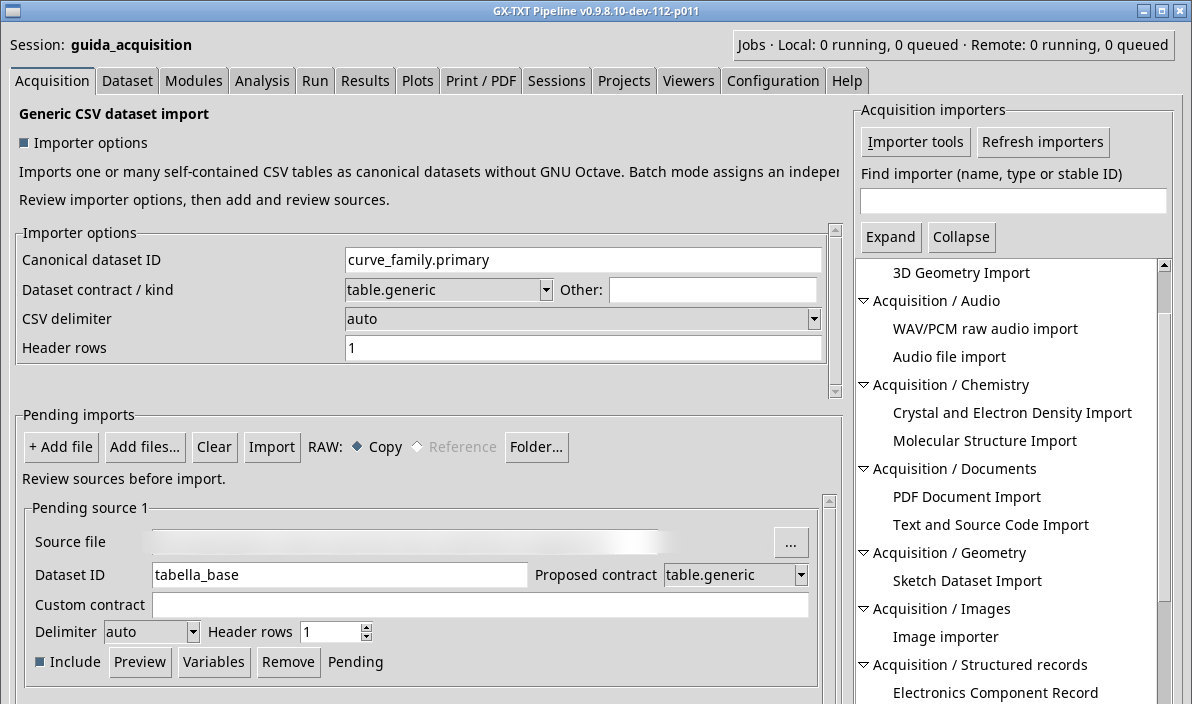
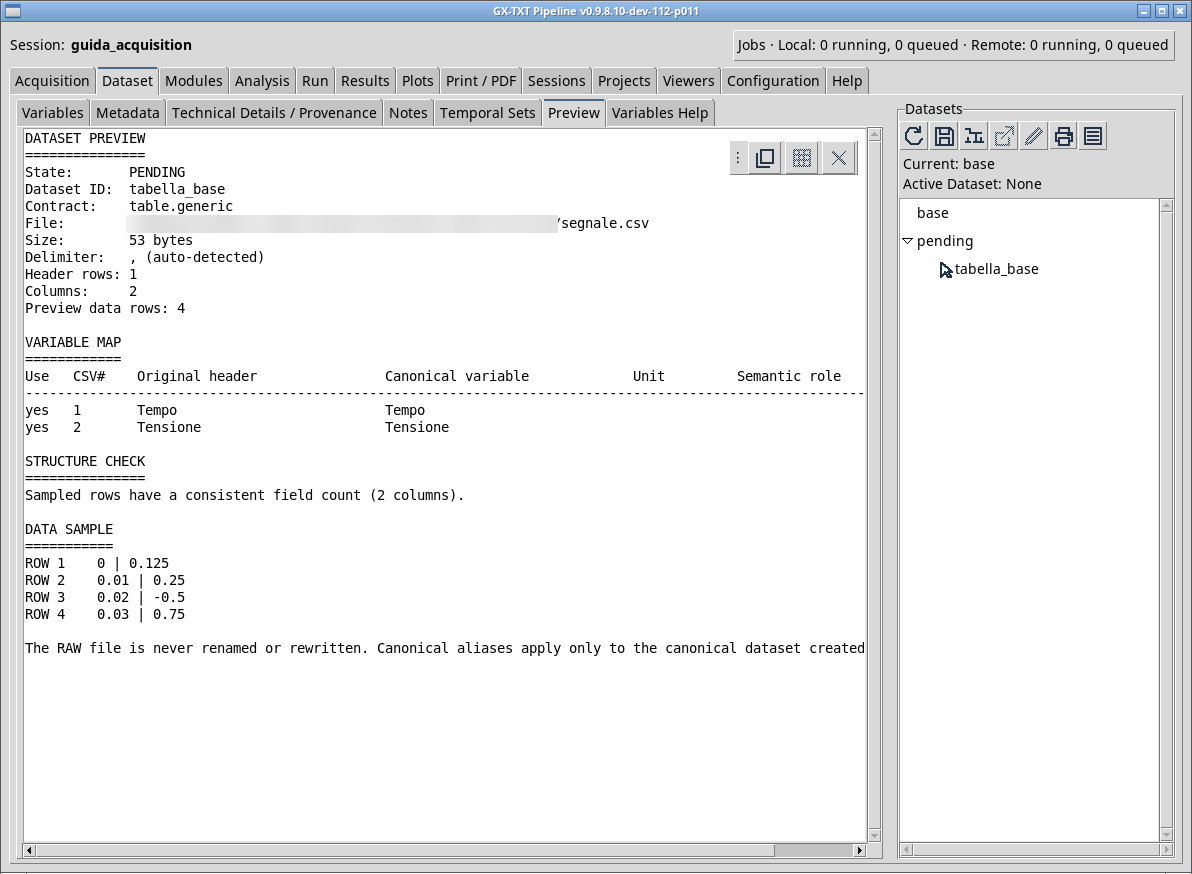
Use this importer to turn a row-and-column CSV or TSV into a Dataset you can browse and reuse. For the segnale.csv exercise, select table.generic, auto and one header row. Queue the file, set the tabella_base ID, and open Preview. Check four rows and two source names, Tempo and Tensione.
- Open Variables to associate names such as
tempo_sandtensione_V, unitss/Vand any roles. Keep both checkboxes selected if you want to keep both columns. - Return to Acquisition and import. In Dataset, activate
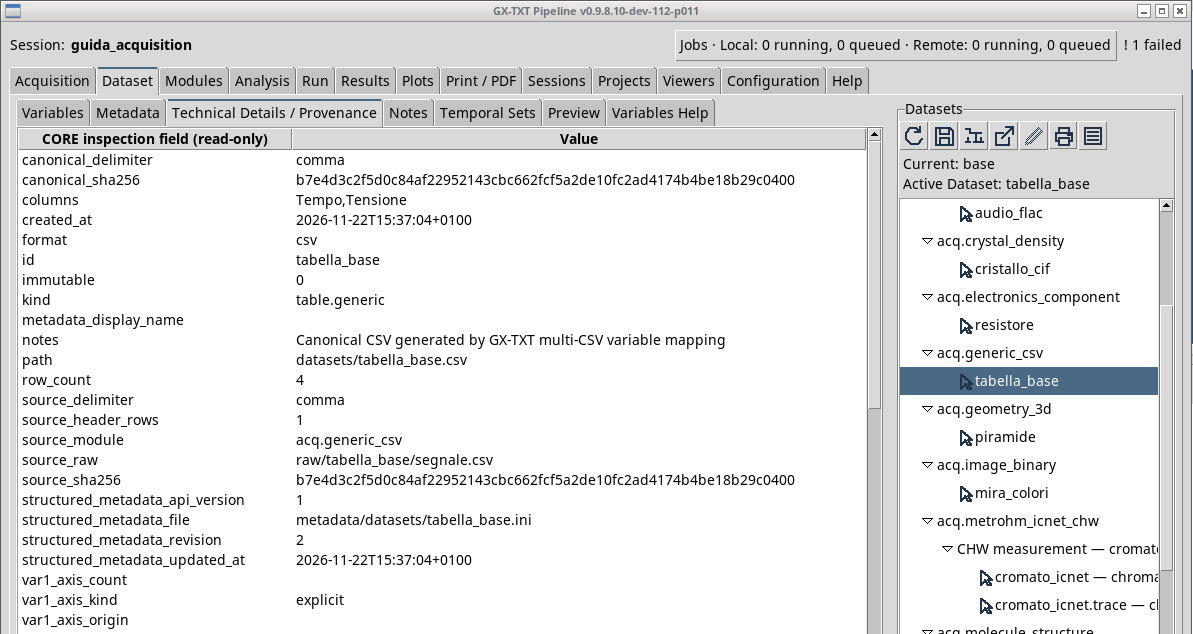
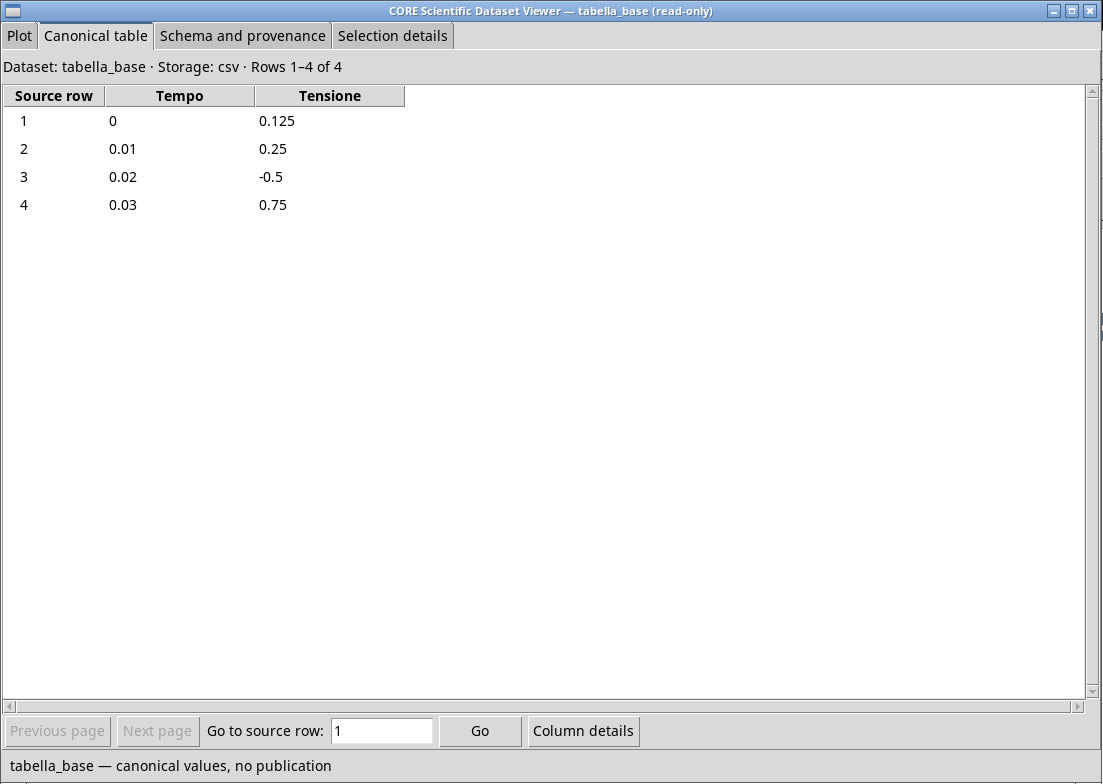
tabella_baseand open Canonical table. The last row contains0.03and0.75. The names, units, and roles frozen in the schema can be read again in Variables or in the Dataset properties. - Repeat with the TSV and use
tabif detection is ambiguous. For semicolon-separated files, choosesemicolon. For a comma separator, choosecomma. Separators inside a value must be handled according to the file’s quoting.
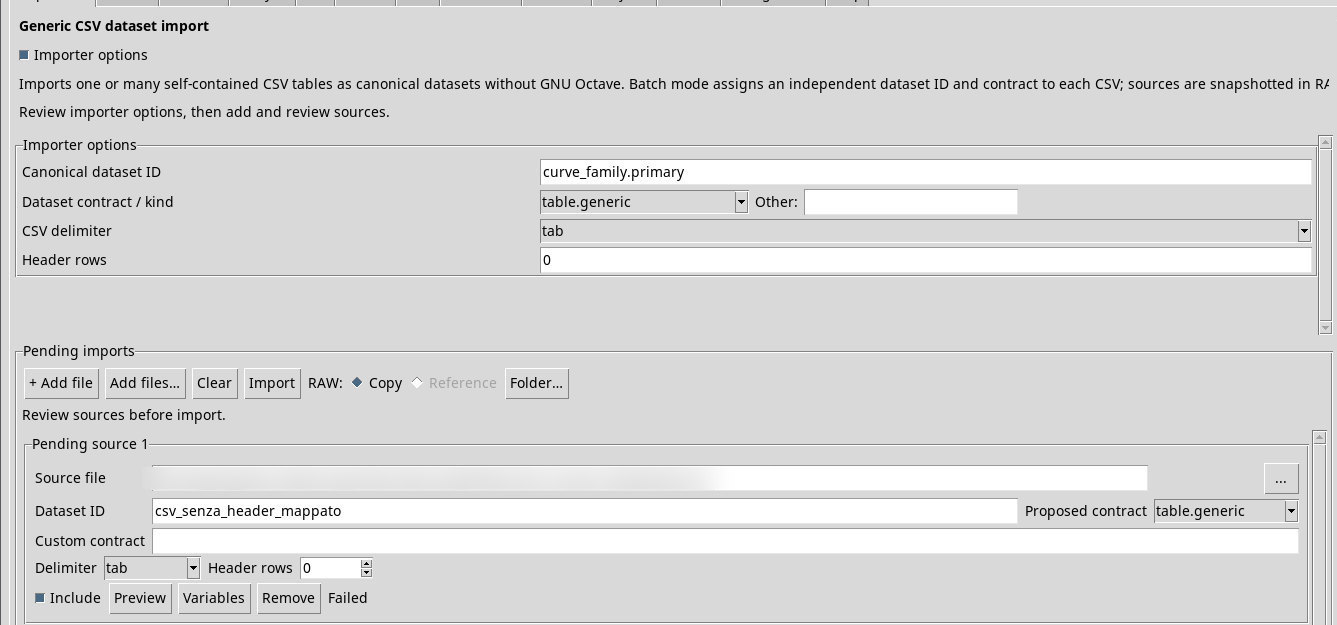
The Canonical dataset ID field at the top belongs to the general configuration, while the queue Dataset ID is assigned per source and can be derived from the normalized file name. Delimiter, header rows, and contract can be checked and changed in each row. Headers and values in RAW keep the original content. The Variables settings apply to the canonical publication.
Fix duplicate headers and incomplete rows
If two headers are identical, as in csv_header_duplicato.csv, set two distinct Canonical variable in Variables before importing. The exercise publishes prima_colonna and seconda_colonna. If a row is missing a field, as in csv_riga_incompleta.csv, correct the record against the documented source and check the number of columns again. The Session log shows the row number and the expected width.
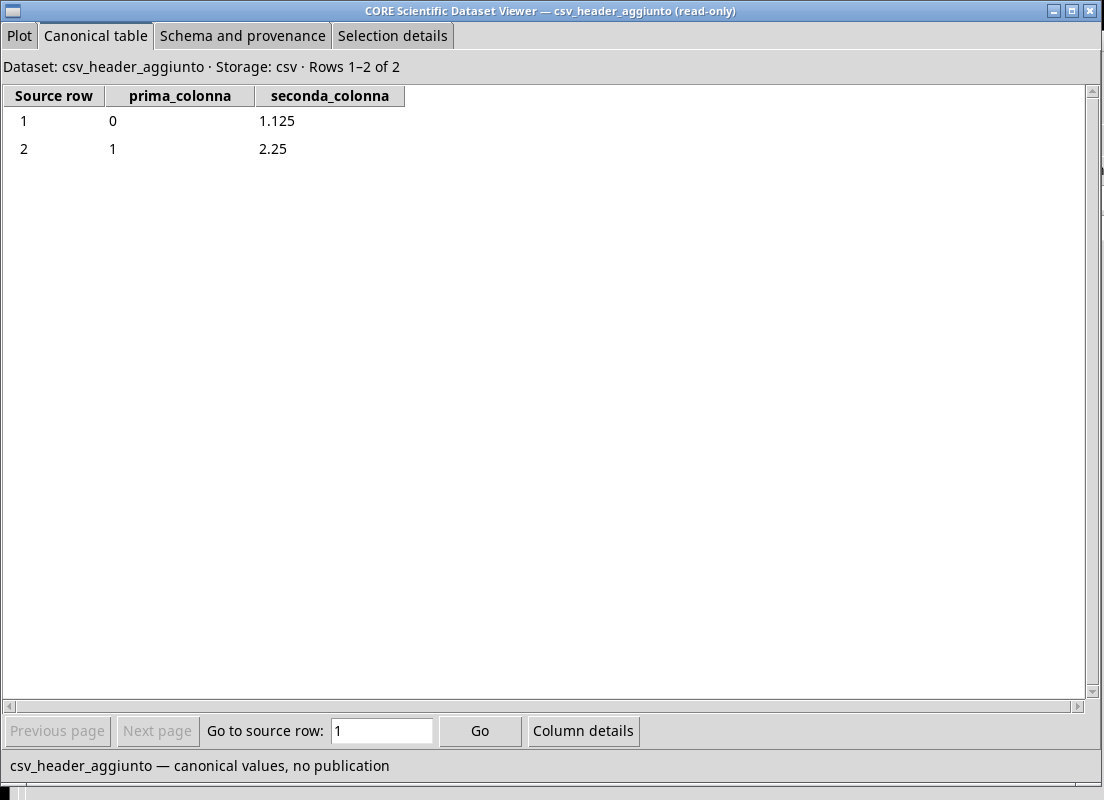
With Header rows set to 0, the Generic CSV converter in P011-bis reports header-rows must be >= 1, even after valid aliases are chosen. Keep the source and add a row of names to a copy. Use tsv-con-intestazione.tsv to see how the two-row fixture is recovered. Set Delimiter to tab and Header rows to 1. The two published samples are (0, 1.125) and (1, 2.25).
Exercise files
- segnale.csv
- Segnale prova 2.tsv (extract the ZIP first)
- csv_quoti.csv
- csv_senza_intestazione.csv
- csv_riga_incompleta.csv
- csv_header_duplicato.csv
- tsv-con-intestazione.tsv (extract the ZIP first)
Sources, licenses, and SHA-256
Screenshots
Open a screenshot to view it at full size.
Controls and settings
Canonical dataset ID
Default value in the basic configuration curve_family.primary.
Dataset contract / kind
table.generic is suitable for a table with no more specific scientific structure. With Other…, enter the ID in the adjacent field. Before choosing another contract, consult Contracts… and check that the required structure matches the table. Default value in the basic configuration curve_family.table.
(catalogo dinamico)· The entries come from the contracts visible in the installation. Check the name, conditions, and origin in Contracts…, and any Other… option in the working view.
Other
table.generic is suitable for a table with no more specific scientific structure. With Other…, enter the ID in the adjacent field. Before choosing another contract, consult Contracts… and check that the required structure matches the table. The field is initially blank.
CSV delimiter
auto estimates it from a sample. comma uses comma, semicolon semicolon, tab tab, and whitespace whitespace where available. Check that Preview returns the expected number of columns. Default value in the basic configuration auto.
auto· Choose the separator actually used in the source.autoestimates it from a sample.commauses comma,semicolonsemicolon,tabtab, andwhitespacewhitespace where available. Check that Preview returns the expected number of columns.comma· Choose the separator actually used in the source.autoestimates it from a sample.commauses comma,semicolonsemicolon,tabtab, andwhitespacewhitespace where available. Check that Preview returns the expected number of columns.semicolon· Choose the separator actually used in the source.autoestimates it from a sample.commauses comma,semicolonsemicolon,tabtab, andwhitespacewhitespace where available. Check that Preview returns the expected number of columns.tab· Choose the separator actually used in the source.autoestimates it from a sample.commauses comma,semicolonsemicolon,tabtab, andwhitespacewhitespace where available. Check that Preview returns the expected number of columns.
Scrollbar
Header rows
Default value in the basic configuration 1.