

Audio file import
Queue an audio file, inspect its preview, and open the published Dataset. The exercise includes a FLAC sample.
acq.audio · Version 1.0.1
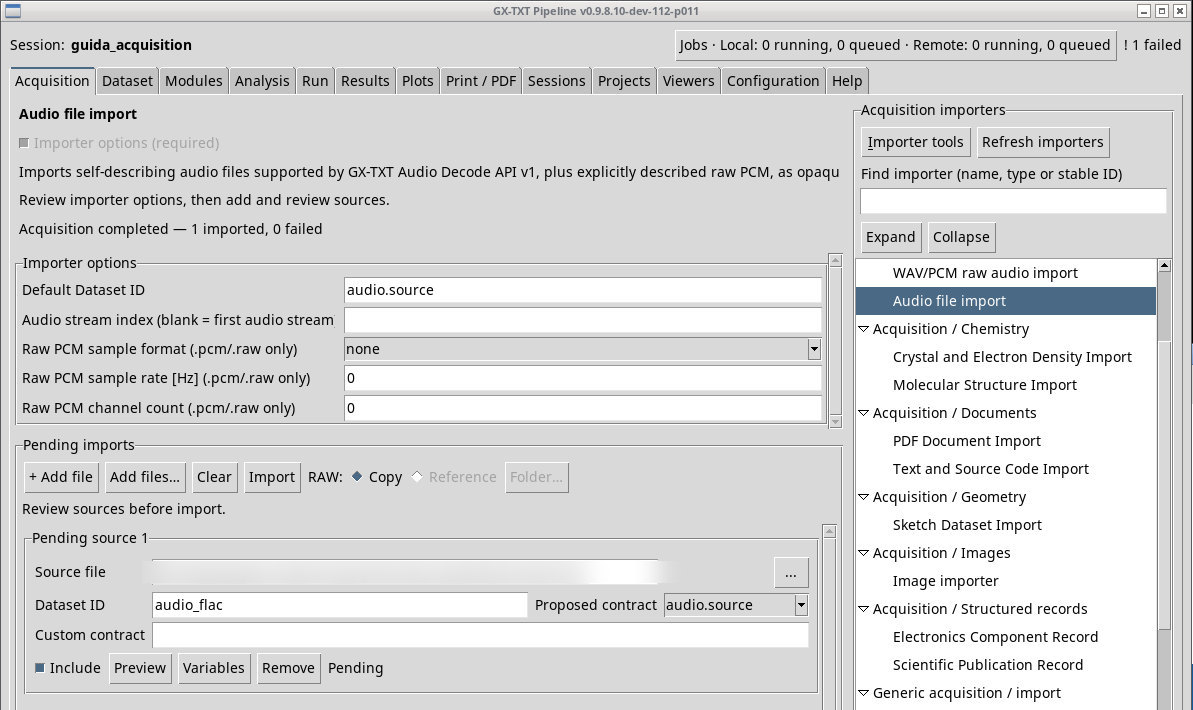
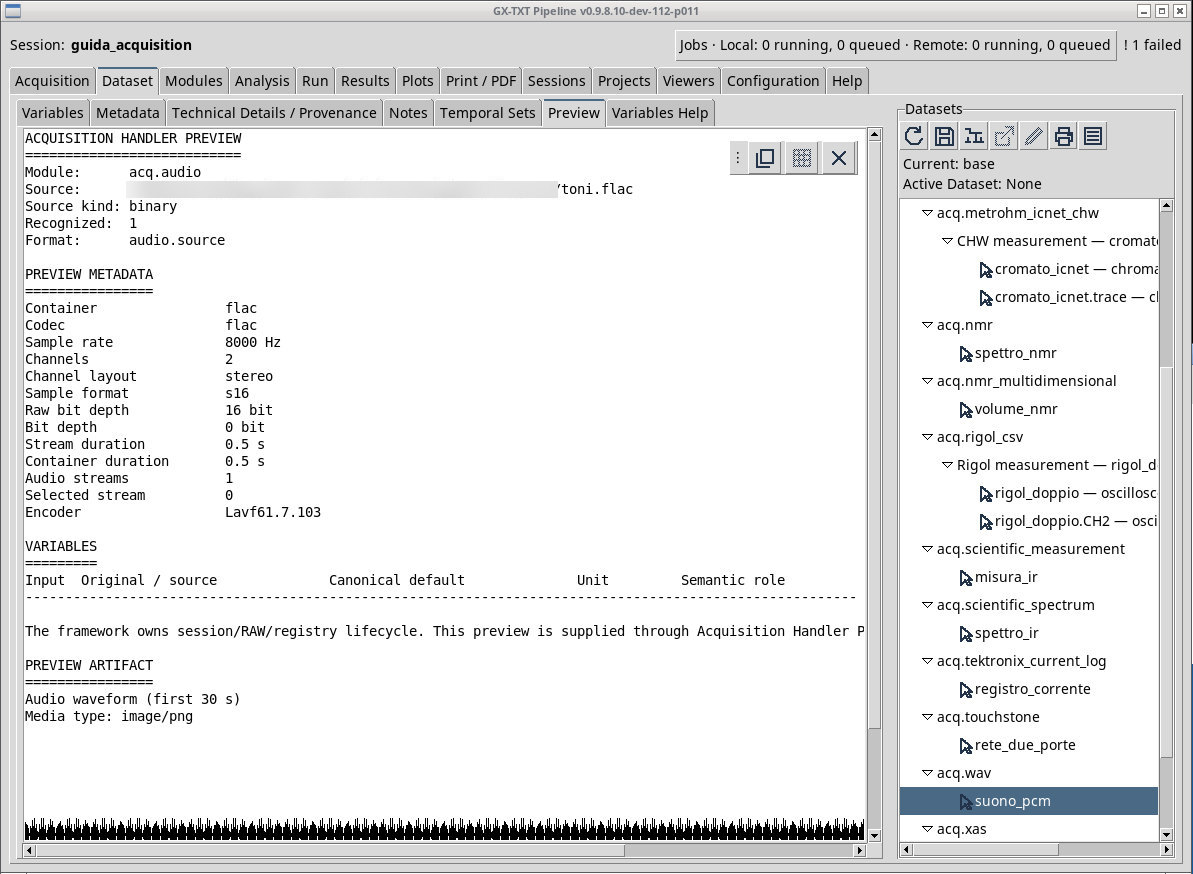
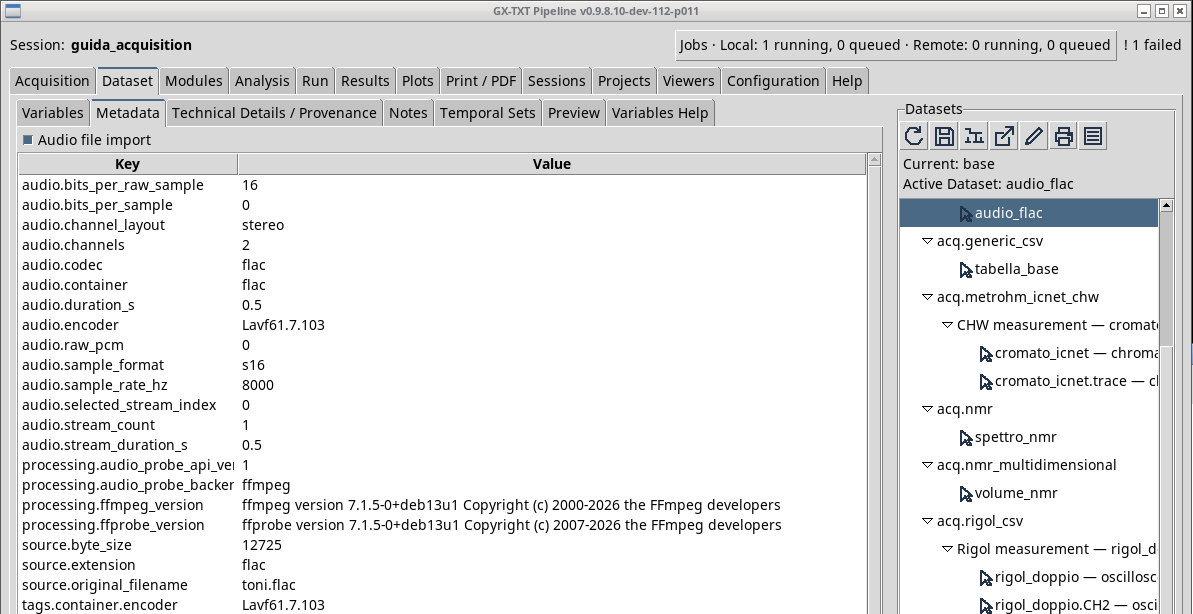
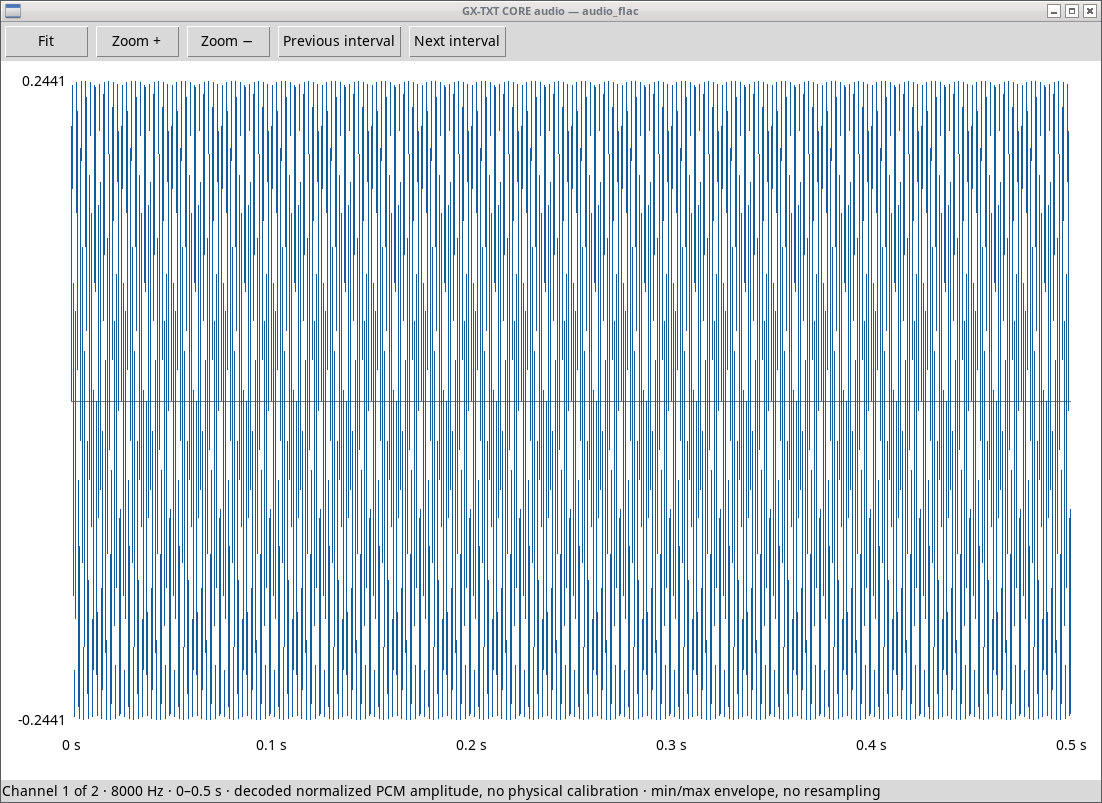
Queue toni.flac and leave Audio stream index blank for the first audio track. In the Dataset audio.source check the two channels, 8000 Hz, and about 0.5 s. The result records the bytes and metadata of the imported audio. To get a sample matrix for computing spectra and measurements, use the Analysis Audio decode module available in your installation.
For toni.pcm choose s16le, 8000 Hz, and 2 channels. A raw file has no header from which these values can be recovered. With the wrong byte order the samples have different amplitudes. With the wrong rate or channel count, the timing or interleaving changes. For container files leave none and the raw values at zero. An explicit track index must exist.
The menu abbreviations distinguish u8 unsigned 8-bit integer, s16 / s24 / s32 signed integers, and f32 / f64 floating point. le and be indicate little and big endian, respectively. Use the combination declared by the instrument. Support for container formats depends on the available inspection, which can use FFmpeg.
due-stream.mka lets you check the index in a container with two audio tracks. With the box left blank you get the 8000 Hz stereo track; with index 1, the 16000 Hz mono track. Check Technical Details / Provenance after the two Imports. In the raw PCM variants tested, all menu encodings used 8000 Hz and two declared channels.
Exercise files
- toni.flac (extract the ZIP first)
- toni-adpcm.wav (extract the ZIP first)
- toni.pcm (extract the ZIP first)
- due-stream.mka (extract the ZIP first)
Sources, licenses, and SHA-256
Screenshots
Open a screenshot to view it at full size.
Controls and settings
Scrollbar
Default Dataset ID
Default value in the basic configuration audio.source.
Audio stream index (blank = first audio stream)
The field is initially blank.
Raw PCM sample format (.pcm/.raw only)
none. For .pcm or .raw specify the sample format, endianness, and depth, and also fill in rate and channels. Default value in the basic configuration none.
none· Uses the container information. For a headerless PCM, declare the sample format.u8· Reads 8 bits per sample, unsigned integer, no multibyte byte order. Match the sample rate and the number of channels.s16le· Reads 16 bits per sample, signed integer, little endian. Match the sample rate and the number of channels.s16be· Reads 16 bits per sample, signed integer, big endian. Match the sample rate and the number of channels.s24le· Reads 24 bits per sample, signed integer, little endian. Match the sample rate and the number of channels.s24be· Reads 24 bits per sample, signed integer, big endian. Match the sample rate and the number of channels.s32le· Reads 32 bits per sample, signed integer, little endian. Match the sample rate and the number of channels.s32be· Reads 32 bits per sample, signed integer, big endian. Match the sample rate and the number of channels.f32le· Reads 32 bits per sample, floating point, little endian. Match the sample rate and the number of channels.f32be· Reads 32 bits per sample, floating point, big endian. Match the sample rate and the number of channels.f64le· Reads 64 bits per sample, floating point, little endian. Match the sample rate and the number of channels.f64be· Reads 64 bits per sample, floating point, big endian. Match the sample rate and the number of channels.
Raw PCM sample rate [Hz] (.pcm/.raw only)
Default value in the basic configuration 0.
Raw PCM channel count (.pcm/.raw only)
Default value in the basic configuration 0.