

Crystal and Electron Density Import
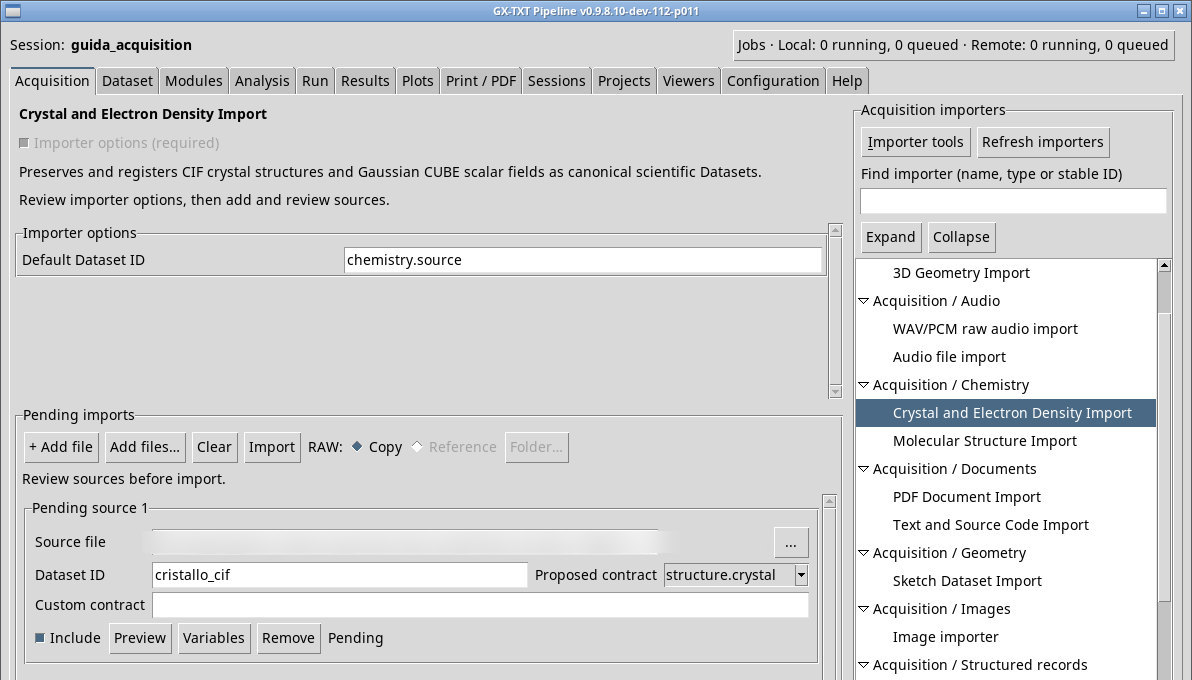
Import crystal structures and density grids, then open the registered Datasets in Crystal Chemistry.
acq.crystal_density · Version 1.0.0
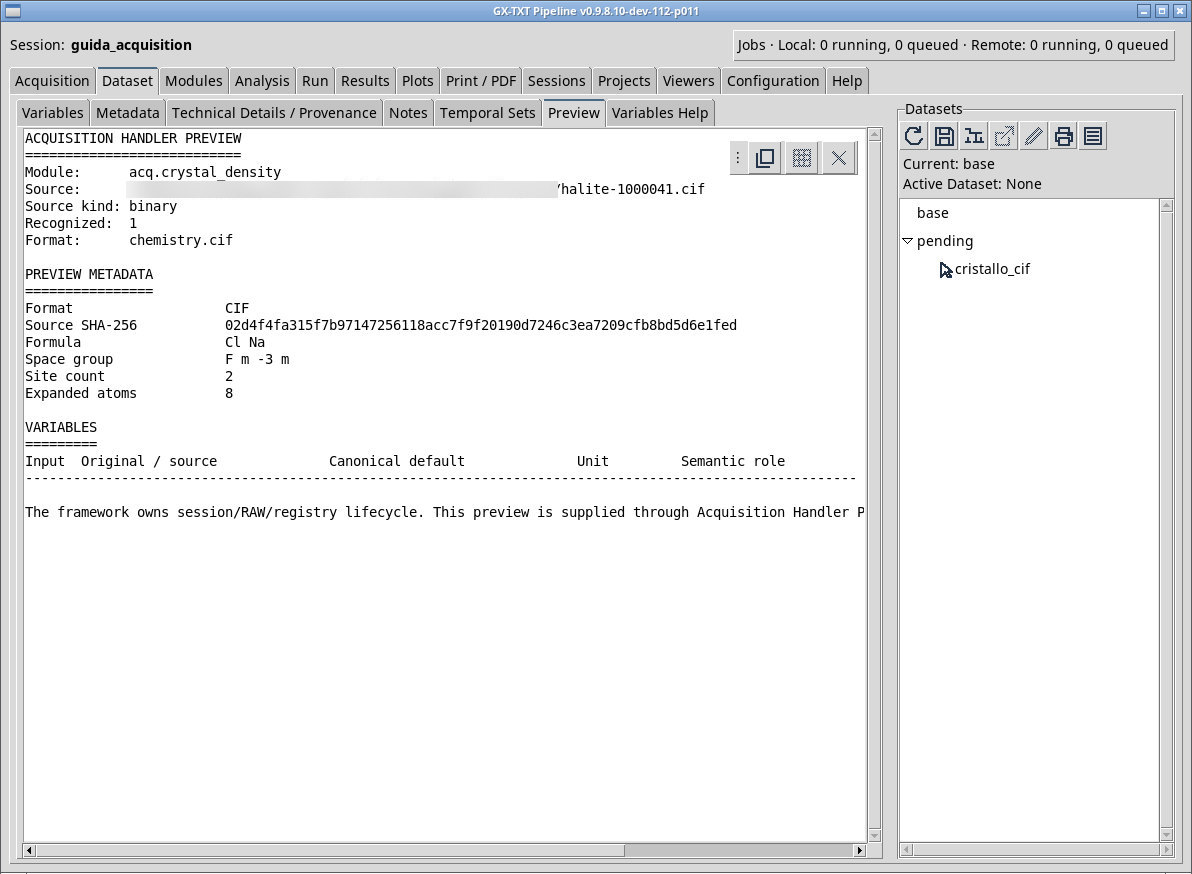
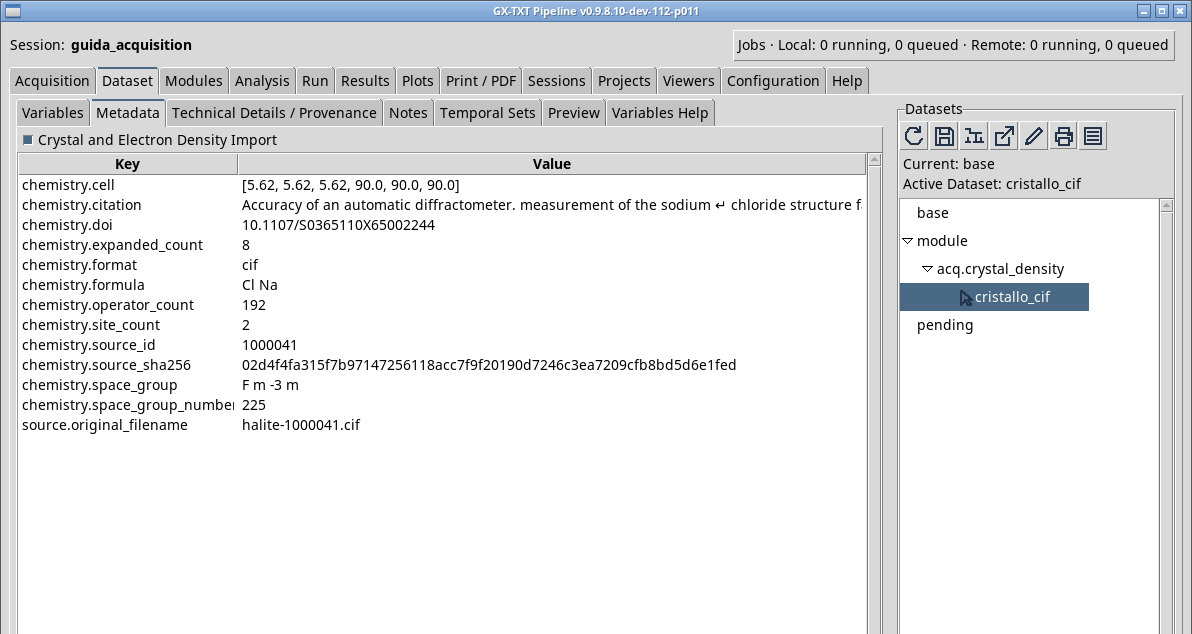
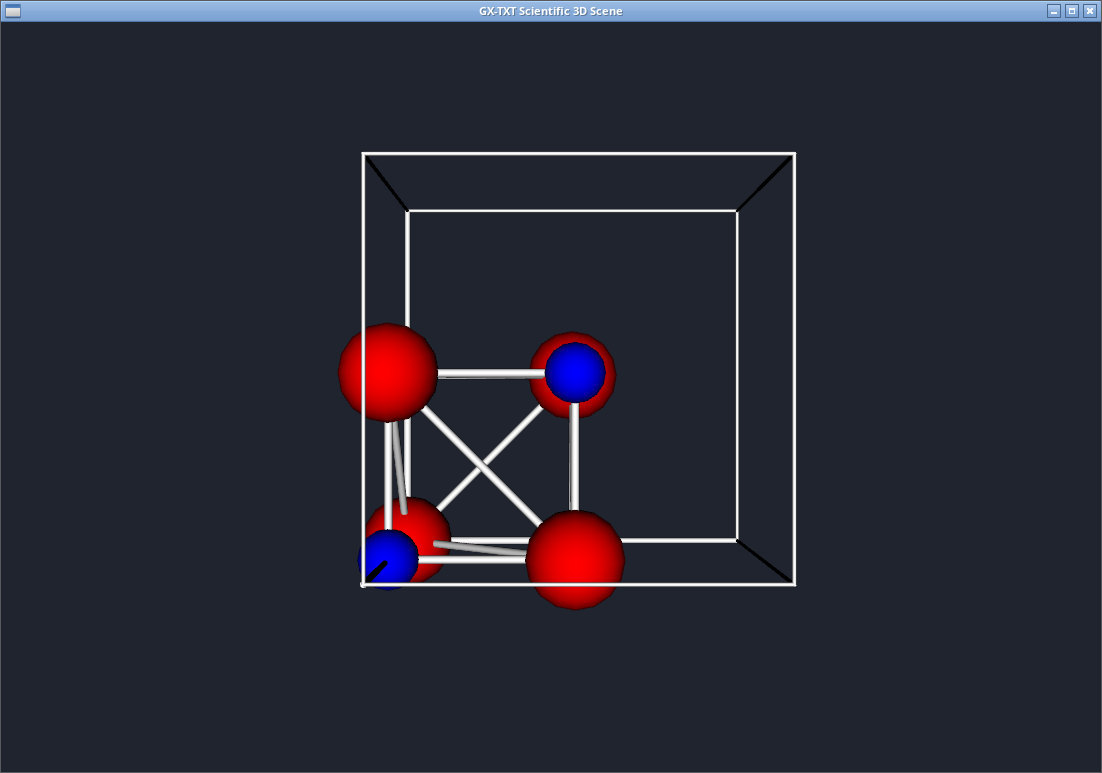
For halite-1000041.cif check the identification, cell, and structure. It is a Crystallography Open Database file for halite. The positions in the CIF refer to the cell, and the rendering applies the viewer’s symmetry model. After Import, look for structure.crystal. Activate the Dataset and open it in the framework. In Crystal Chemistry, open the structure and check that the scene shows the crystal cell.
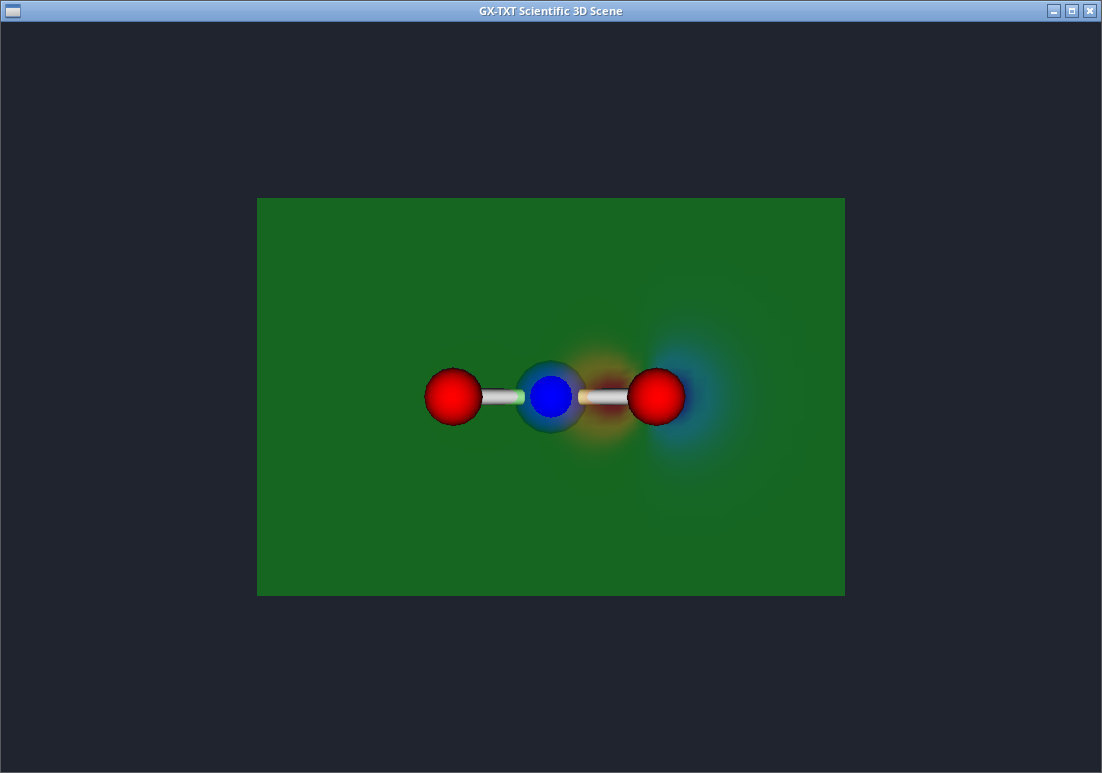
The water-displacement.cube fixture contains a density-difference field on a 48 × 48 × 48 grid. Open Preview and check the dimensions, the origin, and the three grid vectors. The Dataset has contract field.scalar_3d. In the scene, isosurfaces of opposite sign highlight regions where the value increases and decreases. Keep coordinate units distinct from the scalar’s unit. The attached provenance statement describes the RHF/STO-3G calculation and the difference on a common grid.
Open registered Datasets in Crystal Chemistry
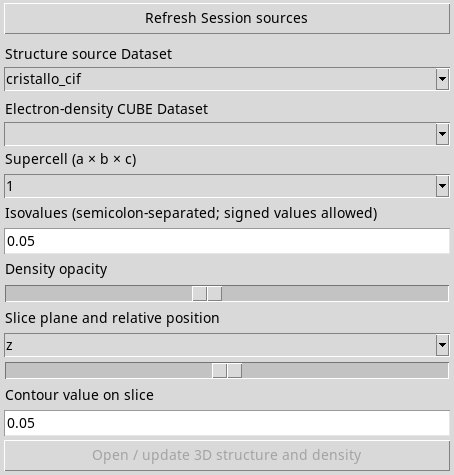
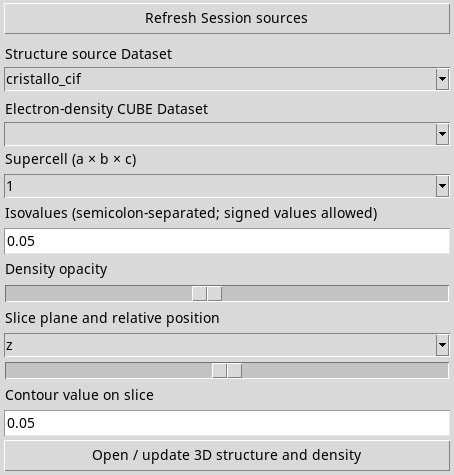
Open Viewers → Crystal Chemistry and click Refresh Session sources if the Datasets were added after the viewer was opened. Choose cristallo_cif in Structure source Dataset for the cell. For the CUBE, select densita_cube in Structure source Dataset and in Electron-density CUBE Dataset to also use the atomic geometry contained in the field. If Open / update 3D structure and density stays grayed out after the first selection in P011-bis, click Refresh Session sources with the ID still selected. The button becomes enabled. Now open the scene.
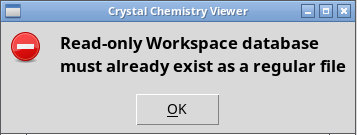
In a fresh P011-bis Session, the first click on the CIF showed Read-only Workspace database must already exist as a regular file. Keep GX-TXT Native 3D Viewer open, close the message, and repeat Open / update 3D structure and density. Use the GX-TXT Scientific 3D Scene title to find the scene window. The Dataset remains available in the browser with Open active Dataset.
Exercise files
- halite-1000041.cif (extract the ZIP first)
- water-displacement.cube (extract the ZIP first)
- water-provenance.json (extract the ZIP first)
Sources, licenses, and SHA-256
Screenshots
Open a screenshot to view it at full size.
Controls and settings
Scrollbar
Default Dataset ID
Default value in the basic configuration chemistry.source.