

Scientific Spectrum CSV and JCAMP
Import a scientific spectrum from CSV or JCAMP into GX-TXT and check quantities, units, and variables before publication.
acq.scientific_spectrum · Version 1.0.0
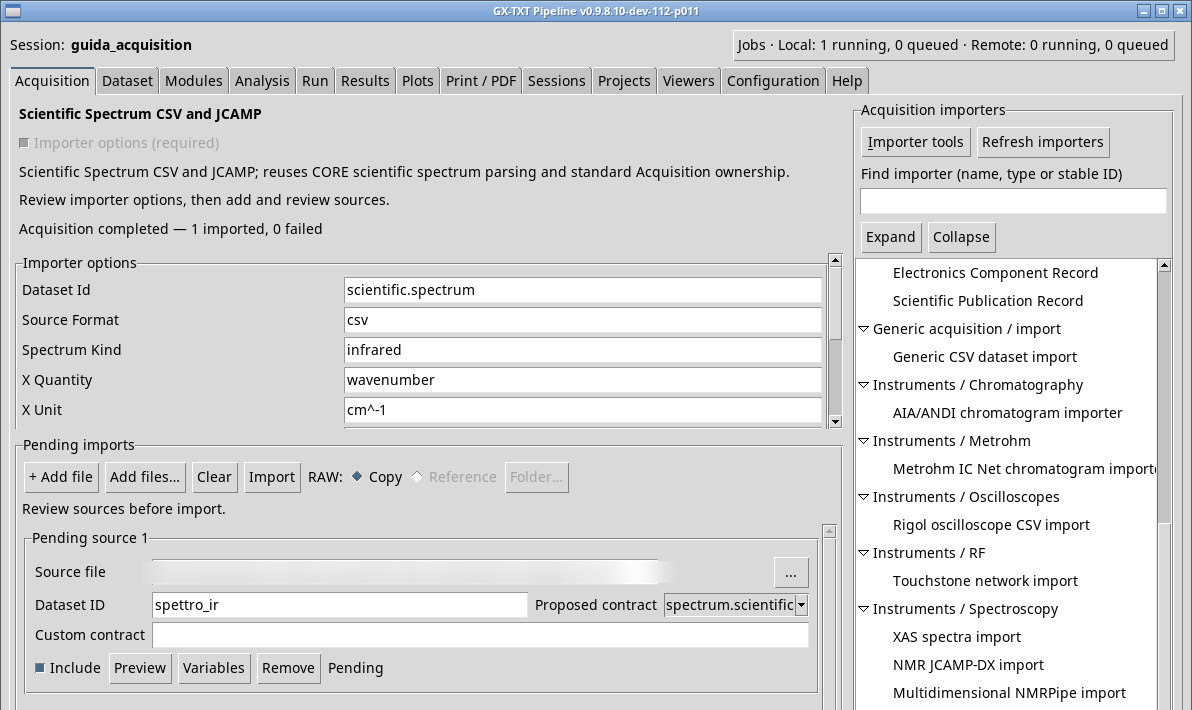
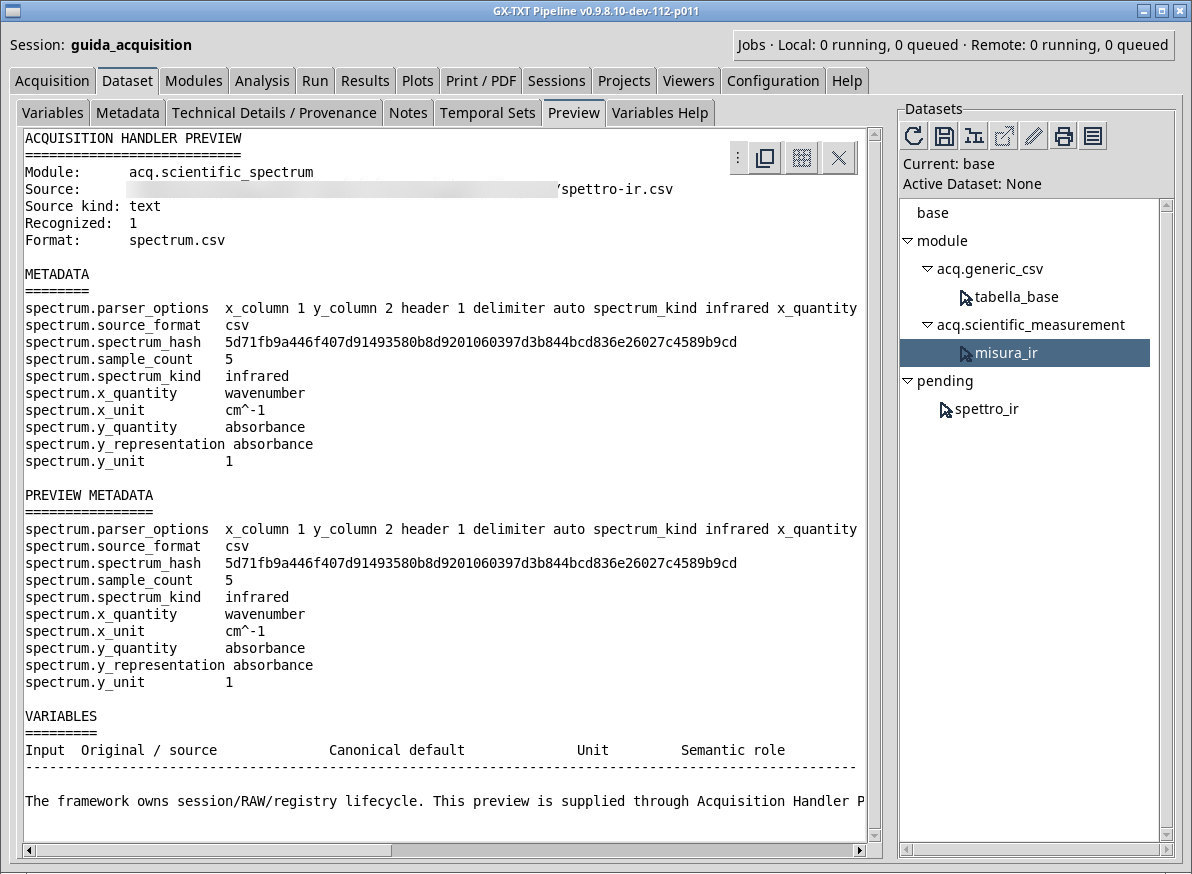
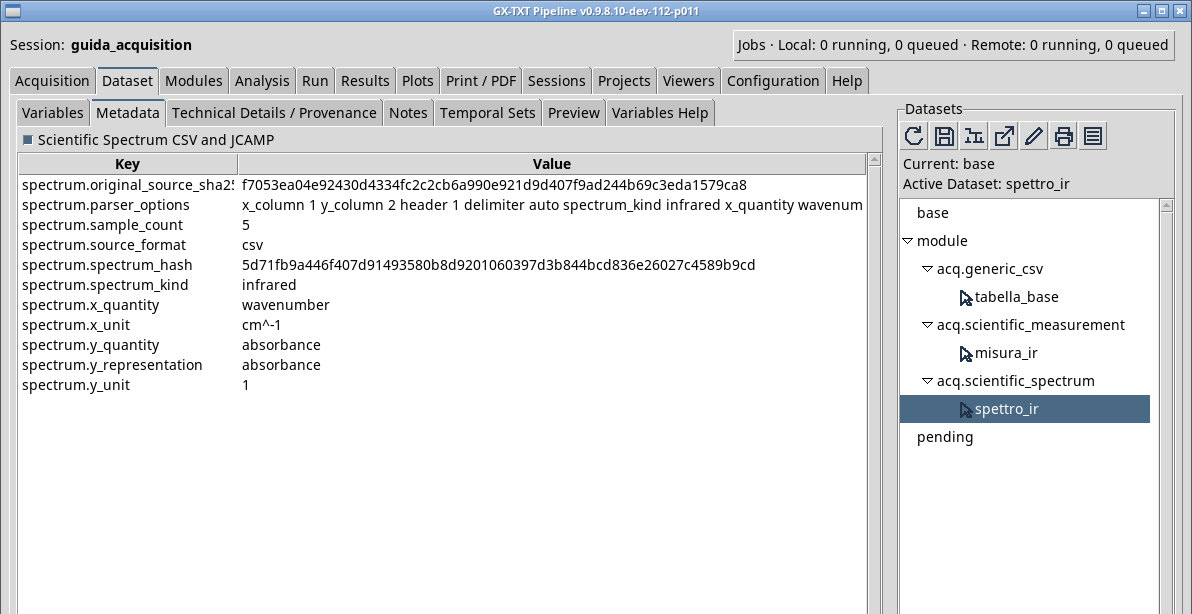
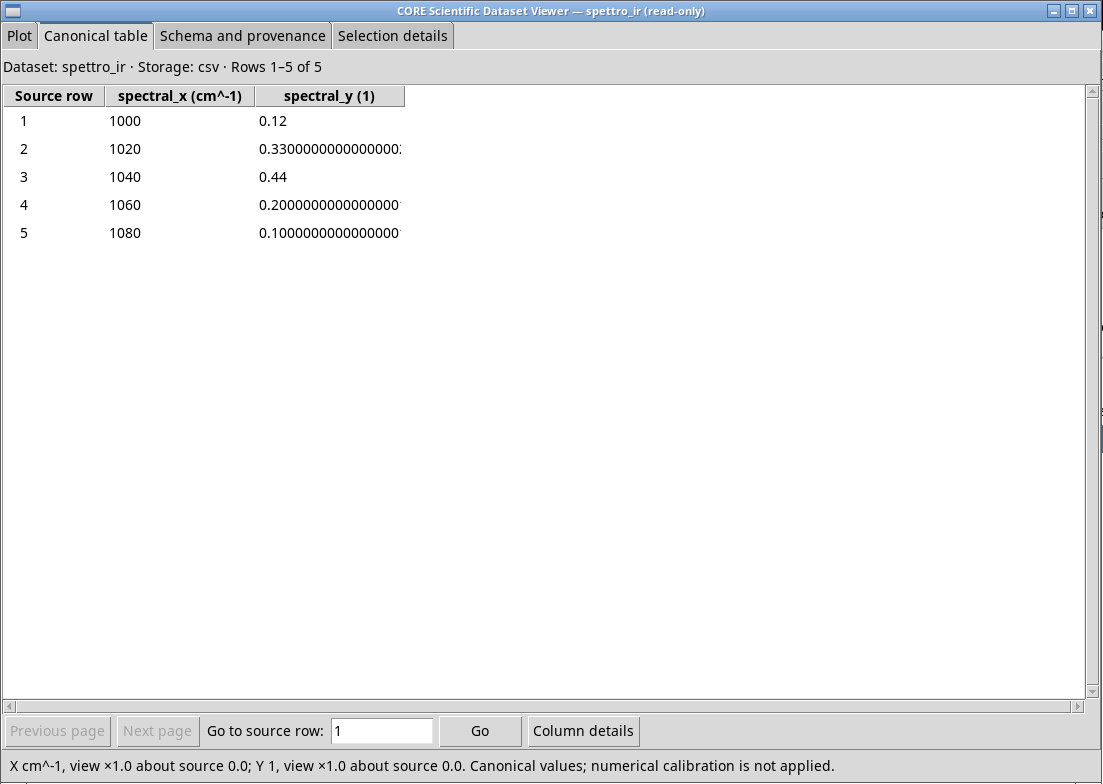
To import a scientific spectrum from a CSV into the Acquisition tab, set Source Format to csv or auto. For spettro-ir.csv use infrared, wavenumber, cm^-1, absorbance, absorbance, 1, columns 1 and 2, Header equal to 1 and Delimiter equal to auto. Check the row (1040 cm⁻¹, 0.44) and the physical nature of the axes in the spectrum.scientific result.
Source Format is textual. jcamp forces the JCAMP parser. With auto the parser can recognize double-hash headers. For JCAMP, start from the actual units and quantities in the source. If the file comes from Scientific Libraries, the Library path can attach options specific to the identified content. A file downloaded and added directly from the tab follows the current Acquisition settings.
Exercise files
- spettro-ir.csv
- ir-didattico.jdx (extract the ZIP first)
Sources, licenses, and SHA-256
Screenshots
Open a screenshot to view it at full size.
Controls and settings
Scrollbar
Dataset Id
Default value in the basic configuration scientific.spectrum.
Source Format
auto detects the format from the data, csv forces CSV, jcamp forces JCAMP. A Scientific Libraries context can supply options related to the original. Default value in the basic configuration auto.
Spectrum Kind
infrared for IR absorbance. The field is initially blank.
X Quantity
wavenumber indicates wavenumber and wavelength wavelength. The two quantities require consistent units. The field is initially blank.
X Unit
cm^-1 for wavenumber or nm for a wavelength. The declaration describes the coordinates supplied. The field is initially blank.
Y Quantity
absorbance. The field is initially blank.
Y Representation
absorbance. Choose the actual representation, because quantity, scale, and unit all affect interpretation. The field is initially blank.
Y Unit
1. For a scientific CSV this field is required. The field is initially blank.
X Column
Default value in the basic configuration 1.
Y Column
Default value in the basic configuration 2.
Header
1 when the first row contains the names and 0 for data rows only. Default value in the basic configuration 1.
Delimiter
auto estimates it from a sample. comma uses comma, semicolon semicolon, tab tab, and whitespace whitespace where available. Check that Preview returns the expected number of columns. Default value in the basic configuration auto.