

Scientific measurement importer
Import scientific measurements from CSV, JCAMP, Andor SIF, PEPE SP, and PRF, then compare the results with reference data.
acq.scientific_measurement · Version 1.0.2
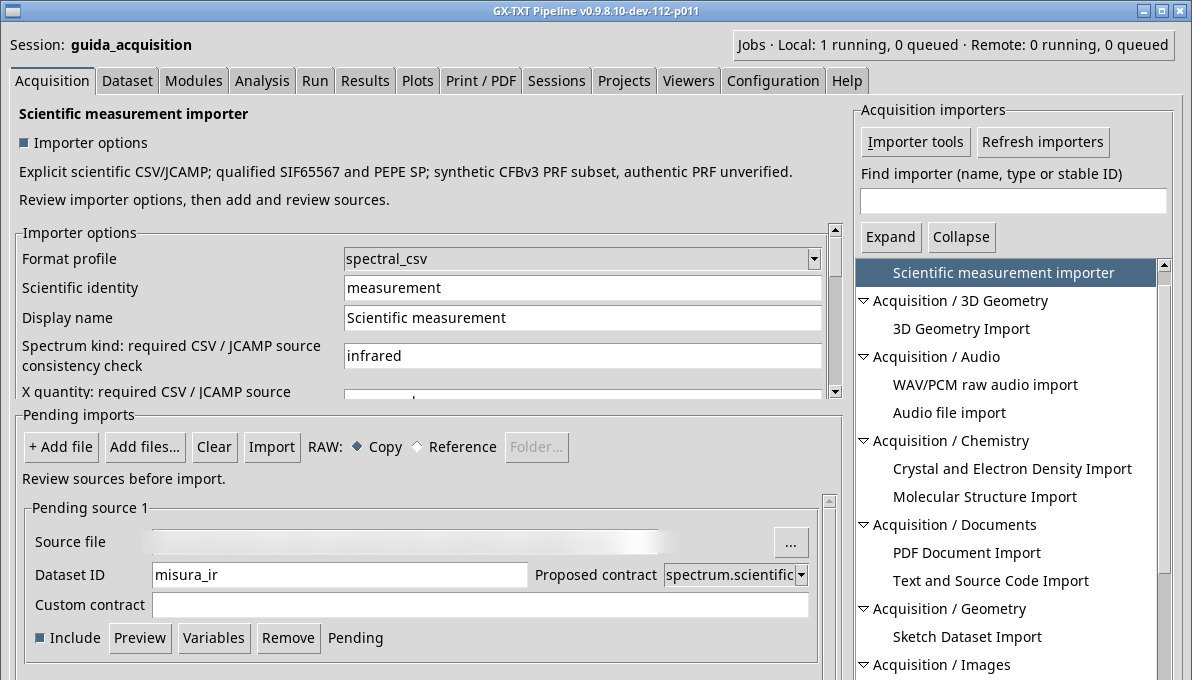
This importer uses explicit profiles for different scientific formats. Expand Importer options before queueing the source, then select Format profile. The profile determines the parser, relevant fields, and supported publication contracts. Values still visible from a different profile may have a different interpretation.
CSV spectrum
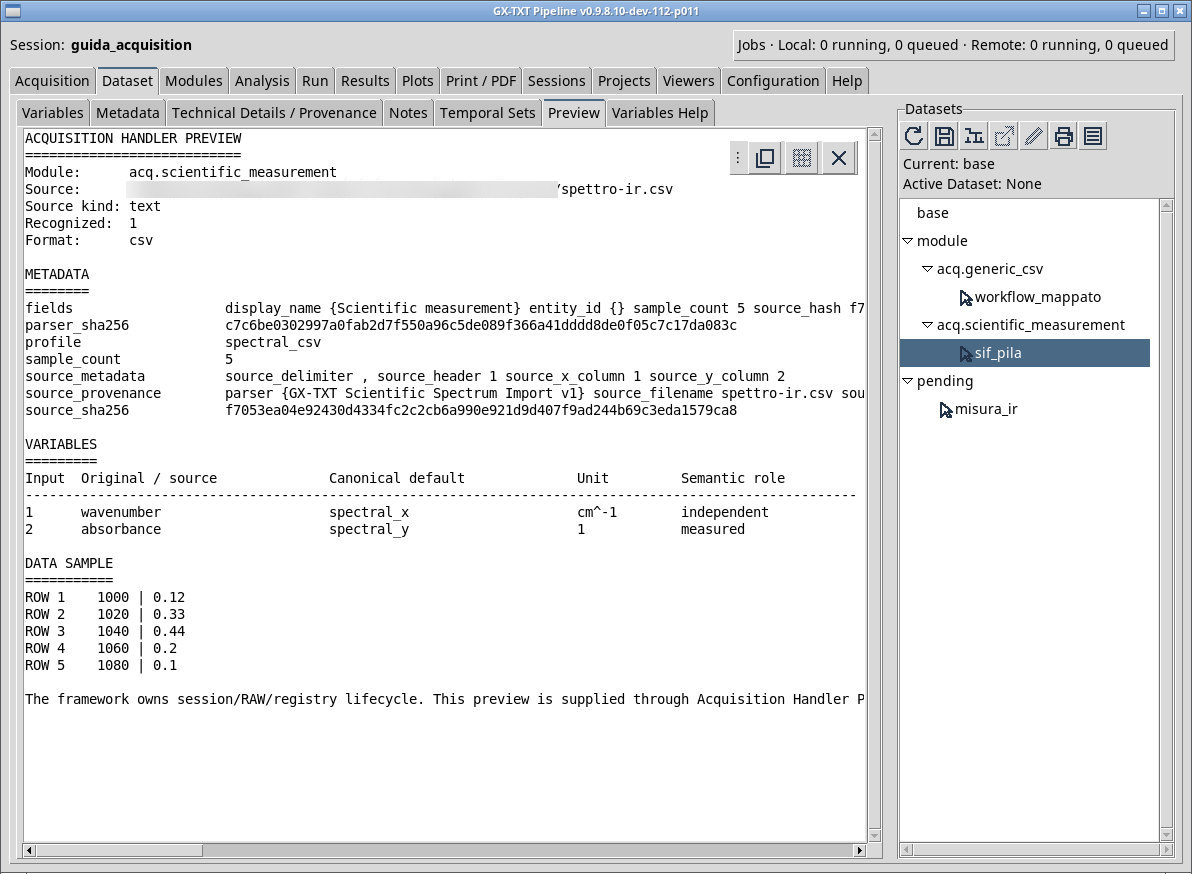
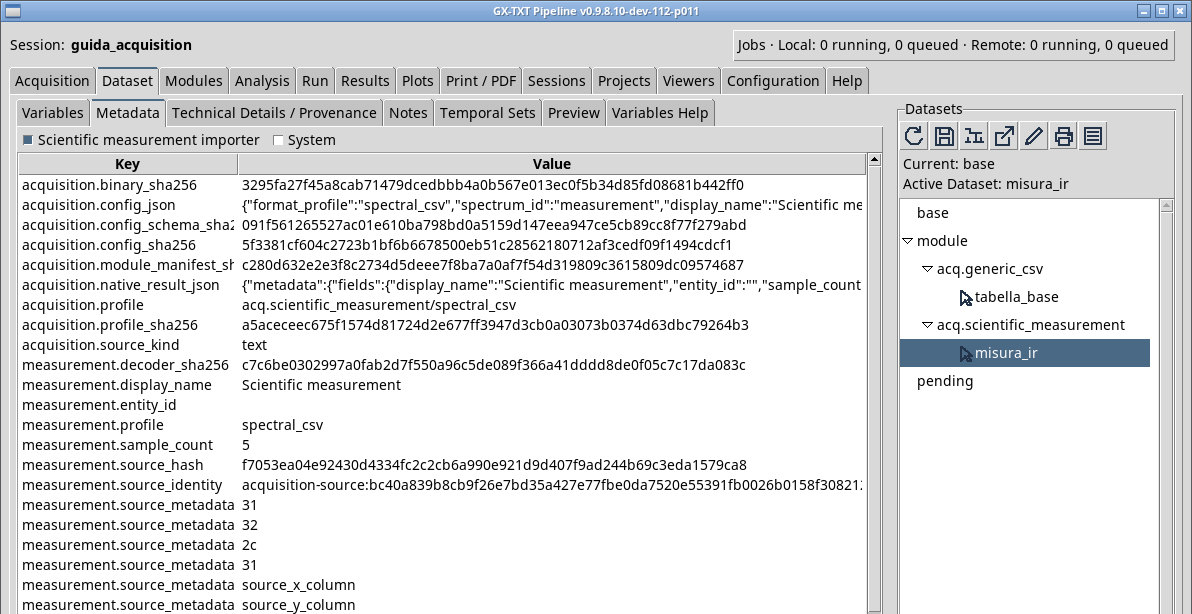
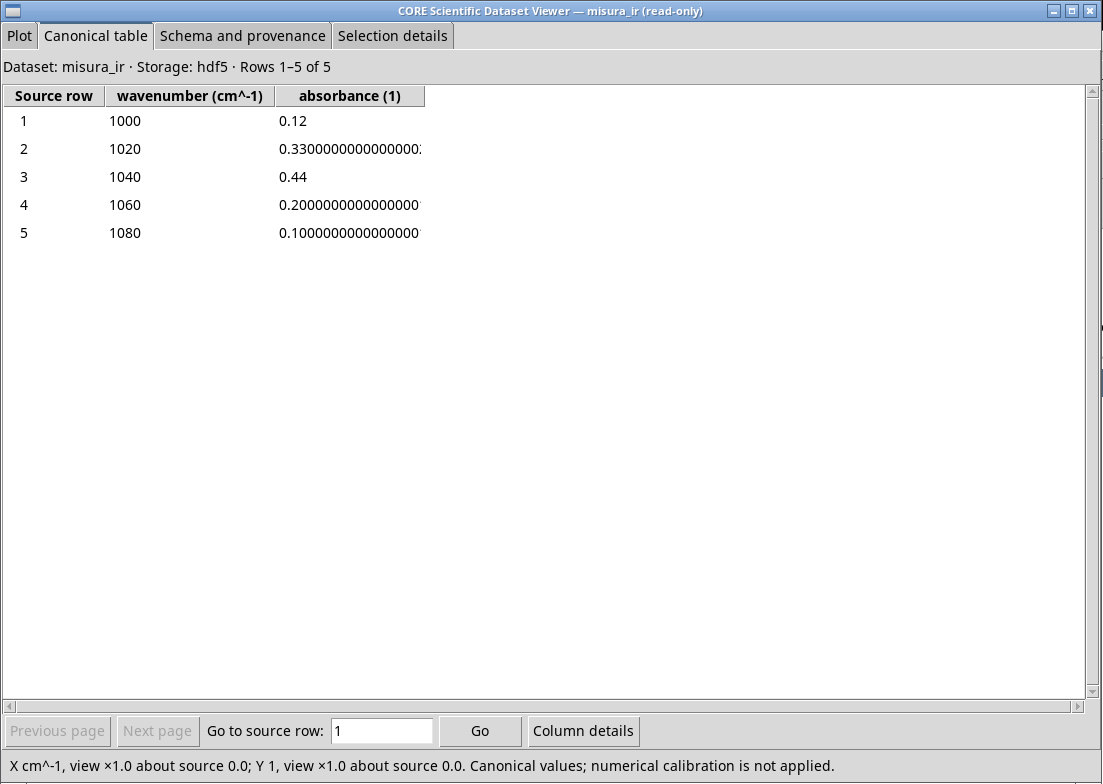
For spettro-ir.csv choose spectral_csv. In order, declare infrared , wavenumber, cm^-1, absorbance, absorbance and 1 in the six scientific fields. Use columns 1 and 2, one header row, and a comma or auto separator. In the file, a wavenumber of 1040 cm⁻¹ has absorbance 0.44. Check the columns and semantics in Preview, then follow the Job to the Dataset spectrum.scientific. The 1 unit expresses the dimensionless nature of absorbance.
JCAMP, Andor SIF, PEPE SP, and PRF
- jcamp_dx
- Read the physical declarations from the source headers. Leave optional declarations blank or enter only values you can verify. Inconsistent declarations can prevent recognition. The CSV profile requires explicit declarations.
- andor_sif
- Under SIF coordinate mode, choose
pixelfor a pixel axis orcalibratedif the file retains supported calibration coefficients. For calibrated coordinates, declare the corresponding physical quantity and unit. For an unknown signal unit, fill all three overrides only if you know its unit, quantity, and representation. Check dimensions, frames, and axes. A 1D trace can be offered asspectrum.scientific, and an image or stack asmeasurement.numeric_array. - perkinelmer_sp
- The supported PEPE subset has constant spacing and float64 values. Read the origin, step, direction, and source units. For example, cm⁻¹ and absorbance require the appropriate source labels and encodings. An unsupported label prevents import.
- perkinelmer_prf
- The parser looks for PRF structures within a CFB container. Declare the time unit
s,min, orhand the signal unit and quantity based on provenance. This declaration preserves the original numeric values. Check the time series and the retained RAW format.
Compare binary Datasets
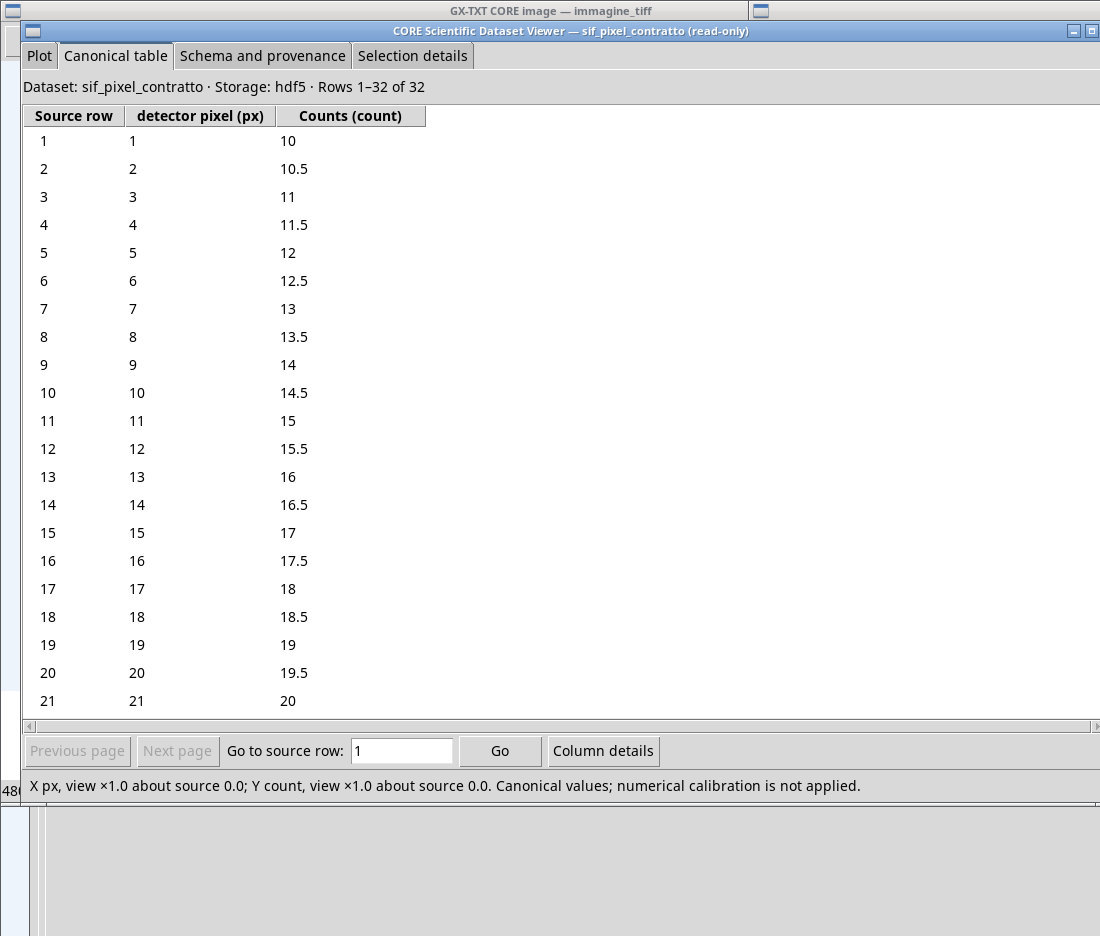
- Synthetic SIF 65567. The trace has 32 pixels and the first values are 10, 10.5, and 11 counts. In the row, set Proposed contract to
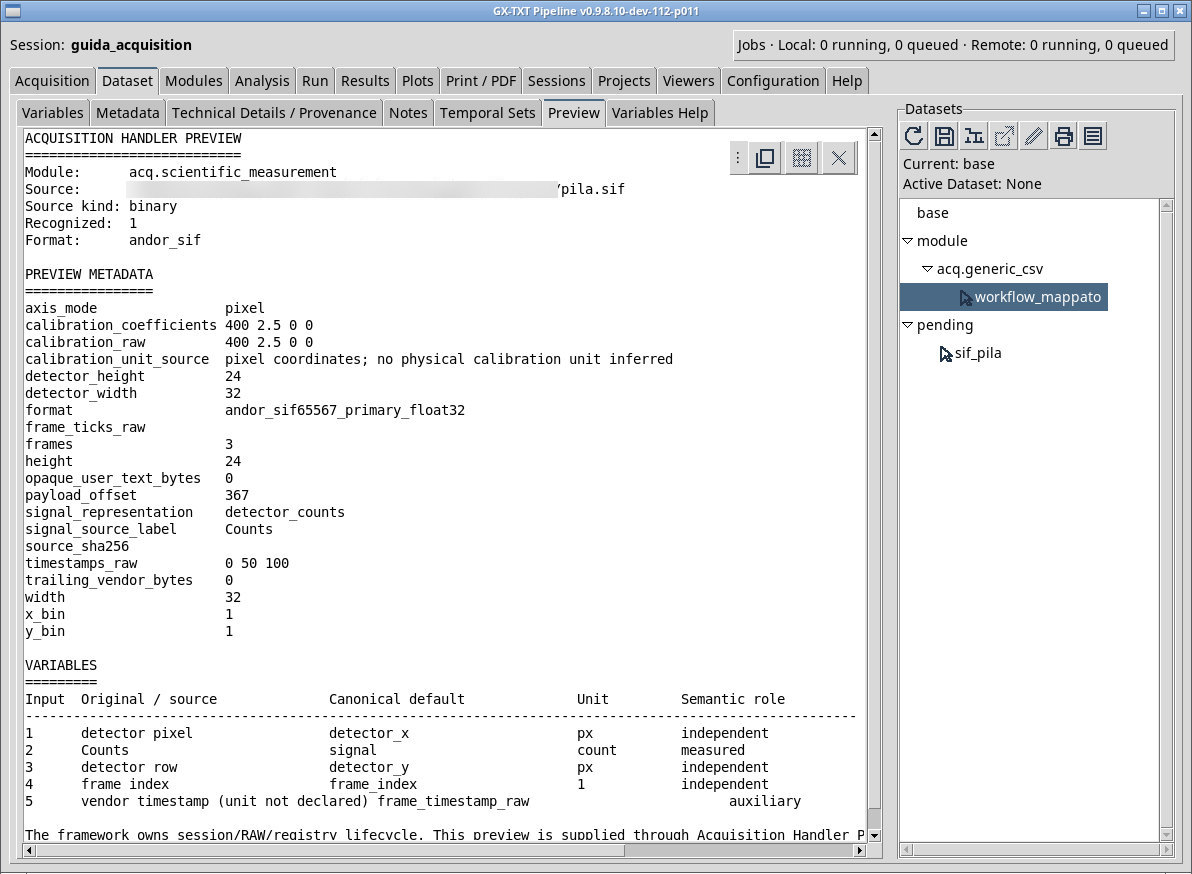
spectrum.scientific. For thepila.sifstack, choosemeasurement.numeric_array. If the proposal remains ambiguous, Import may respond invalid dataset contract. The published stack has 32 × 24 × 3 elements, with frames indexed 0 to 2. The three values at (x=1, y=1) are 10, 110, and 210 counts. The original timestamps declare no unit. Withcalibratedandwavelengthin nm, the training polynomial is 400 + 2.5 × pixel. The first pixel is at 402.5 nm. These are synthetic files from the single-ROI 65567 subset. - To view the first frame of
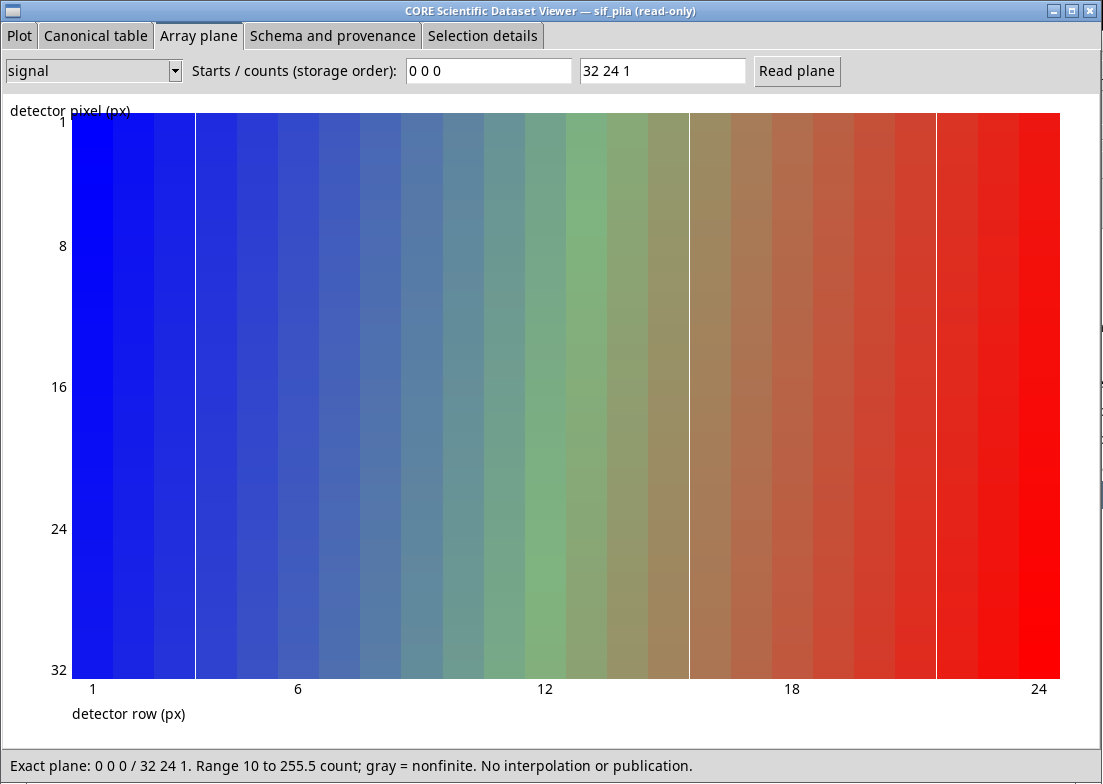
pila.sif, open Array plane, choosesignal, set Starts to0 0 0and Counts to32 24 1, then click Read plane. The map shows the counts of the detector plane. - Synthetic PEPE SP.
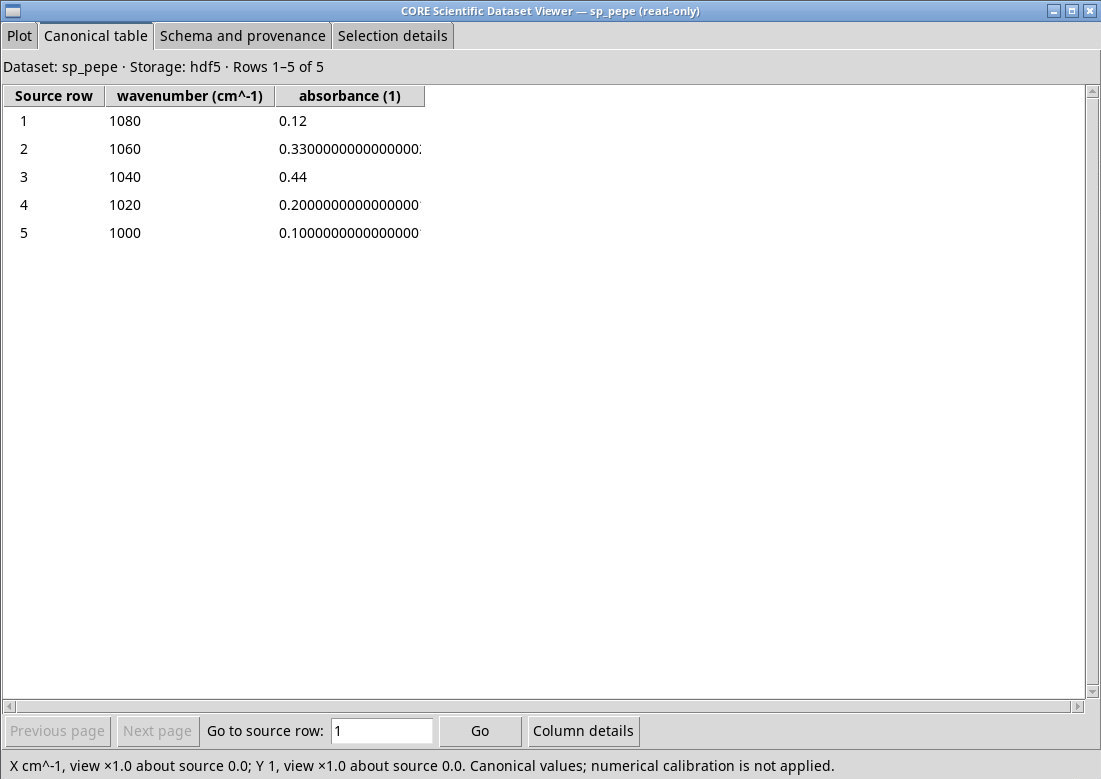
pepe-didattico.spcontains five coordinates from 1080 to 1000 cm⁻¹ in descending order. The step is −20 cm⁻¹ and the central point has absorbance 0.44. After Import, check in Canonical table the descending order from 1080 to 1000 cm⁻¹ and the value 0.44 at 1040 cm⁻¹. - Synthetic PRF CFBv3. For
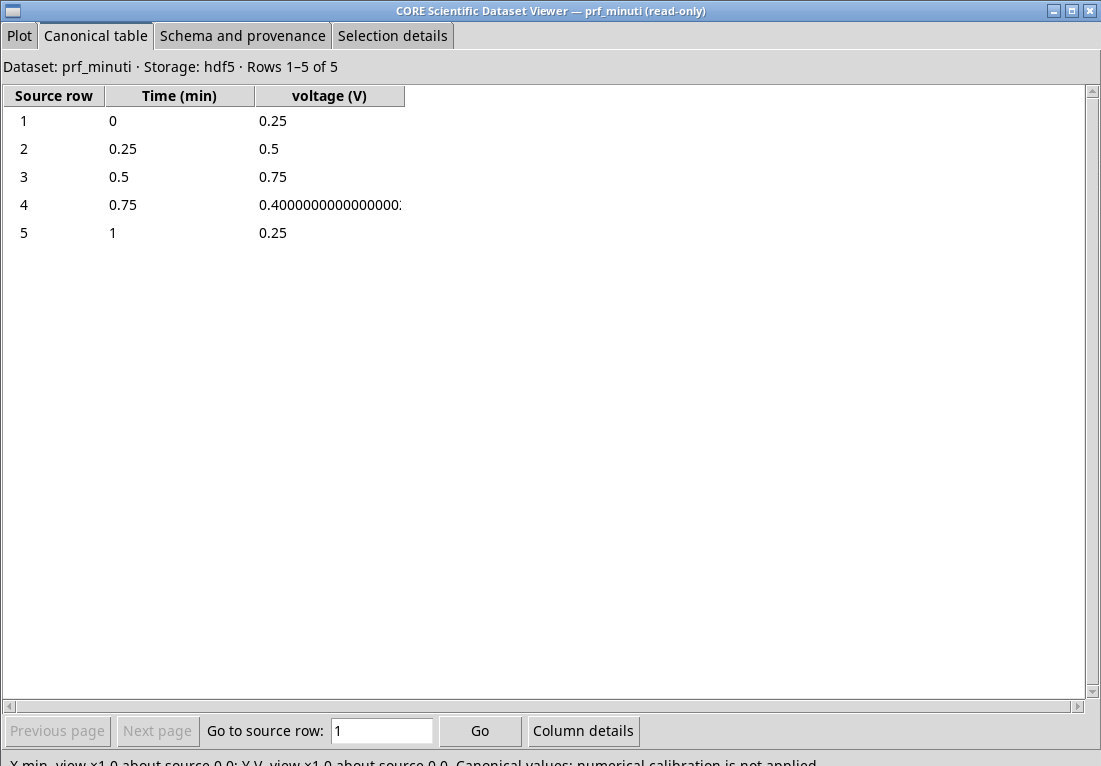
profilo-cfb3.prfassigntimeseries.table,min,Vandvoltage. With missing declarations a Preview may still appear, but publication requires all three. The Dataset contains the point (0.50 min, 0.75 V). Check that the axis runs from 0 to 1 and that minutes are declared. The test covers the synthetic container; compatibility with a PRF from a real instrument has yet to be verified.
Exercise files
- spettro-ir.csv
- ir-didattico.jdx (extract the ZIP first)
- traccia.sif (extract the ZIP first)
- pila.sif (extract the ZIP first)
- traccia-unita-ignota.sif (extract the ZIP first)
- pepe-didattico.sp (extract the ZIP first)
- profilo-cfb3.prf (extract the ZIP first)
Sources, licenses, and SHA-256
Screenshots
Open a screenshot to view it at full size.
Controls and settings
Scrollbar
Format profile
Default value in the basic configuration spectral_csv.
spectral_csv· Set the parser for the file and check the contract proposal. The five profiles and their inputs are described in the previous section.jcamp_dx· Set the parser for the file and check the contract proposal. The five profiles and their inputs are described in the previous section.andor_sif· Set the parser for the file and check the contract proposal. The five profiles and their inputs are described in the previous section.perkinelmer_sp· Set the parser for the file and check the contract proposal. The five profiles and their inputs are described in the previous section.perkinelmer_prf· Set the parser for the file and check the contract proposal. The five profiles and their inputs are described in the previous section.
Scientific identity
Default value in the basic configuration measurement.
Display name
Default value in the basic configuration Scientific measurement.
Spectrum kind: required CSV / JCAMP source consistency check
infrared for IR absorbance. The field is initially blank.
X quantity: required CSV / JCAMP source consistency check
wavenumber indicates wavenumber and wavelength wavelength. The two quantities require consistent units. The field is initially blank.
X unit: required CSV / JCAMP source consistency check
cm^-1 for wavenumber or nm for a wavelength. The declaration describes the coordinates supplied. The field is initially blank.
Y quantity: required CSV / JCAMP source consistency check
absorbance. The field is initially blank.
Y representation: required CSV / JCAMP source consistency check
absorbance. Choose the actual representation, because quantity, scale, and unit all affect interpretation. The field is initially blank.
Y unit: required CSV / JCAMP source consistency check
1. For a scientific CSV this field is required. The field is initially blank.
CSV X column name or 1-based index
Default value in the basic configuration 1.
CSV Y column name or 1-based index
Default value in the basic configuration 2.
CSV delimiter: auto / comma / semicolon / tab
auto estimates it from a sample. comma uses comma, semicolon semicolon, tab tab, and whitespace whitespace where available. Check that Preview returns the expected number of columns. Default value in the basic configuration auto.
CSV has column header
Default value in the basic configuration 1.
SIF coordinate mode
pixel for detector positions or calibrated with four supported source coefficients and an explicit physical quantity and unit. Default value in the basic configuration pixel.
pixel· Usepixelfor detector positions orcalibratedwith four supported source coefficients and an explicit physical quantity and unit.calibrated· Usepixelfor detector positions orcalibratedwith four supported source coefficients and an explicit physical quantity and unit.
Explicit SIF physical calibration source unit
nm. The parser applies the calibration to pixels according to the source coefficients. The field is initially blank.
Explicit SIF physical calibration quantity
wavelength when the polynomial returns wavelengths. The field is initially blank.
Unknown SIF signal source unit
The field is initially blank.
Unknown SIF signal quantity
The field is initially blank.
Unknown SIF signal representation
The field is initially blank.
Reviewed PRF numeric time unit s/min/h; no conversion
s, min or h. The time values remain unchanged. The field is initially blank.
Reviewed PRF signal source unit; no inferred RMS unit
The field is initially blank.
Reviewed PRF signal source quantity
The field is initially blank.