

XAS spectra import
Compare XAS import modes, check the energy axis, and verify samples, omitted values, and curve families.
acq.xas · Version 1.0.1
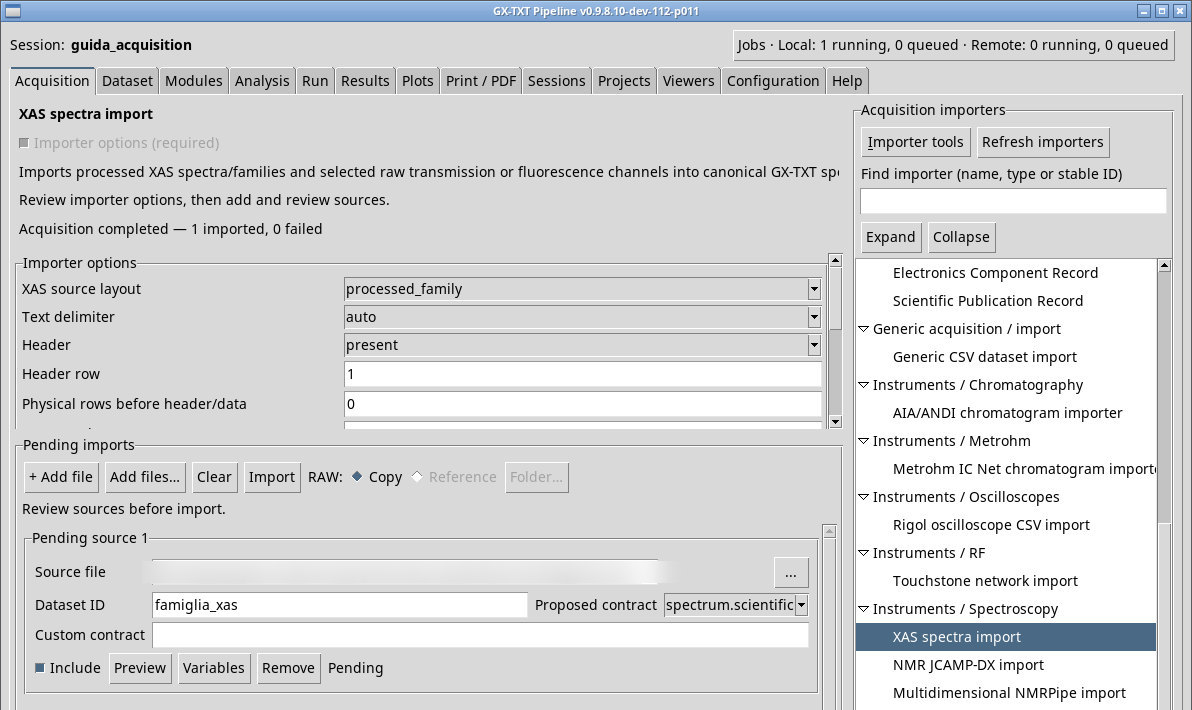
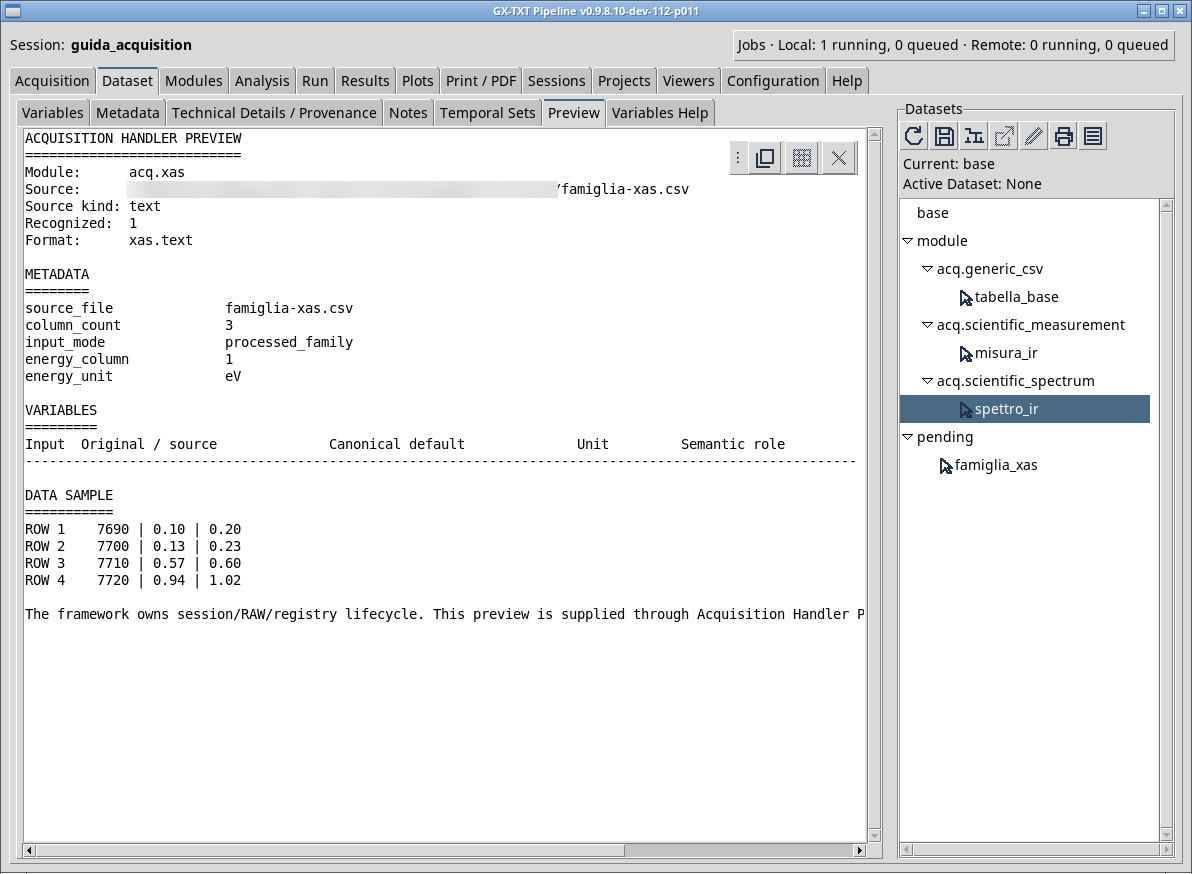
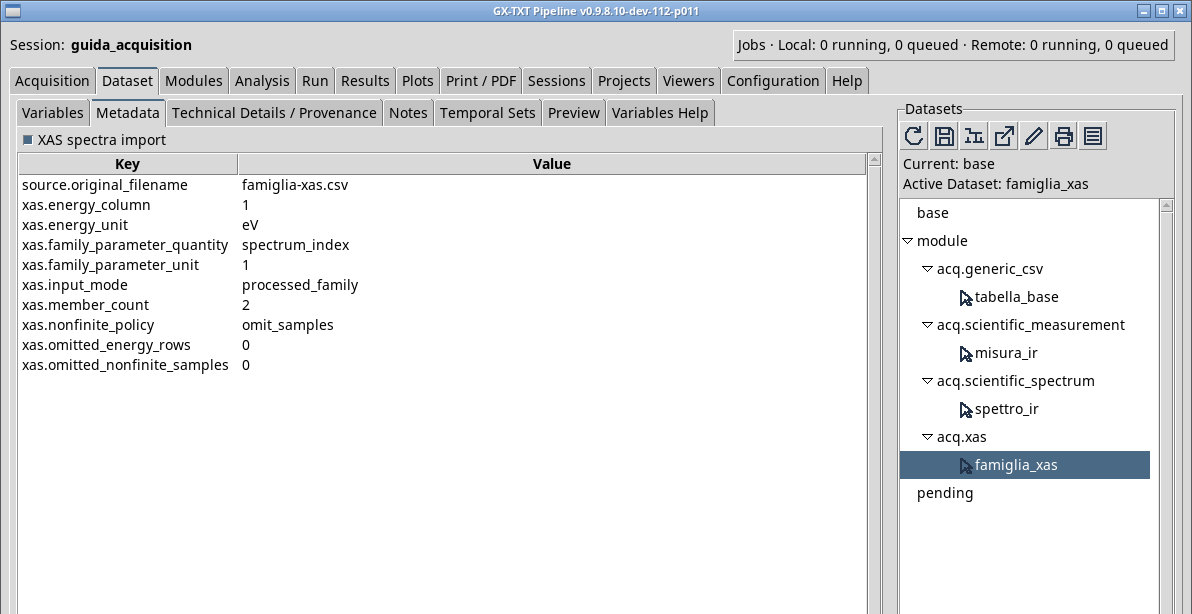
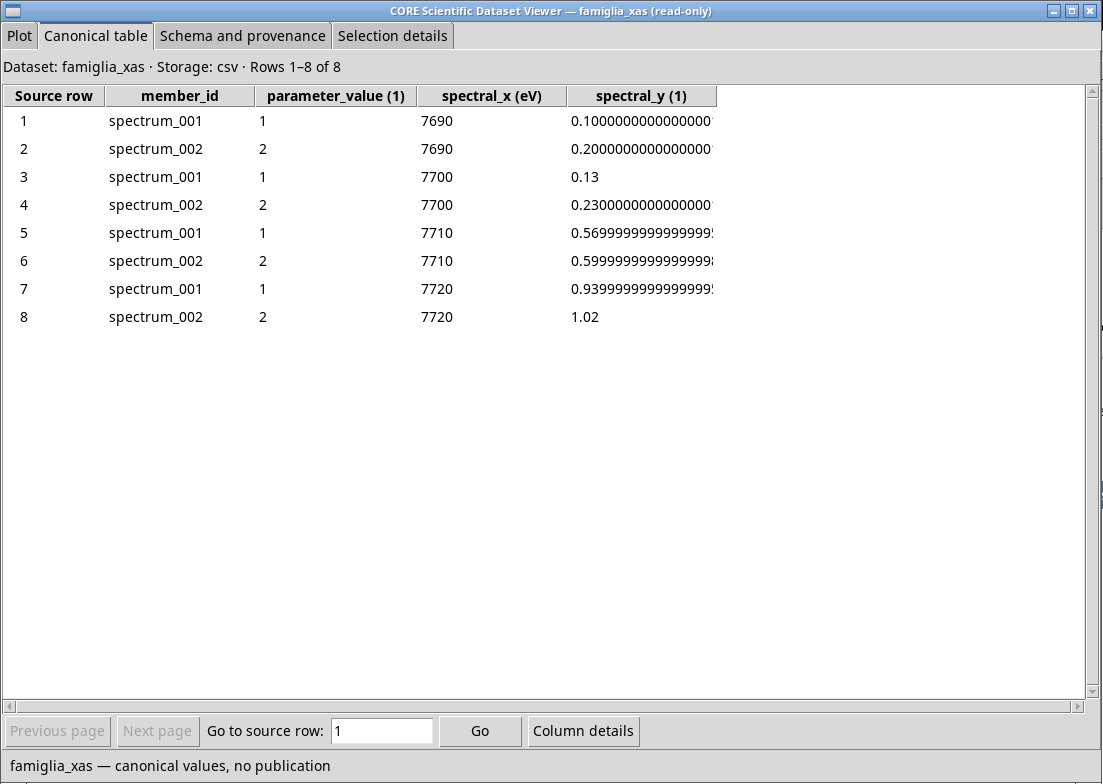
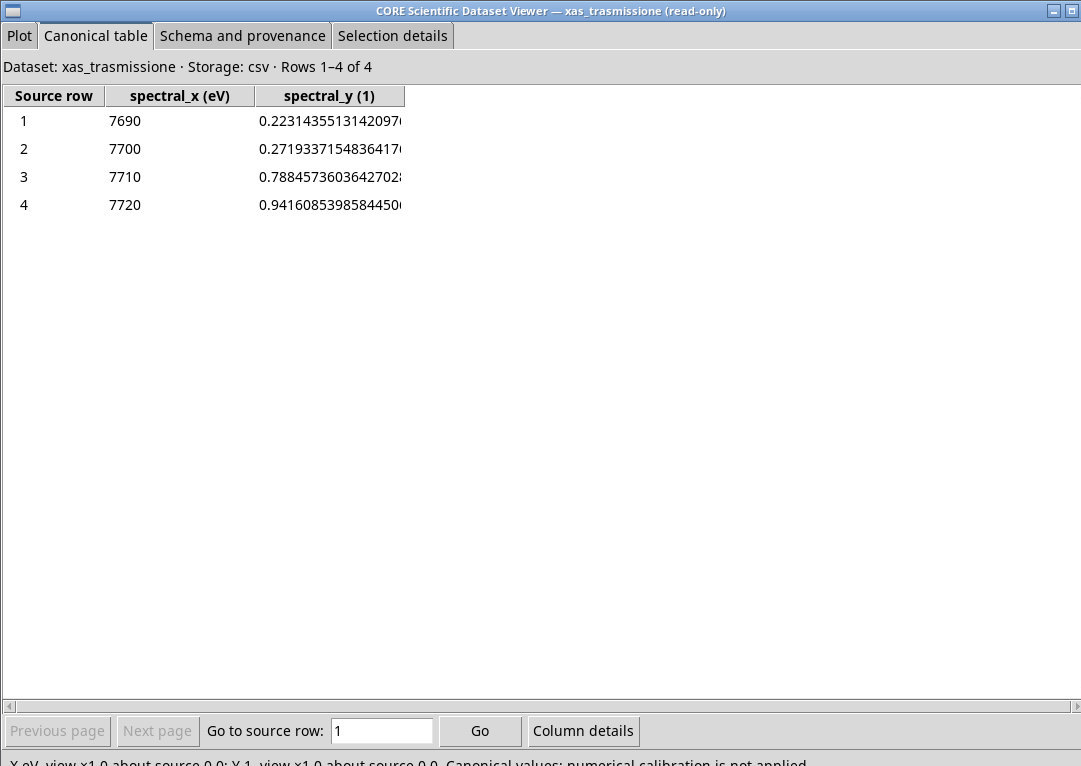
Queue famiglia-xas.csv with processed_family. Set Header to present, Energy column to 1, and Energy unit to eV. Column one contains energy. Columns two and three contain spectra on the same grid. Set First processed spectrum column to 2 and Last processed spectrum column to 0 to read both spectra. The family Dataset should contain two responses over 7690 to 7720 eV.
Understand the five modes
processed_familyreads several already processed curves from the specified column range.processed_singlereads only the Processed mu(E) column column.raw_transmissioncalculates the natural logarithm of the I₀/Iₜ ratio. Inxas-grezzo.csvuses numerator 2 and denominator 3. At 7690 eV the expected value is ln(100/80) ≈ 0.223144.raw_fluorescencenormalizes the fluorescence channel by the incident monitor. Use numerator 4 and denominator 2 for an expected ratio of 0.2 at the first point.raw_ratioproduces the direct ratio of the declared columns. The parser sums the channels of each list to get the numerator and the denominator.
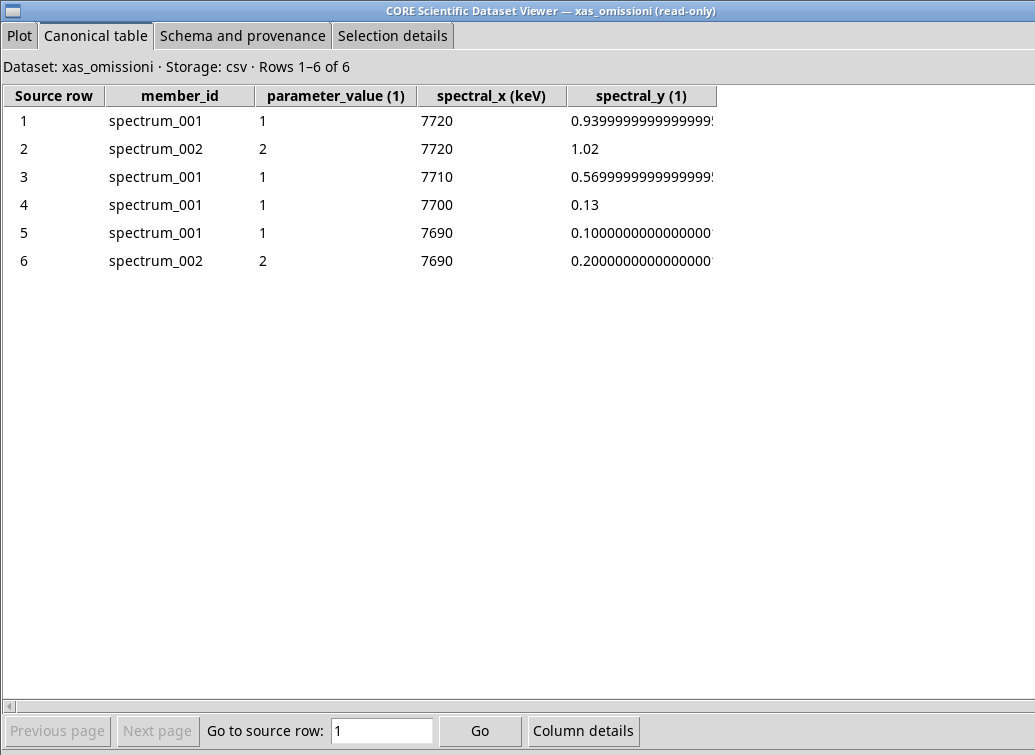
Energy unit declares a unit. Choosing eV or keV leaves the source values unchanged. Use auto only when the source identifies the unit unambiguously. omit_samples drops invalid samples for the affected branch, while error requires correction before publication. Check for enough finite points in each curve and for duplicate axis values.
Check axes and samples
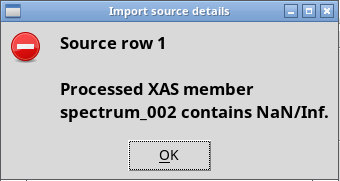
In xas-invalido.csv, energy decreases. The tested auto setting could not resolve the unit, while an explicit declaration allowed the series. With keV, the first value remains 7720. For scientific work with the example, use eV, the unit indicated by the column name. With omit_samples, the second spectrum keeps two points and the first keeps four. The file is rejected under error. xas-un-solo-punto.csv demonstrates rejection when a member has fewer than two finite values. xas-duplicata.csv repeats an energy and is rejected.
Exercise files
Sources, licenses, and SHA-256
Screenshots
Open a screenshot to view it at full size.
Controls and settings
XAS source layout
processed_family uses several y-columns, processed_single one. raw_transmission calculates the natural logarithm of the ratio, raw_fluorescence and raw_ratio the ratio of the selected channel sums. Default value in the basic configuration processed_family.
processed_family· Choose how many responses to read and whether to calculate μ(E).processed_familyuses several y-columns,processed_singleone.raw_transmissioncalculates the natural logarithm of the ratio,raw_fluorescenceandraw_ratiothe ratio of the selected channel sums.processed_single· Choose how many responses to read and whether to calculate μ(E).processed_familyuses several y-columns,processed_singleone.raw_transmissioncalculates the natural logarithm of the ratio,raw_fluorescenceandraw_ratiothe ratio of the selected channel sums.raw_transmission· Choose how many responses to read and whether to calculate μ(E).processed_familyuses several y-columns,processed_singleone.raw_transmissioncalculates the natural logarithm of the ratio,raw_fluorescenceandraw_ratiothe ratio of the selected channel sums.raw_fluorescence· Choose how many responses to read and whether to calculate μ(E).processed_familyuses several y-columns,processed_singleone.raw_transmissioncalculates the natural logarithm of the ratio,raw_fluorescenceandraw_ratiothe ratio of the selected channel sums.raw_ratio· Choose how many responses to read and whether to calculate μ(E).processed_familyuses several y-columns,processed_singleone.raw_transmissioncalculates the natural logarithm of the ratio,raw_fluorescenceandraw_ratiothe ratio of the selected channel sums.
Text delimiter
auto estimates it from a sample. comma uses comma, semicolon semicolon, tab tab, and whitespace whitespace where available. Check that Preview returns the expected number of columns. Default value in the basic configuration auto.
auto· Choose the separator actually used in the source.autoestimates it from a sample.commauses comma,semicolonsemicolon,tabtab, andwhitespacewhitespace where available. Check that Preview returns the expected number of columns.comma· Choose the separator actually used in the source.autoestimates it from a sample.commauses comma,semicolonsemicolon,tabtab, andwhitespacewhitespace where available. Check that Preview returns the expected number of columns.semicolon· Choose the separator actually used in the source.autoestimates it from a sample.commauses comma,semicolonsemicolon,tabtab, andwhitespacewhitespace where available. Check that Preview returns the expected number of columns.tab· Choose the separator actually used in the source.autoestimates it from a sample.commauses comma,semicolonsemicolon,tabtab, andwhitespacewhitespace where available. Check that Preview returns the expected number of columns.whitespace· Choose the separator actually used in the source.autoestimates it from a sample.commauses comma,semicolonsemicolon,tabtab, andwhitespacewhitespace where available. Check that Preview returns the expected number of columns.
Header
present uses a header row, absent starts from the data rows after any preamble. Default value in the basic configuration absent.
absent·presentuses a header row,absentstarts from the data rows after any preamble.present·presentuses a header row,absentstarts from the data rows after any preamble.
Header row
Default value in the basic configuration 1.
Physical rows before header/data
Default value in the basic configuration 0.
Energy column
Default value in the basic configuration 1.
Energy unit
auto the unit is resolved from the source where the conditions allow it. eV or keV declare the unit. The input values remain unchanged. Default value in the basic configuration auto.
auto· Withautothe unit is resolved from the source where the conditions allow it.eVorkeVdeclare the unit. The input values remain unchanged.eV· Withautothe unit is resolved from the source where the conditions allow it.eVorkeVdeclare the unit. The input values remain unchanged.keV· Withautothe unit is resolved from the source where the conditions allow it.eVorkeVdeclare the unit. The input values remain unchanged.
First processed spectrum column
Default value in the basic configuration 2.
Last processed spectrum column (0 = final column)
0 uses the last available one. Default value in the basic configuration 0.
Processed mu(E) column
Default value in the basic configuration 2.
Raw numerator columns (semicolon separated)
The field is initially blank.
Raw denominator columns (semicolon separated)
The field is initially blank.
Invalid/non-finite samples
omit_samples excludes samples that fail the branch’s numeric criteria and records how many were excluded. error stops the import when an invalid sample is detected. Default value in the basic configuration omit_samples.
omit_samples·omit_samplesexcludes samples that fail the branch’s numeric criteria and records how many were excluded.errorstops the import when an invalid sample is detected.error·omit_samplesexcludes samples that fail the branch’s numeric criteria and records how many were excluded.errorstops the import when an invalid sample is detected.
Parser rows per block
Default value in the basic configuration 2048.