

NMR JCAMP-DX import
Import an NMR JCAMP-DX spectrum, check solvent metadata, and reproduce the FID example with a verified FFT grid.
acq.nmr · Version 1.0.0
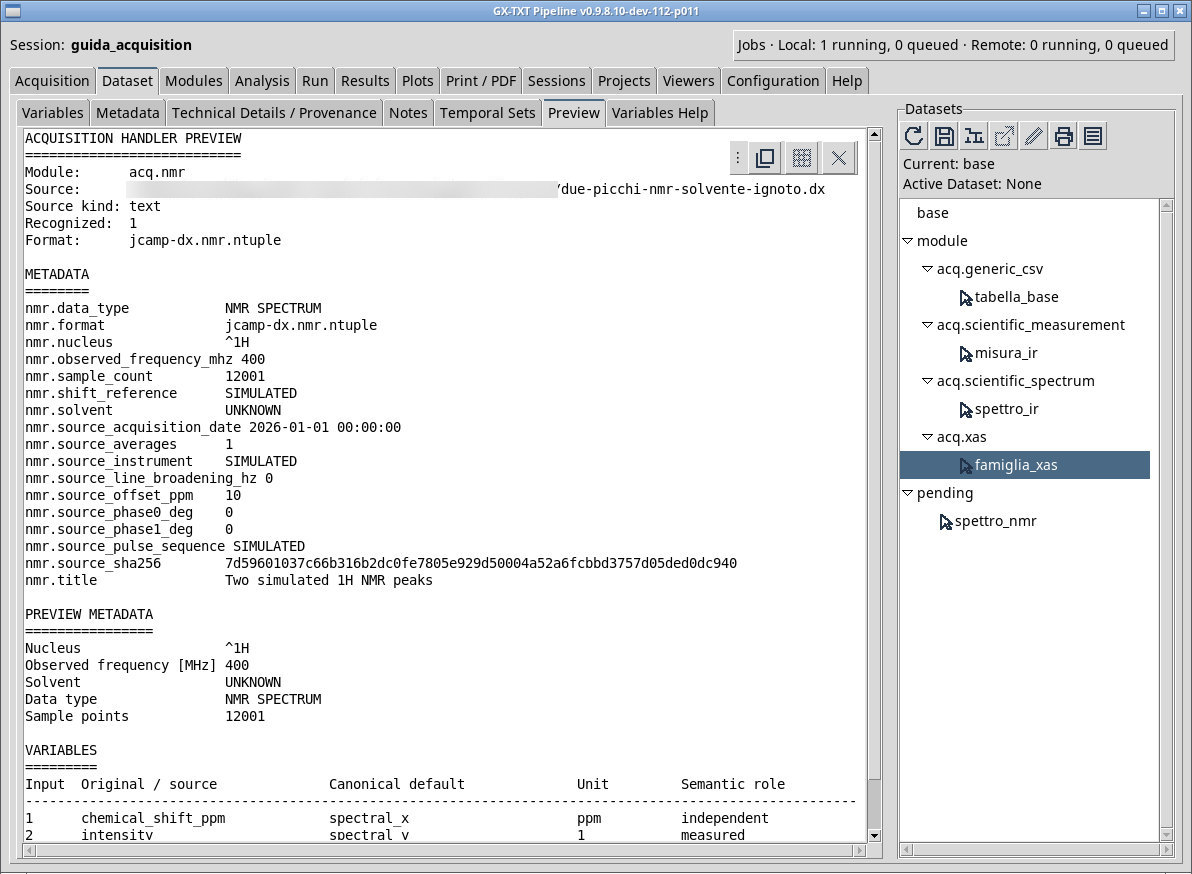
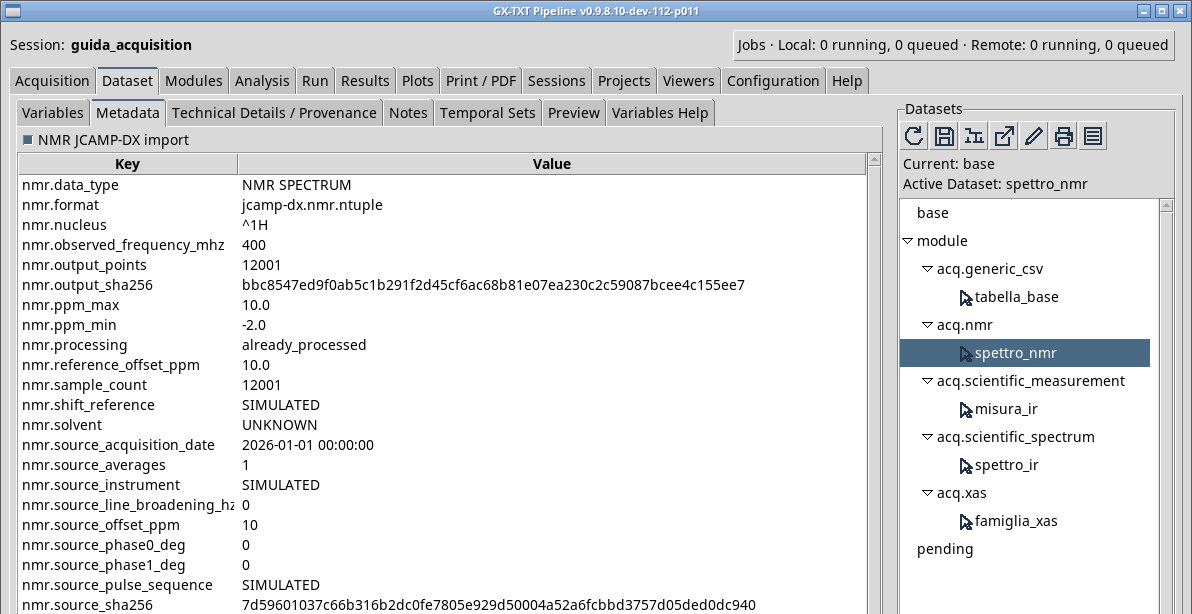
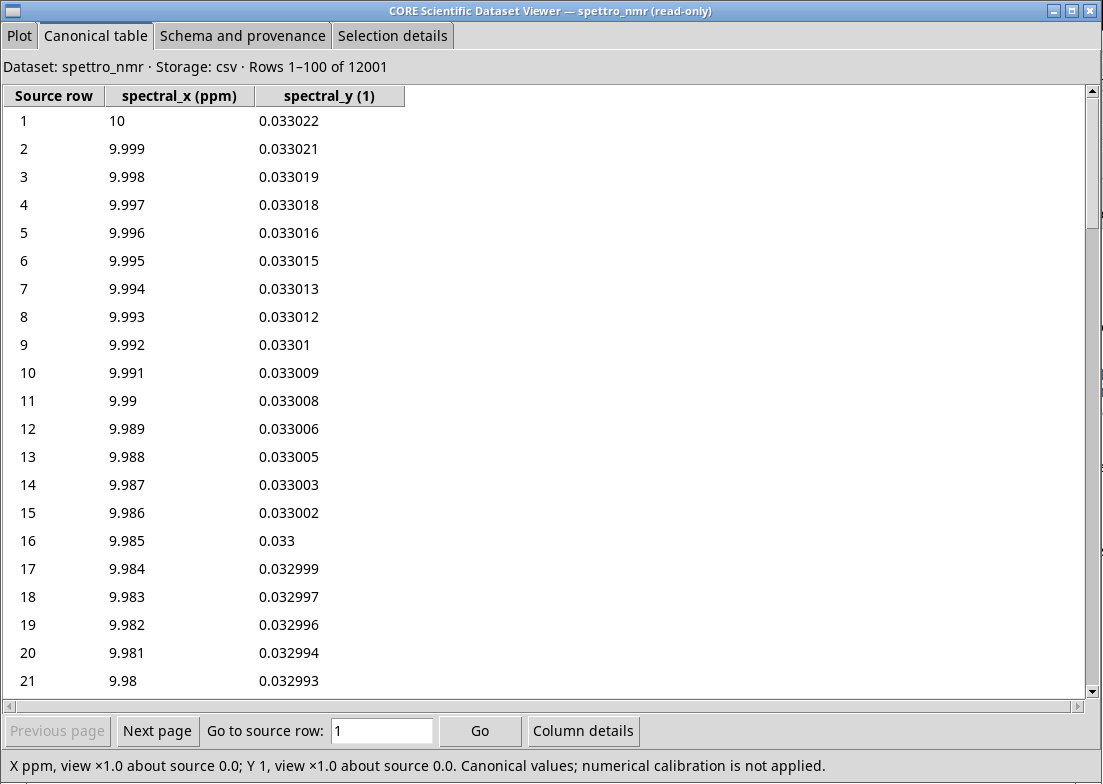
Use a one-dimensional JCAMP-DX NMR NTUPLES file with two pages for the real and imaginary parts. For due-picchi-nmr-solvente-ignoto.dx, check that inspection identifies NMR SPECTRUM. Verify the ¹H and 400 MHz metadata, the ppm axis, and the already processed signal. The FID fields do not transform an already processed spectrum.
For an NMR FID, set the zero-fill factor, exponential broadening in Hz, and phase in degrees before queueing. Zero-fill increases the density of the FFT grid. Line broadening applies an exponential window to the transient. Zero-order phase rotates the complex spectrum before the real part is taken. Check the dwell time, FFT length, and phase in the metadata.
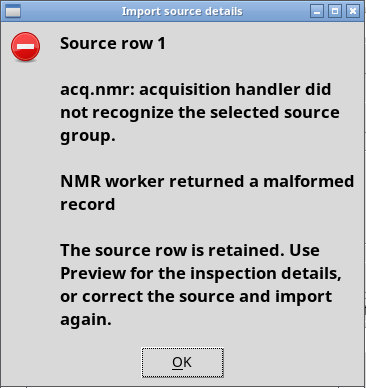
In P011-bis, a missing solvent declaration can prevent publication even when other fields are recognized. If the solvent is unknown, use a documented original or a copy with the explicit label ##.SOLVENT NAME=UNKNOWN, and retain the provenance of the change. Verify the resulting solvent field.
FID example with a verified FFT grid
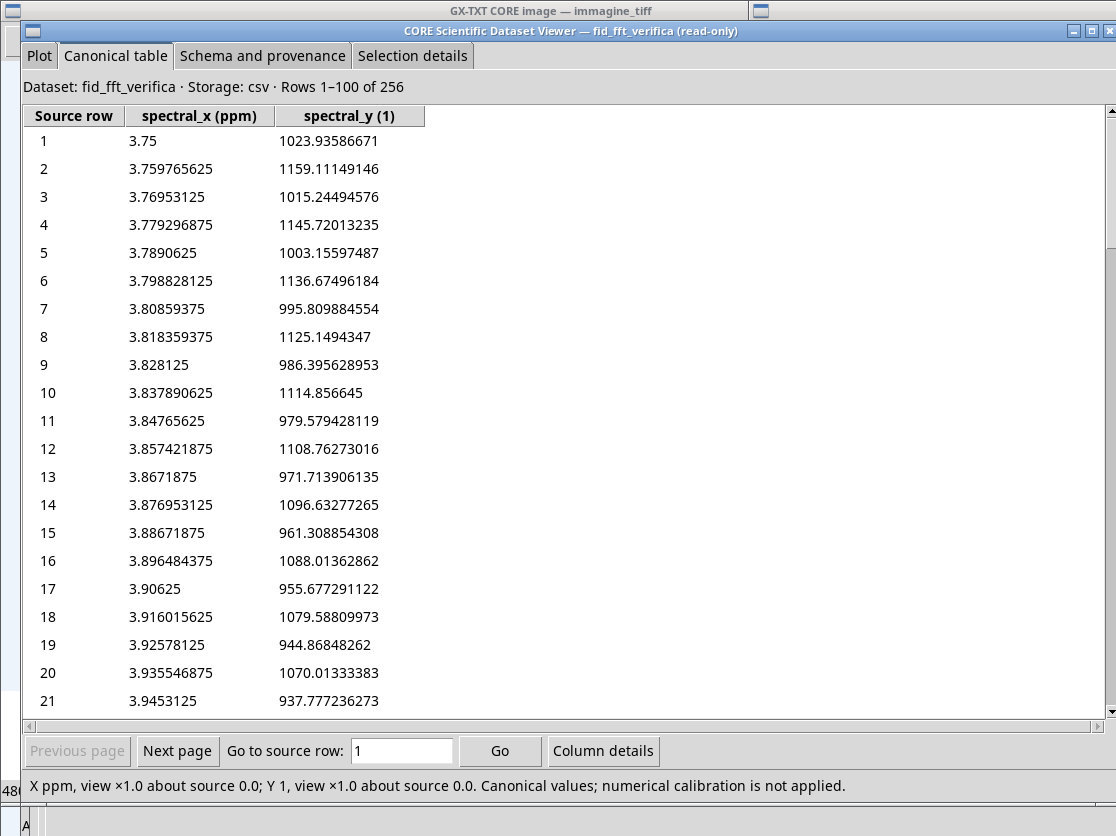
fid-didattico.dx contains 128 real and imaginary samples at 1 ms intervals, with a 125 Hz transient. Use a zero-fill factor of 2, line broadening of 3.5 Hz, and a phase of 20°. The canonical metadata reports fid_fft, 256 points, and a dwell time of 0.001 s. The spectrum grid is centered on the transmitter, with an offset of 5 ppm and an expected contribution near 5.3125 ppm. For a full recognition test, the source also includes NMR references and processing declarations.
Exercise files
- due-picchi-nmr-solvente-ignoto.dx (extract the ZIP first)
- fid-didattico.dx (extract the ZIP first)
- due-picchi-nmr-no-solvent.dx (extract the ZIP first)
Sources, licenses, and SHA-256
Screenshots
Open a screenshot to view it at full size.
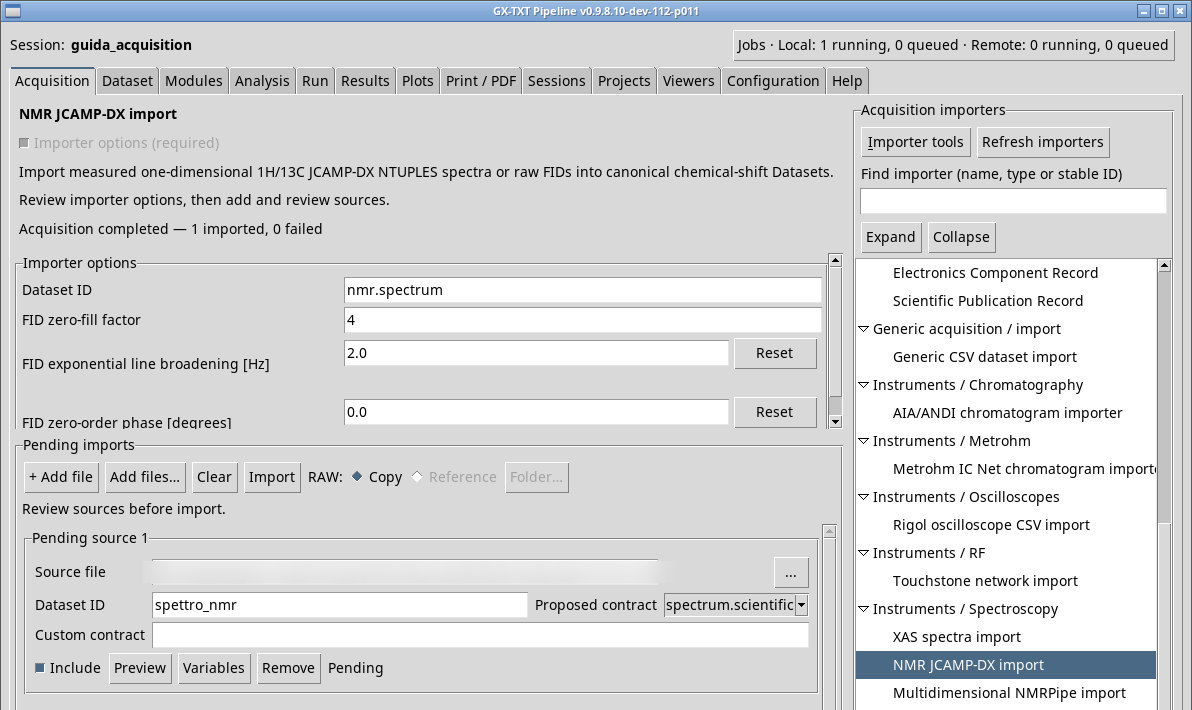
Controls and settings
Scrollbar
Dataset ID
Default value in the basic configuration nmr.spectrum.
FID zero-fill factor
4. The result uses an FFT length rounded to a power of 2 by the worker. Applies to FID. Default value in the basic configuration 4.
FID exponential line broadening [Hz]
2.0. Reset restores the default. A higher value damps the transient sooner and broadens the frequency profile. Default value in the basic configuration 2.0.
Reset
FID zero-order phase [degrees]
0.0. Reset restores the default. Check the sign and symmetry of the real signal after rotation. Default value in the basic configuration 0.0.