

AIA/ANDI chromatogram importer
Import an AIA/ANDI chromatogram in GX-TXT and inspect the conductivity trace, peak table, and resulting group.
acq.aia_andi_chromatography · Version 1.1.0
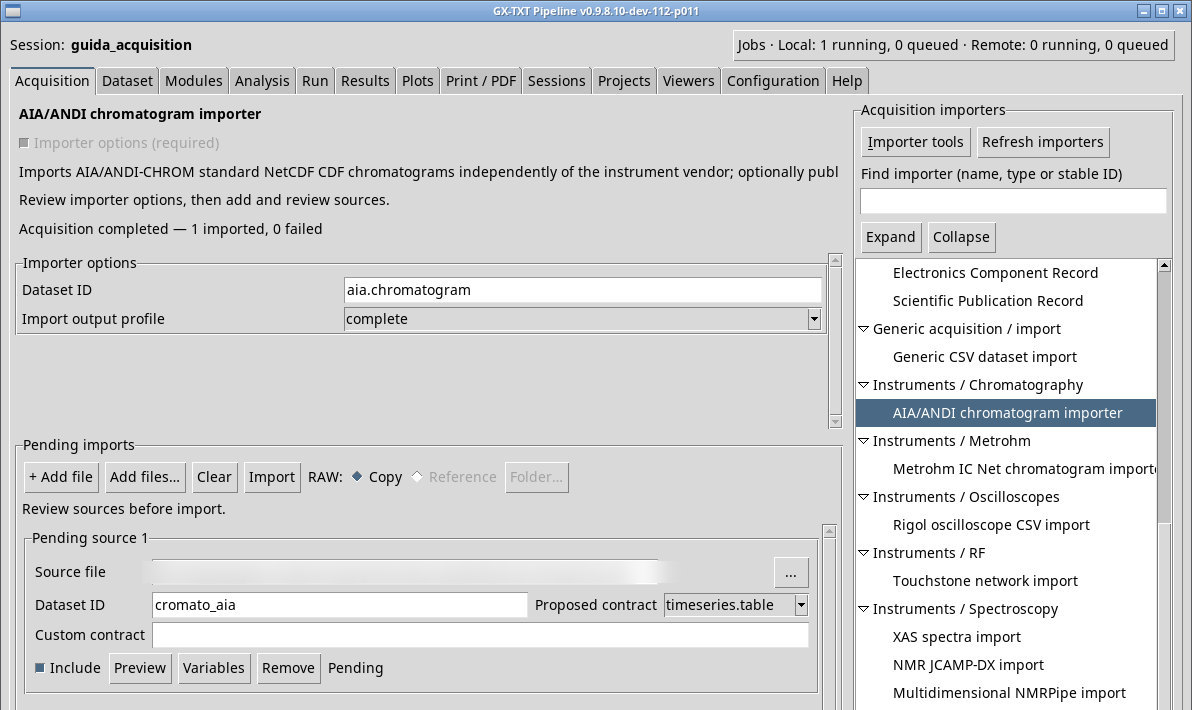
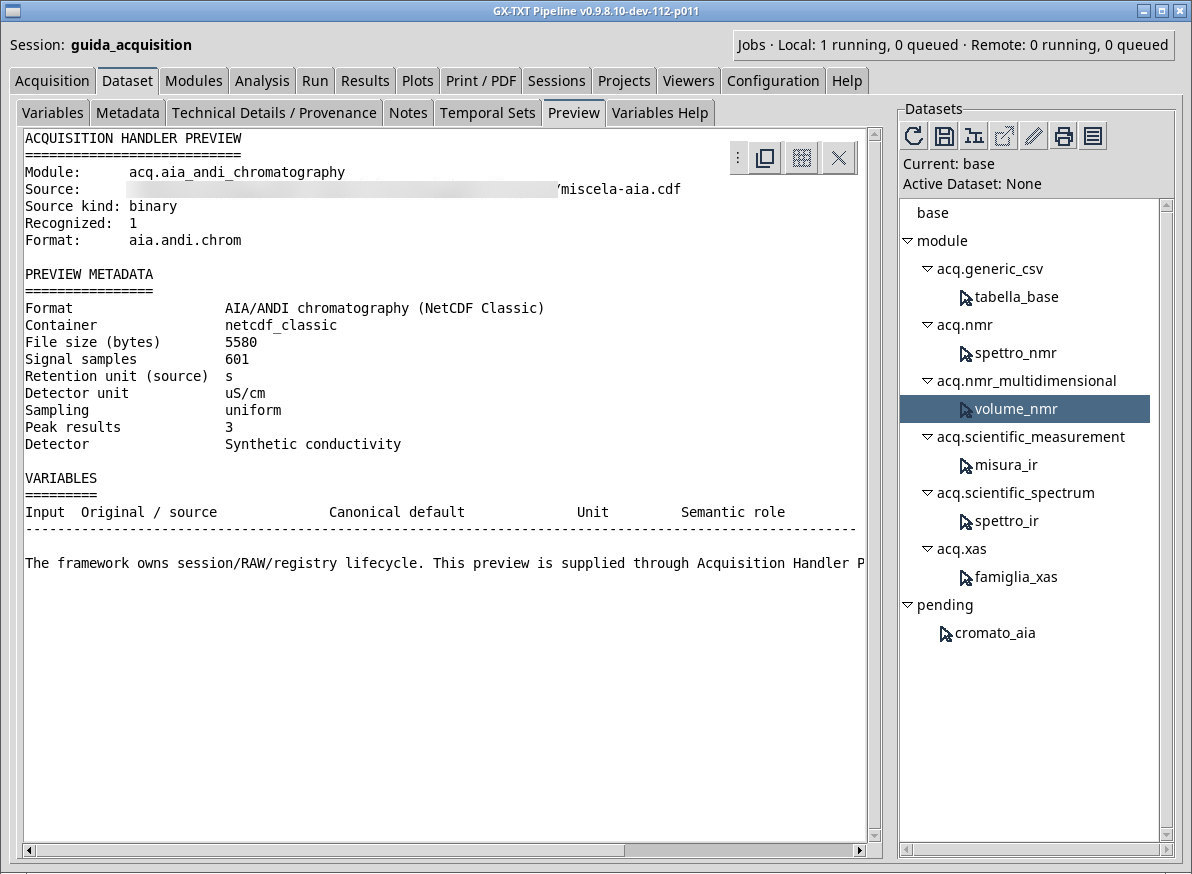
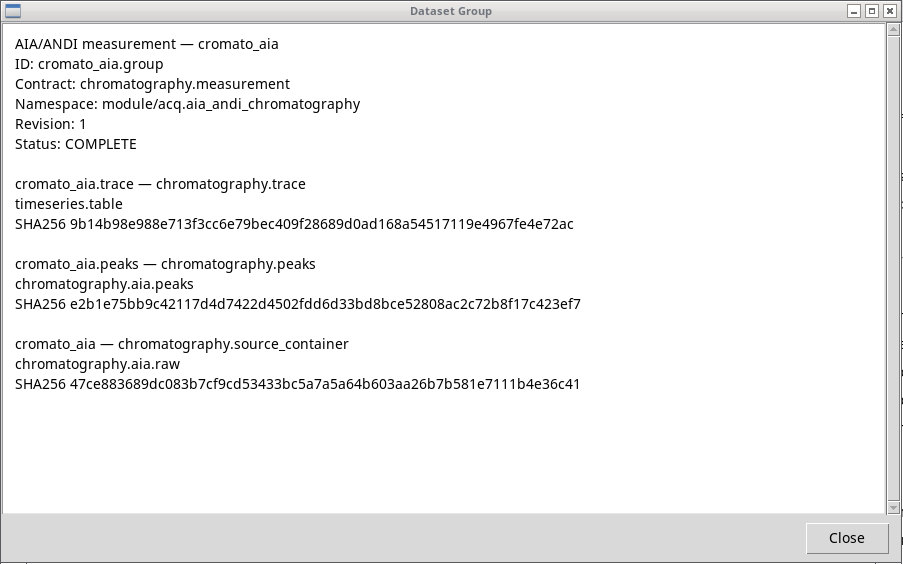
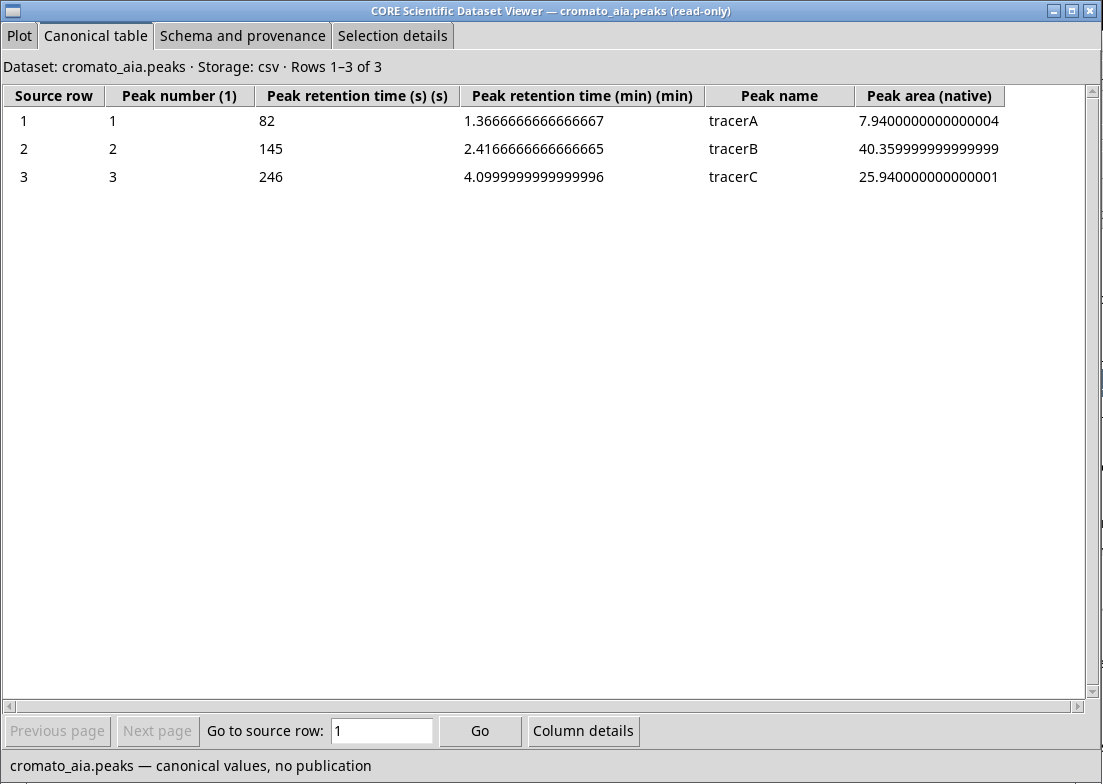
Queue a NetCDF CDF that conforms to the AIA/ANDI chromatography subset. The trace links times and intensities for a single record. The exercise files are synthetic, and their generator lets you rebuild the times, values, and peak index. With miscela-aia.cdf choose complete, queue the file, assign the cromato_aia base ID, check the preview, and import.
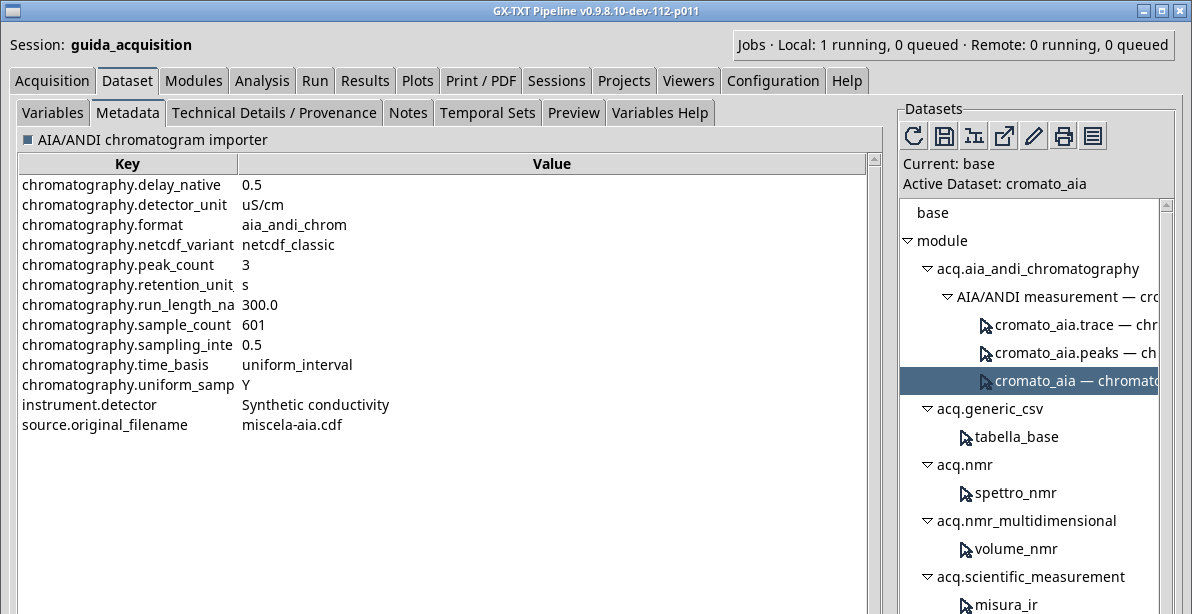
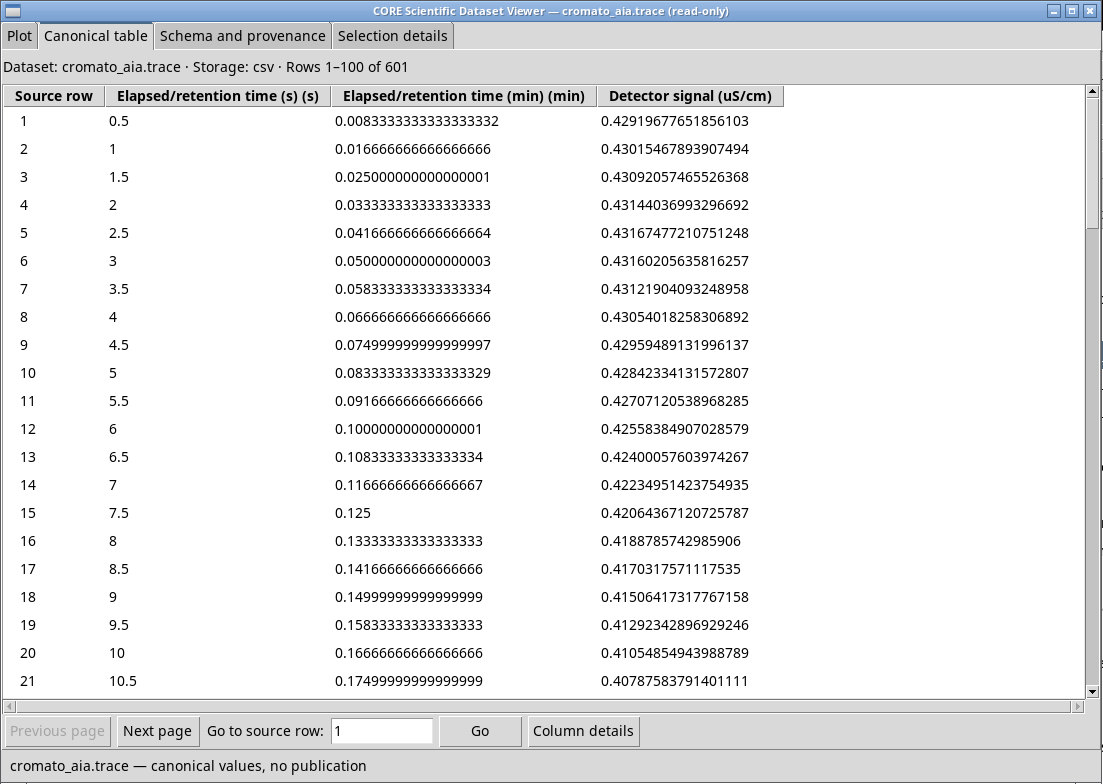
In Dataset, check the cromato_aia.group group with Inspect Group…. The cromato_aia.trace member is the primary one. Open it to check time and response. Peaks, if present in the source, are a separate table. The complete profile can register an additional binary member and the original RAW remains the source of the acquisition. trace_and_peaks requires the trace and an optional peaks member, trace_only the trace only.
For the miscela-variabile.cdf variable-time CDF, check that the stored time vector is read and that the intervals between points are not forced to the same value. In the synthetic aia-senza-picchi.cdf file, the trace_and_peaks profile publishes the trace only, with five points from 0 to 2 s.
Exercise files
- miscela-aia.cdf (extract the ZIP first)
- miscela-variabile.cdf (extract the ZIP first)
- aia-senza-picchi.cdf (extract the ZIP first)
- generate_ic.py (extract the ZIP first)
Sources, licenses, and SHA-256
Screenshots
Open a screenshot to view it at full size.
Controls and settings
Scrollbar
Dataset ID
Default value in the basic configuration aia.chromatogram.
Import output profile
trace_only gives the trace. trace_and_peaks includes the peak table when the source provides it. complete can add the binary file as a registered member. Check group roles and members in the Dataset browser. Default value in the basic configuration trace_and_peaks.
trace_and_peaks· Choose additional documents to publish alongside the trace.trace_onlygives the trace.trace_and_peaksincludes the peak table when the source provides it.completecan add the binary file as a registered member. Check group roles and members in the Dataset browser.trace_only· Choose additional documents to publish alongside the trace.trace_onlygives the trace.trace_and_peaksincludes the peak table when the source provides it.completecan add the binary file as a registered member. Check group roles and members in the Dataset browser.complete· Choose additional documents to publish alongside the trace.trace_onlygives the trace.trace_and_peaksincludes the peak table when the source provides it.completecan add the binary file as a registered member. Check group roles and members in the Dataset browser.