

Rigol oscilloscope CSV import
Import Rigol CSV samples, verify the time axis, and open the channels in the GX-TXT published group.
acq.rigol_csv · Version 2.3.1
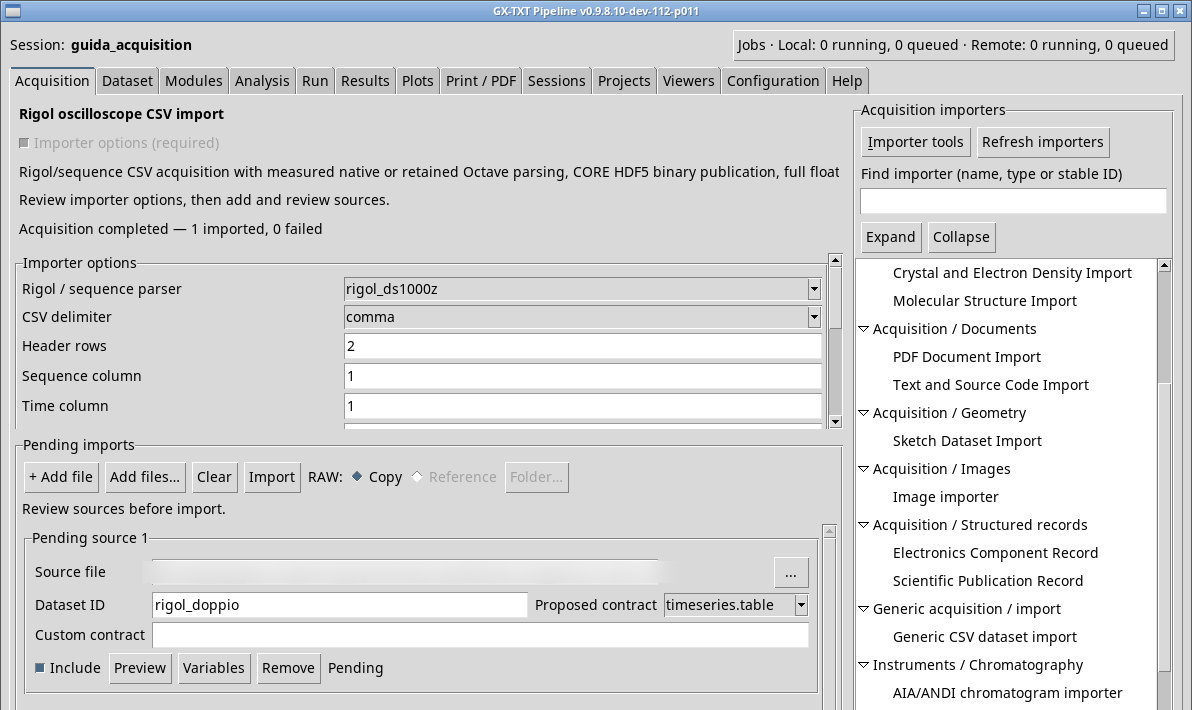
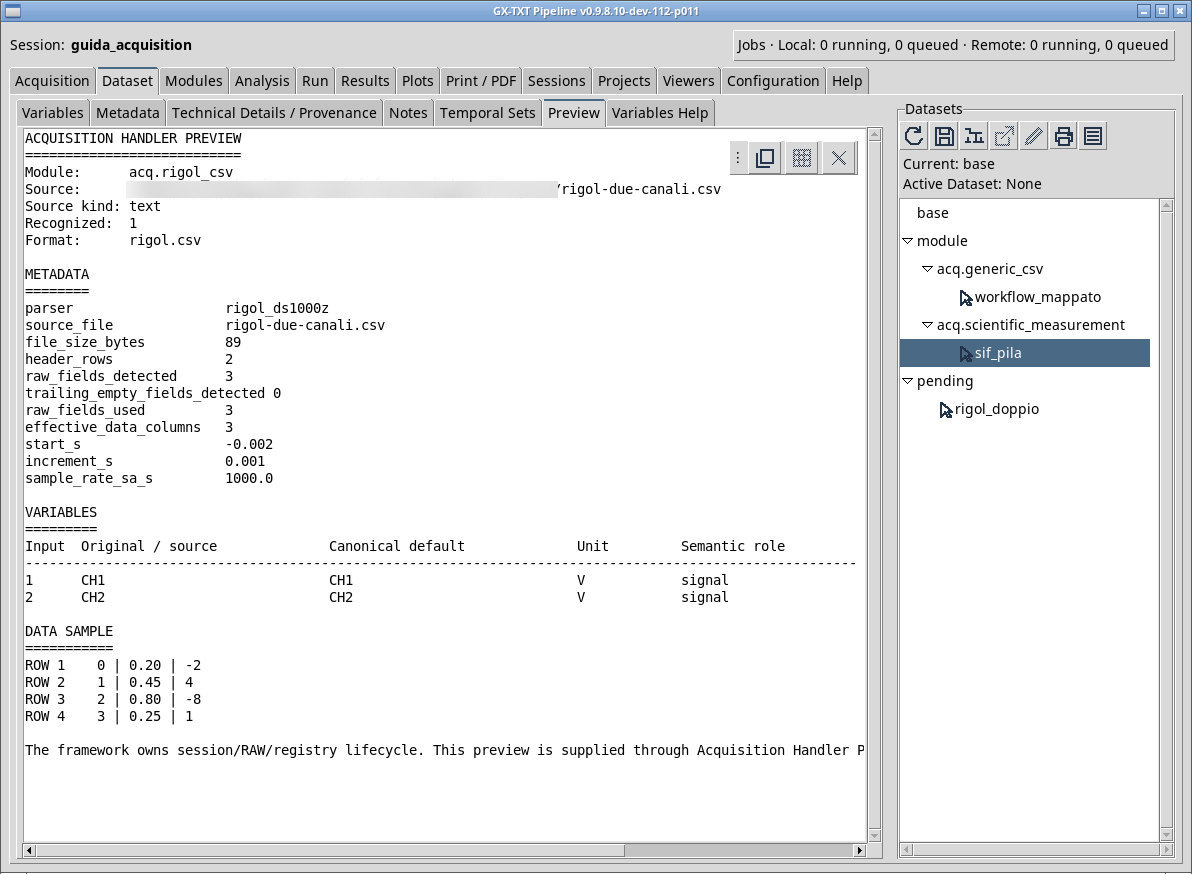
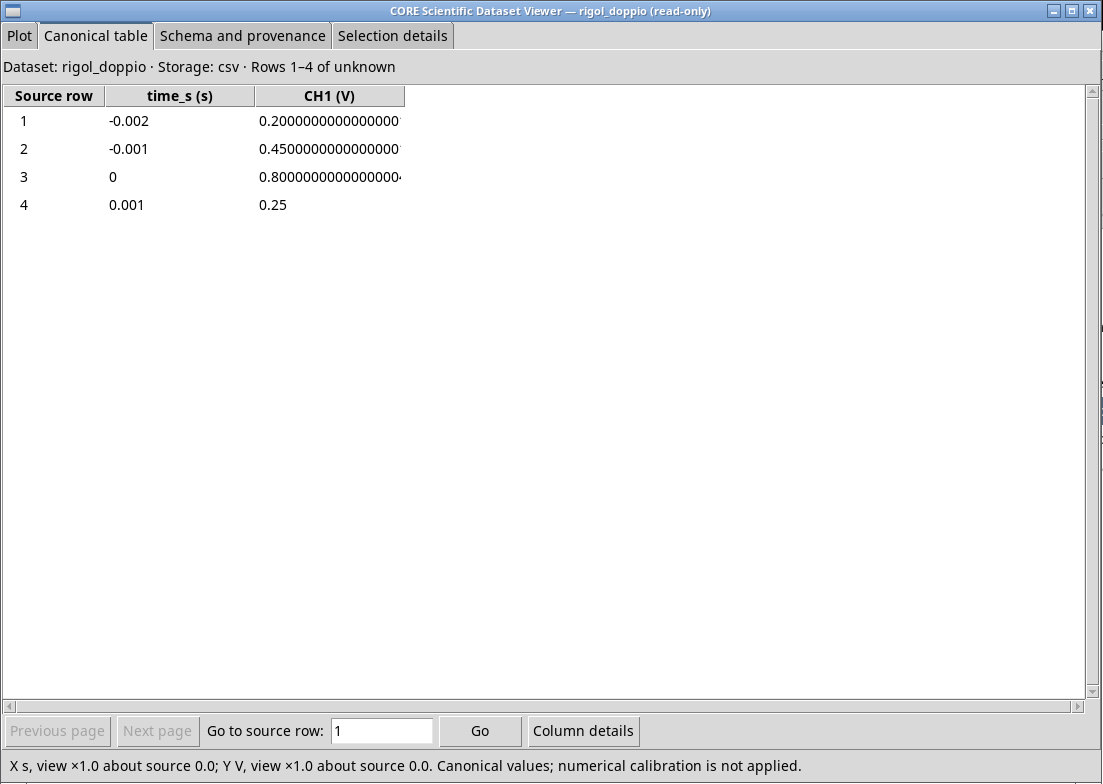
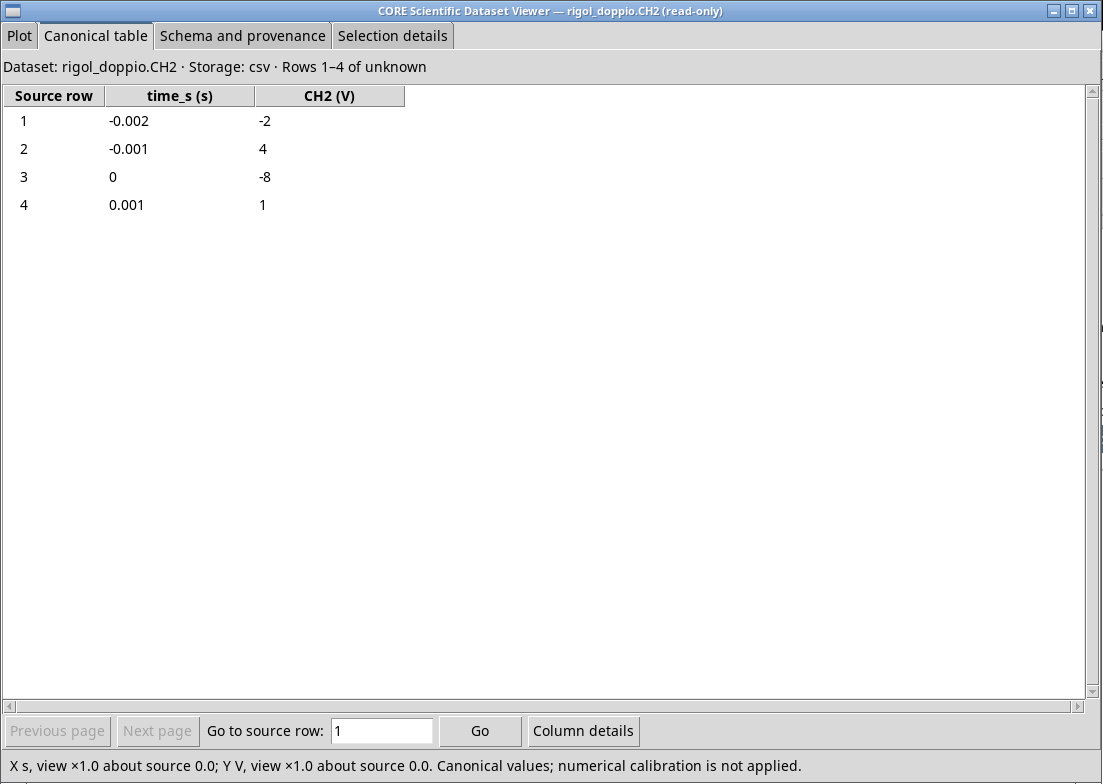
With rigol-due-canali.csv choose rigol_ds1000z, a comma separator, two header rows, and sequence column 1. The second row declares unit V, Start=-0.002 s and Increment=0.001 s. Check in Variables the two variables and keep both for comparison. With sequence 0–3 the expected axis is −2, −1, 0, 1 ms. At time 0 the expected values are 0.80 V and −8 V.
For a CSV with an explicit time column, use generic_time and set Time column. With generic_sequence choose Sequence column and set Manual tStart [s] and Manual dt [s]. The second mode rebuilds the times from index, origin, and period. Strict sequence check (+1) checks for unit increments. Set Raw fields per record and Trailing fields to ignore only after counting the actual fields.
In Canonical storage you can choose auto, hdf5 or csv. CSV parser backend offers auto, native and octave. Check the actual backend in the properties after the import. The native backend has storage constraints, and the Octave backend requires a working toolchain. CSV rows per block sets the size of the blocks read by the worker. The panel exposes two generation checkboxes, but the files actually recorded must be checked in the Session result: the managed path decides the canonical publication from the storage.
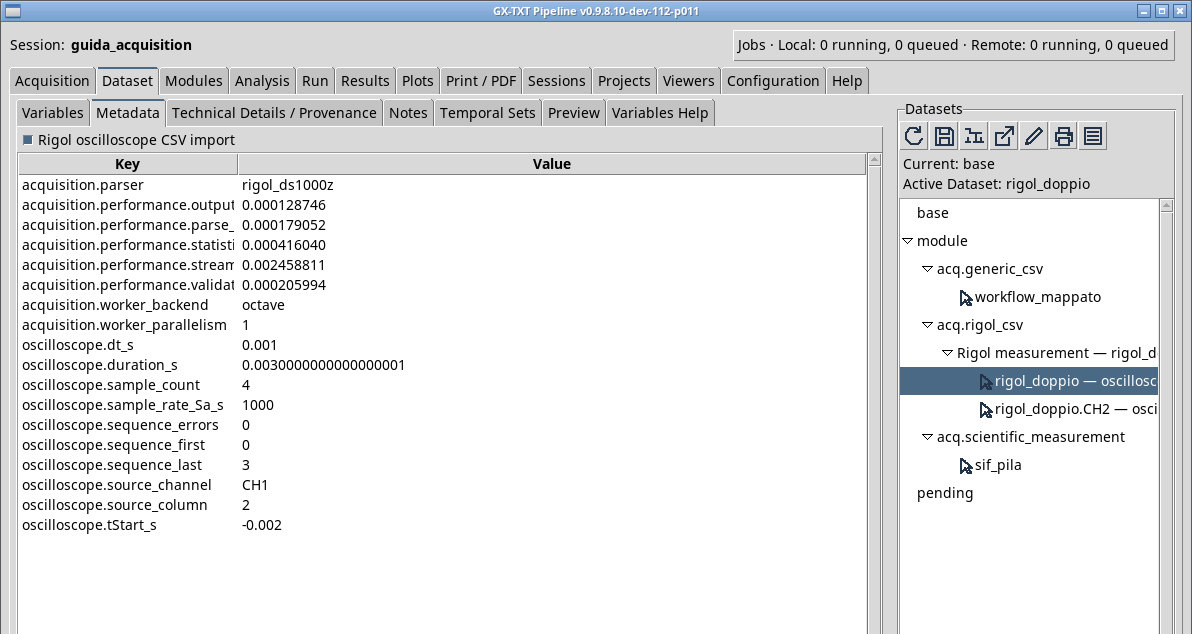
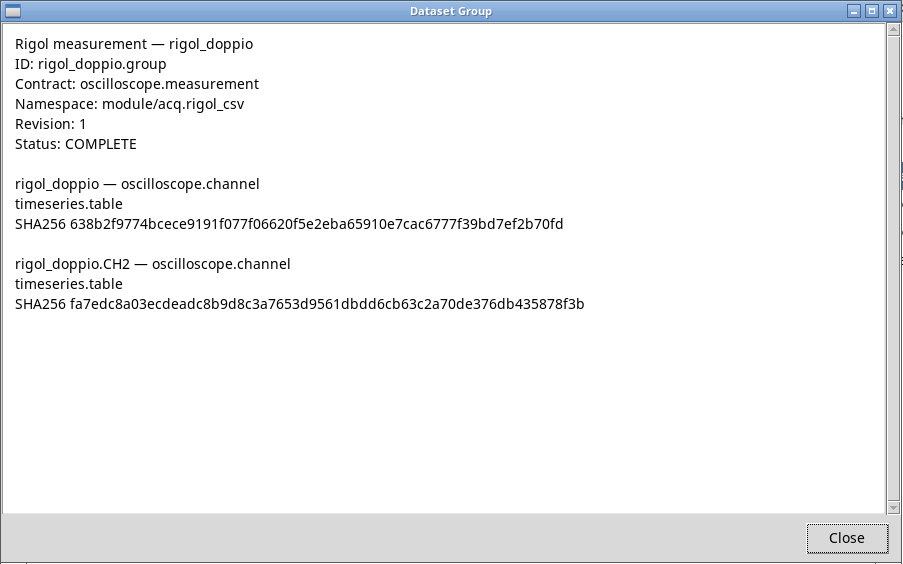
If the publication has several members, open the oscilloscope.measurement group. Compare the first member, with the main ID, and the next member, with the channel suffix. The values of the two signals must remain distinct.
In P011-bis auto in Canonical storage chooses CSV below 8 MiB and HDF5 from 8 MiB. With the auto backend and HDF5, it chooses the native worker when the binary is installed, otherwise Octave. With CSV, an explicit native choice is rejected. Open the Dataset and check the format and the acquisition.worker_backend field in the properties. The group keeps the first channel under the base ID and assigns .CH2 to the second in the Rigol exercise.
In rigol-trailing.csv the two trailing commas require Raw fields per record = 5 and Trailing fields to ignore = 2. Use generic_sequence, one header row, sequence column 1, Manual tStart 0 s and Manual dt 0.001 s. The jump from 1 to 5 is intentional. The test with Strict sequence check (+1) cleared publishes both channels.
Exercise files
Sources, licenses, and SHA-256
Screenshots
Open a screenshot to view it at full size.
Controls and settings
Scrollbar
Rigol / sequence parser
rigol_ds1000z uses the two export rows, generic_sequence rebuilds the time from the sequence and manual parameters, generic_time reads a time column. Default value in the basic configuration rigol_ds1000z.
rigol_ds1000z·rigol_ds1000zuses the two export rows,generic_sequencerebuilds the time from the sequence and manual parameters,generic_timereads a time column.generic_sequence·rigol_ds1000zuses the two export rows,generic_sequencerebuilds the time from the sequence and manual parameters,generic_timereads a time column.generic_time·rigol_ds1000zuses the two export rows,generic_sequencerebuilds the time from the sequence and manual parameters,generic_timereads a time column.
CSV delimiter
auto estimates it from a sample. comma uses comma, semicolon semicolon, tab tab, and whitespace whitespace where available. Check that Preview returns the expected number of columns. Default value in the basic configuration comma.
comma· Choose the separator actually used in the source.autoestimates it from a sample.commauses comma,semicolonsemicolon,tabtab, andwhitespacewhitespace where available. Check that Preview returns the expected number of columns.semicolon· Choose the separator actually used in the source.autoestimates it from a sample.commauses comma,semicolonsemicolon,tabtab, andwhitespacewhitespace where available. Check that Preview returns the expected number of columns.tab· Choose the separator actually used in the source.autoestimates it from a sample.commauses comma,semicolonsemicolon,tabtab, andwhitespacewhitespace where available. Check that Preview returns the expected number of columns.
Header rows
Default value in the basic configuration 2.
Sequence column
rigol_ds1000z and generic_sequence. Default value in the basic configuration 1.
Time column
generic_time. Default value in the basic configuration 1.
Manual tStart [s]
The field is initially blank.
Manual dt [s]
The field is initially blank.
Canonical storage
hdf5 or table csv. auto uses the module policy. Check in the browser the format published for each channel. Default value in the basic configuration auto.
auto· Choose the canonical containerhdf5or tablecsv.autouses the module policy. Check in the browser the format published for each channel.hdf5· Choose the canonical containerhdf5or tablecsv.autouses the module policy. Check in the browser the format published for each channel.csv· Choose the canonical containerhdf5or tablecsv.autouses the module policy. Check in the browser the format published for each channel.
CSV parser backend
auto for automatic selection, native for the native worker where compatible, or octave for the corresponding path with an installed toolchain. Default value in the basic configuration auto.
auto· Chooseautofor automatic selection,nativefor the native worker where compatible, oroctavefor the corresponding path with an installed toolchain.native· Chooseautofor automatic selection,nativefor the native worker where compatible, oroctavefor the corresponding path with an installed toolchain.octave· Chooseautofor automatic selection,nativefor the native worker where compatible, oroctavefor the corresponding path with an installed toolchain.
Generate sequence + signal extract
Default value in the basic configuration 1.
Generate time_s + value canonical CSV
time_s table and values, check the storage. P011-bis sets canonical CSV production based on Canonical storage. Default value in the basic configuration 1.
CSV rows per block
Default value in the basic configuration 250000.
Raw fields per record (0=auto)
0 uses the number of fields detected in the first row. Enter a positive integer only if you know the original record width. Default value in the basic configuration 0.
Trailing fields to ignore
Default value in the basic configuration 0.
Strict sequence check (+1)
Default value in the basic configuration 1.